You have never done this before.
Good. That is who this page is for. In about two minutes you will have a free AI account open, you will know what every button on the screen does, and you will have sent your first message. No card. Nothing to install. Nothing to understand in advance.
An AI assistant is a website with a text box.
You type a request in plain language, the way you would explain it to a capable new hire on their first day, and it writes something back in seconds. There is no command syntax to memorise, no correct format, no menu to learn. If you can write an email, you already know how to use one.
Under the hood it is doing one thing: prediction. It has read an enormous amount of text and it produces the words that most plausibly come next. That single fact explains both halves of its character. It is genuinely excellent at drafting, restructuring, summarising, explaining and arguing with you. It is unreliable on facts, figures, citations, dates and anything recent, because to the machine a confident guess and a correct answer are the same shape. You stay the expert. It becomes the fastest first draft you have ever had. Every one of the next 30 drills is built on that split.
Whatever you type into the box. That is the entire definition. A prompt can be one line or a page.
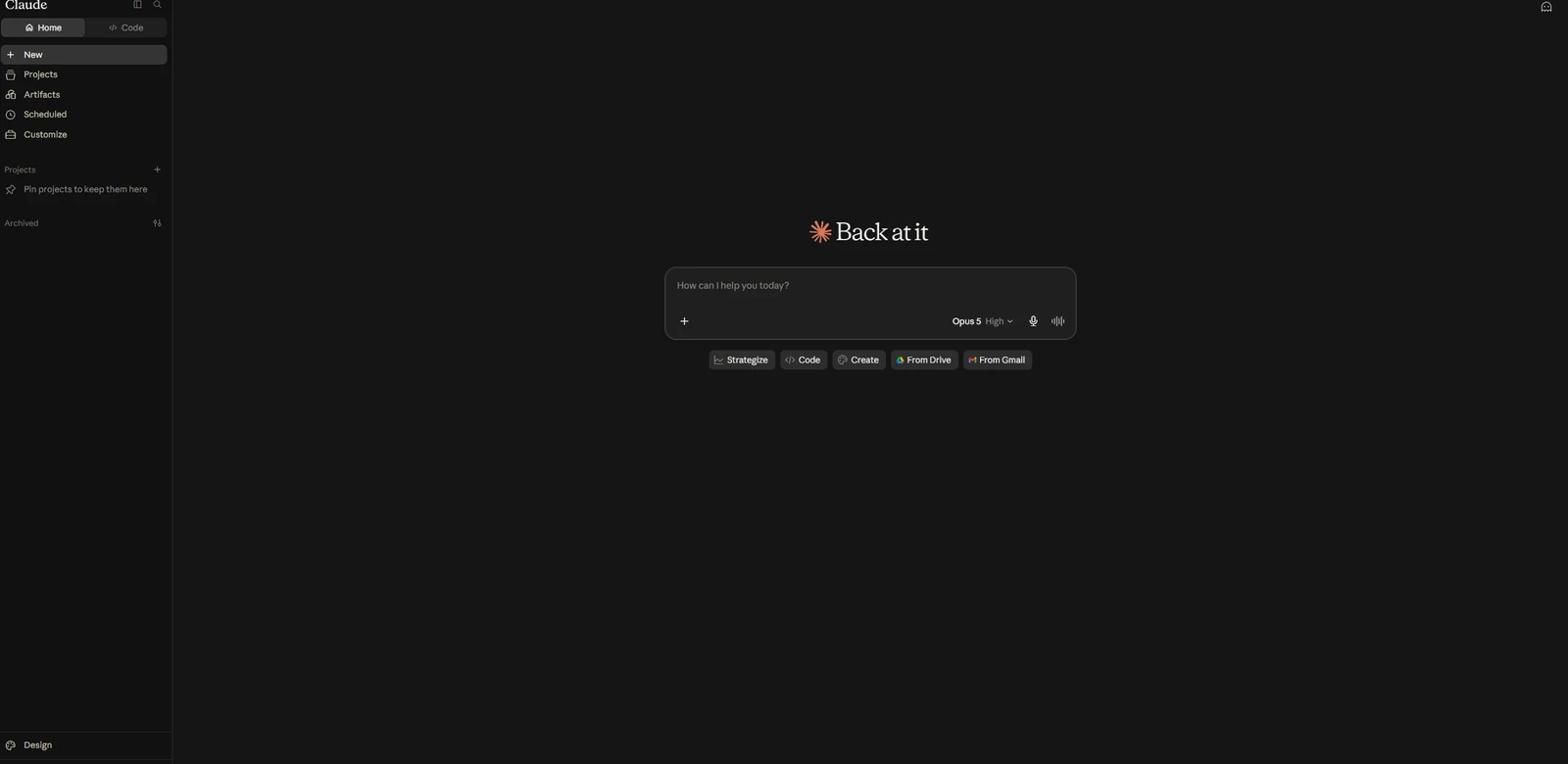
One thread. It remembers what was said earlier in it, so you can reply "shorter" or "now make it formal" without repeating yourself.
The specific version doing the work. You will see a name near the box. Ignore it — the free default handles every drill here.
Pick one. Then follow the pins.
Any of these three will carry you through all 30 days on the free plan. Most people end up with all three eventually — do not do that today. Pick one, finish this page, start Day 1. Every screenshot below is the real interface, captured this week, with the things you actually need to click marked.
Claude, from Anthropic. Handles long documents well and follows detailed instructions closely, which makes it a strong default for professional drafting. Free plan, no card.
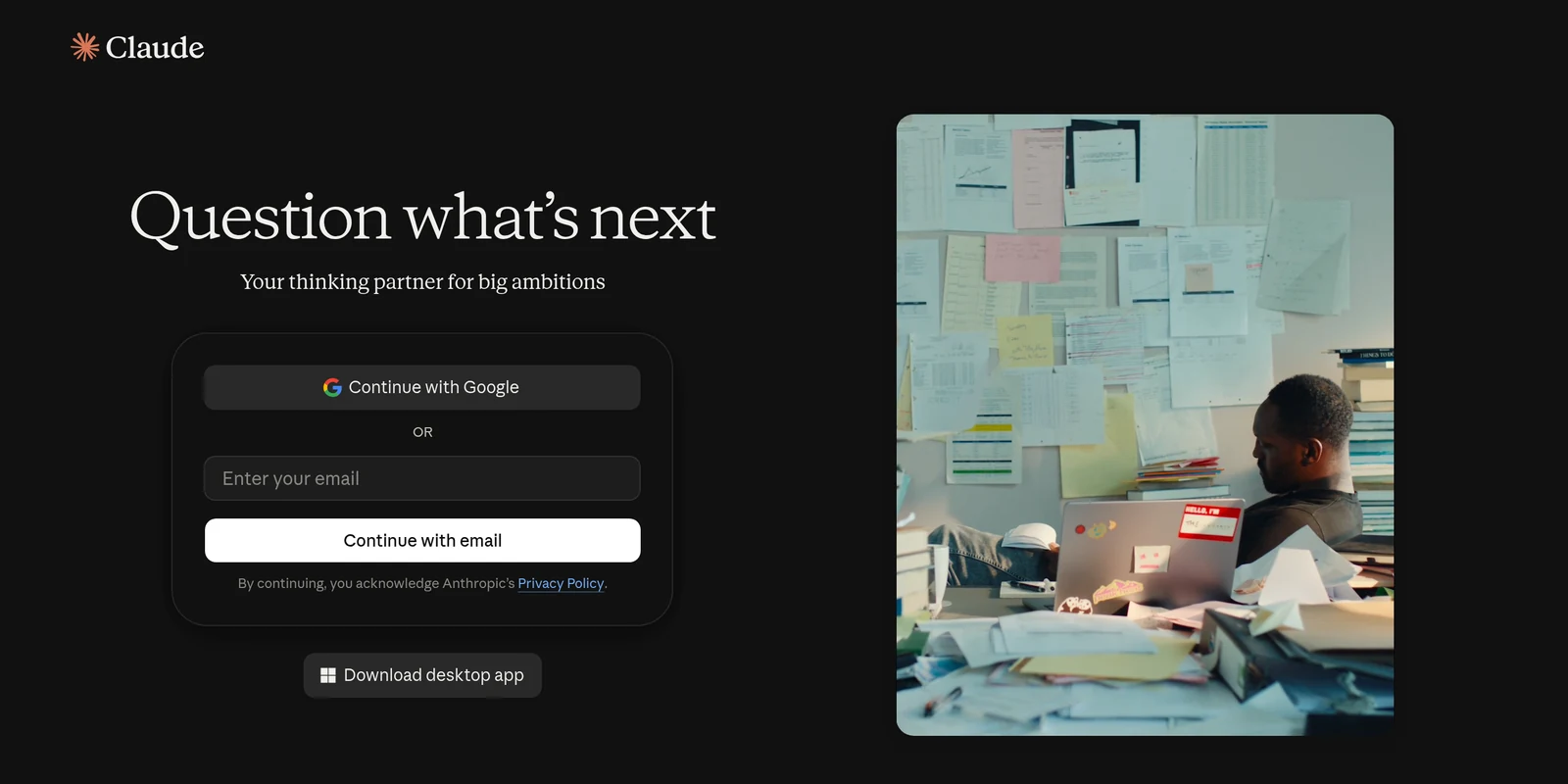
Create the account
This is the entire signup screen. There is no payment step anywhere on it and no trial countdown running in the background.
Learn the four things that matter
Once you are in, the screen has a lot on it and almost none of it matters yet. This is the layout, with the only four parts you need for the next 30 days marked.
Send your first message
Paste this and press send. It is not a test and there is no wrong answer — the point is to feel the loop once, while nothing is riding on it.
You are helping me learn to use an AI assistant for the first time. In under 100 words, explain what you are good at and what you are bad at, in plain language and with no marketing tone.
Now do the important bit: type "shorter, and no bullet points" as a second message. Watch it revise rather than start over. That back-and-forth is the actual skill, and it is what the next 30 days train.
ChatGPT, from OpenAI. The most widely used assistant, so it is the one your colleagues most likely already have open in a tab. Free plan, no card.
Create the account
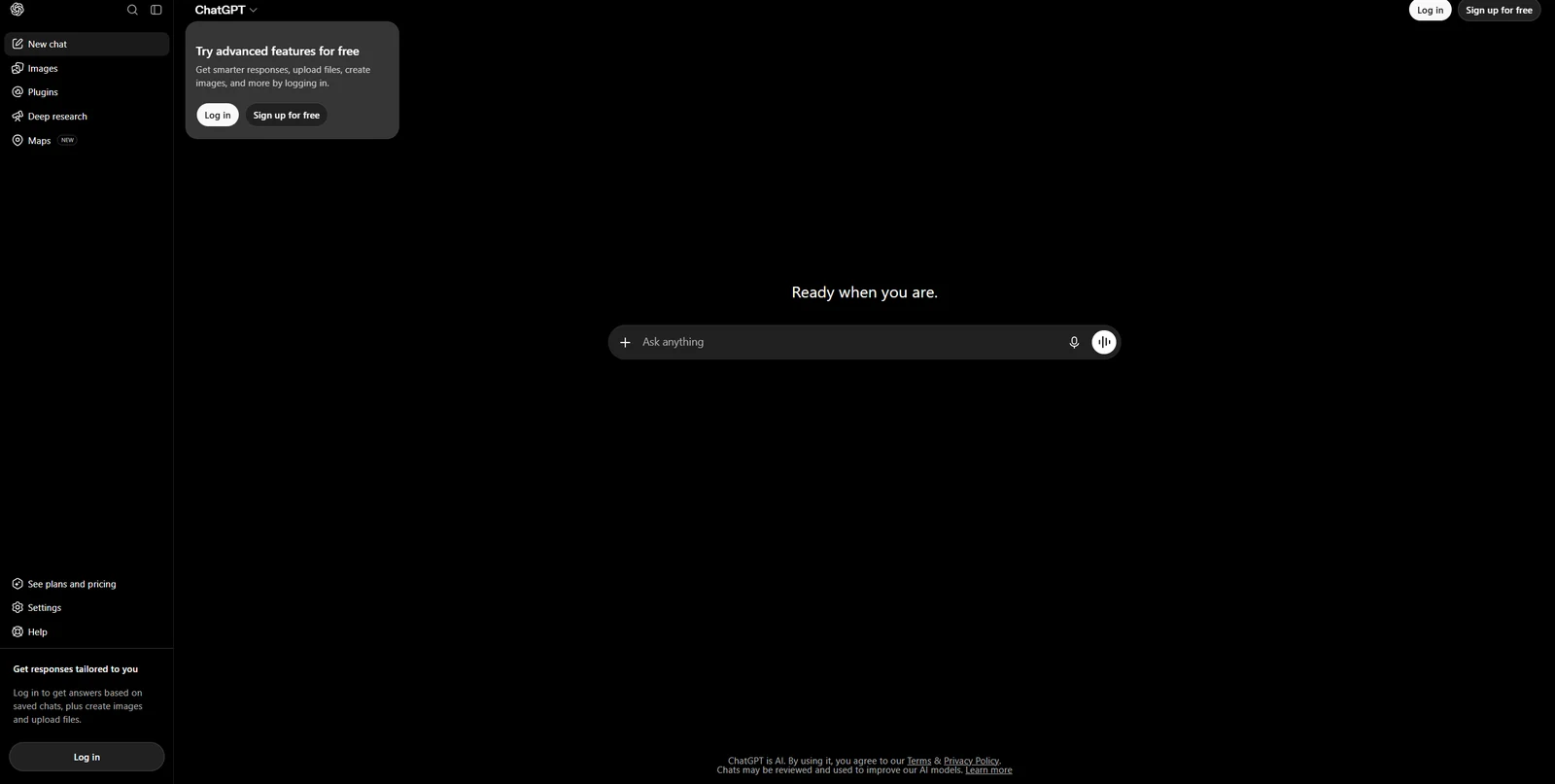
ChatGPT lets you look around before you sign up, so this is what you land on. The signup button is top right.
Learn the four things that matter
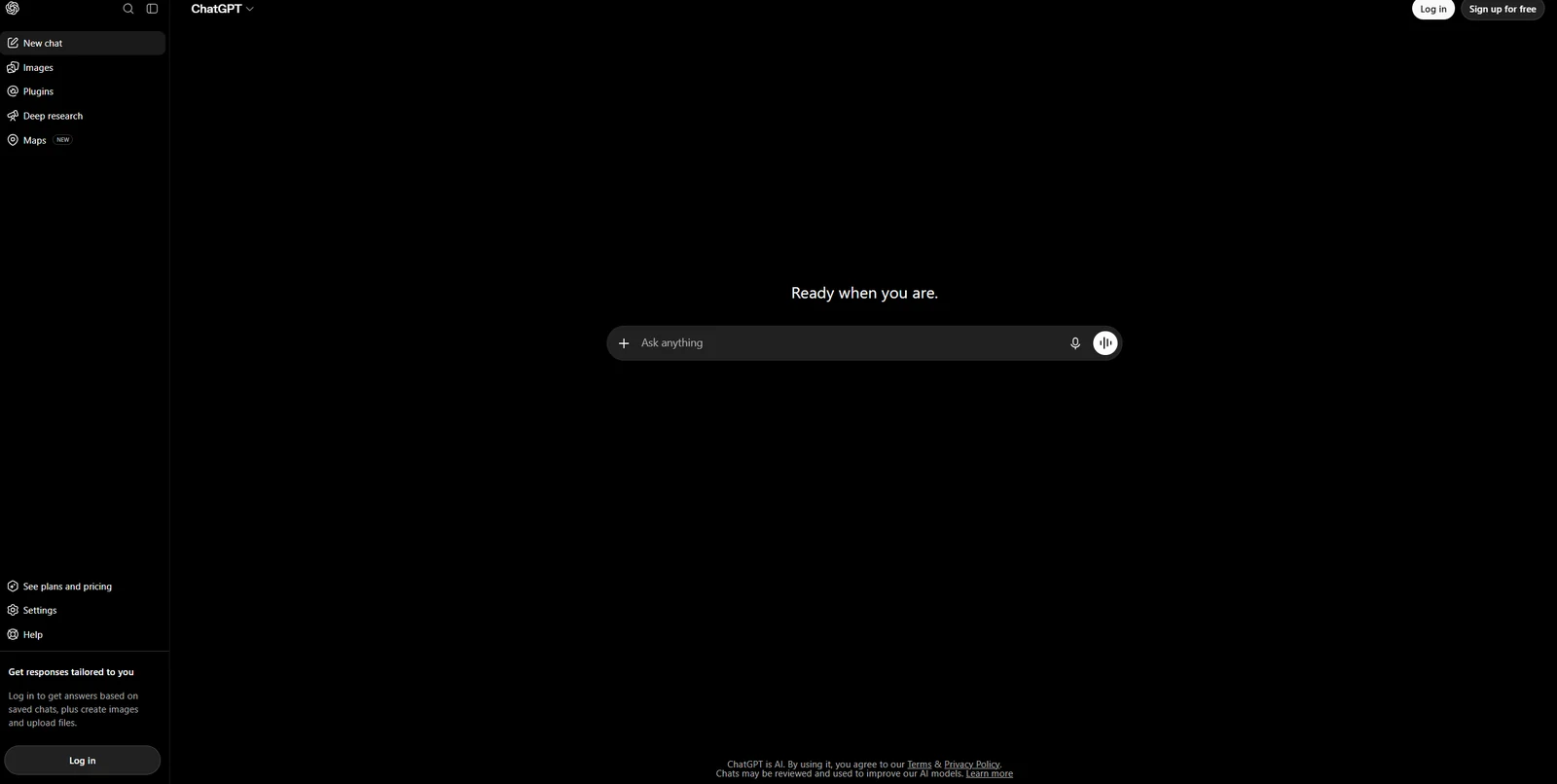
Same screen, different job. Here are the only four parts you need for the next 30 days. Everything else in that sidebar can wait.
Send your first message
Paste this and press send. It is not a test and there is no wrong answer — the point is to feel the loop once, while nothing is riding on it.
You are helping me learn to use an AI assistant for the first time. In under 100 words, explain what you are good at and what you are bad at, in plain language and with no marketing tone.
Now do the important bit: type "shorter, and no bullet points" as a second message. Watch it revise rather than start over. That back-and-forth is the actual skill, and it is what the next 30 days train.
Gemini, from Google. If you already spend your day inside a Google account, this is the path of least resistance — there is usually nothing to create at all.
Sign in with the account you already have
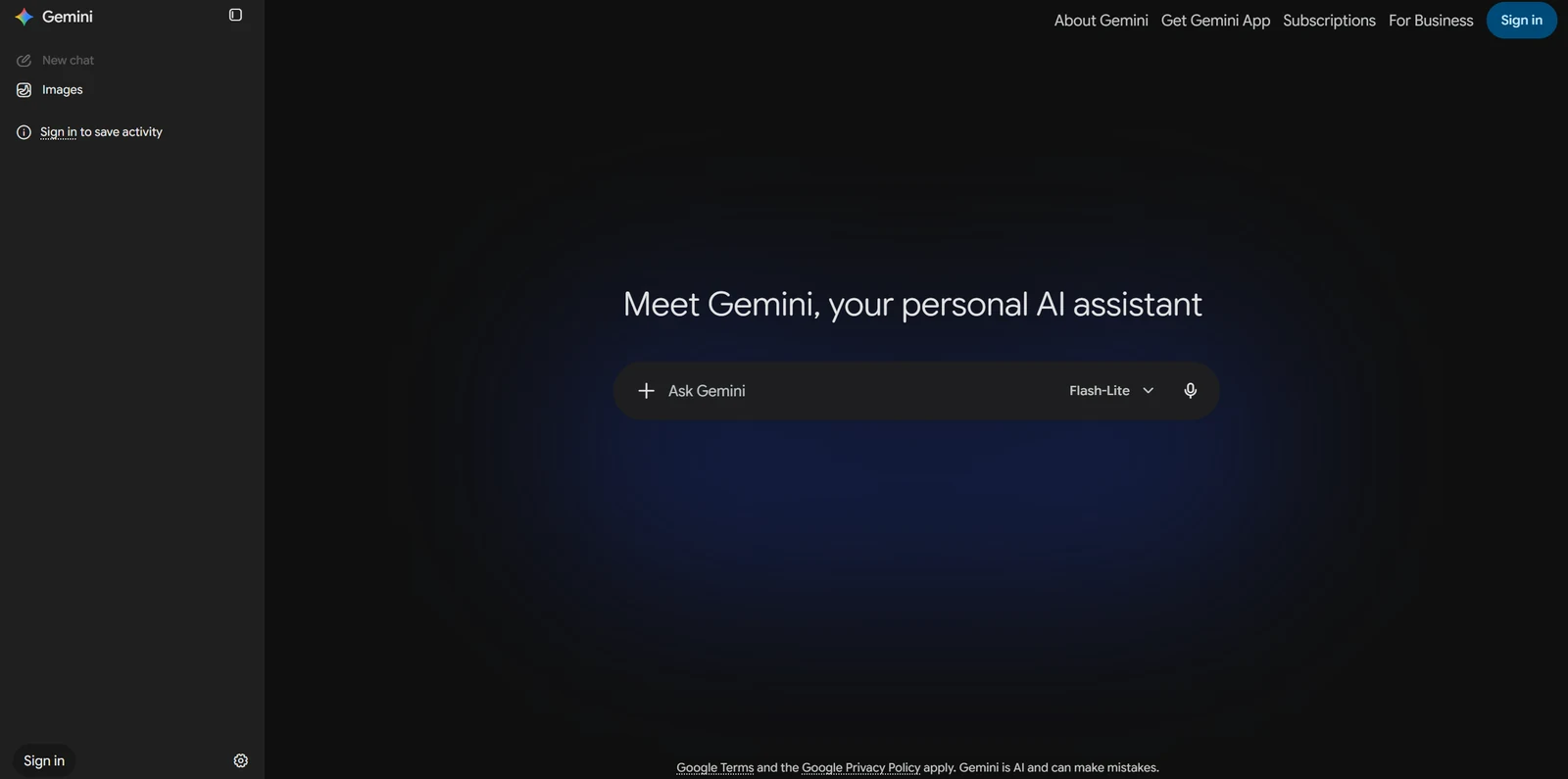
Gemini also lets you look before you commit. If you have a Google account, "Sign in" is the entire signup: nothing to create, nothing to confirm.
Learn the four things that matter
Same screen, different job. Here are the only four parts you need for the next 30 days.
Send your first message
Paste this and press send. It is not a test and there is no wrong answer — the point is to feel the loop once, while nothing is riding on it.
You are helping me learn to use an AI assistant for the first time. In under 100 words, explain what you are good at and what you are bad at, in plain language and with no marketing tone.
Now do the important bit: type "shorter, and no bullet points" as a second message. Watch it revise rather than start over. That back-and-forth is the actual skill, and it is what the next 30 days train.
Three rules. They hold for all 30 days.
Not terms and conditions. These are the three things that separate people who finish the challenge with a new skill from people who quit on Day 6 or get themselves in trouble.
A free account is enough
All 30 drills are designed to run on a free plan. If you hit a usage limit it resets in a few hours, or you open one of the other two assistants. Do not upgrade to finish this challenge. Decide about paying on Day 31, when you know from experience what you actually use.
Paste exactly, then adapt
Run each day's prompt word for word the first time, even where it feels oddly specific. The wording is the lesson. Then change the details to your own work and run it again. That second run is where it stops being a tutorial and starts being useful.
Never paste real confidential data
No patient records, client files, student names, financial detail or anything else that identifies a real person, on any consumer AI account. Every drill here uses invented or de-identified scenarios for exactly this reason. Your employer's policy and your professional obligations still apply, and they outrank anything on this site.
If something goes wrong
Five things go wrong for almost everyone. None of them mean you have broken anything.
It is asking me for payment details
It says I have hit a limit
My answer looks nothing like the example
It told me something that is wrong
Can they use my conversations?
Day 0 is done. Day 1 takes five minutes.
You have an account, you know what the buttons do, and you have sent your first message. That is more than most people ever do. Pick your edition and start the clock.