AI for ConstructionThe best construction AI tools, ranked
We track 68 AI tools for construction professionals and rank them by score, so you can pick the right one in minutes. 15 have a free plan you can use today.
The 10 best AI tools for construction professionals in 2026
Ranked by Zekai score, out of 68 tools. Scores weigh accuracy, ease of use, value and time saved for construction professionals, and we check prices against each vendor's site.
- 01
Generate dimensionally-accurate 2D floor plans and Gross Living Area (GLA) reports directly from a smartphone video scan.
Category-defining mobile utility that turns a simple five-minute smartphone walk-through into usable, accurate 2D floor plans and GLA reports at virtually zero entry cost.
- 02
AI-powered construction cameras, time-lapse videos, and visual intelligence software for civil engineering excellence.
- 03
Manage construction projects from design to operations with connected tools for every workflow, now part of Autodesk Forma.
- 04
AI-native platform for building design. Generate precise building designs, explore options at scale, and deliver projects faster.
Exceptional generative engine that encodes firm rules and local building codes into early massing and floor plans, backed by a massive active user base.
- 05
Instantly create CAD-ready 2D floor plans and 3D models of interior spaces using just your iPhone or iPad Pro.
Transforms LiDAR-equipped iPhones into immediate CAD and IFC geometry exports for BIM workflows, eliminating manual site measurements reliably.
- 06
Surface project risk across all your documents and empower your team to act on it, from project pursuit through closeout.
Purpose-built construction contract risk analysis that points to exact clauses; a mission-critical risk-mitigation tool that saves contractors from ruinous liabilities.
- 07
Build and deploy custom engineering apps to automate complex calculations and workflows.
Replaces fragile engineering Excel macros with web-deployed, version-controlled Python apps backed by concrete code libraries, offering genuine long-term value.
- 08
Capture everything — turn imagery into intelligence
The undisputed gold standard for construction site photo documentation; simply walking the job site with a 360 camera automatically maps imagery to project blueprints.
- 09
Professional 3D design software for architects, builders, and engineers.
- 10
Automatically compares 3D site scans to BIM models, giving construction teams instant deviation alerts and automated progress reports.
Fast 3D scan to BIM deviation detection prevents catastrophic on-site rework with unlimited user seats, providing massive, measurable ROI on construction projects.
All 68 AI tools for construction professionals
Showing 24 of 68
Generate dimensionally-accurate 2D floor plans and Gross Living Area (GLA) reports directly from a smartphone video scan.
Free planEAEarthCam9.1AI-powered construction cameras, time-lapse videos, and visual intelligence software for civil engineering excellence.
PaidAUAutodesk Construction Cloud9.1Manage construction projects from design to operations with connected tools for every workflow, now part of Autodesk Forma.
Get a Quote Finch 3D9.0
AI-native platform for building design. Generate precise building designs, explore options at scale, and deliver projects faster.
Free plan Metaroom8.9
Instantly create CAD-ready 2D floor plans and 3D models of interior spaces using just your iPhone or iPad Pro.
Free plan Document Crunch8.8
Surface project risk across all your documents and empower your team to act on it, from project pursuit through closeout.
Contact for Pricing VIKTOR8.7
Build and deploy custom engineering apps to automate complex calculations and workflows.
Free plan OpenSpace8.7
Capture everything — turn imagery into intelligence
SubscriptionSKSketchUp8.6Professional 3D design software for architects, builders, and engineers.
$33.25 USD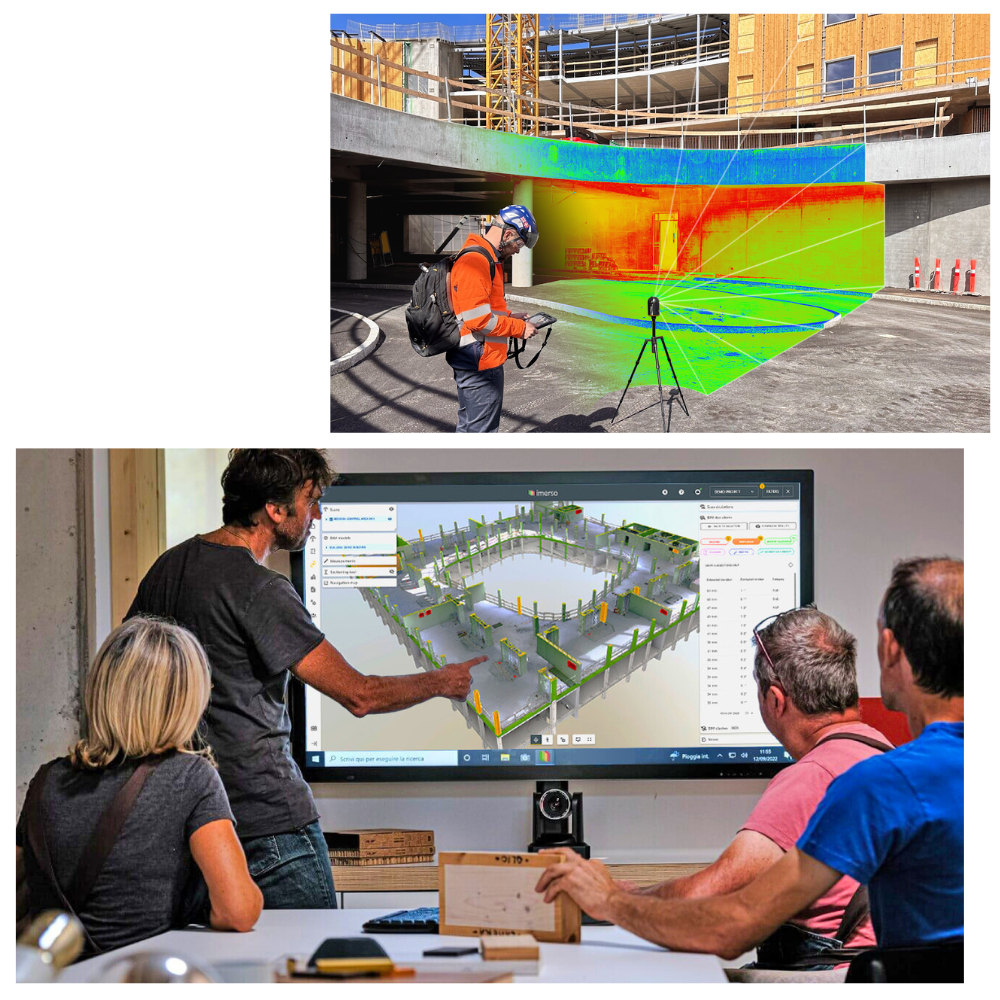 Imerso8.5
Automatically compares 3D site scans to BIM models, giving construction teams instant deviation alerts and automated progress reports.
Paid Kestrel Labs8.5
Check building code compliance directly in your BIM model, flagging issues before they reach the building department.
Paid Helonic8.5
Automatically find costly coordination issues, code violations, and conflicts in your construction drawings before they hit the field.
Paid Procore8.5
Build smarter with next-gen, AI-powered construction management
Paid Airteam8.4
Generate centimeter-accurate 3D building models from drone photos in under 24 hours, eliminating manual errors and site risks.
Free planSMSmartbarrel8.4Eliminate buddy punching and payroll errors with AI-powered biometric time tracking. Guarantee 100% accurate timesheets from the field to the office.
Contact for Pricing Drawer AI8.4
Automate electrical takeoffs and conduit routing directly from PDF plans. Cut estimating time by up to 70% and increase bid accuracy.
Paid Civils.ai8.4
Automate quantity takeoffs and document checks with 97% accuracy, reducing manual effort by up to 90%.
US$90/month Buildots8.3
Reduce delays by up to 50% with AI-powered construction intelligence
Subscription Aurivus8.2
Automatically convert 3D point clouds into intelligent BIM models. Eliminate manual modeling and accelerate your Scan-to-BIM workflow by up to 90%.
Contact for Pricing Glyph8.2
Automate tedious Revit documentation tasks like view creation, tagging, and dimensioning to deliver projects faster and with greater consistency.
$50/MonthRHRhino 3D8.1Create, edit, analyze, and translate NURBS curves, surfaces, and solids with precise 3D modeling tools.
Free planBIBIM 3608.1Manage construction projects from design to operations with Autodesk Forma.
Paid Swapp AI8.1
Automate up to 80% of your architectural documentation and BIM modeling tasks directly within Revit and ArchiCAD.
Paid Amplify8.0
Instantly convert 2D residential floor plans from PDF into 3D BIM and CAD models.
FreeAll 68 tools A–Z
Start free today: 15 tools with a free plan
No card needed to try these. The best-scored free options for construction professionals.
Generate dimensionally-accurate 2D floor plans and Gross Living Area (GLA) reports directly from a smartphone…
Free plan · 9.5/10Finch 3DAI-native platform for building design. Generate precise building designs, explore options at scale, and deli…
Free plan · 9.0/10MetaroomInstantly create CAD-ready 2D floor plans and 3D models of interior spaces using just your iPhone or iPad Pro.
Free plan · 8.9/10VIKTORBuild and deploy custom engineering apps to automate complex calculations and workflows.
Free plan · 8.7/10AirteamGenerate centimeter-accurate 3D building models from drone photos in under 24 hours, eliminating manual error…
Free plan · 8.4/10RHRhino 3DCreate, edit, analyze, and translate NURBS curves, surfaces, and solids with precise 3D modeling tools.
Free plan · 8.1/10 Ichi
IchiAutomate construction document QA/QC, navigate building codes instantly, and capture firm-wide knowledge to a…
Free plan · 7.9/10 Genia
GeniaGenerate physics-validated structural designs 10x faster, from architectural drawings to permit-ready plans.
Free plan · 7.9/10Get paid for what you know as a construction professional
AI companies pay construction professionals by the hour to check and improve their AI. Remote, on your own hours. Applying through Zekai is free.
One short email each morning with new roles open in your country. Free. Unsubscribe any time.
Learn AI for construction professionals. 5 minutes a day.
A free 30-day challenge built around real work for construction professionals. One short drill each morning in the AI assistant you already use.
- 1Sign upDay 1 arrives right away, then one email each morning.
- 25 minutes a dayRun the drill on your own work. Miss a day? Nothing breaks.
- 3Finish strongComplete 30 drills and claim your Zekai certificate.
Done. Check your inbox to confirm.
ChatGPT prompts for construction professionals
Copy, paste and fill in the brackets. Works in ChatGPT, Claude, Gemini or Copilot.
Drafting an RFI for a Specification Conflict
Context: I am the Project Manager for a General Contractor building a 5-story commercial office building (Project #2026-01). We are in the preconstruction phase. I have found a conflict between the architectural drawings and the mechanical specifications.
Drawing A-501, the roof plan, shows the placement of two (2) 10-ton DX rooftop units (RTU-1 and RTU-2).
Specification Section 23 74 13, Packaged, Outdoor, Central-Station Air-Handling Units, specifies three (3) 7.5-ton units.
Role: You are my assistant project manager. You are detail-oriented and professional.
Audience: The project Architect. Your tone should be collaborative, not accusatory.
Format: A formal Request for Information (RFI) in a numbered list format, ready to be copied into Procore. The RFI should include:
1. A clear statement of the conflict.
2. The specific drawing and spec sections that are in conflict.
3. The questio…
Generating a Safety Toolbox Talk
Context: I am the Site Superintendent for a construction project in California. Tomorrow morning, we will be performing a critical crane lift to place structural steel beams on the 3rd floor. The weather forecast predicts light rain and winds of 15 mph.
Role: You are my highly experienced Safety Director. You are an expert in OSHA and Cal/OSHA regulations, particularly regarding crane operations (OSHA 29 CFR 1926 Subpart CC).
Audience: The ironworkers crew, the crane operator, and the rigging signal person. The language should be direct, clear, and easy to understand.
Format: A 5-minute toolbox talk script. Start with the specific task. List at least 5 key safety checks as bullet points. End with a question to the crew to ensure they understand.
Task: Write the script for the toolbox talk focusing on crane lift safety in adverse weather conditions. Reference the need for checking the lo…
Prompt for Drafting an AI Liability Clause
You are a construction lawyer. Draft a preliminary contract clause for an addendum to an AIA A201-2017 agreement. The clause should define "Artificial Intelligence (AI) Tool," establish that each party is responsible for its own use of AI tools, and require that any party using an AI tool to generate an output (e.g., a design, schedule, or report) must have that output independently verified by a qualified human professional before it is submitted or relied upon by other parties. The clause must affirm that the professional standard of care applies to all work, regardless of whether AI was used as a tool.
Prompt for Analyzing a Critical Path Report with a General AI
Act as a senior project scheduler for a large commercial construction project. I have pasted the critical path activity list from my schedule report below. Review the list and provide the following:
1.  A one-paragraph summary of the critical path.
2.  A list of the 5 most immediate activities I need to protect to avoid delays.
3.  Three potential risks based on this sequence of activities (e.g., "Risk of delay in 'Exterior Glazing' if 'Facade Framing' is not completed on time due to weather sensitivity.").
Here is the critical path report:
[Paste your list of critical path activities, dates, and durations here]
Drafting a BIPA Compliance Policy for a Construction Firm
Act as a compliance officer for a mid-sized general contractor in Illinois. Your task is to draft a comprehensive BIPA compliance policy for our company, "ConstructCo," which plans to use AI-powered security cameras with facial recognition capabilities for site access control and safety monitoring on our jobsites.
The policy must be clear, easy for employees and subcontractors to understand, and meet all requirements of the Illinois Biometric Information Privacy Act (740 ILCS 14).
Your draft must include the following sections:
1.  Policy Purpose: State clearly that this policy governs the collection, use, storage, and destruction of biometric data.
2.  Biometric Data Covered: Explicitly mention "scans of face geometry" collected by jobsite cameras.
3.  Notice and Consent Procedure: Detail the exact steps the company will take to obtain written consent *before* any data is collected. Sp…
Sample Prompt for Drafting an RFI
You are a project manager for a mid-size general contractor. I am preparing an RFI for the 'Oak Street Commercial Building' project. The issue is a conflict between the architectural drawings (Sheet A-201) and the structural drawings (Sheet S-302) regarding the header size for the main entrance opening.
Architectural plan A-201 shows a 12-inch header.
Structural plan S-302 specifies a 16-inch LVL header.
Draft a formal, professional RFI addressed to the architect. Be clear and concise. Ask for clarification on which specification to follow. Reference both sheet numbers. Format the output as a standard RFI document.
Will AI replace construction professionals?
No. AI helps with estimating, scheduling and site monitoring, but building, supervising and safety decisions stay on site with people.
What AI already does
- Takes off quantities and drafts estimates from drawings
- Builds and updates schedules when plans change
- Spots safety issues and progress gaps in site photos
What stays human
- Running the site and managing crews
- Safety calls and on-the-spot problem solving
- Client, subcontractor and inspector relationships
- Start with estimating and documentation tools
- Feed AI clean drawings and daily reports
The problems AI is fixing for construction professionals
Schedule Overruns
Complex construction projects almost always fall behind due to poor sequencing and weather delays.
AI project management optimizes schedules dynamically based on real-world variables.Design Clashes
Discovering that plumbing and electrical plans intersect during actual construction causes massive rework costs.
AI BIM tools automatically scan 3D models to resolve spatial clashes before building begins.Site Safety Hazards
Monitoring a massive job site for OSHA violations and safety risks is impossible for a few human managers.
AI computer vision analyzes drone and camera feeds to alert managers to PPE violations instantly.Cost Estimating Errors
Manual material estimates often lead to underbidding or massive amounts of wasted supplies.
AI analyzes historical project data to generate highly accurate material and cost predictions.Guides for construction professionals
Speckle Launches AI Assistant and WebGPU Viewer Update
Speckle updates its AEC platform with a read-only AI assistant, Snowflake and Databricks integration, and a WebGPU 3D viewer for engineerin…
10 Sep 2026How to Use AI for Project Scheduling: A Step-by-Step Guide
A practical guide to using AI for construction project scheduling. Learn to distinguish risk optimization from dispatch, choose the right t…
1 Sep 2026Best AI Tools for Site Inspections (2026 Guide)
We tested the top AI site inspection tools for construction. Compare Imerso, InspectMind, Metaroom, and more on pricing, features, and real…
1 Sep 202625 AI Prompts Every Construction Manager Should Save
A copy-paste library of 25+ AI prompts for construction managers. Generate RFIs, safety plans, schedules, and daily reports that are ready …
1 Sep 2026Best Free AI Construction Tools (2026): Verified & Tested
Tired of 'free' tools that are just 14-day trials? We verified the real free-tier limits of AI tools for construction estimating, safety, a…
1 Sep 2026Jobsite AI Cameras & BIPA: A $5K-per-Violation Risk Guide
AI cameras on jobsites can trigger Illinois' BIPA law, risking fines up to $5,000 per violation. Learn how to use AI cameras for safety and…
31 Aug 2026How to Choose AI Construction Tools in 2026
The AI construction software market has matured fast: what was experimental in 2024 is now standard on large job sites. But the tools vary wildly in scope, price and readiness. This guide explains what to look for before you commit a project budget.
The four categories that matter
Project scheduling AI (e.g. ALICE-style optimizers) resequences work dynamically when weather or supply delays hit - the highest ROI for general contractors. BIM clash detection scans 3D models for plumbing, electrical and structural conflicts before ground is broken; a single caught clash typically pays for a year of licences. Computer-vision site monitoring reads drone and fixed-camera feeds for progress tracking and PPE compliance. AI estimating (takeoff automation like Togal.AI) cuts bid preparation from days to hours.
How to evaluate before buying
- Data requirements: scheduling and estimating AI need your historical project data to be useful - ask vendors how much history they need and in what format.
- Integration: confirm native connectors for Procore, Autodesk Construction Cloud or your existing stack; re-keying data kills adoption on site.
- Field usability: if the site foreman cannot use it on a phone with gloves on, it will not get used.
- Pricing model: expect per-project or per-seat pricing from roughly $50 per user per month for monitoring tools to five figures per project for full schedule optimization - pilot on one project first.
Where to start
Most firms see the fastest payback from estimating automation (immediate hours saved per bid), then site monitoring, then full scheduling AI once data is flowing. Browse the vetted options in our AI construction tools directory, compare scores and pricing on each tool page, and shortlist two to pilot side by side.
Questions about AI for construction professionals
What are the best AI tools for construction professionals in 2026?
Are there free AI tools for construction professionals?
Can construction professionals get paid to train AI?
Will AI replace construction professionals?
Does using AI change site safety and CDM responsibilities?
How much do AI construction tools cost?
Do AI tools actually work on a live construction site?
How accurate is AI at measurement and takeoff from drawings?
What should a small contractor adopt first?
AI for other professions
Stay ahead with AI for construction professionals
The best new tools, price drops and paid roles for construction professionals. One short email a week.
Done. Check your inbox to confirm.