Browse
AI Directory Open Source AI News 🏆 AI Challenge AI Statistics
Browse by profession
Accounting, Bookkeeping & TaxCompliance, Audit & GRCConstructionCustomer SupportData ScienceMedical All 38 professions →
Company
About Advertise Submit a tool Get the free Marketing AI guide
Overview How It Works Before & After Try It Reviews Integrations Why This Tool FAQ Pricing Top 10 Get Alerts News

AI video editor that automates your entire workflow, from raw footage to share-ready social content.

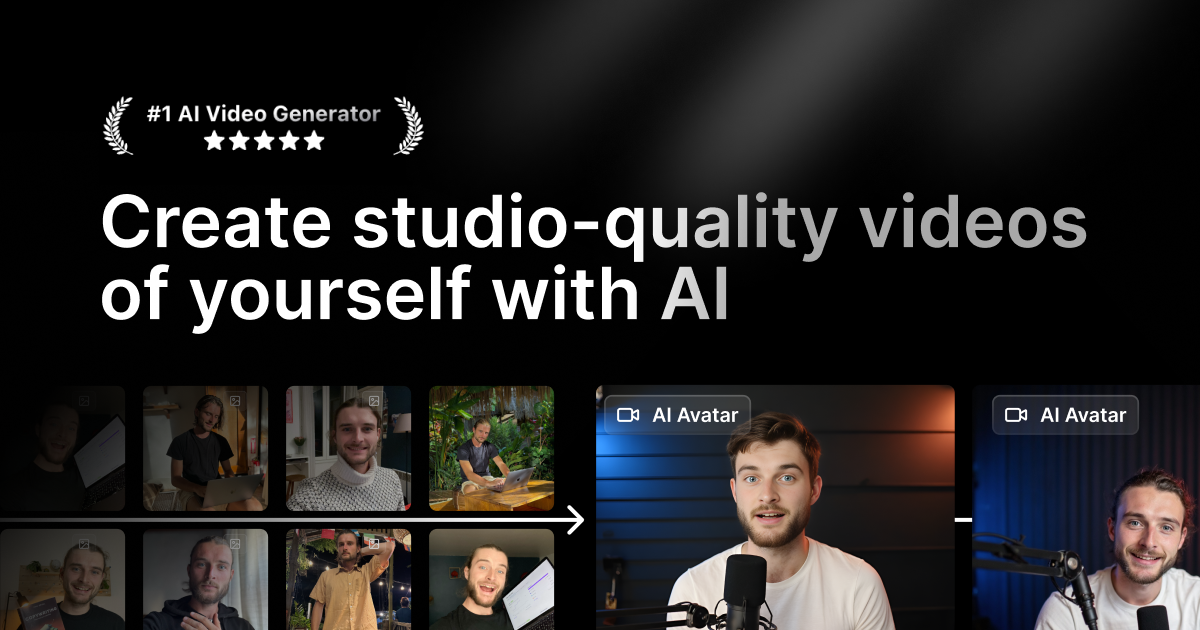
Generate captions, cut scenes, add B-roll, and even create AI avatars with simple text prompts.

DifferentiatorOne-click 'AI Edit' transforms raw footage into a fully-produced video.
ProofUsed by over 20 million creators.
Try Captions
Free Plan Pro from$24.99/mo
Free plan verified · free AI tools for Marketers
9.1 Zekai
Studio-Quality AI Video
AI for Marketing & Content Creation
Ease of Use
9.4
Accuracy
9.0
Value
8.2
Time Saving
9.6
20M+Users
9.1/10Zekai Score
AI Video EditorAuto-CaptionsAI AvatarsText-to-VideoMulti-Language
🏷 Is this your tool? Claim this listing →

Zekai Verdict

What is it?
Captions is an AI-powered video editor designed for marketers and content creators to produce professional-quality videos without prior editing experience.
Best for
Best for marketers and creators who need to quickly turn raw footage into polished, captioned short-form videos for…
Not ideal for
Advanced generative AI features are locked behind paid plans and credit limits.
Price
Free plan · paid from $24.99/mo
Zekai Score
9.1/10
Hand-scored by Zekai

Top AI for Marketing & Content Creation picks

See all 110 AI tools for Marketers →
⚡ Quick answer

For Marketing & Content Creation professionals, Captions is one of the best AI tools for rapidly producing social media videos. Its 'AI Edit' feature automates the entire workflow—from trimming footage and adding B-roll to generating stylized, accurate captions. This allows marketers to create high-quality, share-ready content in minutes instead of hours, without needing any prior video editing experience.

CategoryAI Video Editor
Best ForAutomating short-form video creation for social media.
Price From$24.99/mo
FreeYes, a free plan is available.
DifferentiatorOne-click 'AI Edit' transforms raw footage into a fully-produced video.
ProofUsed by over 20 million creators.
Rating9.1/10
📖 About Captions
How It Works

Your workflow, automated

1
Upload Raw Footage
Import your video file directly into the Captions web or mobile app.
2
Apply AI Edit Style
Choose an editing style, and let the AI automatically trim, caption, add B-roll, and apply music.
3
Refine & Export
Use the chat-based editor for any final tweaks, then export the share-ready video.
Ready to automate your workflow with Captions?
Try Captions →
Real Impact

Before & After

❌ Before

Spending hours in complex video software manually trimming clips, syncing captions, and finding B-roll.

4-6 hours per short video
✅ After

Generating fully-edited, captioned, and styled videos in minutes using simple prompts.

Under 15 minutes per video
Prompt Templates

Try it with these prompts

Copy any prompt and paste it directly into the tool.

Generate a video with AI

Create a fully produced video using AI. Pick a style from the library and let Captions automatically cut scenes and add B-roll. You can also use the chat-based editor to make specific changes.

Create an AI avatar video

Generate a video using an AI avatar. You can create a digital twin or choose from existing avatars. Use prompts to change their outfits, backgrounds, or add product inserts.

Auto-generate captions and translate

Automatically generate captions for your video with stylized fonts. Translate and subtitle your video in over 100 languages to reach a wider audience.

AI Prompts

Prompts for Marketers

Prompt 01 Generate an SEO Content Brief with Surfer SEO
1. **Enter Keyword:** Input your primary target keyword (e.g., "ai in advertising"). 2. **Create Content Editor:** Surfer analyzes the top SERPs. 3. **Review Outline:** Examine the recommended headings, questions, and terms. 4. **Custom…
Prompt 02 Prompt Example: Creating a Content Brief
Act as a senior content strategist. Create a comprehensive content brief for a 1,500-word blog post targeting the primary keyword "best project management software for small business". The target audience is non-technical small business ow…
Prompt 03 Prompt for an SEO Content Brief
Act as a Senior Content Strategist. I am writing a blog post targeting the primary keyword "[[primary keyword]]". My target audience is [[describe audience]]. The top 3 ranking competitors are [[URL 1]], [[URL 2]], and [[URL 3]]. Create a c…
See all 12 AI prompts for Marketers →
Social Proof

Trusted by 20M+

20M+ professionals using this tool
Ease of Use
9.4
Accuracy
9.0
Value
8.2
Time Saving
9.6

"Captions has completely transformed our content workflow. I can now produce five high-quality, fully-captioned Reels in the time it used to take me to edit one. The AI is scarily good."

Sarah K., Social Media Manager · June 2026

"As a non-editor, this tool is a lifesaver. I can record a quick thought leadership video on my phone and have a professional-looking clip for LinkedIn in minutes. The eye-contact correction is magic."

David L., Founder · June 2026

"The AI editing is a game-changer for my social content, but I wish the credit system for generative features was more straightforward. It's easy to burn through them quickly on bigger projects."

Maria F., Content Creator · May 2026

"We use this for all our video ads now. The ability to quickly generate different styles and A/B test them is incredibly valuable. The translation feature has also helped us reach new markets effortlessly."

Ben T., Digital Marketer · May 2026
20M+ professionals are already using this tool.
Start Free Today →
Connects With

Works with your existing stack

Facebook Instagram LinkedIn TikTok YouTube YouTube Shorts
Setup complexity: Beginner-friendly
Captions is an AI-powered video editor designed for marketers and content creators to produce professional-quality videos without prior editing experience. It automates time-consuming tasks like scene cutting, adding B-roll, generating captions, and correcting eye contact, turning raw footage into finished content in minutes.
Comparison

How it compares

Captions vs. Descript: Choose Captions for its mobile-first, AI-driven styling and one-click 'AI Edit' feature, which is ideal for creating visually dynamic short-form social videos quickly. Its eye contact correction and AI avatar generation are also standout features. Opt for Descript if your workflow is more podcast or screen-recording-centric, requiring powerful text-based editing of long-form content, superior transcription accuracy for detailed work, and collaborative tools like Overdub for voice cloning within a team.

You need frame-by-frame control for a long-form documentary.
You primarily work with complex multi-cam sequences.
Your workflow is deeply integrated with Adobe Creative Cloud.
The decision

Is it worth it?

Return on investment
By automating editing tasks that typically take hours, the $24.99/mo Max plan can save a content team over 20 hours of work per month, paying for itself after the first edited video.
Built for
Social media managers, content creators, digital marketers, and small business owners who need to produce high-volume, high-quality video content without a dedicated video editor.
Effort to adopt
Beginner-friendly
Compliance
Compliance posture not publicly documented — verify with vendor.
Who It's For

Why Marketing & Content Creation choose this tool

🎯
Built for
Best for marketers and creators who need to quickly turn raw footage into polished, captioned short-form videos for social media and advertising.
In-Depth Overview
For marketers and content creators, Captions eliminates the traditional video editing bottleneck. Instead of spending hours in complex software, you can use its 'AI Edit' feature to transform raw footage into a fully edited, share-ready video with a single click. The platform automatically cuts scenes, trims pauses, adds relevant B-roll, generates royalty-free music, and applies dynamic, stylized captions perfect for social media. The system is built for speed and accessibility, allowing edits via simple text prompts in a chat-based interface—no technical skill required. This is a significant advantage for producing high-volume content for platforms like TikTok, Instagram Reels, and YouTube Shorts. Features like AI-powered eye contact correction and background noise removal further polish the final product. With a reported 20 million users, Captions has proven its ability to streamline the content creation process, enabling marketing teams to focus on strategy instead of tedious post-production tasks.

Key Use Cases

📈
Automate short-form video production for TikTok & Reels
Social Media Manager
Upload raw 'talking head' footage and let Captions' AI Edit automatically trim pauses, add engaging B-roll, generate dynamic captions, and apply a trending visual style. Use the chat editor for quick tweaks before publishing.
From raw video to published Reel in minutes, not hours.
✓ Pros
Drastically reduces video editing time with one-click AI editing.
Chat-based editor makes advanced edits accessible to non-editors.
Generates highly accurate, stylized captions suitable for social media.
Includes useful AI tools like eye contact correction and background noise removal.
Free tier available for basic editing tasks.
· Cons
Advanced generative AI features are locked behind paid plans and credit limits.
AI-driven workflow offers less granular control than traditional video editors.
Credit system for generative features can be confusing to manage.
Publicly listed pricing reflects iOS plans only; web/Android pricing may differ.
⚡ Editorial Verdict

Captions excels at automating the most tedious parts of short-form video creation, making it a powerful asset for high-volume content strategies. Its AI styling and captioning are top-tier for social media. However, creators seeking granular, frame-by-frame control may find the AI-led approach restrictive compared to traditional video editors.

Questions & Answers

Frequently asked questions

What is Captions?

+
Captions is an AI-powered video editor that automates the creation of professional-quality videos. It can take raw footage and handle tasks like cutting scenes, adding music, generating captions, and more, all guided by AI.

Is Captions free to use?

+
Yes, Captions offers a free version with basic editing tools like trimming and transitions. However, to access the full suite of AI features, including generative AI and advanced editing tools, you need to subscribe to one of their paid plans.

What types of videos can Captions edit?

+
Captions can edit a wide variety of videos, including both vertical and horizontal formats. It's particularly effective for social media content, video ads, podcast clips, training videos, and product demos.

What's the best AI video editor for marketers?

+
For marketers focused on speed and social media engagement, Captions is a top choice. It automates the entire editing process, from adding B-roll to generating stylized captions, allowing you to create share-ready video ads and content in minutes without needing technical editing skills.

How can I automatically add professional captions to my videos?

+
Captions specializes in this. Its AI automatically transcribes your audio and generates highly accurate, stylized captions. You can choose from over 100 templates or customize them to match your brand, making it ideal for creating engaging social media content.

Can AI edit my whole video for me?

+
Yes, Captions' 'AI Edit' feature is designed to do just that. You upload your raw footage, pick a style, and the AI handles the entire editing process, including cutting scenes, trimming pauses, adding B-roll, and applying music and transitions.

Last reviewed:

Plans & Pricing

Start today

Enterprise
Custom pricing
Tailored for teams and large organisations.
Contact Sales

Prices and features are updated regularly but can change at any time — always confirm on the official website. Some links on this page are affiliate links.

See all 110 AI tools for Marketers →
Free guide

Take it with you

  • **AI-Powered Editing:** Turn raw footage into polished content.
  • **Dynamic Captions:** Generate accurate, eye-catching subtitles.
  • **Voice & Audio Tools:** Remove noise and correct eye contact.
  • **AI Avatars:** Create a digital twin for consistent content.
  • **Prompt-Based Control:** Edit your video using simple text.
+3 more steps inside the guide
Send me the full guide

Get Captions deal alerts

Be the first to know when Captions drops a new discount, adds features, or changes pricing.

Exclusive Captions discount codes
New feature announcements
Best alternative picks when pricing changes
Zero spam — unsubscribe anytime
🎉
You're subscribed!
We'll notify you when Captions has a new deal.
AI Directory

About Captions

Full Description

Captions is an AI-powered video editor designed for marketers and content creators to produce professional-quality videos without prior editing experience. It automates time-consuming tasks like scene cutting, adding B-roll, generating captions, and correcting eye contact, turning raw footage into finished content in minutes.

Editorial Verdict

Captions excels at automating the most tedious parts of short-form video creation, making it a powerful asset for high-volume content strategies. Its AI styling and captioning are top-tier for social media. However, creators seeking granular, frame-by-frame control may find the AI-led approach restrictive compared to traditional video editors.

Last reviewed:
Disclaimer
Zekai is an independent AI tools directory. We are not affiliated with, endorsed by, or officially connected to Captions unless clearly stated. All product names, logos, and brands are the property of their respective owners and are used for identification purposes only. The information on this page — including pricing, features, and availability — is general information, may have changed since our last review, and is not professional advice. Zekai Scores and verdicts are our editorial opinion. Some outbound links are affiliate links that may earn us a commission at no extra cost to you. Spotted outdated or incorrect information? Request a correction →
Previous Tool Byword Next Tool Castmagic
All AI Tools A–Z →
Visit website ↗
Captions9.1Try Captions ↗Next tool →
Today's top 3 AI for Marketing & Content Creation tools →

See Zekai first in Google