


You came from an AI answer. These are today's Adobe Express alternative prices and free limits. See the table →Get price alerts
AI tools, scored for your job
Get paid to train AI
Updated 13 Nov 2026 · prices read on vendor pages

12 best Adobe Express alternatives in 2027

Mehmet ElmicenniReviewed by Mehmet Elmicenni, founder of Zekai•Prices checked •How we check

The short answer

The best Adobe Express alternatives in 2027 are Canva (best overall, $12.99/mo), Visme (best free plan: 500MB storage, 10 AI credits monthly) and Penpot (best open source, MPL-2.0). Adobe Express itself starts at $9.99/mo. Zekai checked these prices on vendor pages on 13 Nov 2026; 9 more are compared below, including 4 with a free plan and 4 open source.

12alternatives compared
6with a free plan
5open source
$2.49/mocheapest paid · Pixlr
$9.99/moAdobe Express starts at
01 · Zekai Price Ledger

Which Adobe Express alternatives are worth it in 2027?

The Adobe Express alternatives worth considering in 2027 are Canva for team template design, Pixlr for the lowest-priced photo editing plan, Visme for presentations and infographics, and Kittl for typography and logos. Penpot and OpenDesign are open-source options, and Microsoft Designer fits Microsoft 365 subscribers.

ToolTypeStarting priceFree plan limitBest forCost for your teamChecked
Adobe Express logo
Adobe ExpressThe tool you are replacing
You are here
$9.99/moPremium, monthly, no annual commitment (30-day free trial)
5GB storage, 10-day version history, free daily generations Social posts, flyers and short videos from templates — 11 Nov 2026 Pricing ↗
Canva logo
Canva Zekai score 9.4Best overall
Free plan + paid
$12.99/moPro, monthly (up to 5 people; $119.99 billed yearly)
Always free to use; limits not listed on the Pro page Template design for teams and print — 11 Nov 2026 Pricing ↗
Pixlr logo
Pixlr Zekai score 7.0Cheapest paid
Free plan + paid
$2.49/moPlus, billed monthly ($1.99/mo billed yearly; 80 AI credits a month)
Cheap photo editing with AI credits — 11 Nov 2026 Pricing ↗
Visme logo
Visme Zekai score 7.0Best free plan
Free plan + paid
$12.25/user/moStarter, billed yearly ($147/year)
500MB storage, 10 AI credits a month, JPG/PNG/PDF downloads Presentations, infographics and data visuals — 11 Nov 2026 Pricing ↗
Kittl logo
Kittl Zekai score 8.6
Free plan + paid
$12/editor/moPro, billed annually per editor
Personal-use designs only, light usage limits Typography, logos and print merchandise — 11 Nov 2026 Pricing ↗
PosterMyWall logo
PosterMyWall Zekai score 7.8
Free plan + paid
$13/moPremium (page shows $13/month; yearly pricing not listed)
10 pages per file; high-quality downloads from $5.99 Posters, flyers and event promotion — 11 Nov 2026 Pricing ↗
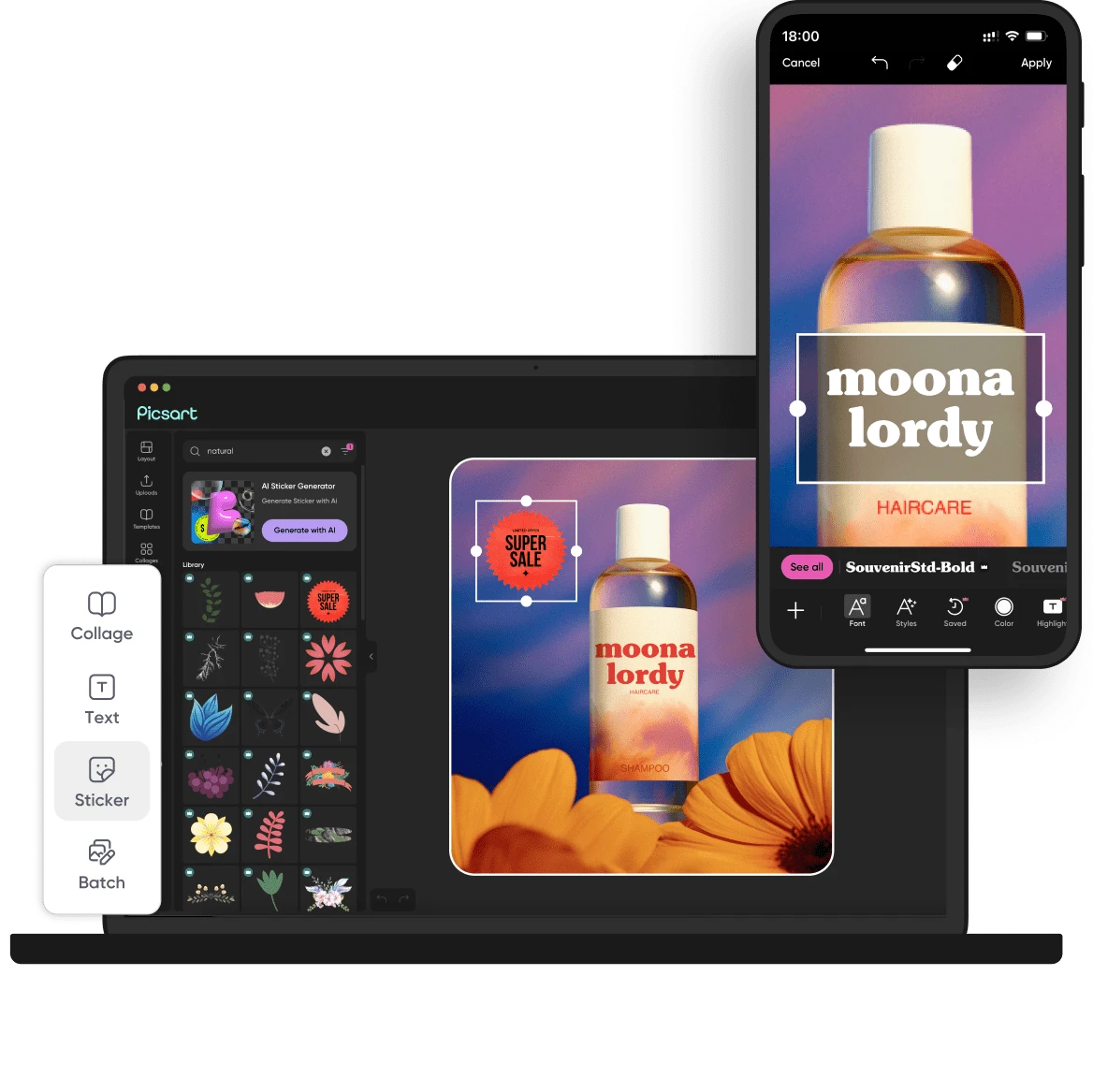
Picsart logo
Picsart Zekai score 8.2
Free plan + paid
$10.5/moPro, billed yearly (struck-through $15/mo)
Mobile photo editing and creator content — 11 Nov 2026 Pricing ↗
Microsoft Designer logo
Microsoft Designer Zekai score 6.6
Not checkedNo price on the support page; it states a Microsoft 365 Personal or Family account is needed
No free plan Quick graphics for Microsoft 365 users — 11 Nov 2026 Pricing ↗
Penpot logo
Penpot Zekai score 8.6Best open source
Open source
Free (self-hosted)
No limit, self-hosted (MPL-2.0) Open-source interface and vector design $0 11 Nov 2026 Pricing ↗
OpenDesign logo
OpenDesign Zekai score 7.8
Open source
Free (self-hosted)
No limit, self-hosted (Apache-2.0) Local AI design workspace driven by agents $0 11 Nov 2026 Code ↗
Graphite logo
Graphite Zekai score 8.2
Open source
Free (self-hosted)
No limit, self-hosted (MIT OR Apache-2.0 (dual licence)) Free vector and raster graphics in a browser $0 13 Nov 2026 Code ↗
Inkscape Zekai score 6.8
Open source
Free (self-hosted)
No limit, self-hosted (GPL-3.0-or-later) Desktop vector drawing for flyers and logos $0 13 Nov 2026 Code ↗
GIMP Zekai score 7.8
Open source
Free (self-hosted)
No limit, self-hosted (GPL-3.0) Free desktop photo editing and compositing $0 13 Nov 2026 Code ↗

Every price was read on the vendor's own pricing page on the date shown. The Cost Finder assumes one entry plan per person, so it multiplies by your team size; yearly prices are shown per month, and team or business plans can cost more per seat. "Not checked" means we could not confirm a public price.

Price alert

Know first when Adobe Express or an alternative changes price

One email when a price or free plan on this page changes, plus The AI Briefing. Unsubscribe any time.

Alternatives Spotlight

Your tool here

One labelled card beside this table, outside the ranking.

Advertise here
For vendors

Is one of these tools yours?

Claim your listing to correct prices and free-plan limits.

Claim your tool
02 · Free plan

Is there a free version of Adobe Express?

Yes. Adobe Express Free costs US$0 with no credit card, 5GB of storage, 10 days of version history and one scheduling account per social network. It includes free daily generations for images and text effects, while Premium adds 250 monthly generative credits and 100GB of storage.

Source: Adobe Express pricing page, read 11 Nov 2026.

Free$0

5GB storage, 10-day version history, free daily generations

Paid from$9.99/mo

Premium, monthly, no annual commitment (30-day free trial)

03 · Free alternatives

What are the best free Adobe Express alternatives?

The best free Adobe Express alternative depends on the output. Visme's free Basic plan gives unlimited projects with 500MB storage and 10 AI credits a month, Canva says it is always free to use, and Penpot's Professional tier is $0 with no stated tool limits.

Canva logo

Canva

Best overallFree plan + paid
Always free to use; limits not listed on the Pro page
Paid from $12.99/mo
Pixlr logo

Pixlr

Cheapest paidFree plan + paid
Paid from $2.49/mo
Visme logo

Visme

Best free planFree plan + paid
500MB storage, 10 AI credits a month, JPG/PNG/PDF downloads
Paid from $12.25/user/mo
Kittl logo

Kittl

Free plan + paid
Personal-use designs only, light usage limits
Paid from $12/editor/mo
PosterMyWall logo

PosterMyWall

Free plan + paid
10 pages per file; high-quality downloads from $5.99
Paid from $13/mo
Picsart logo

Picsart

Free plan + paid
Paid from $10.5/mo
04 · Open source

What are the best open-source Adobe Express alternatives?

Five open-source options cover parts of Adobe Express: Penpot (MPL-2.0, Docker or Kubernetes), Open Design (Apache-2.0, bring your own model key), Graphite (MIT or Apache-2.0, alpha), Inkscape (GPL, desktop) and GIMP (GPL-3.0, desktop). None includes Express-style social templates, one-click resize or a content scheduler.

Penpot logo

Penpot

MPL-2.0★ 62.3k GitHub stars · 13 Nov 2026
To self-host: Deploy with Docker, Kubernetes or Elestio as the README describes; you run and update the server, while the hosted version at design.penpot.app needs none of that.
Commercial use
Yes (MPL-2.0); changes to Penpot's own files must stay open.
Runs on
Docker or Kubernetes server to self-host; a hosted version also exists.
Setup
Moderate · Docker or Kubernetes deployment you maintain; hosted option skips it.
Last commit
13 Nov 2026
Last release 11 Nov 2026
OpenDesign logo

OpenDesign

Apache-2.0★ 108k GitHub stars · 13 Nov 2026
To self-host: Download the macOS or Windows desktop app, or run it with Docker or from source on Node 24 with pnpm; you bring your own coding agent or model API key.
Commercial use
Yes (Apache-2.0); your model provider's own terms apply to any API you use.
Runs on
macOS or Windows desktop app; Docker or Node.js 24 elsewhere.
Setup
Moderate · Desktop app plus your own model API key or coding agent.
Last commit
13 Nov 2026
Last release 10 Nov 2026
Graphite logo

Graphite

MIT OR Apache-2.0 (dual licence)★ 27.9k GitHub stars · 13 Nov 2026
To self-host: Use the alpha web editor at editor.graphite.art with no install, or build it yourself from the repo by following the contributor guide, which needs Rust.
Commercial use
Yes; you may choose MIT or Apache-2.0, both permit commercial use.
Runs on
Runs in a browser at editor.graphite.art; alpha software.
Setup
Easy · Open the web editor; building from source needs a Rust toolchain.
Last commit
12 Nov 2026

Inkscape

GPL-3.0-or-later★ 4k GitHub stars · 13 Nov 2026
To self-host: Install the desktop app on Windows, macOS or Linux; there is no server, account or API key, and SVG is its main file format.
Commercial use
Yes; GPL means redistributed modified versions must share their source.
Runs on
Desktop app for Windows, macOS and Linux.
Setup
Easy · Installer from inkscape.org; no server, account or API key.
Last commit
10 Nov 2026
Last release 5 May 2026

GIMP

GPL-3.0★ 310 GitHub stars · 13 Nov 2026
To self-host: Install the desktop app on Windows, macOS or Linux (installer, AppImage, Flatpak or Snap); there is no server or account, and everything runs on your own machine.
Commercial use
Yes; GPL-3.0 means redistributed modified versions must share their source.
Runs on
Desktop app for Windows 10+, macOS 11+ and Linux.
Setup
Easy · Installer, AppImage, Flatpak or Snap; no server or account.
Last commit
13 Nov 2026
Last release 2 Nov 2026
05 · Side by side

How does Adobe Express compare with each alternative?

Against Adobe Express Premium at $9.99 a month, Canva Pro lists $12.99 for up to five people, Kittl $12 per editor on annual billing, Visme $12.25 per user billed yearly, and Pixlr starts at $2.49. Penpot and OpenDesign are open source with no subscription for the software.

01
Canva logo

Adobe Express vs Canva

Best overallFree plan + paid$12.99/mo · checked 11 Nov 20269.4
The differenceCanva Pro lists $12.99 a month for up to 5 people with $7 per extra member; Express Premium lists $9.99 a month with 250 generative credits and Adobe Fonts.
Switch to Canva ifseveral teammates will share one paid plan and you want Canva's template library and workflows
Stay with Adobe Express ifyou already pay for Creative Cloud, which includes Express Premium, and want Adobe Fonts and Photoshop handoff
Pros
  • Empowers marketers to produce polished, on-brand materials rapidly, saving time and increasing content velocity
  • Provides an expansive library of professionally designed templates, making it easy to create visually compelling graphics and presentations
Cons
  • May not offer the same level of advanced design features as traditional design software, limiting its use for complex design projects
  • Can be overwhelming for new users due to the vast number of templates and features available

Pros and cons from the Zekai review of Canva

02
Pixlr logo

Adobe Express vs Pixlr

Cheapest paidFree plan + paid$2.49/mo · checked 11 Nov 20267.0
The differencePixlr sells credit-based plans from $2.49 a month (Plus, ad-free, 80 AI credits) up to Ultra; it is a photo editor first, with design templates secondary.
Switch to Pixlr ifyou mostly retouch photos and want the lowest-priced ad-free plan with a small AI credit pool
Stay with Adobe Express ifyou produce social posts, flyers and video from templates, plus scheduling to social accounts
Pros
  • Combines a full-featured photo editor with an AI image generator in one interface.
  • Free tier is highly functional for many professional tasks.
Cons
  • Free version is ad-supported, which can interrupt creative workflow.
  • Lacks advanced features for print (CMYK) or complex vector work found in Adobe Suite.

Pros and cons from the Zekai review of Pixlr · Verdict: Fast AI Photoshop Alternative

03
Visme logo

Adobe Express vs Visme

Best free planFree plan + paid$12.25/user/mo · checked 11 Nov 20267.0
The differenceVisme's free Basic plan allows unlimited projects but 500MB storage, 50 pages per project and JPG, PNG or PDF downloads only; it targets presentations, infographics and reports.
Switch to Visme ifyour output is presentations, infographics or branded reports rather than quick social graphics
Stay with Adobe Express ifyou want quick social posts and short videos with one-click resizing and a content scheduler
Pros
  • All-in-one platform for over 50 content types, reducing the need for multiple tools.
  • AI-powered features like the AI Designer and Brand Wizard speed up content creation.
Cons
  • The sheer number of features can present a learning curve for new users.
  • Not a replacement for highly specialized tools like Adobe Illustrator for complex vector work.

Pros and cons from the Zekai review of Visme · Verdict: Versatile AI Content Suite

04
Kittl logo

Adobe Express vs Kittl

Free plan + paid$12/editor/mo · checked 11 Nov 20268.6
The differenceKittl's Pro plan is $12 per editor monthly on annual billing; free designs are personal use only and vector export needs a paid plan.
Switch to Kittl ifyou design logos, typography-led art or print products and need vector export
Stay with Adobe Express ifyou need a free tier without a personal-use restriction plus video and scheduling tools
Pros
  • Integrates multiple top-tier AI models (Ideogram, DALL-E 3, etc.)
  • Combines AI generation with a full-featured vector editor
Cons
  • AI features consume tokens that do not roll over monthly
  • Free plan is for personal use only and lacks commercial rights

Pros and cons from the Zekai review of Kittl · Verdict: AI-Powered Design Accelerator

05
PosterMyWall logo

Adobe Express vs PosterMyWall

Free plan + paid$13/mo · checked 11 Nov 20267.8
The differencePosterMyWall's free plan charges per high-quality download starting at $5.99, while Premium adds 100 credits a month and 3,000 email sends for promotion.
Switch to PosterMyWall ifyou make posters and event flyers and want pay-per-download or built-in email sends
Stay with Adobe Express ifyou want unlimited free standard exports and a 5GB free workspace with version history
Pros
  • Massive library of over 4 million templates for various industries.
  • All-in-one platform combining design, social scheduling, and email marketing.
Cons
  • Less powerful for complex, from-scratch vector illustration or photo manipulation.
  • Output quality and feature access are limited on the free plan.

Pros and cons from the Zekai review of PosterMyWall · Verdict: Rapid Template-Based Design

06
Picsart logo

Adobe Express vs Picsart

Free plan + paid$10.5/mo · checked 11 Nov 20268.2
The differencePicsart Pro is $10.5 a month billed yearly and Ultra $60; both are sold as photo and creator-content subscriptions, and the page shows no monthly-billed price.
Switch to Picsart ifyou edit photos and short creator content on a phone and want a yearly plan priced lower than Premium
Stay with Adobe Express ifyou want a monthly no-commitment plan with a 30-day trial and Adobe Fonts included
Pros
  • Single subscription provides access to many top-tier AI models.
  • Comprehensive toolset combines generation, editing, and stock assets.
Cons
  • Credit system for AI generation can be restrictive on the entry-level Pro plan.
  • Unused monthly subscription credits do not roll over.

Pros and cons from the Zekai review of Picsart · Verdict: Your All-in-One AI Toolkit

07
Microsoft Designer logo

Adobe Express vs Microsoft Designer

Not checked6.6
The differenceMicrosoft's support page says Designer needs a Microsoft 365 Personal or Family account, is not available to enterprise users, and a new editor migration removes brand kits and stock videos.
Switch to Microsoft Designer ifyou already have Microsoft 365 Personal or Family and want quick graphics without another subscription
Stay with Adobe Express ifyou need a team or business plan, brand kits and stock video, which Express Teams covers
Pros
  • Extremely fast idea-to-design workflow
  • Free to use (currently in preview)
Cons
  • Limited fine-tuning and advanced vector controls
  • Outputs can sometimes feel generic or template-driven

Pros and cons from the Zekai review of Microsoft Designer · Verdict: Instant AI design assistant

08
Penpot logo

Adobe Express vs Penpot

Best open sourceOpen sourceFree (self-hosted)8.6
The differencePenpot is an open-source design and prototyping tool under MPL-2.0 that can be self-hosted, with a free Professional tier and a $7 per editor Unlimited plan.
Switch to Penpot ifyou want to own your design files, self-host, and work on interface or vector design rather than template posts
Stay with Adobe Express ifyou want ready-made social templates, one-click resize and stock assets rather than building layouts from scratch
09
OpenDesign logo

Adobe Express vs OpenDesign

Open sourceFree (self-hosted)7.8
The differenceOpenDesign is a local-first, Apache-2.0 AI design workspace driven through coding agents such as Claude Code or Codex, generating prototypes, presentations and images.
Switch to OpenDesign ifyou are comfortable running agent CLIs or API keys locally and want prompt-driven design output
Stay with Adobe Express ifyou want a hosted app with templates, stock library and phone apps needing no setup
10
Graphite logo

Adobe Express vs Graphite

Open sourceFree (self-hosted)8.2
The differenceGraphite is a free MIT or Apache-2.0 vector and raster editor in alpha; it has no social templates, one-click resize or scheduler like Express.
Switch to Graphite ifyou want a non-destructive vector editor and will build layouts yourself
Stay with Adobe Express ifyou publish social posts from templates and want one-click resizing
11

Adobe Express vs Inkscape

Open sourceFree (self-hosted)6.8
The differenceInkscape is a GPL desktop SVG editor for flyers and logos; it works offline with no templates, stock library, cloud storage or video features.
Switch to Inkscape ifyou want free offline vector artwork without an Adobe account
Stay with Adobe Express ifyou want templates, short video and cloud storage in one browser app
12

Adobe Express vs GIMP

Open sourceFree (self-hosted)7.8
The differenceGIMP is a GPL-3.0 desktop photo editor with layers and retouching; it has no social-post templates, resize presets by platform or content scheduler.
Switch to GIMP ifyour edits are photo retouching and compositing that you want to run offline
Stay with Adobe Express ifyou make quick social posts from templates rather than editing pixels
06 · What changed

Why do people leave Adobe Express?

  • On the Free plan, after using a premium Adobe Stock photo, exporting that content requires upgrading to Premium again, even though it stays viewable in the app. (source)

  • Free lists 5GB storage, 10 days of version history and one scheduling account per social network; Premium lists 100GB, 30 days and three accounts, plus 250 generative credits a month. The pricing page's own summary and comparison table disagree on Premium storage (100GB vs 10GB). (source)

08 · FAQ

Questions people ask about Adobe Express alternatives

What is the best alternative to Adobe Express in 2027?

Canva is the best overall Adobe Express alternative on this page ($12.99/mo). For no cost, Visme has a free plan (500MB storage, 10 AI credits a month, JPG/PNG/PDF downloads). To self-host, Penpot is open source (MPL-2.0).

Is there a free version of Adobe Express?

Yes. Adobe Express has a free plan: 5GB storage, 10-day version history, free daily generations. Paid plans start at $9.99/mo, checked on 11 Nov 2026.

Is there a 100% free alternative to Adobe Express?

Yes. Penpot, OpenDesign, Graphite, Inkscape, GIMP are open source and free to self-host. Canva, Pixlr, Visme, Kittl, PosterMyWall, Picsart have a free plan with limits, shown in the table.

What is cheaper than Adobe Express?

Pixlr starts at $2.49/mo, against $9.99/mo for Adobe Express, as listed on each vendor's pricing page on 11 Nov 2026.

How much do Adobe Express alternatives cost for a team of 5?

If each of 5 people buys the entry paid plan, at the prices Zekai checked on 13 Nov 2026, the monthly cost is Pixlr $12.45/mo, Picsart $52.50/mo, Kittl $60/mo, against Adobe Express $49.95/mo for Adobe Express. Team and business plans can cost more per seat. The Zekai Cost Finder on this page recalculates for any team size.

Which is better, Canva or Adobe Express?

Canva Pro lists $12.99 a month for up to 5 people with $7 per extra member; Express Premium lists $9.99 a month with 250 generative credits and Adobe Fonts. Choose Canva if several teammates will share one paid plan and you want Canva's template library and workflows. Stay with Adobe Express if you already pay for Creative Cloud, which includes Express Premium, and want Adobe Fonts and Photoshop handoff.

Why are people leaving Adobe Express?

The documented reasons are: On the Free plan, after using a premium Adobe Stock photo, exporting that content requires upgrading to Premium again, even though it stays viewable in the app (14 May 2026); Free lists 5GB storage, 10 days of version history and one scheduling account per social network; Premium lists 100GB, 30 days and three accounts, plus 250 generative credits a month. The pricing page's own summary and comparison table disagree on Premium storage (100GB vs 10GB) (11 Nov 2026). Each is sourced in the section above.

What is better than Adobe Express?

Canva is the closest like-for-like for template design and team sharing. Visme suits presentations and infographics, and Kittl suits logos and typography-led work.

09 · Method

How did Zekai check this page?

Zekai independently reviews AI tools. For this page we read each vendor's own pricing and product pages and recorded the starting price, the free-plan limit and the date of the check. Only tools that do the same job as Adobe Express are listed, and sponsors never change the order or the scores.

1 · Same job onlyEvery alternative does the same task as Adobe Express; tools for other jobs are left out.
2 · Vendor pages onlyPrices and free limits come from each vendor's own pricing page, never from blogs.
Zekai score0–10, from four published weights: ease 25%, output quality 30%, value 20%, time saved 25%. How we score
3 · Re-checkedA price older than 35 days is re-read or the page falls back to an older version.
Change log
  • Page rebuilt on v6; all prices re-read on vendor pages.

  • Open-source options expanded; each now shows licence, commercial use, hardware and setup.

Get paid to train AI →

See Zekai first in Google

Get paid to train AI →