




Here is the live table for Power BI alternatives, prices checked 11 Nov 2026. See the table →Get price alerts
AI tools, scored for your job
Get paid to train AI
Updated 11 Nov 2026 · prices read on vendor pages

11 best Power BI alternatives in 2027

Mehmet ElmicenniReviewed by Mehmet Elmicenni, founder of Zekai•Prices checked •How we check

The short answer

The best Power BI alternatives in 2027 are Tableau (best overall, $15/user/mo billed yearly), Julius (best free plan) and Metabase (best open source, AGPL-3.0). Power BI itself starts at $14/user/mo billed yearly. Zekai checked these prices on vendor pages on 11 Nov 2026; 8 more are compared below, including 1 with a free plan and 2 open source.

11alternatives compared
3with a free plan
3open source
$15/user/mo billed yearlycheapest paid · Tableau
$14/user/mo billed yearlyPower BI starts at
01 · Zekai Price Ledger

Which Power BI alternatives are worth it in 2027?

The Power BI alternatives most worth a look in 2027 are Tableau for visual analysis, Looker for modelled metrics on Google Cloud, ThoughtSpot for natural-language search, and Hex for SQL and Python notebooks. Metabase and Apache Superset cover teams that want to self-host. Fit depends mostly on whether you use Microsoft 365 and DAX already.

ToolTypeStarting priceFree plan limitBest forCost for your teamChecked
Power BI logo
Power BIThe tool you are replacing
You are here
$14/user/mo billed yearlyPro, yearly
Free account; sharing needs Pro Microsoft-centred dashboards and DAX models — 11 Nov 2026 Pricing ↗
Tableau Zekai score 7.9Best overall
Free plan + paid
$15/user/mo billed yearlyStandard, annual contract
Tableau Desktop Free Edition runs locally; cannot publish or share online Governed enterprise dashboards and visual analysis — 11 Nov 2026 Pricing ↗
Looker logo
Looker Zekai score 7.7
Not checked
No free plan Semantic-model BI on Google Cloud data — 14 Nov 2026
ThoughtSpot logo
ThoughtSpot Zekai score 8.4
$25/user/mo billed yearlyEntry tier, annual (5-50 users, 25M rows)
No free plan Natural-language search over warehouse data — 11 Nov 2026 Pricing ↗
Hex logo
Hex Zekai score 8.9
Free plan + paid
$36/editor/moProfessional, per Editor monthly
Community: free, small compute, hobby projects Notebook-style analysis that publishes as apps — 11 Nov 2026 Pricing ↗
Julius logo
Julius Zekai score 9.2Best free plan
Free plan + paid
$20/moPlus, monthly
Free daily credits, 2 GB RAM, Notebooks Chat-based analysis of spreadsheets and CSVs — 11 Nov 2026 Pricing ↗
Sigma logo
Sigma Zekai score 8.0
Not checked
No free plan Spreadsheet-style BI live on the warehouse — 14 Nov 2026
Domo Zekai score 8.6
Not checked
No free plan All-in-one BI with built-in data pipelines — 14 Nov 2026
Omni logo
Omni Zekai score 8.0
Not checked
No free plan Governed BI with a shared semantic layer — 14 Nov 2026
Metabase logo
Metabase Zekai score 8.8Best open source
Open source
$100/mo (hosted)Cloud Starter, monthly, 5 users included
No limit, self-hosted (AGPL-3.0) Self-hosted dashboards for small teams — 11 Nov 2026 Pricing ↗
Apache Superset logo
Apache Superset Zekai score 7.8
Open source
Free (self-hosted)
No limit, self-hosted (Apache-2.0) Large-scale open-source charting on SQL engines $0 14 Nov 2026 Code ↗
Lightdash logo
Lightdash Zekai score 7.5
Open source
$3000/mo (hosted)Cloud Pro, monthly, unlimited users
No limit, self-hosted (MIT) BI built on dbt models — 11 Nov 2026 Pricing ↗

Every price was read on the vendor's own pricing page on the date shown. The Cost Finder assumes one entry plan per person, so it multiplies by your team size; yearly prices are shown per month, and team or business plans can cost more per seat. "Not checked" means we could not confirm a public price.

Price alert

Know first when Power BI or an alternative changes price

One email when a price or free plan on this page changes, plus The AI Briefing. Unsubscribe any time.

Alternatives Spotlight

Your tool here

One labelled card beside this table, outside the ranking.

Advertise here
For vendors

Is one of these tools yours?

Claim your listing to correct prices and free-plan limits.

Claim your tool
02 · Free plan

Is there a free version of Power BI?

Yes. Power BI offers a free account, included with a Microsoft Fabric free account with no credit card required, for building reports. Sharing reports with others needs a paid Power BI Pro licence at $14 per user per month billed yearly, or Premium Per User at $24.

Source: Power BI pricing page, read 11 Nov 2026.

Free$0

Free account; sharing needs Pro

Paid from$14/user/mo billed yearly

Pro, yearly

03 · Free alternatives

What are the best free Power BI alternatives?

Free routes away from Power BI include Julius, whose Free plan gives daily credits and 2 GB of RAM, and Hex Community for small projects. Tableau Desktop Free Edition runs locally but cannot publish or share online. Metabase and Apache Superset have no licence fee when you host them yourself, though servers and upkeep are yours.

Tableau

Best overallFree plan + paid
Tableau Desktop Free Edition runs locally; cannot publish or share online
Paid from $15/user/mo billed yearly
Hex logo

Hex

Free plan + paid
Community: free, small compute, hobby projects
Paid from $36/editor/mo
Julius logo

Julius

Best free planFree plan + paid
Free daily credits, 2 GB RAM, Notebooks
Paid from $20/mo
04 · Open source

What are the best open-source Power BI alternatives?

The open-source BI options are Metabase (AGPL-3.0, with a paid cloud plan), Apache Superset (Apache-2.0, deployed with Docker or Kubernetes) and Lightdash (built around dbt projects). All three can be self-hosted without per-user licence fees. They need someone to run the server, the metadata database and upgrades.

Metabase logo

Metabase

AGPL-3.0★ 50.3k GitHub stars · Nov 2026
To self-host: Runs as a Java app or Docker container with its own application database; Postgres is advised for production. Cloud plans start at $100 a month for 5 users.
Last release 6 Nov 2026
Apache Superset logo

Apache Superset

Apache-2.0★ 75.5k GitHub stars · Nov 2026
To self-host: Python app deployed with Docker or Kubernetes (a Helm chart exists), plus a metadata database and cache; connects to SQL engines through SQLAlchemy drivers.
Lightdash logo

Lightdash

MIT★ 6.2k GitHub stars · Nov 2026
To self-host: Docker or Kubernetes deployment with Node.js backend and PostgreSQL; needs a dbt project as the semantic layer; enterprise features need a licence key.
05 · Side by side

How does Power BI compare with each alternative?

Tableau and ThoughtSpot publish per-user annual prices ($15 and $25 a month at the entry tier), Hex charges $36 per Editor, and Metabase starts at $100 a month for five users. Looker, Sigma, Domo and Omni set prices through sales. Power BI Pro is $14 per user per month billed yearly.

01

Power BI vs Tableau

Best overallFree plan + paid$15/user/mo billed yearly · checked 11 Nov 20267.9
The differenceTableau Standard starts at $15 per user per month on an annual contract only, with no monthly plan, and the free Desktop edition cannot publish or share workbooks online.
Switch to Tableau ifyou need Tableau's visual-analysis depth and can commit to an annual per-user contract
Stay with Power BI ifyou already live in Microsoft 365 and want monthly billing plus free report authoring in Desktop
Pros
  • Streamlined data exploration: AI assists in identifying patterns and anomalies early, saving valuable analysis time.
  • Enhanced model development: Frees up data scientists to focus on complex algorithms and validation by automating initial stages.
Cons
  • Infrastructure costs can add up beyond the per-user license.
  • While AI assists, deep statistical understanding remains crucial for interpreting results.

Pros and cons from the Zekai review of Tableau

02
Looker logo

Power BI vs Looker

Not checked7.7
The differenceLooker is sold as an annual platform subscription (Standard edition includes 10 Standard Users and 2 Developer Users) with prices set through Google Cloud sales, using a LookML modelling layer.
Switch to Looker ifyour metrics should be defined once in a LookML model on BigQuery or another warehouse
Stay with Power BI ifyou want published per-user prices and a drag-and-drop report builder without writing modelling code
Pros
  • **Unified Semantic Layer:** LookML enables consistent, reusable metric definitions, eliminating data silos and ensuring all analysts work from a single source of truth.
  • **AI-Powered Exploration:** Gemini assists in data exploration and insight generation, reducing manual effort and accelerating the discovery of key trends.
Cons
  • **Google Cloud Dependency:** Requires reliance on the Google Cloud ecosystem for full functionality and integration.
  • **LookML Learning Curve:** Mastering LookML, the semantic modeling language, demands dedicated learning time for effective implementation.

Pros and cons from the Zekai review of Looker

03
ThoughtSpot logo

Power BI vs ThoughtSpot

$25/user/mo billed yearly · checked 11 Nov 20268.4
The differenceThoughtSpot starts at $25 per user per month billed annually for 5 to 50 users and 25M rows, and its Spotter AI agents answer questions asked in natural language.
Switch to ThoughtSpot ifbusiness users should ask questions in plain language instead of building reports in a canvas
Stay with Power BI ifyou want a conventional report-and-dashboard designer plus DAX, tied to Microsoft 365 and Excel
Pros
  • Empowers business users to ask complex questions in plain English.
  • Maintains data governance and a single source of truth via the semantic layer.
Cons
  • Requires significant upfront effort to build and maintain the semantic layer.
  • Pricing for advanced features can be a considerable investment.

Pros and cons from the Zekai review of ThoughtSpot · Verdict: Self-Service BI for All

04
Hex logo

Power BI vs Hex

Free plan + paid$36/editor/mo · checked 11 Nov 20268.9
The differenceHex mixes SQL, Python and no-code cells in one notebook that publishes as an app; the free Community plan allows small compute, and Professional is $36 per Editor monthly.
Switch to Hex ifyour analysts work in SQL and Python and want to publish notebook results as shareable apps
Stay with Power BI ifyou mainly build point-and-click dashboards for non-technical viewers on a Microsoft stack
Pros
  • Unifies SQL, Python, and natural language queries in one interface.
  • Empowers non-technical users with self-serve analytics via AI.
Cons
  • Initial setup of semantic models and governance can be complex.
  • Effectiveness relies on a well-structured data warehouse and semantic layer.

Pros and cons from the Zekai review of Hex · Verdict: Collaborative AI Analytics

05
Julius logo

Power BI vs Julius

Best free planFree plan + paid$20/mo · checked 11 Nov 20269.2
The differenceJulius is a chat interface for uploading CSV, XLSX and SAV files and getting charts; its Free plan runs on daily credits with 2 GB of RAM, and Plus is $20 a month.
Switch to Julius ifyou want to drop in a spreadsheet and ask questions in chat without building a data model
Stay with Power BI ifyou need scheduled refresh from live databases and shared governed dashboards for many viewers
Pros
  • Accelerates EDA by enabling rapid hypothesis testing and data exploration via natural language prompts, saving hours of manual coding.
  • Simplifies complex statistical modeling by translating plain English requests into executable analytical workflows, democratizing advanced techniques.
Cons
  • Initial setup and model tuning may require data science expertise, especially for complex integrations.
  • Relies on data quality; requires clean datasets for optimal performance and accurate results.

Pros and cons from the Zekai review of Julius

06
Sigma logo

Power BI vs Sigma

Not checked8.0
The differenceSigma queries Snowflake, Databricks and other warehouses live through a spreadsheet-style interface, and its public site lists a free trial and demo rather than published plan prices.
Switch to Sigma iffinance and ops users want a spreadsheet interface that queries the cloud warehouse directly without extracts
Stay with Power BI ifyour data already sits in Power BI semantic models and your team knows DAX and Excel
Pros
  • Direct cloud data warehouse access: Eliminates ETL, enabling live, low-latency analysis on massive datasets for faster hypothesis testing.
  • Unprecedented scale and performance: Handles petabyte-scale data seamlessly, crucial for advanced analytics and ML data prep.
Cons
  • Limited current integrations: May require workarounds for specific niche tools.
  • Enterprise sales-driven model: Initial engagement can be more involved than self-serve platforms.

Pros and cons from the Zekai review of Sigma

07

Power BI vs Domo

Not checked8.6
The differenceDomo bundles data connectors, ETL and dashboards in one cloud platform, and its published AI usage is billed in tokens while platform pricing goes through a custom quote.
Switch to Domo ifyou want connectors, data prep and dashboards in a single hosted platform with one vendor
Stay with Power BI ifyou prefer per-user list pricing and want reports to open directly inside Microsoft 365
Pros
  • Unlimited user licenses with no per-seat fees
  • Extensive library of pre-built connectors for major enterprise apps
Cons
  • Credit consumption model requires ongoing monitoring to manage expenses
  • Initial platform setup and workflow migration require technical expertise

Pros and cons from the Zekai review of Domo · Verdict: Cloud data & AI platform

08
Omni logo

Power BI vs Omni

Not checked8.0
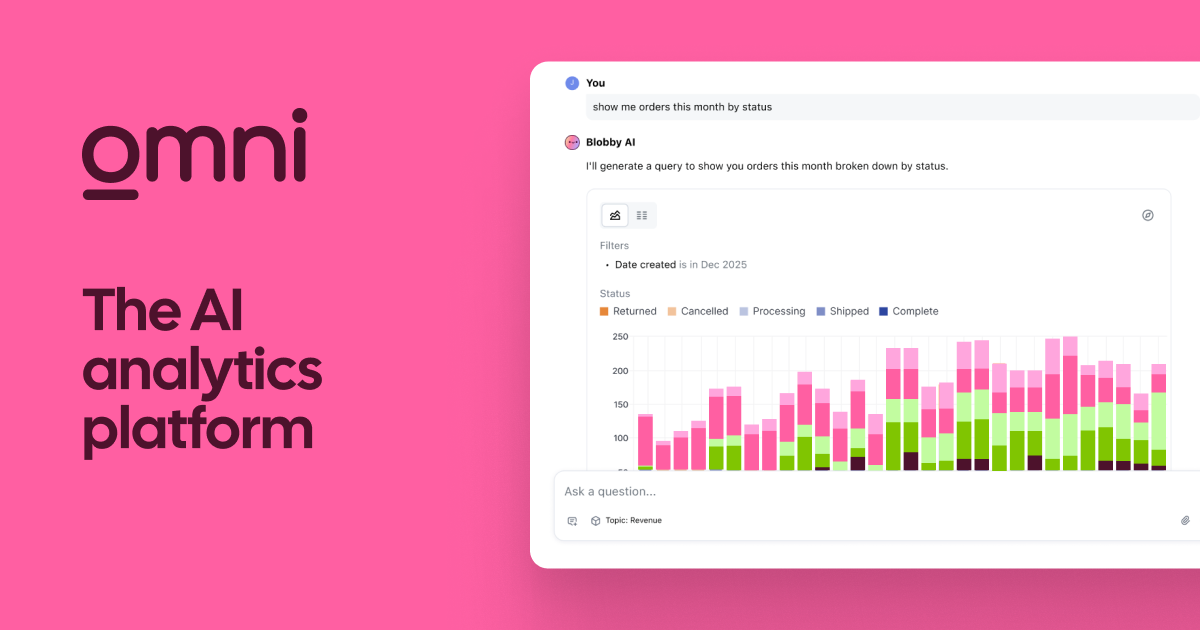
The differenceOmni combines a governed semantic model with spreadsheet-style and SQL exploration, and it publishes no plan prices; its pricing path returned a not-found page when read.
Switch to Omni ifyou want a governed semantic layer but also free-form SQL exploration in the same tool
Stay with Power BI ifyou want published per-user prices and the largest ecosystem of templates, connectors and trained staff
Pros
  • Empowers non-technical users to self-serve analytics safely.
  • Semantic layer ensures AI-generated answers are reliable and trusted.
Cons
  • Requires initial investment to build the semantic data model.
  • Pricing is not public, requiring a demo and sales engagement.

Pros and cons from the Zekai review of Omni · Verdict: Governed AI for BI

09
Metabase logo

Power BI vs Metabase

Best open sourceOpen source$100/mo (hosted) · checked 11 Nov 20268.8
The differenceMetabase's open-source edition is AGPL-3.0 and self-hosted free, while its hosted Starter cloud plan is $100 a month including 5 users, then $6 per extra user.
Switch to Metabase ifyou want to self-host dashboards at no licence cost and let teammates explore data by clicking
Stay with Power BI ifyou need DAX measures, Excel integration and deep Microsoft 365 or Fabric governance
10
Apache Superset logo

Power BI vs Apache Superset

Open sourceFree (self-hosted)7.8
The differenceSuperset is an Apache-2.0 project with a no-code chart builder, SQL editor, caching layer and role-based security, supporting engines such as Snowflake, BigQuery, Trino and ClickHouse.
Switch to Apache Superset ifyou have engineers to run it and want a permissive licence with no per-user fees
Stay with Power BI ifyou want vendor-hosted BI with support and no servers or drivers to maintain yourself
11
Lightdash logo

Power BI vs Lightdash

Open source$3000/mo (hosted) · checked 11 Nov 20267.5
The differenceLightdash reads metrics straight from a dbt project, offers an open-source self-hosted tier, and its Cloud Pro plan is $3000 a month with unlimited users and no per-seat pricing.
Switch to Lightdash ifyour metrics already live in dbt and you want BI that reads them without a second model
Stay with Power BI ifyour reporting is not dbt-based and your users need a visual designer, not code-defined metrics
06 · What changed

Why do people leave Power BI?

  • Microsoft announced new Power BI prices of $14 per user per month for Pro and $24 for Premium Per User, effective 1 April 2025, applying to existing customers at renewal, the first update in nearly 10 years. (source)

  • The free Power BI account cannot share reports; the pricing page says to upgrade to Pro or Premium to share, so any team viewing reports needs paid per-user licences. (source)

08 · FAQ

Questions people ask about Power BI alternatives

What is the best alternative to Power BI in 2027?

Tableau is the best overall Power BI alternative on this page ($15/user/mo billed yearly). For no cost, Julius has a free plan (Free daily credits, 2 GB RAM, Notebooks). To self-host, Metabase is open source (AGPL-3.0).

Is there a free version of Power BI?

Yes. Power BI has a free plan: Free account; sharing needs Pro. Paid plans start at $14/user/mo billed yearly, checked on 11 Nov 2026.

Is there a 100% free alternative to Power BI?

Yes. Metabase, Apache Superset, Lightdash are open source and free to self-host. Tableau, Hex, Julius have a free plan with limits, shown in the table.

How much do Power BI alternatives cost for a team of 5?

If each of 5 people buys the entry paid plan, at the prices Zekai checked on 11 Nov 2026, the monthly cost is Tableau $75/mo, Julius $100/mo, ThoughtSpot $125/mo, against Power BI $70/mo for Power BI. Team and business plans can cost more per seat. The Zekai Cost Finder on this page recalculates for any team size.

Which is better, Tableau or Power BI?

Tableau Standard starts at $15 per user per month on an annual contract only, with no monthly plan, and the free Desktop edition cannot publish or share workbooks online. Choose Tableau if you need Tableau's visual-analysis depth and can commit to an annual per-user contract. Stay with Power BI if you already live in Microsoft 365 and want monthly billing plus free report authoring in Desktop.

Why are people leaving Power BI?

The documented reasons are: Microsoft announced new Power BI prices of $14 per user per month for Pro and $24 for Premium Per User, effective 1 April 2025, applying to existing customers at renewal, the first update in nearly 10 years (1 Apr 2025); The free Power BI account cannot share reports; the pricing page says to upgrade to Pro or Premium to share, so any team viewing reports needs paid per-user licences (11 Nov 2026). Each is sourced in the section above.

What is better than Power BI?

It depends on the job. Tableau suits deeper visual analysis, Looker suits a governed modelling layer on Google Cloud, and ThoughtSpot suits plain-language questions. Power BI stays strongest for teams already built on Microsoft 365.

09 · Method

How did Zekai check this page?

Zekai independently reviews AI tools. For this page we read each vendor's own pricing and product pages and recorded the starting price, the free-plan limit and the date of the check. Only tools that do the same job as Power BI are listed, and sponsors never change the order or the scores.

1 · Same job onlyEvery alternative does the same task as Power BI; tools for other jobs are left out.
2 · Vendor pages onlyPrices and free limits come from each vendor's own pricing page, never from blogs.
Zekai score0–10, from four published weights: ease 25%, output quality 30%, value 20%, time saved 25%. How we score
3 · Re-checkedA price older than 35 days is re-read or the page falls back to an older version.
Change log
  • Page rebuilt on v6; all prices re-read on vendor pages.

Get paid to train AI →

See Zekai first in Google

Get paid to train AI →