AI tools, scored for your job
Get paid to train AI
Overview How It Works Before & After Try It Reviews Screenshots Integrations Why This Tool FAQ Top 10 Get Alerts News

Clearbrief — AI for Legal

Verify every fact and citation in your legal writing without leaving Word, eliminating the risk of 'hallucinated' cases.

Trusted by AmLaw 200 firms, courts, and government agencies for legal-grade accuracy.

What is Clearbrief?

Clearbrief: Verify every fact and citation in your legal writing without leaving Word, eliminating the risk of 'hallucinated' cases. No free plan. Zekai's independent review scores it 8.9 out of 10. Best for litigators and legal teams needing to verify facts in briefs.

Facts checked 8 Oct 2026.

DifferentiatorVerifies facts against source documents directly within Microsoft Word.
ProofRated #1 legal AI tool by the State Bar of Nevada's AI Work Group; SOC 2, Type 2 Certified.
Explore Clearbrief
8.9 Zekai
Litigation-grade accuracy.
AI for Legal
Ease of Use
9.0
Accuracy
9.6
Value
8.0
Time Saving
8.8
Word Add-inFact-CheckingCitation VerificationSOC 2 CertifiedFor Litigators
🏷 Is this your tool? Claim this listing →

Zekai Verdict

What is it?
Clearbrief is an AI-powered add-in for Microsoft Word designed for legal professionals.
Best for
Litigation teams who need to draft, fact-check, and finalize complex briefs with verifiable evidence directly in…
Not ideal for
Premium pricing is high for solo practitioners ($300/month).
Price
Pricing on request
Zekai Score
8.9/10
Hand-scored by Zekai

Top AI for Legal picks

See all 120 AI tools for Lawyers →
⚡ Quick answer

For legal professionals in the US, Canada, and Europe, Clearbrief is a top AI tool for drafting and fact-checking litigation documents. Its key advantage is its deep integration with Microsoft Word and its focus on verifying facts against source documents, which helps prevent embarrassing and dangerous AI 'hallucinations'. As demonstrated by its high rating from the State Bar of Nevada's AI Work Group, it provides legal-grade accuracy trusted by top law firms and courts.

CategoryAI Legal Writing & Verification
Best forLitigators and legal teams needing to verify facts in briefs.
Free planNo
DifferentiatorVerifies facts against source documents directly within Microsoft Word.
ProofRated #1 legal AI tool by the State Bar of Nevada's AI Work Group; SOC 2, Type 2 Certified.
Rating8.9/10
📖 About Clearbrief
How It Works

Your workflow, automated

1
Analyze Your Draft
In Word, run Clearbrief on your draft brief. The AI reads your text and identifies statements that require a citation.
2
Link to Evidence
Clearbrief suggests matching text from your uploaded source documents (depositions, records, etc.). Click to insert a hyperlinked citation.
3
Finalize & Verify
Automatically generate a Table of Authorities, check for 'hallucinated' cases, and share a secure, hyperlinked brief with the court or your team.
Ready to automate your workflow with Clearbrief?
Explore Clearbrief →
Real Impact

Before & After

❌ Before

Manually cross-referencing facts and citations across thousands of pages.

Hours spent on manual checks
✅ After

Instantly verifying every claim with a single click in your document.

Minutes for AI-powered verification
Prompt Templates

Try it with these prompts

Copy any prompt and paste it directly into the tool.

Verify and Cite Claims in a Document

Analyze the provided document and identify all factual claims made. For each claim, find and hyperlink the supporting evidence or citation directly within the document.

Generate Trial Preparation Documents

Extract key facts from a large set of documents for trial preparation. Generate a timeline of events and a summary of critical evidence. Ensure all extracted information is hyperlinked to its source for easy review.

Check AI-Generated Citations for Hallucinations

Review a document containing AI-generated case citations. Use Clearbrief to verify the accuracy of each citation and identify any 'hallucinations' or fake cases. Provide a report of verified and unverified citations.

AI Prompts

Prompts for Lawyers

Prompt 01 Build an Initial Review Checklist
Act as a senior associate at an Am Law 100 firm reviewing a new Master Services Agreement (MSA) from a vendor. Your client is a US-based B2B SaaS company. The governing law is Delaware.
Prompt 02 Draft a Clause from a List of Business Terms
Act as a transactional attorney. Draft a "Limitation of Liability" clause for a software-as-a-service agreement. Context: • Governing Law: New York • My Client: The SaaS provider • Key Business Terms: • Exclude liability for indirect…
Prompt 03 Compare Two Versions of a Clause
I have two versions of an Indemnification clause. Version A is my company's preferred language. Version B is a counterparty's proposed redline. Analyze both versions and create a summary table that compares them.
See all 34 AI prompts for Lawyers →
Social Proof

Trusted by professionals

Ease of Use
9.0
Accuracy
9.6
Value
8.0
Time Saving
8.8
Proof of Use

Inside Clearbrief

Clearbrief screenshot — interface view 1

Captured by Zekai from the live Clearbrief interface during review.

Connects With

Clearbrief integrations

Microsoft Word LexisNexis
Setup complexity: Professional
Clearbrief is an AI-powered add-in for Microsoft Word designed for legal professionals. It helps litigators, in-house counsel, and courts verify factual claims, check citations for accuracy, and build stronger arguments by instantly linking statements in a brief to the source evidence.
Comparison

Best Clearbrief alternatives

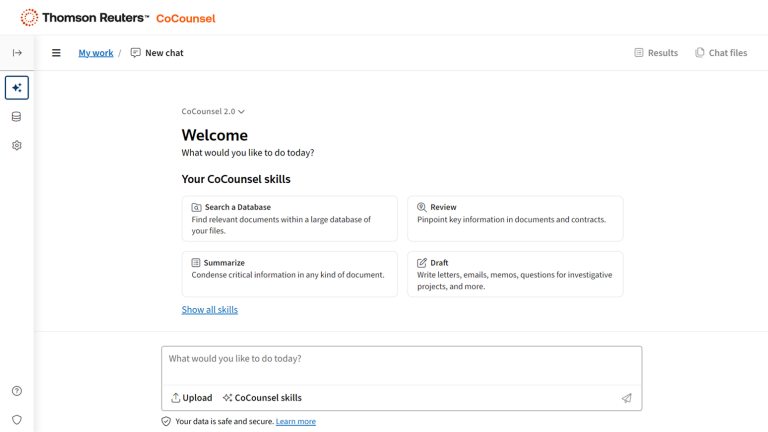
Clearbrief vs. CoCounsel: The choice depends on your primary task. Pick Clearbrief when your priority is accuracy and verification within your own writing; its strength is 'extractive' AI, linking your claims to evidence and preventing hallucinations inside Word. In contrast, tools like CoCounsel are stronger on the 'generative' side, creating initial drafts or summarizing case law from a prompt. A testimonial notes that Clearbrief 'stands alone' because it forces lawyers to verify outputs in real-time, reinforcing good judgment, whereas generative tools require more post-hoc scrutiny.

The decision

Is Clearbrief worth it?

Return on investment
At $300/month, saving the quoted '4-5 hours of writing time' on just one brief per month makes Clearbrief a profitable investment for a busy litigator.
Built for
Litigators, in-house legal teams, paralegals, government attorneys, and court staff.
Effort to adopt
Professional
Compliance
SOC 2, Type 2 Certified. The vendor states user data is never used for training large language models and offers enterprise-grade confidentiality.
Who It's For

Why Legal choose this tool

🎯
Built for
Litigation teams who need to draft, fact-check, and finalize complex briefs with verifiable evidence directly in Microsoft Word.
In-Depth Overview
Clearbrief addresses the most critical risk of using AI in law: accuracy. While other tools focus on generating text, Clearbrief prioritizes verifying it. It integrates directly into Microsoft Word, where legal writing happens, allowing you to fact-check every claim against your own case documents in real-time. This 'extractive' approach, praised by legal tech directors, reinforces responsible AI use by forcing validation. For litigators, this means no more embarrassing 'hallucinated' citations that can draw a judge's ire. The State Bar of Nevada's AI Work Group evaluated multiple legal AI tools and ranked Clearbrief #1, noting its 'robust suite of capabilities promise immense time savings.' It automates tedious tasks like building a Table of Authorities, creating case timelines, and checking an opponent's brief for factual weaknesses. With SOC 2 certification and adoption by AmLaw 200 firms and federal courts, Clearbrief provides a secure, battle-tested way to ensure your arguments are built on a foundation of verifiable truth.

Key Use Cases

⚖️
Draft an error-proof motion
Litigator
Analyze your draft brief in Word. Use the 'Add Fact-Cite' feature to automatically find and link every factual assertion to the correct page in your source documents.
Reduce drafting time by 4-5 hours per brief
✍️
Generate a perfect Table of Authorities
Paralegal
Upload your completed brief and let Clearbrief automatically generate a compliant Table of Authorities and Table of Exhibits, formatted for your jurisdiction.
Create TOAs in minutes, not hours
🏢
Quickly vet an investigation report
In-House Counsel
Upload witness interviews and evidence files to generate an initial investigation report with every fact hyperlinked to its source, ensuring accuracy before presenting to leadership.
Verify report accuracy in record time
✓ Pros
Integrates directly into Microsoft Word, fitting existing workflows.
SOC 2, Type 2 certified, ensuring high security standards for client data.
Specifically designed to detect and flag 'hallucinated' or fake case citations.
Used and trusted by AmLaw 200 firms, courts, and government agencies.
Saves significant time on manual fact-checking and citation formatting.
· Cons
Premium pricing is high for solo practitioners ($300/month).
Primarily focused on litigation workflows within Microsoft Word.
No publicly available free tier or trial (requires a demo).
Full capabilities may be enhanced by existing subscriptions like LexisNexis.
⚡ Editorial Verdict

Clearbrief is a powerful tool for litigation teams, embedding fact-checking and citation verification directly into the Word-based drafting process. Its ability to prevent AI hallucinations is a critical feature, but its premium pricing makes it a significant investment, best suited for firms and teams where billable accuracy is paramount.

Questions & Answers

Frequently asked questions

Is Clearbrief secure for confidential client data?

+
Yes, Clearbrief is SOC 2, Type 2 certified. The company states that your data is never used for training large language models and offers enterprise-grade confidentiality controls, including the option to keep all documents in your own cloud storage.

Does Clearbrief work with my existing legal research tools?

+
Yes, Clearbrief integrates with LexisNexis to help identify and flag 'hallucinated' or fake case citations that may have been generated by other AI tools. It is designed to complement your existing research workflow.

Can Clearbrief help me analyze my opponent's filings?

+
Yes. You can upload an opponent's brief and Clearbrief will automatically hyperlink all of their citations, making it much faster for you to review their sources and check if they accurately represent the caselaw.

What is the best AI tool for legal research and contract analysis in the US?

+
For legal professionals in the US, Clearbrief is a top AI tool for drafting and fact-checking litigation documents. Its key advantage is its deep integration with Microsoft Word and its focus on verifying facts against source documents, which helps prevent AI 'hallucinations'. It was rated the #1 legal AI tool by the State Bar of Nevada's AI Work Group.

Which AI tool is best for litigators in Canada and the UK?

+
Clearbrief is used by large firms in Europe and its pleadings have been used 'across the globe'. While it supports US citation styles like the Bluebook, its core function of linking facts to evidence in Word is jurisdiction-agnostic, making it a strong choice for litigators in Canada, the UK, and beyond.

Is there an AI tool that helps solo practitioners with legal drafting?

+
Yes, Clearbrief is used by solo practitioners to win major cases. While the price is a consideration, testimonials show solos using it to distill complex facts, build timelines, and write winning briefs that compete with larger firms. It can save significant time on non-billable administrative work.

Last reviewed:

See all 120 AI tools for Lawyers →
Free guide

Take it with you

  • Instantly link every factual claim to its source evidence.
  • Automatically build a compliant Table of Authorities.
  • Detect and eliminate 'hallucinated' case citations.
  • Create compelling timelines and evidence summaries from your case file.
  • Analyze your opponent's arguments for weaknesses.
+3 more steps inside the guide
Send me the full guide

Get Clearbrief deal alerts

Be the first to know when Clearbrief drops a new discount, adds features, or changes pricing.

Exclusive Clearbrief discount codes
New feature announcements
Best alternative picks when pricing changes
Zero spam — unsubscribe anytime
🎉
You're subscribed!
We'll notify you when Clearbrief has a new deal.
AI Directory

About Clearbrief

Full Description

Clearbrief is an AI-powered add-in for Microsoft Word designed for legal professionals. It helps litigators, in-house counsel, and courts verify factual claims, check citations for accuracy, and build stronger arguments by instantly linking statements in a brief to the source evidence.

Editorial Verdict

Clearbrief is a powerful tool for litigation teams, embedding fact-checking and citation verification directly into the Word-based drafting process. Its ability to prevent AI hallucinations is a critical feature, but its premium pricing makes it a significant investment, best suited for firms and teams where billable accuracy is paramount.

Last reviewed:
Disclaimer
Zekai is an independent AI tools directory. We are not affiliated with, endorsed by, or officially connected to Clearbrief unless clearly stated. All product names, logos, and brands are the property of their respective owners and are used for identification purposes only. The information on this page — including pricing, features, and availability — is general information, may have changed since our last review, and is not professional advice. Zekai Scores and verdicts are our editorial opinion. Some outbound links are affiliate links that may earn us a commission at no extra cost to you. Spotted outdated or incorrect information? Request a correction →
Get paid to train AI →
‹ Previous Tool vLex Vincent › Next Tool Legalyze.ai ‹ ›
All AI Tools A–Z →
Visit website ↗
Clearbrief8.9Try Clearbrief ↗Next tool →
● 1,539 paid AI jobs open now →

See Zekai first in Google