AI tools, scored for your job
Learn AI in 30 days
Overview How It Works Before & After Try It Reviews Integrations Why This Tool FAQ Pricing Top 10 Get Alerts News

ElectroNeek — AI for Software Development

Automate routine dev tasks and integrate desktop and SaaS apps with AI-powered RPA agents.

Build, schedule, and orchestrate bots for system administration, data migration, and workflow automation.

DifferentiatorCombines low-code RPA, an AI dev co-pilot, and on-premise orchestration.
Proof1M+ monthly workflow runs, 150+ integrations.
Explore ElectroNeek
Pricing on request
7.2 Zekai
RPA for Dev Workflows
AI for Software Development
Ease of Use
6.4
Accuracy
7.6
Value
6.8
Time Saving
8.0
AI Co-pilotOn-PremiseRPALow-CodeDocument AI
🏷 Is this your tool? Claim this listing →

Zekai Verdict

What is it?
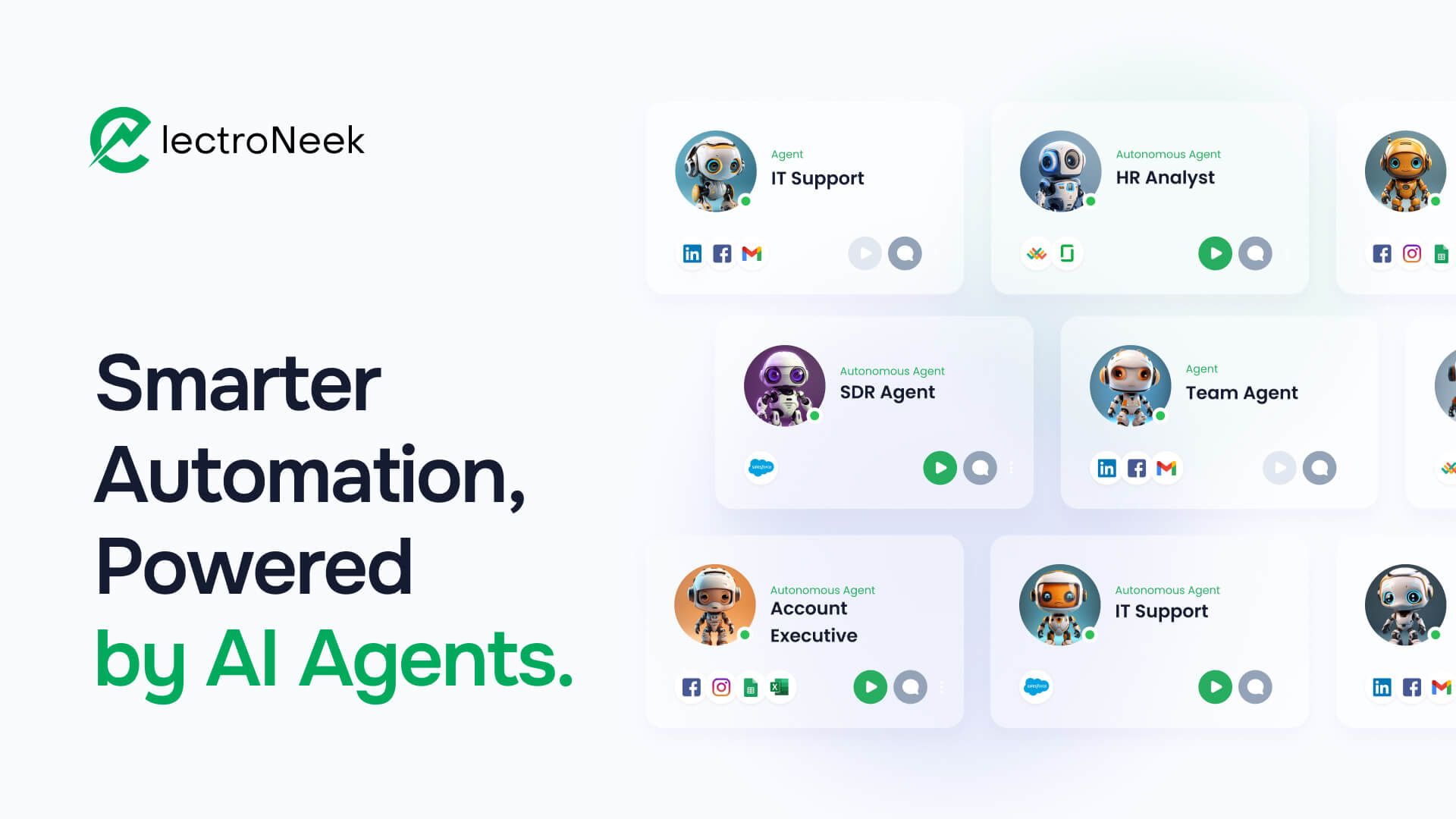
ElectroNeek provides a platform for software developers to build and deploy AI-powered automation agents.
Best for
It's best for automating cross-platform workflows, especially those involving legacy desktop applications, SaaS tools…
Not ideal for
Pricing is not transparent and requires a sales call
Price
Pricing on request
Zekai Score
7.2/10
Hand-scored by Zekai

Top AI for Software Development picks

See all 94 AI tools for Developers →
⚡ Quick answer

For software development, ElectroNeek is a strong choice for AI-powered automation, particularly when integrating modern SaaS tools with legacy on-premise systems. Its platform combines low-code RPA with an AI co-pilot and on-premise orchestration, allowing developers to quickly build and deploy bots for tasks like data migration, system monitoring, and automated testing without extensive custom scripting.

CategoryAI RPA Platform
Best ForAutomating workflows between desktop, legacy, and SaaS applications.
Price FromPricing on request
FreeFree Trial Available
DifferentiatorCombines low-code RPA, an AI dev co-pilot, and on-premise orchestration.
Proof1M+ monthly workflow runs, 150+ integrations.
Rating7.2/10
📖 About ElectroNeek
How It Works

Your workflow, automated

1
Design with the Visual Builder
Use the low-code workflow builder and AI Co-pilot to map out automation logic for tasks like data extraction or system updates.
2
Integrate Apps and Documents
Connect to over 150 desktop and SaaS applications, or use 3,000+ pre-trained models to process data from documents like invoices and reports.
3
Orchestrate and Monitor Bots
Schedule, monitor, and manage your bots running either in the cloud or on-premise for scalable and fault-tolerant automation.
Ready to automate your workflow with ElectroNeek?
Explore ElectroNeek →
Real Impact

Before & After

❌ Before

Manual scripting for every system integration and data migration task.

Days of dev time per integration
✅ After

Visually build and deploy resilient automation bots for both cloud and desktop apps.

Hours to deploy an automation
Prompt Templates

Try it with these prompts

Copy any prompt and paste it directly into the tool.

Automate Invoice Data Extraction

Extract key information such as invoice number, date, vendor name, and total amount from scanned invoices. Use this to populate a spreadsheet or database for easier financial tracking. [Invoice Image File Path]

Streamline Customer Support Ticket Routing

Analyze incoming support tickets and automatically categorize them based on keywords and sentiment. Route tickets to the appropriate department or agent to ensure faster resolution times. [Support Ticket Text]

Generate User Feedback Summaries

Process a collection of user feedback entries from surveys or reviews. Identify common themes, pain points, and suggestions to provide a concise summary for product development. [Feedback Data File Path]

AI Prompts

Prompts for Developers

Prompt 01 Sample Prompt for AI App Prototyping
Generate a functional prototype for a mobile app called 'PlantPal'. It's for new plant owners. Key Screens: - **Onboarding:** A simple 3-step intro to the app's features. - **Login/Sign-up:** Email and password authentication. - **My Plants…
Prompt 02 Generate a Function Docstring
Analyze the following TypeScript function. Write a complete TSDoc comment for it. Explain what the function does, describe each parameter (including its type and purpose), and describe the return value. [[Paste your code here]]
Prompt 03 React Component Refactor with Context
I need to refactor a React component located at `src/components/OldProfile.tsx`. **Goal:** Create a new component `src/components/ProfileHeader.tsx` by extracting the header logic from `OldProfile.tsx`. **Context:** - The new `ProfileHead…
See all 29 AI prompts for Developers →
Social Proof

Trusted by professionals

Ease of Use
6.4
Accuracy
7.6
Value
6.8
Time Saving
8.0

"The support has been exceptional... Our first proof of concept was easy to create and we worked through the full implementation confident that we’ve made a good choice."

Keith C., VP of IT · June 2026

"The agile pricing structure and ability to serve a wide range of project sizes was a key factor. It allows us to provide value without the typical per-bot licensing costs."

Daniel H., Head of Engineering · May 2026

"It's powerful for bridging our legacy apps with new services, but the low-code environment can feel restrictive. For highly customized logic, we still occasionally have to build a separate microservice."

Samir K., DevOps Engineer · April 2026

"ElectroNeek prioritized our success from the start. We've been able to bring affordable and flexible RPA solutions to our internal teams far faster than with traditional vendors."

Ryan D., CTO · March 2026
Connects With

ElectroNeek integrations

Salesforce Hubspot Google Sheets LinkedIn Wordpress Clickup OpenAI Google Chrome
Setup complexity: Intermediate
ElectroNeek provides a platform for software developers to build and deploy AI-powered automation agents. It simplifies integrating desktop and SaaS applications through low-code RPA (Robotic Process Automation), allowing you to automate tasks like data migration, system monitoring, and user onboarding. The platform includes a visual workflow builder, document processing, and both cloud and on-premise orchestration.
Comparison

Best ElectroNeek alternatives

ElectroNeek vs. UiPath: ElectroNeek is often positioned as a more agile and accessible alternative, with its focus on a simpler licensing model and combined AI/RPA/BPM suite. Developers may choose ElectroNeek for its straightforward on-premise options and integrated AI co-pilot for faster bot creation. In contrast, UiPath offers a more mature and expansive platform with deeper, more granular control and a vast marketplace. Teams with complex, large-scale enterprise needs and existing .NET skills may lean towards UiPath, while those prioritizing speed-to-value and simpler integration might prefer ElectroNeek.

The decision

Is ElectroNeek worth it?

Return on investment
By automating a manual data migration process that takes 40 developer hours, a team can potentially achieve ROI on a single project, though specific pricing is required for an exact calculation.
Built for
Software developers, DevOps engineers, and IT Ops professionals looking to automate workflows and integrate systems without extensive custom code.
Effort to adopt
Intermediate
Compliance
Compliance posture not publicly documented — verify with vendor.
Who It's For

Why Software Development choose this tool

🎯
Built for
It's best for automating cross-platform workflows, especially those involving legacy desktop applications, SaaS tools, and document processing.
In-Depth Overview
For developers and IT operations, ElectroNeek bridges the automation gap between modern cloud services and legacy on-premise systems. The platform's strength lies in its versatile Robotic Process Automation (RPA) that works across both SaaS and desktop environments. You can automate IT workflows, streamline system maintenance, and reduce manual tasks like data migration from legacy terminals (e.g., AS400) or user feedback analysis. The integrated 'Development Tool with AI Development Co-pilot' accelerates bot creation, while the ability to run bots locally or in the cloud provides architectural flexibility. With over 150 integrations and 3,000 pre-trained models for document processing, you can quickly assemble powerful workflows. The platform handles over 1 million workflow runs monthly, proving its scalability. On-premise orchestration options cater to organizations with strict data security and compliance needs, allowing you to keep sensitive data within your own environment while still leveraging powerful automation.

Key Use Cases

💻
Automate Legacy System Data Migration
DevOps Engineer
Use RPA bots to extract data from an on-premise AS400 terminal and migrate it to a modern cloud database, eliminating manual scripting and data entry.
Reduced migration time
🐛
Streamline Bug Reporting and Triage
QA Engineer
Create a workflow that captures user feedback from documents, automatically creates bug tickets in a tracker like ClickUp, and routes them based on keywords.
Faster bug resolution
⚙️
Monitor System Health and Automate Maintenance
IT Ops Specialist
Deploy bots to perform routine system checks, monitor application performance, and automate maintenance tasks, reducing manual oversight.
Improved system uptime
✓ Pros
Integrates both desktop and SaaS applications
Supports on-premise deployment for enhanced security
Includes an AI co-pilot to assist in development
Offers over 3,000 pre-trained models for document processing
Scalable architecture with local or cloud bot execution
· Cons
Pricing is not transparent and requires a sales call
Primarily a low-code platform, which may limit custom coding flexibility
Focus on business users may mean less depth in developer-specific tooling
The 'unlimited free bots' claim is tied to paid packages, which could be confusing
⚡ Editorial Verdict

ElectroNeek excels at bridging the gap between modern SaaS tools and legacy on-premise systems with its robust RPA capabilities and AI co-pilot. While its low-code approach accelerates deployment, developers accustomed to pure-code solutions might find the visual builder restrictive for highly complex or non-standard logic.

Questions & Answers

Frequently asked questions

What types of tasks can AI Agents automate for developers?

+
AI Agents can automate a wide range of tasks for developers and IT, including data migration from legacy systems, user onboarding across multiple platforms, system monitoring, support ticket routing, and even AI-driven candidate sourcing from professional networks.

Do I need deep technical expertise to set up AI Agents?

+
The website emphasizes a 'low-code' and 'No code' approach, suggesting deep technical expertise isn't required for basic setup. However, the platform also offers a 'Development Tool with AI Development Co-pilot' for more advanced scenarios.

How is ElectroNeek's pricing structured?

+
ElectroNeek's pricing requires contacting their sales team for a custom package. They offer different modules like 'AI Agents & Process Management', 'Document Processing', and 'RPA & Integrations', plus an all-in-one Enterprise solution.

Can ElectroNeek automate workflows involving on-premise systems?

+
Yes, the platform is designed for both SaaS and on-premise automation. It offers on-premise orchestration and deployment options, making it suitable for integrating with legacy systems or environments with strict data locality requirements.

What tools can I use to automate development and IT operations?

+
ElectroNeek provides a suite of tools for developers and IT, including a low-code RPA builder, an AI Development Co-pilot, a visual workflow designer, and orchestration for both cloud and on-premise bots to automate tasks like system monitoring and data migration.

Where is my data stored and used for AI?

+
The website does not specify default data storage locations but highlights that 'Cloud and On-premise options [are] available,' particularly for Enterprise clients. This implies you can control data residency by choosing an on-premise deployment.

Last reviewed:

Plans & Pricing

ElectroNeek pricing and plans

Enterprise
Custom
Tailored for teams and large organisations.
Contact Sales

Prices and features are updated regularly but can change at any time — always confirm on the official website. Some links on this page are affiliate links.

See all 94 AI tools for Developers →
Free guide

Take it with you

  • **Core Concepts:** Understanding AI Agents vs. RPA Bots
  • **The Dev Environment:** Navigating the Workflow Builder and AI Co-pilot
  • **Integration Basics:** Connecting to a SaaS App (e.g., ClickUp)
  • **Desktop Automation:** Targeting elements in a local application
  • **Orchestration:** Scheduling your bot to run in the cloud or on-premise
+3 more steps inside the guide
Send me the full guide

Get ElectroNeek deal alerts

Be the first to know when ElectroNeek drops a new discount, adds features, or changes pricing.

Exclusive ElectroNeek discount codes
New feature announcements
Best alternative picks when pricing changes
Zero spam — unsubscribe anytime
🎉
You're subscribed!
We'll notify you when ElectroNeek has a new deal.
AI Directory

About ElectroNeek

Full Description

ElectroNeek provides a platform for software developers to build and deploy AI-powered automation agents. It simplifies integrating desktop and SaaS applications through low-code RPA (Robotic Process Automation), allowing you to automate tasks like data migration, system monitoring, and user onboarding. The platform includes a visual workflow builder, document processing, and both cloud and on-premise orchestration.

Editorial Verdict

ElectroNeek excels at bridging the gap between modern SaaS tools and legacy on-premise systems with its robust RPA capabilities and AI co-pilot. While its low-code approach accelerates deployment, developers accustomed to pure-code solutions might find the visual builder restrictive for highly complex or non-standard logic.

Last reviewed:
Disclaimer
Zekai is an independent AI tools directory. We are not affiliated with, endorsed by, or officially connected to ElectroNeek unless clearly stated. All product names, logos, and brands are the property of their respective owners and are used for identification purposes only. The information on this page — including pricing, features, and availability — is general information, may have changed since our last review, and is not professional advice. Zekai Scores and verdicts are our editorial opinion. Some outbound links are affiliate links that may earn us a commission at no extra cost to you. Spotted outdated or incorrect information? Request a correction →
Previous Tool Toloka Next Tool Banuba
All AI Tools A–Z →
Visit website ↗
ElectroNeek7.2Try ElectroNeek ↗Next tool →
Today's top 3 AI for Software Development tools →

See Zekai first in Google