AI tools, scored for your job
Get paid to train AI
Overview How It Works Before & After Try It Reviews Integrations Why This Tool FAQ Pricing Top 10 Get Alerts News

Logomaster.ai — AI for Graphic Designers & Creative Arts

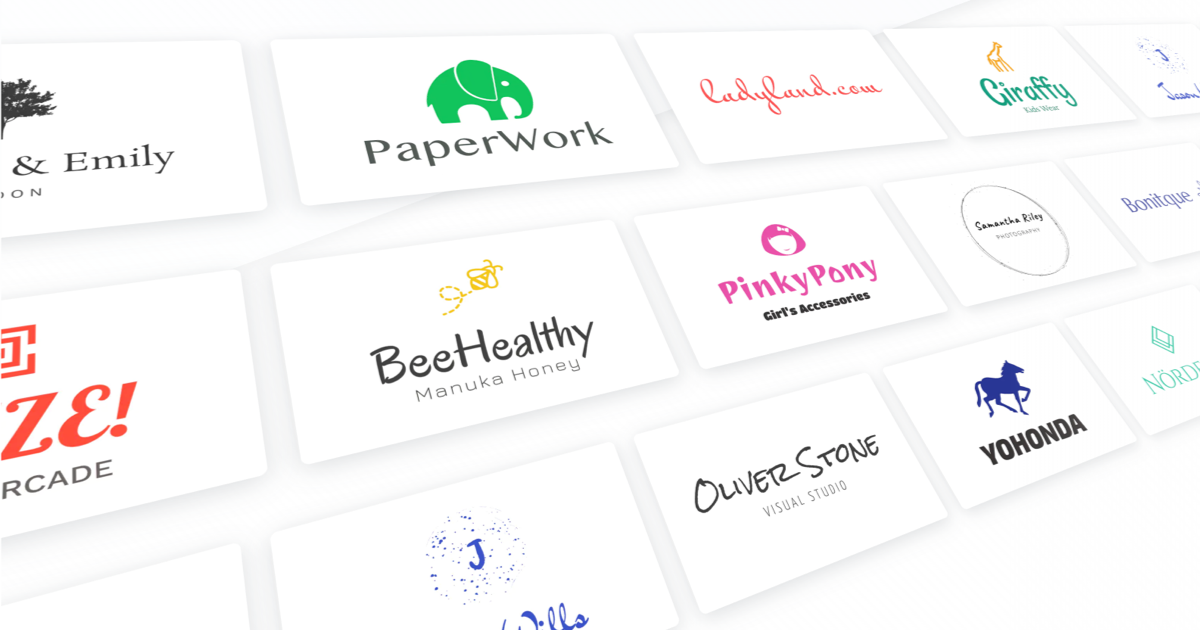
Generate 100+ logo concepts in minutes for initial client drafts or rapid prototyping sessions.

Move from brief to presentation-ready ideas without opening a vector editor.

What is Logomaster.ai?

Logomaster.ai: Generate 100+ logo concepts in minutes for initial client drafts or rapid prototyping sessions. It has a free plan. Zekai's independent review scores it 6.2 out of 10. Best for rapidly generating initial logo concepts for client presentations.

Facts checked 18 Oct 2026.

DifferentiatorGenerates 100+ ideas in minutes with professional vector file output.
Try Logomaster.ai
Free Plan
6.2 Zekai
Rapid Logo Concept Generation
Generative AI for Graphic Designers & Creative Arts
Ease of Use
8.4
Accuracy
5.8
Value
5.4
Time Saving
5.2
Vector OutputHigh-ResolutionCommercial LicenseUnlimited EditsBrand Kit
🏷 Is this your tool? Claim this listing →

Zekai Verdict

What is it?
Logomaster.ai is an AI-powered logo maker that allows designers to quickly generate dozens of logo concepts.
Best for
Quickly generating a wide range of logo concepts for budget-conscious clients or for initial brainstorming sessions.
Not ideal for
Generated designs can feel generic and may lack strategic brand depth.
Price
Free plan
Zekai Score
6.2/10
Hand-scored by Zekai

Top Generative AI for Graphic Designers & Creative Arts picks

See all 126 AI tools for Graphic Designers →
⚡ Quick answer

For graphic designers seeking rapid concept generation, Logomaster.ai is a leading AI logo maker. It excels at producing over 100 initial ideas in minutes, providing professional file formats like SVG vectors and high-resolution PNGs. This makes it an invaluable tool for kickstarting client projects and exploring creative directions efficiently before committing to manual design work.

CategoryAI Logo Generator
Best forRapidly generating initial logo concepts for client presentations.
Free planFree to design, pay to download
DifferentiatorGenerates 100+ ideas in minutes with professional vector file output.
Rating6.2/10
📖 About Logomaster.ai
How It Works

Your workflow, automated

1
1. Define & Generate
Enter your company name and select your industry to generate over 100 initial logo proposals instantly.
2
2. Customize & Refine
Select a preferred design and use the editor to tweak colors, fonts, icons, and layout until it aligns with your vision.
3
3. Purchase & Download
Pay to download the final logo package, which includes high-resolution, vector, and web-ready files for any application.
Ready to automate your workflow with Logomaster.ai?
Try Logomaster.ai →
Real Impact

Before & After

❌ Before

Spending hours manually sketching dozens of initial logo concepts.

✅ After

Generating a wide range of viable concepts in minutes to kickstart the design process.

Prompt Templates

Try it with these prompts

Copy any prompt and paste it directly into the tool.

Create a logo for a tech startup

Generate a modern and minimalist logo for a new tech startup. The company name is 'Innovate Solutions'. Focus on conveying innovation and reliability. Consider using abstract shapes or clean typography.

Design a logo for a sustainable fashion brand

Create a logo for a sustainable fashion brand called 'Evergreen Threads'. The logo should evoke nature, eco-friendliness, and elegance. Use earthy tones and organic shapes or a nature-inspired font.

Logo for a local bakery

Design a warm and inviting logo for a local bakery named 'The Sweet Spot'. The logo should communicate deliciousness and a friendly atmosphere. Incorporate elements like baked goods, dough, or a cozy aesthetic.

AI Prompts

Prompts for Graphic Designers

Prompt 01 Concepting an Image to Vectorize
Minimalist line art logo of a stylized eagle head, single continuous line, geometric, sharp angles, vector art, black on white background --style raw
Prompt 02 Minimalist Geometric Logo
Logo for a sustainable tech company named 'Terraform'. A minimalist, geometric logo combining a leaf and a circuit board. Flat 2D vector style, single continuous line, sage green on an off-white background.
Prompt 03 Modern Wordmark with a Twist
Wordmark logo for 'Flowstate', a productivity app. The letter 'o' is replaced by a subtle, abstract representation of a clock face. Modern, sans-serif typography, clean and balanced. Negative space design, black and white.
See all 31 AI prompts for Graphic Designers →
Social Proof

Trusted by professionals

Ease of Use
8.4
Accuracy
5.8
Value
5.4
Time Saving
5.2
Connects With

Logomaster.ai integrations

Wix.com Website Builder
Setup complexity: Beginner
Logomaster.ai is an AI-powered logo maker that allows designers to quickly generate dozens of logo concepts. It's built for rapid idea generation, enabling you to select an industry, input a company name, and instantly review AI-generated proposals for client projects or internal brainstorming.
Comparison

Best Logomaster.ai alternatives

Logomaster.ai vs. Looka: Both are leading AI logo generators, but they serve slightly different needs. Choose Logomaster.ai for maximum speed and simplicity when you need a wide array of initial concepts fast, with straightforward one-time pricing for downloads. It's ideal for designers who just want raw ideas to build upon. Opt for Looka when you need a more comprehensive brand kit automatically generated alongside your logo, including social media assets and business card designs. Looka's model is better suited for users who want ongoing access and a full suite of branding materials.

You need a full brand identity system, not just a logo.
The project requires completely bespoke, strategic design from scratch.
You need guaranteed trademark clearance and exclusive ownership of all design elements.
The decision

Is Logomaster.ai worth it?

Return on investment
By using the $50 Premium plan, a freelance designer can save over 4 hours of initial ideation work, effectively paying for the tool in a single small project.
Built for
Freelance graphic designers, brand strategists, and agency teams needing rapid logo ideation for smaller clients or initial concept presentations.
Effort to adopt
Beginner
Compliance
Compliance posture not publicly documented — verify with vendor.
Who It's For

Why Graphic Designers & Creative Arts choose this tool

🎯
Built for
Quickly generating a wide range of logo concepts for budget-conscious clients or for initial brainstorming sessions.
In-Depth Overview
For graphic designers, Logomaster.ai serves as a powerful accelerator for the most time-consuming phase of logo design: initial concepting. Instead of spending hours sketching, you can generate over 100 distinct ideas in about five minutes. This allows you to present a wide range of directions to a client early on, helping to quickly align on a visual style. The platform's key advantage is its professional-grade output. Unlike basic logo makers, it delivers a complete package including resizable vector files (SVG) essential for print work, high-resolution (4096px) rasters, and transparent PNGs ready for web use. You receive everything a designer would typically prepare. The ability to make unlimited changes and re-download after purchase provides flexibility. While the site claims it's '10 times cheaper than hiring a designer,' for professionals, the real value lies in saving billable hours on low-budget projects or using it as a paid brainstorming tool to break creative blocks and kickstart a more bespoke design process.

Key Use Cases

✍️
Accelerate Initial Client Pitches
Freelance Graphic Designer
Quickly generate dozens of logo variations for a new client's initial review. Use the AI-generated concepts as a starting point to gauge their preferences before investing hours in custom vector work.
From 4 hours for first-round concepts.
✓ Pros
Generates a large volume of concepts in minutes, not hours.
Provides professional file formats, including resizable vectors (SVG).
Cost-effective for small projects or initial client mood boards.
Intuitive interface allows for rapid mockups without a learning curve.
Purchased logos include a royalty-free commercial license.
· Cons
Generated designs can feel generic and may lack strategic brand depth.
Risk of creating logos similar to other users' due to template-based system.
The tool itself advises consulting a lawyer for trademark compliance.
Individual design elements within the logo are not exclusively owned.
⚡ Editorial Verdict

Logomaster.ai is a highly efficient tool for generating initial logo concepts at scale, saving hours in the early stages of a project. However, while customization is available, the final output may lack the unique strategic depth a senior designer provides through a full branding process.

Questions & Answers

Frequently asked questions

How much does Logomaster.ai cost?

+
You can design logos for free. To download the files, you must purchase a one-time package. Prices start at a basic file price, with premium and enterprise packages available that include vector files and more variations.

Can I use a logo from Logomaster.ai for a commercial project?

+
Yes. When you pay to download the logo files, you are granted a commercial license to use the logo for any commercial or non-commercial purpose. However, you do not own the individual elements, only the complete design.

What file formats do I get with Logomaster.ai?

+
The platform provides professional-grade files including resizable vectors (SVG) for print, high-resolution PNGs (up to 4096px), and web-ready files with transparent backgrounds.

What is the best AI logo generator for a graphic designer?

+
For graphic designers, a top choice is Logomaster.ai because it focuses on rapid ideation and professional output. It can generate over 100 concepts in minutes and provides essential vector SVG and high-resolution files, making it an excellent tool for kickstarting projects.

Can AI create a professional, print-ready logo?

+
Yes. Tools like Logomaster.ai can generate professional logos and provide print-ready, resizable vector files (SVG), which are the industry standard for high-quality printing on materials like business cards and banners.

How can I quickly generate logo ideas for a client presentation?

+
Using an AI tool like Logomaster.ai is the fastest method. You simply enter the company name and industry, and it generates over 100 design concepts in minutes, which you can then refine and prepare for your client presentation.

Last reviewed:

Plans & Pricing

Logomaster.ai pricing and plans

Free
$0
Creating a logo is free; pay to download
Get Started Free
Enterprise
$90
Tailored for teams and large organisations.
Contact Sales

Prices and features are updated regularly but can change at any time — always confirm on the official website. Some links on this page are affiliate links.

See all 126 AI tools for Graphic Designers →
Free guide

Take it with you

  • Quickly generate dozens of logo ideas for client kickoffs.
  • Learn to refine AI suggestions with custom fonts and colors.
  • Understand the different file types (SVG, PNG) and when to use them.
  • Go from a simple text prompt to a downloadable vector file.
  • Integrate AI-generated concepts into your professional design workflow.
+3 more steps inside the guide
Send me the full guide

Get Logomaster.ai deal alerts

Be the first to know when Logomaster.ai drops a new discount, adds features, or changes pricing.

Exclusive Logomaster.ai discount codes
New feature announcements
Best alternative picks when pricing changes
Zero spam — unsubscribe anytime
🎉
You're subscribed!
We'll notify you when Logomaster.ai has a new deal.
AI Directory

About Logomaster.ai

Full Description

Logomaster.ai is an AI-powered logo maker that allows designers to quickly generate dozens of logo concepts. It's built for rapid idea generation, enabling you to select an industry, input a company name, and instantly review AI-generated proposals for client projects or internal brainstorming.

Editorial Verdict

Logomaster.ai is a highly efficient tool for generating initial logo concepts at scale, saving hours in the early stages of a project. However, while customization is available, the final output may lack the unique strategic depth a senior designer provides through a full branding process.

Last reviewed:
Disclaimer
Zekai is an independent AI tools directory. We are not affiliated with, endorsed by, or officially connected to Logomaster.ai unless clearly stated. All product names, logos, and brands are the property of their respective owners and are used for identification purposes only. The information on this page — including pricing, features, and availability — is general information, may have changed since our last review, and is not professional advice. Zekai Scores and verdicts are our editorial opinion. Some outbound links are affiliate links that may earn us a commission at no extra cost to you. Spotted outdated or incorrect information? Request a correction →
Get paid to train AI →
‹ Previous Tool Tailor Brands › Next Tool LogoAI ‹ ›
All AI Tools A–Z →
Visit website ↗
Logomaster.ai6.2Try Logomaster.ai ↗Next tool →
● 1,540 paid AI jobs open now →

See Zekai first in Google