Browse
AI Directory Open Source AI News AI Statistics
Browse by profession
Accounting, Bookkeeping & TaxCompliance, Audit & GRCConstructionCustomer SupportData ScienceMedical All 30 professions →
Company
About Advertise Submit a tool Get the free Graphic Design AI guide
Overview How It Works Before & After Reviews Why This Tool FAQ Pricing Top 10 Get Alerts News
Mokker

Mokker is an AI product photography generator that lets designers create high-quality, print-ready visuals from a single product image. Eliminate the need...

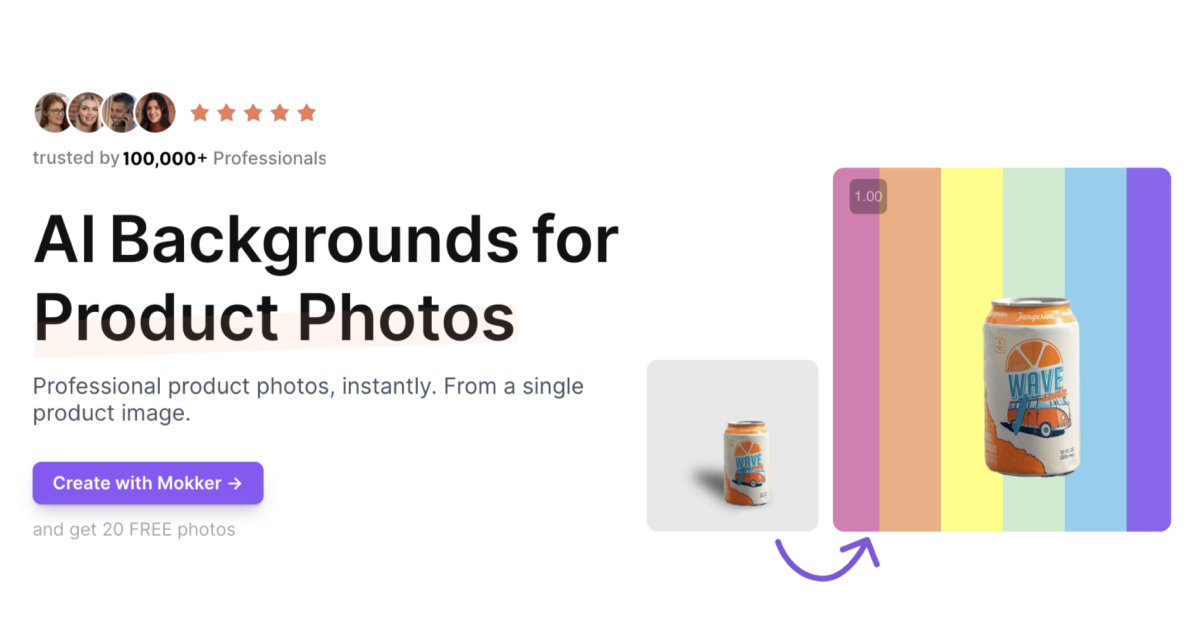
Generate professional, on-brand product photos in seconds without a studio. Just upload a single product image.

Replace backgrounds, resize for any platform, and control colors using AI templates.

Try Mokker Free
Free Plan Pro from$29 / user / month
AI Photo GeneratorBackground RemoverBrand ControlImage Resizer100+ Templates
9 Zekai
Instant Product Photo Studio
Generative AI for Graphic Designers & Creative Arts
Ease of Use
9.2
Accuracy
8.5
Value
8.8
Time Saving
9.5
100,000+Users
9/10Zekai Score
🏷 Is this your tool? Claim this listing →
⚡ Quick answer

For graphic designers needing to generate high-quality product photos quickly, Mokker is a top choice. It uses AI to place a single product image into hundreds of different scenes and backgrounds, eliminating the need for expensive photoshoots. With features like brand color control and over 100 templates, it's built to create consistent, on-brand assets for e-commerce and social media in minutes.

CategoryAI Product Photography
Best ForGenerating e-commerce and social media product images
Price From$13/mo
FreeYes, 20 free photos
DifferentiatorTemplate-based generation with precise brand color control
ProofTrusted by over 100,000 professionals
Rating4.5/5
📖 About Mokker
How It Works

Your workflow, automated

1
Upload Your Product Image
Provide a single, clear photo of your product. Mokker's AI will automatically detect and remove the background.
2
Select a Template or Style
Choose from over 100 pre-built scenes or use your own images as style inspiration for a unique look.
3
Generate and Refine Photos
Receive a variety of AI-generated product photos. Refine them by controlling colors and resizing for different platforms.
Ready to automate your workflow with Mokker?
Try Mokker Free →
Real Impact

Before & After

❌ Before

Expensive, time-consuming product photoshoots with inconsistent results.

Weeks per photoshoot
✅ After

Instant, on-brand product visuals for all marketing channels at a fraction of the cost.

Minutes per product line
Social Proof

Trusted by 100,000+

100,000+ professionals using this tool
Ease of Use
9.2
Accuracy
8.5
Value
8.8
Time Saving
9.5

"Has become a core part of my workflows around my Etsy store. Achieving >50% higher sales volumes thanks to materially better images on my listings while paying less than for manual agencies before."

Jakob B., Store Owner · June 2026

"I tried a lot of AI Product image apps. @mokker_ai gave me the best result without really knowing how to use the app."

Simon M., Creator · May 2026

"Incredibly fast for creating social and e-commerce assets. The template system is great for consistency, but it can feel a bit restrictive if you're aiming for a truly unique, artistic shot."

Casey L., Graphic Designer · April 2026

"Great AI, works everytime with perfect results."

Matthaeus H., Product Manager · June 2026
100,000++ professionals are already using this tool.
Start Free Today →
Who It's For

Why Graphic Designers & Creative Arts choose this tool

🎯
Built for
Best for quickly generating a wide variety of lifestyle and studio product shots for e-commerce listings and social media content without a physical photoshoot.
In-Depth Overview
For graphic designers, Mokker streamlines the creation of essential e-commerce and marketing assets. Instead of coordinating expensive and time-consuming photoshoots, you can generate a vast library of product images from a single photo. The platform is built for efficiency, proven by its adoption by over 100,000 professionals. Its core strength lies in its template-driven approach. With over 100 scenes to choose from, you can instantly place products in lifestyle or studio settings. Crucially, Mokker offers features that respect brand guidelines. The 'Color Control' allows you to input specific hex codes, ensuring every image aligns with your brand palette. The 'Resize' feature saves further time by instantly adapting creative for website banners, social media stories, and more. You can even upload your own photos as a style reference, giving the AI a moodboard to guide its output. This combination of speed, volume, and brand control makes it an indispensable tool for modern product marketing.

Key Use Cases

🛍️
Create a full suite of product images for a new launch
E-commerce Graphic Designer
Upload one clean shot of a new product. Use Mokker's templates to generate dozens of lifestyle shots, studio images, and social media assets in minutes.
Campaign assets in minutes, not days.
✓ Pros
Generates dozens of photo options from a single product image.
Free tier available with 20 one-time photo credits.
Brand-specific color control for consistent visuals.
Includes over 100 templates to start from.
Outputs high-resolution images suitable for print.
· Cons
Free plan is limited to 20 photos (one-time), not a recurring monthly credit.
Relies heavily on templates, which may limit unique creative direction.
AI can sometimes struggle with complex object shapes or reflective surfaces.
Custom AI model training is only on the highest-tier plan and marked 'coming soon'.
⚡ Editorial Verdict

Mokker excels at rapidly producing clean, template-based product photography, making it a massive time-saver for e-commerce and social media assets. While it offers impressive speed and brand control features like color matching, designers may find it less suitable for highly artistic or complex compositions that require nuanced lighting and shadow work beyond template capabilities.

Questions & Answers

Frequently asked questions

Is Mokker AI good for creating professional product photos? +
Yes, Mokker is designed specifically for AI product photography. It lets you upload a single product image and generates numerous high-quality, professional photos using various templates and backgrounds, suitable for websites, social media, and print.
How does Mokker's AI work? +
You upload a photo of your product, and Mokker's AI automatically removes the background. You then select from over 100 templates or provide custom prompts, and the AI generates new images of your product in those settings.
Can I use Mokker AI for free? +
Yes, Mokker offers a free plan that provides 20 photo credits one-time to test the service. For more photos, you will need to subscribe to a paid plan.
Who owns the photos I create with Mokker? +
The provided website text does not explicitly state ownership terms. Users should consult the company's terms of service, but typically for such services, the user retains ownership of the generated images for commercial use.
Where can I use the photos generated by Mokker? +
The images are designed for a variety of uses, including website content, online shops, social media imagery, and high-resolution print-ready marketing materials.
Do I need a subscription to use Mokker? +
You can start with a free plan for 20 photos. For ongoing use and more than 20 images, a paid subscription is required, with plans available for individuals and teams.

Last reviewed: Reviewed June 2026 — Assessed AI background replacement, template variety, and brand control features.

Plans & Pricing

Start today

Enterprise
$83.25 / user / month
Tailored for teams and large organisations.
Contact Sales
Graphic Designers & Creative Arts

Top 10 AI tools in this category

Get Mokker deal alerts

Be the first to know when Mokker drops a new discount, adds features, or changes pricing.

Exclusive Mokker discount codes
New feature announcements
Best alternative picks when pricing changes
Zero spam — unsubscribe anytime
🎉
You're subscribed!
We'll notify you when Mokker has a new deal.
Zekai Blog

Latest AI news

AI Directory

About Mokker

Full Description

Mokker is an AI product photography generator that lets designers create high-quality, print-ready visuals from a single product image. Eliminate the need for physical photoshoots by using AI to remove backgrounds, apply templates, and generate consistent, on-brand imagery for websites, social media, and marketing materials.

Editorial Verdict

Mokker excels at rapidly producing clean, template-based product photography, making it a massive time-saver for e-commerce and social media assets. While it offers impressive speed and brand control features like color matching, designers may find it less suitable for highly artistic or complex compositions that require nuanced lighting and shadow work beyond template capabilities.

Last reviewed: Reviewed June 2026 — Assessed AI background replacement, template variety, and brand control features.
Previous Tool PosterMyWall Next Tool Mokker
All AI Tools A–Z →
This site is registered on wpml.org as a development site. Switch to a production site key to remove this banner.