Browse
AI Directory Open Source AI News AI Statistics
Browse by profession
ConstructionCustomer SupportData ScienceMedicalE-commerceEducation All 30 professions →
Company
About Advertise Submit a tool Get the free Gaming AI guide
Overview How It Works Before & After Reviews Integrations Why This Tool FAQ Pricing Top 10 Get Alerts News
Plask

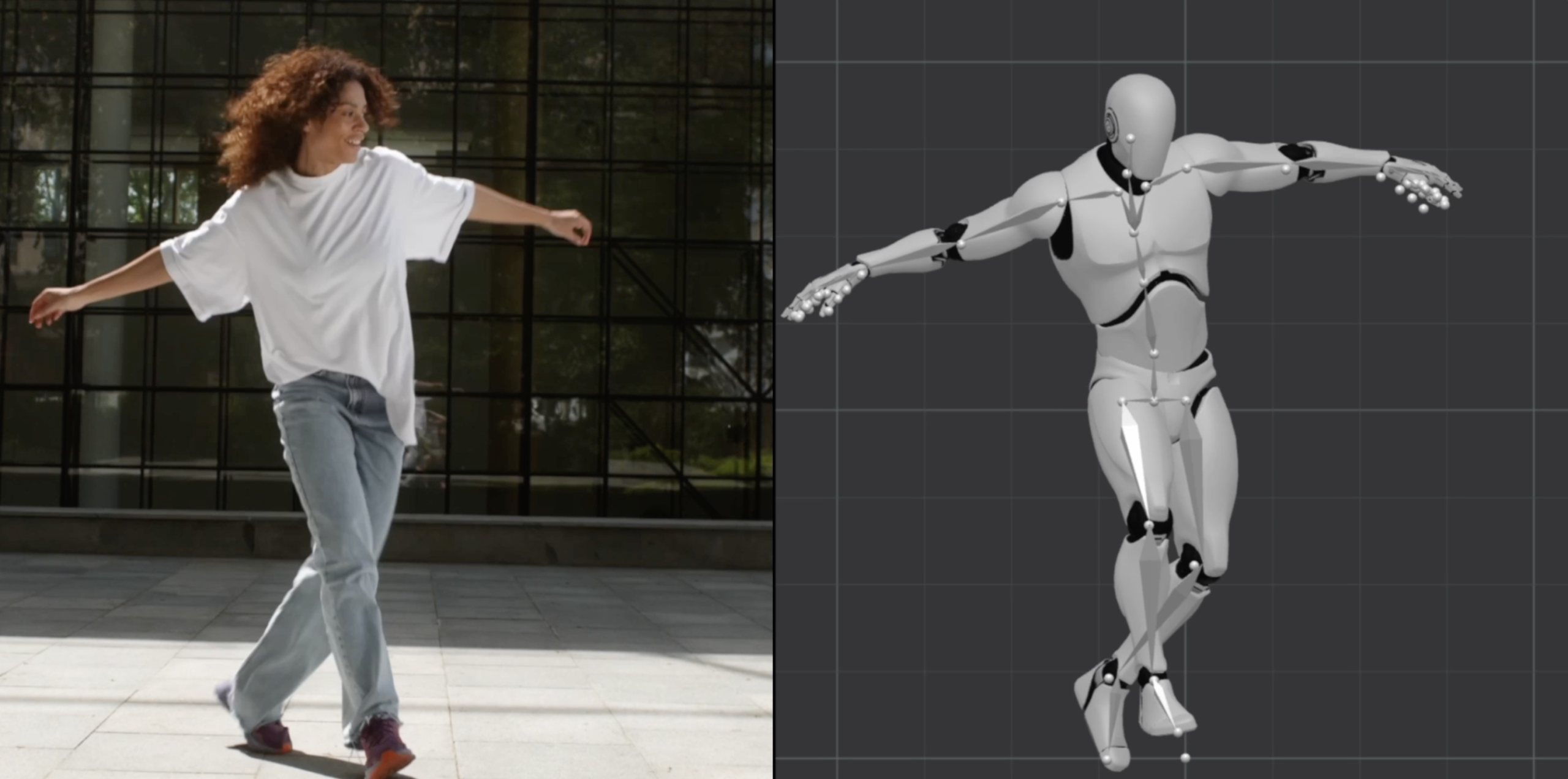
Plask is an AI-powered motion capture tool for game developers and animators. It extracts motion data from any video and applies it...

Transform raw video footage into game-ready 3D animations in minutes using AI motion capture, no suits or sensors required.

An AI-powered mocap tool designed to accelerate character animation workflows for game developers.

Try Plask Free
Free Plan Pro from$50/mo
AI MocapGame Engine ExportCinematic RenderingCollaborationNo Hardware Needed
9.1 Zekai
Fast, hardware-free mocap.
AI for Gaming & Metaverse Development
Ease of Use
9.2
Accuracy
8.8
Value
9.0
Time Saving
9.4
🏷 Is this your tool? Claim this listing →
⚡ Quick answer

For game development, Plask is one of the best AI motion capture tools due to its speed and direct workflow integration. It allows developers to turn simple videos into game-ready 3D animations in minutes, without needing expensive mocap suits. Its ability to export directly to Unreal Engine and Unity as FBX or GLB files makes it exceptionally practical for game animation pipelines.

CategoryAI Motion Capture
Best ForRapidly creating game-ready animations from video footage.
Price From$18/mo
FreeFreemium plan available
DifferentiatorHardware-free mocap with direct export to Unreal and Unity.
ProofUsed by professionals and beginners to produce studio-quality 3D animations in minutes.
Rating9.1/10
📖 About Plask

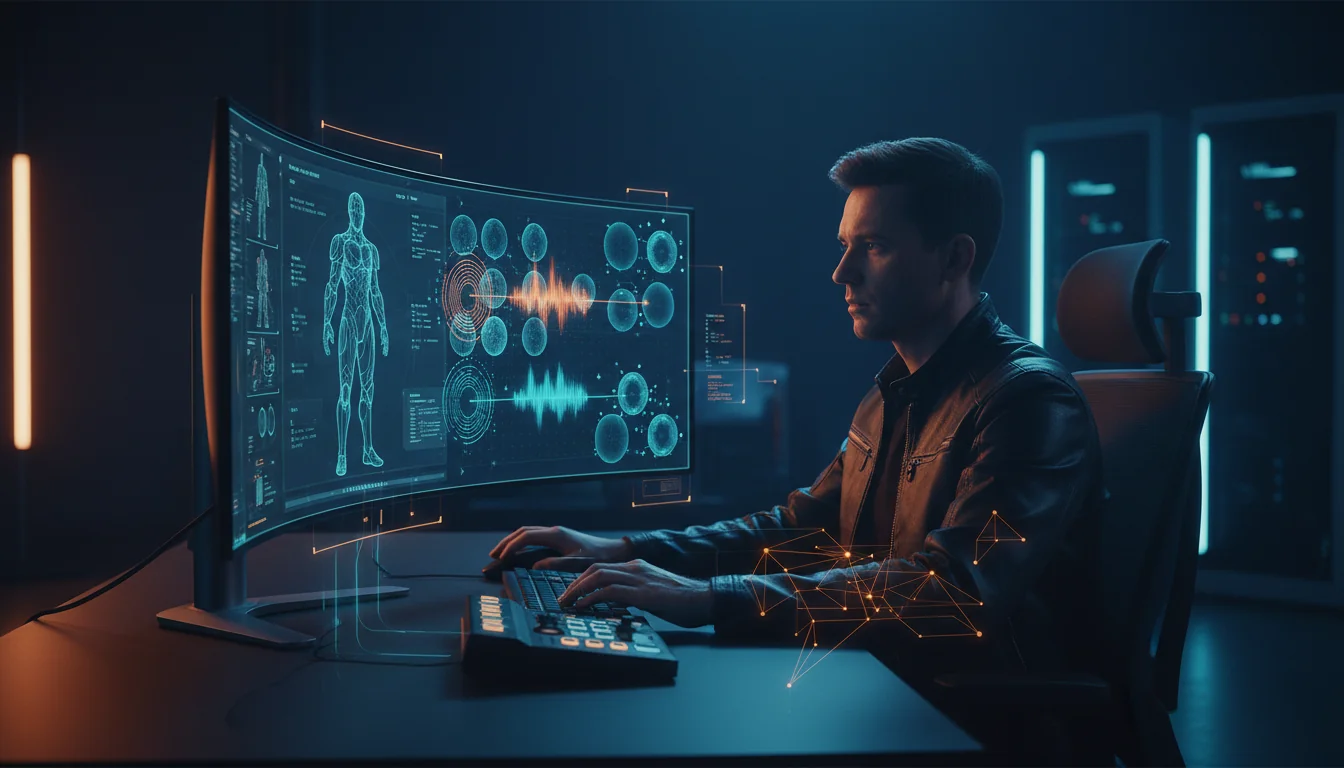
Plask is an AI-powered motion capture tool for game developers and animators. It extracts motion data from any video and applies it to your 3D character models, streamlining the creation of natural, studio-quality animations for games and virtual content.

How It Works

Your workflow, automated

1
Upload Video
Import any video file, from smartphone footage to online clips, to serve as your motion source.
2
Apply to Model
Import your 3D character model and let the AI apply the extracted motion data automatically.
3
Export to Engine
Export the final animation as an FBX or GLB file for direct use in game engines like Unreal and Unity.
Ready to automate your workflow with Plask?
Try Plask Free →
Real Impact

Before & After

❌ Before

Tedious keyframe animation or expensive mocap studio rental.

Weeks per character
✅ After

Game-ready character animations generated in minutes from a simple video.

Hours per character
Social Proof

Trusted by professionals

Ease of Use
9.2
Accuracy
8.8
Value
9.0
Time Saving
9.4

"This has completely changed our prototyping phase. We can get animation blockouts from video refs into Unreal in under an hour. An absolute game-changer for iterating on character movement."

Javier M., Lead Animator · June 2026

"As a solo dev, I don't have the budget for a mocap studio. Plask gives me access to high-quality animation that was previously out of reach. The export to Blender and Unity works flawlessly."

Chloe T., Indie Developer · May 2026

"The core mocap is impressive for the price, but the monthly processing limits on the Pro plan can be a bottleneck. We hit our one-hour cap faster than expected during a heavy sprint."

Samir K., Technical Artist · June 2026

"The AI cinematography features are an underrated bonus. I can create polished portfolio renders of my character animations without having to set up complex scenes in another program."

Anya B., 3D Artist · April 2026
Plask+ professionals are already using this tool.
Start Free Today →
Connects With

Works with your existing stack

Unreal Unity Maya Blender
Setup complexity: Easy
Plask is an AI-powered motion capture tool for game developers and animators. It extracts motion data from any video and applies it to your 3D character models, streamlining the creation of natural, studio-quality animations for games and virtual content.
Who It's For

Why Gaming & Metaverse Development choose this tool

🎯
Built for
It's best for rapidly prototyping and producing character animations for games without the need for traditional motion capture hardware.
In-Depth Overview
For game development, Plask drastically cuts the time and cost associated with character animation. Instead of expensive mocap studios or tedious keyframing, you can capture complex human movements using just a smartphone video. The platform's 'best-in-class' AI extracts body animation from a single camera source, delivering natural movements ready for integration. Its key advantage for game developers is its seamless workflow integration; you can export animations as FBX, GLB, or BVH files directly into industry-standard engines like Unreal Engine and Unity, or 3D software like Blender and Maya. This compatibility is explicitly tested by Plask, ensuring assets are game-ready. With features like automated lighting, camera controls, and post-processing effects, you can even generate high-quality video renders for trailers or social content directly within the tool. This makes it an accessible yet powerful solution for indie developers and large studios alike looking to accelerate their animation pipeline.

Key Use Cases

🏃
Animate player characters without a budget
Indie Game Developer
Record yourself performing character actions on your phone, upload to Plask, and apply the motion to your game's character model. Export directly to Unreal or Unity.
Hours of keyframing saved
🎨
Rapidly prototype animation cycles
3D Animator
Quickly generate walk, run, and idle cycles from reference videos to block out character movements before detailed refinement in Maya or Blender.
Faster animation iteration
🎬
Create viral dance animations for social media
Virtual Content Creator
Turn trending dance videos into 3D animations for your avatar, using Plask's cinematic effects for a polished final render to share online.
Professional-looking renders
✓ Pros
Eliminates the need for expensive mocap suits and hardware.
Extremely fast workflow, from video to animated model in minutes.
Seamless integration with major game engines and 3D software.
Free tier available for exploration and small tests.
Intuitive interface suitable for both beginners and professionals.
· Cons
Free plan is highly restrictive with a 15-second daily limit.
Paid plans have monthly time limits on motion capture processing.
Finger tracking is supported but AI accuracy can vary with complex motions.
Processing can be slow without a paid plan ('Faster Processing' is a paid feature).
⚡ Editorial Verdict

Plask offers a remarkably fast and accessible entry point into motion capture for game development. Its ability to generate game-engine-ready animations from simple video is a huge time-saver. The main trade-off is the reliance on processing credits, with the free tier being very limited and paid tiers capping monthly usage.

Questions & Answers

Frequently asked questions

Can Plask export animations ready for game engines like Unreal or Unity? +
Yes, Plask supports exporting animations in formats like FBX, GLB, and BVH, which are compatible with industry-standard game engines including Unreal Engine and Unity, as well as 3D software like Maya and Blender.
Do I need special equipment like mocap suits to use Plask? +
No, Plask is an AI-powered tool that extracts motion from standard video footage. You can use video from a smartphone or any other camera, eliminating the need for traditional mocap suits or sensors.
Is there a free version of Plask for game developers to try? +
Yes, Plask offers a Freemium plan that allows you to explore its AI motion capture capabilities. However, it is limited to 15 seconds of motion capture per day and 1GB of storage.
Can Plask handle multiple characters in a single video? +
Yes, Plask supports multi-person motion capture, allowing you to extract animation data from videos containing more than one individual.
How does Plask's pricing work for a small game studio? +
Plask offers monthly and annual subscription plans. The 'Standard' plan is $18/month (billed yearly) for 10 minutes of capture per month, and the 'Pro' plan is $50/month (billed yearly) for 1 hour of capture per month, offering a scalable solution based on your studio's animation needs.
Can I use animations created with Plask in a commercial game? +
Yes, the website's FAQ section addresses commercial use, implying that animations created with Plask can be used for commercial projects. For specific licensing terms, it's always best to consult their documentation or terms of service.

Last reviewed: Reviewed June 2026 — Pricing, features, and export compatibility with Unreal and Unity were assessed.

Plans & Pricing

Start today

Gaming & Metaverse Development

Top 10 AI tools in this category

Get Plask deal alerts

Be the first to know when Plask drops a new discount, adds features, or changes pricing.

Exclusive Plask discount codes
New feature announcements
Best alternative picks when pricing changes
Zero spam — unsubscribe anytime
🎉
You're subscribed!
We'll notify you when Plask has a new deal.
Zekai Blog

Latest AI news

AI Directory

About Plask

Full Description

Plask is an AI-powered motion capture tool for game developers and animators. It extracts motion data from any video and applies it to your 3D character models, streamlining the creation of natural, studio-quality animations for games and virtual content.

Editorial Verdict

Plask offers a remarkably fast and accessible entry point into motion capture for game development. Its ability to generate game-engine-ready animations from simple video is a huge time-saver. The main trade-off is the reliance on processing credits, with the free tier being very limited and paid tiers capping monthly usage.

Last reviewed: Reviewed June 2026 — Pricing, features, and export compatibility with Unreal and Unity were assessed.
Previous Tool Sloyd Next Tool Plask
All AI Tools A–Z →
This site is registered on wpml.org as a development site. Switch to a production site key to remove this banner.