
Here is the live table for Miro alternatives, prices checked 13 Nov 2026. See the table →Get price alerts
AI tools, scored for your job
Get paid to train AI
Updated 13 Nov 2026 · prices read on vendor pages

10 best Miro alternatives in 2027

Mehmet ElmicenniReviewed by Mehmet Elmicenni, founder of Zekai•Prices checked •How we check

The short answer

The best Miro alternatives in 2027 are Mural (best overall, $9.99/member/mo billed yearly), Whimsical (best free plan) and Excalidraw (best open source, MIT). Miro itself starts at $8/member/mo billed yearly. Zekai checked these prices on vendor pages on 13 Nov 2026; 7 more are compared below, including 2 with a free plan and 4 open source.

10alternatives compared
4with a free plan
5open source
$6/user/mo billed yearly (hosted)cheapest paid · Excalidraw
$8/member/mo billed yearlyMiro starts at
01 · Zekai Price Ledger

Which Miro alternatives are worth it in 2027?

Worth considering in 2027: Mural for facilitated workshops, Whimsical for flowcharts and docs, Excalidraw for a free open-source sketch board, and Storyflow, CardBoard or TeamRetro for narrower jobs. Miro's Starter plan is $8 per member billed yearly, so the cheaper options save mainly on free-plan limits.

ToolTypeStarting priceFree plan limitBest forCost for your teamChecked
Miro logo
MiroThe tool you are replacing
You are here
$8/member/mo billed yearlyStarter, billed yearly (monthly price not listed)
3 editable boards, unlimited members Infinite-canvas workshops for large teams — 11 Nov 2026 Pricing ↗
Mural logo
Mural Zekai score 7.3Best overall
Free plan + paid
$9.99/member/mo billed yearlyTeam+, billed yearly ($12 billed monthly)
3 editable murals, unlimited members Facilitated workshops with open and private rooms — 11 Nov 2026 Pricing ↗
Whimsical logo
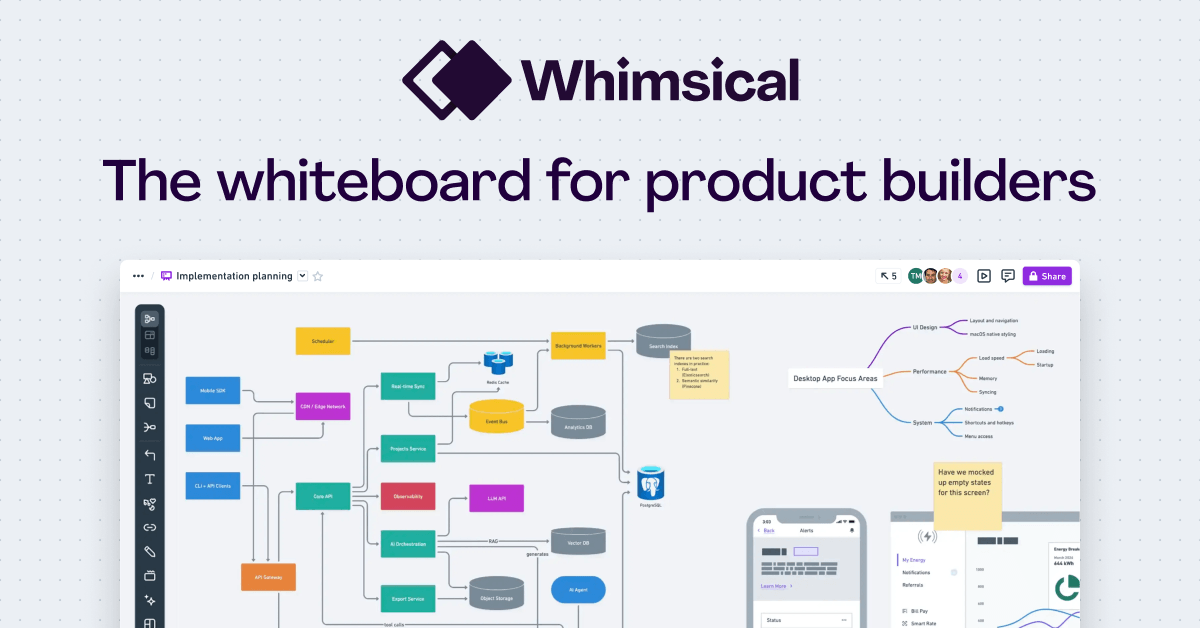
Whimsical Not yet reviewed by ZekaiBest free plan
Free plan + paid
$10/editor/mo billed yearlyPro, billed yearly
Unlimited boards, 50 board objects a month Flowcharts, wireframes and mind maps — 11 Nov 2026 Pricing ↗
Storyflow logo
Storyflow Zekai score 7.2Cheapest paid
Free plan + paid
$7.99/moPlus, monthly ($95.88 billed yearly)
3 projects, 1 GB storage (free plan launching late 2026) Client strategy boards for consultants — 11 Nov 2026 Pricing ↗
CardBoard Zekai score 8.9
Free plan + paid
$15/member/moTeam, monthly (3 members to start)
3 boards, unlimited guests, 1 member Agile story mapping linked to a tracker — 11 Nov 2026 Pricing ↗
TeamRetro logo
TeamRetro Zekai score 7.8
US$20.83/team/moStandard, billed yearly at US$250
No free plan Agile retrospectives and team health checks — 11 Nov 2026 Pricing ↗
Excalidraw logo
Excalidraw Zekai score 9.1Best open source
Open source
$6/user/mo billed yearly (hosted)Excalidraw+, billed yearly ($7 billed monthly)
No limit, self-hosted (MIT) Quick hand-drawn style sketches and diagrams — 11 Nov 2026 Pricing ↗
AFFiNE logo
AFFiNE Zekai score 8.6
Open source
Free (self-hosted)
No limit, self-hosted (MIT) Open-source docs and whiteboard in one workspace $0 13 Nov 2026 Code ↗
draw.io logo
draw.io Zekai score 8.0
Open source
Free (self-hosted)
No limit, self-hosted (Apache-2.0) Free diagramming with desktop and Docker options $0 13 Nov 2026 Code ↗
Nextcloud Whiteboard logo
Nextcloud Whiteboard Zekai score 6.1
Open source
Free (self-hosted)
No limit, self-hosted (AGPL-3.0) Whiteboards inside your own Nextcloud server $0 13 Nov 2026 Code ↗
WBO logo
WBO Zekai score 7.8
Open source
Free (self-hosted)
No limit, self-hosted (AGPL-3.0) Simple real-time whiteboard you host yourself $0 13 Nov 2026 Code ↗

Every price was read on the vendor's own pricing page on the date shown. The Cost Finder assumes one entry plan per person, so it multiplies by your team size; yearly prices are shown per month, and team or business plans can cost more per seat. "Not checked" means we could not confirm a public price.

Price alert

Know first when Miro or an alternative changes price

One email when a price or free plan on this page changes, plus The AI Briefing. Unsubscribe any time.

Alternatives Spotlight

Your tool here

One labelled card beside this table, outside the ranking.

Advertise here
For vendors

Is one of these tools yours?

Claim your listing to correct prices and free-plan limits.

Claim your tool
02 · Free plan

Is there a free version of Miro?

Yes. Miro has a Free plan with unlimited team members, but only the three most recent boards stay editable, and the pricing page lists AI credits inconsistently (a limited trial in the comparison table, 10 a month in the FAQ). Paid plans start with Starter at $8 per member per month billed yearly.

Source: Miro pricing page, read 11 Nov 2026.

Free$0

3 editable boards, unlimited members

Paid from$8/member/mo billed yearly

Starter, billed yearly (monthly price not listed)

03 · Free alternatives

What are the best free Miro alternatives?

Excalidraw has the most open free plan: one scene with unlimited collaborators and 10 AI requests a day. Whimsical offers unlimited boards capped at 50 board objects a month, Mural gives 3 editable murals, and CardBoard gives 3 boards for one member. Miro's free plan also stops at 3 editable boards.

Mural logo

Mural

Best overallFree plan + paid
3 editable murals, unlimited members
Paid from $9.99/member/mo billed yearly
Whimsical logo

Whimsical

Best free planFree plan + paid
Unlimited boards, 50 board objects a month
Paid from $10/editor/mo billed yearly
Storyflow logo

Storyflow

Cheapest paidFree plan + paid
3 projects, 1 GB storage (free plan launching late 2026)
Paid from $7.99/mo

CardBoard

Free plan + paid
3 boards, unlimited guests, 1 member
Paid from $15/member/mo
04 · Open source

What are the best open-source Miro alternatives?

Excalidraw (MIT) is the best-known open-source Miro alternative, a hand-drawn style board you can self-host. AFFiNE (MIT, docs plus whiteboard), draw.io (Apache-2.0, diagrams), Nextcloud Whiteboard (AGPL-3.0) and WBO (AGPL-3.0) cover other cases. None has Miro's workshop templates, voting or timers.

Excalidraw logo

Excalidraw

MIT★ 135.6k GitHub stars · 13 Nov 2026
To self-host: Static React app: clone the repo and run it with Node and yarn, or use the Docker image. Real-time collaboration needs you to host the room server as well.
Commercial use
Yes (MIT).
Runs on
Browser app; self-host with Node and yarn or the Docker image.
Setup
Moderate · Static React app, but live collaboration needs its own room server.
Last commit
12 Nov 2026
Last release 21 Apr 2026
AFFiNE logo

AFFiNE

MIT★ 74.5k GitHub stars · 13 Nov 2026
To self-host: Deploy the Community Edition with Docker following the AFFiNE docs, or use one-click Render or Sealos templates; you maintain the server and updates yourself.
Commercial use
Yes for Community Edition (MIT); enterprise-licensed server parts need a subscription.
Runs on
Docker host to self-host; web and desktop clients exist.
Setup
Moderate · Docker deployment you maintain; the docs cover Render and Sealos too.
Last commit
12 Nov 2026
Last release 13 Nov 2026
draw.io logo

draw.io

Apache-2.0★ 9.3k GitHub stars · 13 Nov 2026
To self-host: Download draw.io Desktop, run the Docker image or the packaged .war files; the README calls this repo a test version and mentions a paid production edition.
Commercial use
Yes for the code; icon and stencil libraries carry separate usage limits.
Runs on
Desktop app, Docker image, or static web files.
Setup
Easy · Desktop installer or one Docker image; no real-time collaboration.
Last commit
4 Nov 2026
Last release 4 Nov 2026
Nextcloud Whiteboard logo

Nextcloud Whiteboard

AGPL-3.0★ 232 GitHub stars · 13 Nov 2026
To self-host: Install the app from the Nextcloud App Store, then run the separate websocket server; without it, changes stay in the browser and are not saved to Nextcloud.
Commercial use
Yes; AGPL-3.0 means sharing changes if you run it as a service.
Runs on
A Nextcloud server plus a separate Node.js websocket service.
Setup
Moderate · App install plus a mandatory collaboration server to save boards.
Last commit
13 Nov 2026
WBO logo

WBO

AGPL-3.0★ 2.7k GitHub stars · 13 Nov 2026
To self-host: Run the lovasoa/wbo Docker image with one command and a folder for boards, or install Node.js 26; boards are saved as SVG files on that folder.
Commercial use
Yes; AGPL-3.0 means sharing changes if you run it as a service.
Runs on
Docker, or Node.js 26; boards are stored as SVG files.
Setup
Easy · One docker run command with a folder for boards.
Last commit
13 Nov 2026
Last release 12 Nov 2026
05 · Side by side

How does Miro compare with each alternative?

Mural is the closest workshop-board rival at $9.99 per member billed yearly. Whimsical suits flowcharts and wireframes, Excalidraw is open source, Storyflow is priced per account, CardBoard syncs story maps with trackers and TeamRetro focuses on retrospectives priced per team. Miro sits at $8 per member billed yearly.

01
Mural logo

Miro vs Mural

Best overallFree plan + paid$9.99/member/mo billed yearly · checked 11 Nov 20267.3
The differenceFree plan allows unlimited members and view-only visitors but only open rooms and one workspace; Team+ is priced at $12 per member billed monthly, a monthly rate Miro does not publish.
Switch to Mural ifyou run facilitated workshops and want a published monthly per-member price instead of annual-only figures
Stay with Miro ifyou need Miro's larger template and app marketplace or a cheaper $8 yearly entry plan
Pros
  • Free plan with unlimited members and 3 editable murals at a time
  • Templates in Research and Development, Sales, Marketing and Consulting
Cons
  • Free plan allows only 3 editable murals at a time
  • Free plan has one workspace, open rooms and no guests

Pros and cons from the Zekai review of Mural · Verdict: Workshop canvas with AI

02
Whimsical logo

Miro vs Whimsical

Best free planFree plan + paid$10/editor/mo billed yearly · checked 11 Nov 2026
The differenceFree plan caps board objects and doc blocks at 50 each per month and includes 10 AI credits per member, so limits count content created rather than boards left editable.
Switch to Whimsical ifyour whiteboarding is mostly flowcharts, wireframes and docs and you want unlimited boards on the free plan
Stay with Miro ifyou facilitate large workshops with sticky notes, voting and timers on one shared canvas
03
Storyflow logo

Miro vs Storyflow

Cheapest paidFree plan + paid$7.99/mo · checked 11 Nov 20267.2
The differencePricing is per account rather than per member, and plans include MCP access so Claude, ChatGPT, Gemini or Grok can take actions on boards; the free plan allows 25 such actions a week.
Switch to Storyflow ifyou are a solo consultant who wants a flat monthly price and AI assistants working inside your boards
Stay with Miro ifseveral teammates need to co-edit the same board in real time workshops
Pros
  • Combines visual brainstorming, AI chat, and document creation in one tool.
  • AI maintains context from the entire visual board, reducing repetitive explanations.
Cons
  • AI usage is metered and tiered, which may limit heavy users even on paid plans.
  • Team workspace features like roles and permissions are locked to the most expensive 'Max' plan.

Pros and cons from the Zekai review of Storyflow · Verdict: Unified AI creative canvas.

04

Miro vs CardBoard

Free plan + paid$15/member/mo · checked 11 Nov 20268.9
The differenceBoards stay connected to a project tracker through sync and CSV import and export, and guests are free on every plan; the free plan is limited to one member and three boards.
Switch to CardBoard ifyour team plans sprints with story maps that must stay in sync with its issue tracker
Stay with Miro ifyou want a general-purpose canvas for brainstorming, mind maps and workshops beyond agile planning
Pros
  • Whiteboards stay active and connected to project trackers rather than going stale
  • Guests can join and collaborate for free on all plans
Cons
  • Free plan is limited to just 3 boards
  • Two-way tracker sync is locked behind paid plans

Pros and cons from the Zekai review of CardBoard · Verdict: Agile whiteboard & mapping

05
TeamRetro logo

Miro vs TeamRetro

US$20.83/team/mo · checked 11 Nov 20267.8
The differencePriced per team instead of per member (Standard US$250 a year, Business US$350), with no free plan but a 30-day trial that needs no credit card.
Switch to TeamRetro ifyou need a structured retrospective and health-check tool with one flat team price
Stay with Miro ifyou want a free plan and a freeform canvas for more than retrospectives
Pros
  • Strong security posture with SOC 2 compliance and regional data hosting.
  • AI features automate tedious tasks like grouping ideas and summarizing meetings.
Cons
  • Pricing is per-team, which can be less economical for organizations with numerous small teams.
  • No genuine free-forever plan for small-scale use (only a 30-day trial).

Pros and cons from the Zekai review of TeamRetro · Verdict: Structured Agile Ceremonies

06
Excalidraw logo

Miro vs Excalidraw

Best open sourceOpen source$6/user/mo billed yearly (hosted) · checked 11 Nov 20269.1
The differenceThe editor is MIT-licensed and the free hosted version has unlimited collaborators with end-to-end encryption in the browser; Excalidraw+ adds cloud scenes, folders and PDF or PPTX frame export.
Switch to Excalidraw ifyou want a free, self-hostable sketch board and do not need Miro's templates, voting or timers
Stay with Miro ifyour team relies on structured workshop templates, voting and enterprise admin controls
07
AFFiNE logo

Miro vs AFFiNE

Open sourceFree (self-hosted)8.6
The differenceAFFiNE merges docs and an edgeless whiteboard in one MIT-licensed workspace you can self-host with Docker; its backend server folder has a separate enterprise licence.
Switch to AFFiNE ifyou want notes and a whiteboard in one self-hosted workspace
Stay with Miro ifyou run large facilitated workshops with templates, voting and timers
08
draw.io logo

Miro vs draw.io

Open sourceFree (self-hosted)8.0
The differencedraw.io is Apache-2.0 for the code and focuses on diagrams such as flowcharts and UML; the README says it has no real-time collaborative editing.
Switch to draw.io ifyou want free offline diagrams and flowcharts rather than a shared canvas
Stay with Miro ifyour team brainstorms together live on one infinite board
09
Nextcloud Whiteboard logo

Miro vs Nextcloud Whiteboard

Open sourceFree (self-hosted)6.1
The differenceNextcloud Whiteboard is AGPL-3.0 and built on Excalidraw; it stores boards in your Nextcloud, but needs a separate websocket server to save and collaborate.
Switch to Nextcloud Whiteboard ifyou already run Nextcloud and want boards stored in your own files
Stay with Miro ifyou want a hosted board that works without any server of your own
10
WBO logo

Miro vs WBO

Open sourceFree (self-hosted)7.8
The differenceWBO is an AGPL-3.0 whiteboard where many people draw at once and the server saves each board as an SVG file; it has no sticky-note or workshop tools.
Switch to WBO ifyou want a very simple shared drawing board you run with one Docker command
Stay with Miro ifyou need sticky notes, templates, voting and facilitation features
06 · What changed

Why do people leave Miro?

  • Miro's Free plan keeps only the three most recent boards editable; older boards become view-only even though you can create unlimited boards. (source)

  • Miro's pricing page states that invoicing is no longer available in all countries and remains only for existing users who paid by invoice before the change; invoiced plans need at least 10 Starter or 5 Business licences. (source)

08 · FAQ

Questions people ask about Miro alternatives

What is the best alternative to Miro in 2027?

Mural is the best overall Miro alternative on this page ($9.99/member/mo billed yearly). For no cost, Whimsical has a free plan (Unlimited boards, 50 board objects a month). To self-host, Excalidraw is open source (MIT).

Is there a free version of Miro?

Yes. Miro has a free plan: 3 editable boards, unlimited members. Paid plans start at $8/member/mo billed yearly, checked on 11 Nov 2026.

Is there a 100% free alternative to Miro?

Yes. Excalidraw, AFFiNE, draw.io, Nextcloud Whiteboard, WBO are open source and free to self-host. Mural, Whimsical, Storyflow, CardBoard have a free plan with limits, shown in the table.

What is cheaper than Miro?

Storyflow starts at $7.99/mo, against $8/member/mo billed yearly for Miro, as listed on each vendor's pricing page on 11 Nov 2026.

How much do Miro alternatives cost for a team of 5?

If each of 5 people buys the entry paid plan, at the prices Zekai checked on 13 Nov 2026, the monthly cost is Excalidraw $30/mo, Storyflow $39.95/mo, Mural $49.95/mo, against Miro $40/mo for Miro. Team and business plans can cost more per seat. The Zekai Cost Finder on this page recalculates for any team size.

Which is better, Mural or Miro?

Free plan allows unlimited members and view-only visitors but only open rooms and one workspace; Team+ is priced at $12 per member billed monthly, a monthly rate Miro does not publish. Choose Mural if you run facilitated workshops and want a published monthly per-member price instead of annual-only figures. Stay with Miro if you need Miro's larger template and app marketplace or a cheaper $8 yearly entry plan.

Why are people leaving Miro?

The documented reasons are: Miro's Free plan keeps only the three most recent boards editable; older boards become view-only even though you can create unlimited boards (11 Nov 2026); Miro's pricing page states that invoicing is no longer available in all countries and remains only for existing users who paid by invoice before the change; invoiced plans need at least 10 Starter or 5 Business licences (11 Nov 2026). Each is sourced in the section above.

What is better than Miro?

It depends on the job: Mural for facilitated workshops, Whimsical for flowcharts and wireframes, Excalidraw for quick open-source sketches. None replicates Miro's template and app marketplace fully.

09 · Method

How did Zekai check this page?

Zekai independently reviews AI tools. For this page we read each vendor's own pricing and product pages and recorded the starting price, the free-plan limit and the date of the check. Only tools that do the same job as Miro are listed, and sponsors never change the order or the scores.

1 · Same job onlyEvery alternative does the same task as Miro; tools for other jobs are left out.
2 · Vendor pages onlyPrices and free limits come from each vendor's own pricing page, never from blogs.
Zekai score0–10, from four published weights: ease 25%, output quality 30%, value 20%, time saved 25%. How we score
3 · Re-checkedA price older than 35 days is re-read or the page falls back to an older version.
Change log
  • Page rebuilt on v6; all prices re-read on vendor pages.

  • Open-source options expanded; each now shows licence, commercial use, hardware and setup.

Get paid to train AI →

See Zekai first in Google