العربية
 English
 Français
 Deutsch
 हिन्दी
 Português
 Русский
 Español
 Türkçe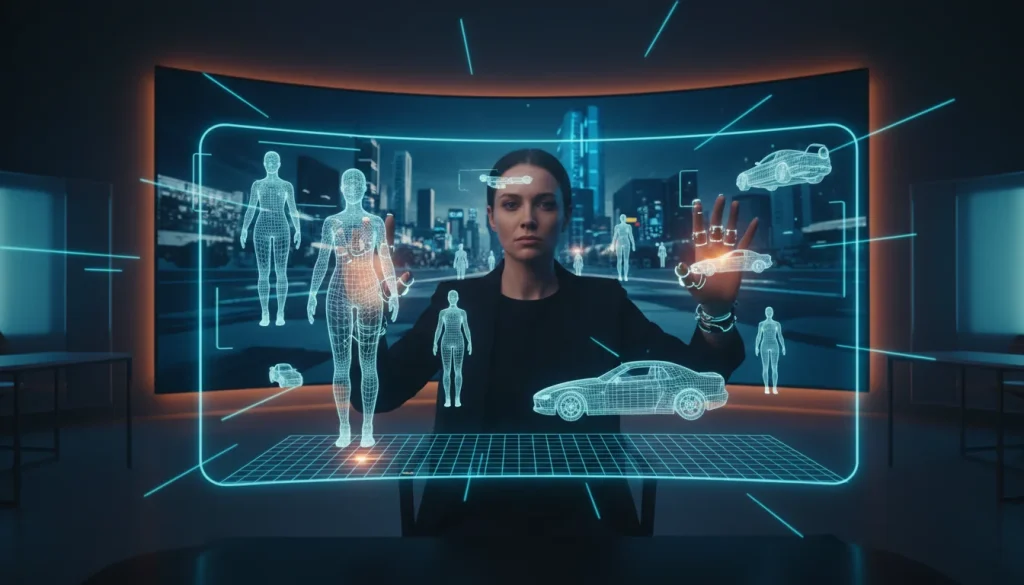
Autodesk is addressing a significant challenge in AI filmmaking with new enhancements to its Flow Studio platform, offering Graphic Designers advanced AI design tools that provide granular 3D control over video generation, moving beyond simple text prompts to enable complex, directed narratives.
- **Precise 3D Control:** Direct characters, cameras, and environments in a 3D workspace before AI renders final visuals, offering unparalleled control for complex scenes.
- **Separation of Direction and Rendering:** The new workflow allows Graphic Designers to define scene dynamics spatially, then use AI for visual refinement, streamlining the creative process.
- **Flexible Workflow Options:** Creators can choose between a faster 2D workflow for simplicity or engage the 3D Editor for intricate compositional and directorial precision.
- **Reusability of Assets:** Performance data, camera movements, and character animations can be extracted and reused independently, fostering efficiency in creative AI projects.
Why 3D Control is Crucial for AI Design Tools in Filmmaking
While AI video generation has achieved impressive visual feats, creating coherent, long-form narratives has remained a hurdle. Traditional generative AI often relies on 2D text prompts, making it challenging for Graphic Designers to maintain consistent direction, pacing, and camera work across extended sequences. Autodesk’s expansion of Flow Studio directly tackles this by recognizing that filmmaking, at its core, is a 3D spatial art form. This shift empowers creative professionals to direct AI much like a human director guides a live-action shoot.
Nikola Todorovic, co-founder of Wonder Dynamics, an Autodesk company, highlights this, stating that real-world directors work spatially, dictating actor movements, camera placements, and timing in three dimensions. This fundamental principle has been largely absent from generative AI video workflows until now. By reintroducing a 3D workspace, Autodesk is aligning AI video production with established creative methodologies, making these powerful AI tools for graphic designers more intuitive and effective.
The Autodesk Flow Studio Workflow: 3D Editor and Canvas
The core of Autodesk’s solution lies in its new 3D Editor + Canvas workflow. The 3D Editor provides Graphic Designers with a dedicated environment to block out scenes, position characters, animate movements, and define camera paths and timing. This pre-visualization and direction phase occurs before any AI-generated visuals are rendered, allowing for precise creative decisions.
Following the 3D direction, the scene transitions to Canvas, which functions as a node-based editor. Here, creators can apply and experiment with various AI image and video models to generate, refine, and stylize the final 2D visuals. This clear separation of directorial control from visual rendering is a significant advancement for creative AI, enabling Graphic Designers to iterate on visual styles without re-directing the entire scene.
Empowering Graphic Designers with Spatial Direction
This innovative approach offers Graphic Designers an unprecedented level of control over AI-generated content. Instead of hoping a prompt will yield the desired outcome, they can explicitly define every spatial and temporal element of a scene. Imagine designing a complex product animation or a dynamic explainer video; the 3D Editor allows for meticulous placement of virtual cameras, precise character interactions, and controlled environmental elements. This capability transforms generative AI from a black box into a directed creative partner.
For professionals using creative AI in their daily work, this means less time spent on trial-and-error prompting and more time on actual creative direction. Whether it’s crafting compelling marketing visuals or developing immersive digital experiences, the ability to pre-visualize and direct scenes in 3D before AI rendering will significantly enhance the quality and consistency of output for any Graphic Designer.
Beyond Prompts: A New Paradigm for Creative AI
The demonstration of Flow Studio’s capabilities revealed a powerful new paradigm. By extracting performance and camera movement from existing footage and applying it to a new 3D character, Autodesk showcased how individual creative elements—performance, camera work, and character—can be decoupled and reused. This modularity is a game-changer for AI tools for graphic designers, enabling them to build libraries of directed assets rather than starting from scratch with every new prompt.
This approach moves beyond the limitations of single-shot AI image generation or simple video clips. It offers a pathway to constructing complex, multi-layered narratives and animations with a level of creative control previously reserved for traditional 3D animation software. For any Graphic Designer looking to leverage AI for more ambitious projects, this represents a significant leap forward in production efficiency and creative freedom.
Practical Applications for Creative Professionals
The flexibility offered by Autodesk Flow Studio’s new features means Graphic Designers can adapt their workflow to project needs. For quick concept visualizations or simple animations, staying within the faster 2D workflow remains an option. However, when a project demands precise composition, intricate camera movements, or detailed character interactions, the 3D Editor provides the necessary tools for exacting control. This hybrid approach ensures that creative professionals can optimize their use of AI, balancing speed with precision.
This development is particularly relevant for those working with AI Adobe tools or other design AI platforms, as it introduces a more structured, directed approach to AI content creation. It provides a practical takeaway for Graphic Designers: embrace 3D control in AI video production to achieve greater creative fidelity and efficiency in your projects, especially for long-form or complex visual narratives. This evolution signifies a maturing landscape for AI design tools, making them more powerful and accessible for professional use.
Frequently Asked Questions
How does Autodesk Flow Studio’s new 3D control benefit Graphic Designers in AI video production?
It allows Graphic Designers to spatially direct characters, cameras, and environments in a 3D workspace before AI renders the final visuals. This provides precise control over scene composition, timing, and pacing, enabling more complex and consistent long-form narratives.
What kind of creative flexibility does Autodesk Flow Studio’s 3D Editor offer Graphic Designers?
The 3D Editor offers the flexibility to block scenes, direct performances, and control timing and camera movement with precision. This means Graphic Designers can make explicit directorial decisions and refine them before engaging AI for visual generation, adapting their workflow to specific project needs for speed or detailed control.
How does Autodesk Flow Studio help Graphic Designers achieve consistent long-form AI video content?
By separating 3D direction from 2D rendering, Flow Studio enables Graphic Designers to establish a consistent spatial and temporal framework for their scenes. This foundational 3D control ensures continuity across sequences, allowing AI to then generate visuals that adhere to a pre-defined, coherent narrative structure, making long-form content more manageable and consistent.
The weekly AI briefing for your profession
One weekly email: the AI changes that actually affect your profession — tools, deals, and what to do about them.