العربية
 English
 Français
 Deutsch
 हिन्दी
 Português
 Русский
 Español
 Türkçe
A Graphic Designer can now generate 50 distinct conceptual mood board images in less than 15 minutes, allowing for unprecedented creative exploration and client collaboration at the earliest stages of a project. This isn’t just about speed; it’s about expanding the very horizon of what’s possible, moving past iterative adjustments to truly explore divergent visual paths with minimal effort.
What has fundamentally changed for the working professional Graphic Designer is a shift from pure execution to a more strategic, directorial role. Repetitive, time-consuming tasks like generating endless variations of an icon, finding the perfect background texture, or even conceptualizing initial brand aesthetics are no longer a manual grind. AI tools for graphic designers have become powerful co-pilots, taking on the heavy lifting of raw image generation and style exploration. This frees up the Graphic Designer to focus on the higher-level creative vision, client communication, and the nuanced refinement that only human expertise can provide. Suddenly, dead ends are cheaper to explore, and brilliant new directions are discovered faster, enhancing the overall quality and depth of design outputs. The integration of artificial intelligence tools is fundamentally reshaping daily work, making it more about curating and less about drawing every single pixel.
The specific impact ripples through various stages of the design process. Ideation, a phase often constrained by time and budget, can now be incredibly expansive. A Graphic Designer can rapidly prototype visual concepts, test different stylistic approaches for a new campaign, or even visualize complex data in novel ways. This means more options for clients, more confident design decisions, and ultimately, a stronger creative product. From intricate AI image generation for marketing collateral to rapid UI element prototyping with AI Figma tools, the scope of assistance is broad.
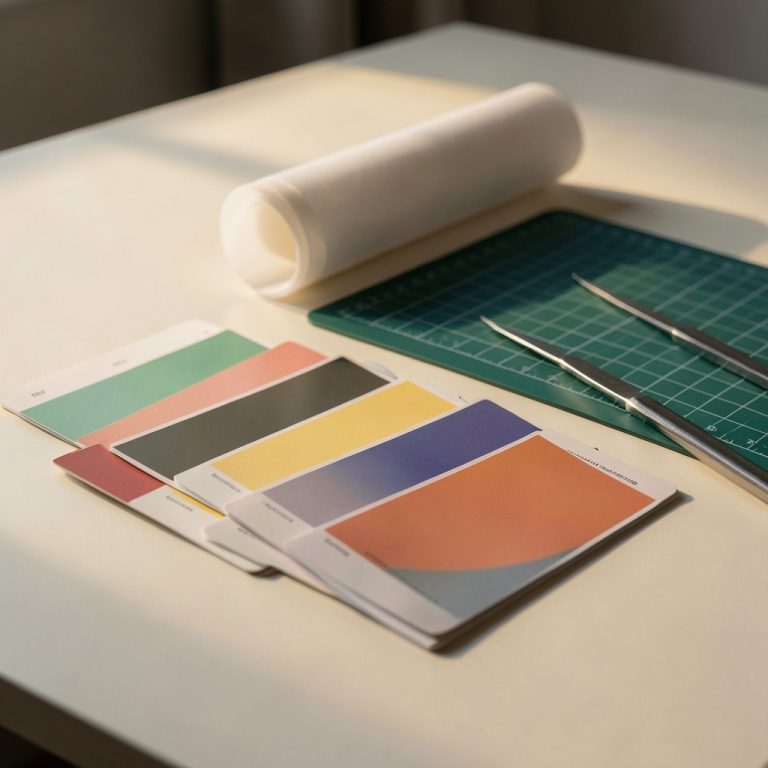
Consider the traditional workflow for initial client concepting and mood board creation.
Before: A Graphic Designer would spend a minimum of 3-4 hours manually curating stock photos, mocking up elements, and adjusting colors in Photoshop or Illustrator to create 3-5 distinct mood boards for a client pitch. This involved extensive searching across multiple platforms, downloading various assets, layering them, carefully compositing, and attempting to achieve a cohesive aesthetic for each direction. The process was iterative, laborious, and often limited by the sheer time investment required to explore truly diverse themes.
After: Using an AI image generation tool like Midjourney or DALL-E 3, the Graphic Designer inputs a series of descriptive prompts (e.g., “minimalist corporate aesthetic, clean lines, muted blues and grays, abstract geometric shapes, professional, trustworthy,” then “vibrant, energetic, youthful brand, dynamic angles, neon colors, urban street art inspiration, bold typography”). In just 10-15 minutes, the AI generates 20-30 varied conceptual images for each aesthetic direction. These images, while not final deliverables, serve as an incredibly rich, diverse, and visually stimulating starting point for client discussions and internal brainstorming, allowing for quicker consensus on a creative direction and saving hours of manual asset procurement and composition.
Driving this transformation are powerful AI tools. Adobe Firefly, deeply integrated into the Creative Cloud ecosystem, is an excellent example. It allows Graphic Designers to leverage generative AI within familiar applications like Photoshop and Illustrator for tasks such as generative fill, text effects, and creating unique vector patterns from text prompts. Its focus on content authenticity and ethical data sourcing is a significant draw. For pure conceptual exploration and brainstorming, tools like Midjourney and DALL-E 3 excel at AI image generation, transforming abstract text prompts into stunning, high-fidelity visuals. These design AI platforms empower designers to visualize ideas that would be incredibly complex or time-consuming to create from scratch, pushing creative boundaries without the manual overhead. Even platforms like Canva AI are making sophisticated features accessible, simplifying tasks for everyday marketing collateral, while emerging AI Figma tools promise to automate repetitive UI design elements.
To integrate these capabilities into your workflow, start this week with three concrete steps. First, pick a specific AI image generation tool like DALL-E 3 (often available through services like Microsoft Copilot or OpenAI directly) or explore a trial of Midjourney. Spend an hour experimenting with various prompts, focusing on generating abstract concepts or mood board elements for a current or past project – don’t worry about perfection, just explore. Second, if you’re an Adobe Creative Cloud user, immediately dive into Adobe Firefly’s generative features within Photoshop or Illustrator. Experiment with generative fill to extend backgrounds or remove objects, or try text-to-vector graphics. These integrated artificial intelligence tools provide practical, immediate benefits. Third, challenge yourself to use AI for the *initial* ideation phase of one small project. Instead of sketching or searching stock photos, try prompting an AI to generate 5-10 distinct visual directions for a logo concept, a website hero image, or a social media campaign graphic. The goal is to see how AI can augment your initial creative spark, not replace it.
The most important thing for Graphic Designers to understand is that AI isn’t here to automate away your creativity, but to amplify it. These AI tools are powerful assistants, freeing you from the mundane and enabling you to spend more time on the truly creative and strategic aspects of your craft. Embracing them today means shaping the future of design, not just reacting to it.
See Zekai first in Google
The weekly AI briefing for your profession
One weekly email: the AI changes that actually affect your profession — tools, deals, and what to do about them.