العربية
 English
 Français
 Deutsch
 हिन्दी
 Português
 Русский
 Español
 Türkçe
The short answer
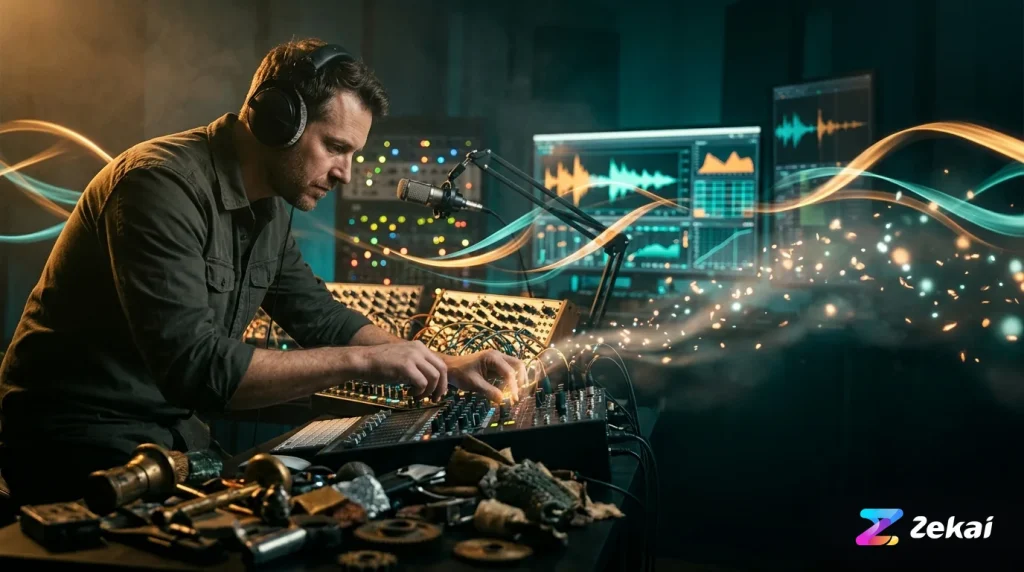
Using AI for sound design in 2026 means leveraging specialized tools for specific tasks. Professionals use text-to-audio generators like Stable Audio for creating novel textures, performative plugins like Krotos Reformer Pro for foley, and repair suites like iZotope RX 12 for cleanup. The workflow is about augmenting creativity and speed, not replacing the designer.
Artificial intelligence is no longer a theoretical concept in audio post-production; it’s a practical part of the modern toolkit for professionals in film, gaming, and podcasting. For sound designers, AI is not a single button that “creates sound.” Instead, it’s a collection of powerful, distinct tools that accelerate tedious tasks and open new creative avenues. This guide breaks down how sound designers are *actually* using AI today, which tools work best for each stage of the process, and the critical legal rules you must follow.
At ZEKAI, we review tools independently to help you make informed decisions. Our recommendations for those working with AI in music, audio, and voice production are based on real-world applications, not marketing hype. We’ll cover four key areas: sound generation, performance and foley, audio repair, and the essential legal landscape as of September 2026.
How We Evaluated AI Sound Design Tools
To cut through the noise, we ranked tools based on four practical criteria relevant to a working sound designer:
- Output Quality: How usable and artifact-free is the generated or processed audio?
- Workflow Integration: How easily does the tool fit into a standard DAW-based workflow (e.g., via a plugin vs. a separate web app)?
- Creative Specificity: How much control does the user have to create a specific, intended sound versus just getting a random result?
- Price & Licensing: Is the cost justifiable for a professional or small studio, and are the commercial usage rights clear?
AI for Sound Generation: Creating from Nothing
The most discussed category of AI sound design is generative audio: creating a completely new sound from a text prompt. These tools are excellent for ideation, creating unique textures, or generating specific sound effects that are difficult to record or find in a library.
| Tool | Best For | Pricing (as of Sep 2026) | Free Tier |
|---|---|---|---|
| Stable Audio | High-quality SFX & ambiences | Free plan; paid from $12/mo | Yes, 20 tracks/mo (non-commercial use) |
| Adobe Firefly Audio | Adobe Creative Cloud users | Included in some CC plans | Uses generative credits |
| getimg.ai | All-in-one creative workflows | Paid plans include audio | Yes, with limits |
Swipe the table sideways →
Stable Audio
The best text-to-sound generator for professional sound designers needing specific effects.
Free plan; paid from $12/mo
Stability AI’s Stable Audio is a leader in this space for a reason. Its models are trained to produce high-quality sound effects, instrument riffs, and ambient textures from detailed prompts. Unlike song generators, it excels at the building blocks of sound design. The ability to generate up to three-minute tracks on paid plans is useful for creating evolving ambiences. The free tier is excellent for testing but is strictly for non-commercial use.
The biggest weakness is the lack of a dedicated plugin, requiring you to generate on the web and import the audio into your DAW. However, the output quality often justifies this extra step. It’s not for generating complex, structured music with vocals, but for creating a specific “whoosh,” “creature footstep,” or “sci-fi interface beep,” it’s unmatched.
Who should NOT buy it: Sound designers who need to “perform” sounds in real time or those who work exclusively within their DAW and find an external web tool disruptive.
- Price from
- From $12/mo
- Free tier
- Verified: 20 generations/mo, 45s max, non-commercial only
A low, ominous, continuous sci-fi drone. Sub-bass hum with a subtle, slowly modulating metallic texture and faint, distant electrical arcing. Dark, atmospheric, cinematic, 90 seconds, 48kHz, WAV.AI for Performance and Foley: Breathing Life into Sound
While generative tools create sounds from scratch, another class of AI tools allows you to *perform* them. These plugins map a sound library to your microphone input, letting you create complex foley and sound performances in real time.
Krotos Reformer Pro
A revolutionary tool for performing foley and textures in real time with your voice.
Krotos Reformer Pro is a standout tool that changes how foley and textures are created. Instead of manually placing hundreds of tiny sound files, you load a sound library (e.g., “leather,” “debris,” “sci-fi textures”) and then “perform” the sound with your voice or any other audio input. The AI analyzes the dynamics and frequencies of your input and triggers the corresponding sounds from the library in real time. This makes it incredibly fast to create organic, dynamic foley for footsteps, clothing movement, or environmental textures.
Krotos offers its plugins, including Reformer Pro, Igniter (for vehicles), and Dehumaniser 2 (for creature/robot voices), as a subscription for $399/year or as individual perpetual licenses. The main drawback is the need for high-quality, well-organized libraries to get the best results, which can be an additional cost.
Who should NOT buy it: Sound designers on a tight budget or those who primarily work with static ambiences and have little need for dynamic, performed foley.
- Price from
- $399 perpetual or in $399/yr subscription
- Free tier
- Verified: 10-day free demo of bundles
AI for Audio Repair and Cleanup: The Unsung Hero
Perhaps the most mature and widely adopted use of AI in audio is for repair and restoration. These tools use machine learning to identify and remove unwanted noise, reverb, and dialogue bleed from recordings, saving countless hours of manual spectral editing.
iZotope RX 12 Advanced
The undisputed industry standard for AI-powered audio repair and post-production cleanup.
For years, iZotope RX has been the go-to suite for audio post-production professionals. As of September 2026, RX 12 continues this legacy. Its AI-powered modules like Dialogue Isolate, De-rustle, and the new Scene Rebalance are indispensable. Scene Rebalance, new in RX 12 Advanced, allows you to separate and re-balance dialogue, music, and effects from a single mixed track, which is a monumental leap for sound designers working with supplied media.
The main downside is the price; the Advanced version, which contains the most powerful post-production tools, costs $1,399. The Standard version at $399 is more accessible but lacks key modules like De-wind and Scene Rebalance. For podcasters or dialogue editors, tools like Riverside.fm offer excellent automated cleanup features like background noise removal as part of their recording platform, with paid plans starting around $24/month.
Who should NOT buy it: Hobbyists or creators who only need very basic noise reduction; the cheaper RX 12 Elements ($99) or a tool like Acon Digital Acoustica would be more cost-effective.
- Price from
- $1,399 perpetual
- Free tier
- No, but a cheaper ‘Elements’ version exists for $99
The Legal and Ethical Minefield (as of September 2026)
Using AI in a professional context is not just about creative choices; it’s about legal compliance. As of August 2026, several new laws are in effect that directly impact sound designers.
Source: cisac.org
That’s the total music royalties collected for creators in 2024, a 7.2% increase driven heavily by digital streaming. As AI enters this ecosystem, ensuring clear rights and provenance is more critical than ever.
EU AI Act: Watermarking is Now Mandatory
As of August 2, 2026, Article 50 of the EU AI Act is in force. This law mandates that providers of AI systems that generate synthetic audio, image, or video must ensure outputs are marked in a machine-readable format (i.e., a digital watermark) to indicate they are AI-generated. Furthermore, if you *publish* this content, you are often required to add a clear, human-perceptible label. Ignorance of this rule is not a defense, and penalties can be severe. Always check if the AI tool you’re using provides compliant watermarking.
Voice Cloning and the ELVIS Act
The rise of AI voice cloning tools like Fish Audio and ElevenLabs has been met with new legislation. In 2026, laws like Tennessee’s ELVIS Act create explicit liability for using someone’s voice without consent. Professional voice cloning requires documented, informed consent from the voice actor. Ethical platforms are built on this principle. Fish Audio, for example, offers a free API tier for its high-quality voice models, emphasizing its use for consented and synthetic voices.
▶ Watch the ElevenLabs video review (1:21)
Copyright and “Meaningful Human Authorship”
The U.S. Copyright Office has been clear: you cannot copyright work created solely by an AI. To be eligible for copyright, a work must contain “meaningful human authorship.” For a sound designer, this means using AI tools as part of a larger creative process. Generating a sound with a prompt, then manipulating, layering, and mixing it with other elements in your DAW is a strong argument for human authorship. Simply taking the raw output of a generator is not.
Final Verdict: Is AI a Threat or a Tool?
For the working sound designer in 2026, AI is unequivocally a tool. It excels at two things: handling laborious tasks (like cleanup and foley) and providing a near-infinite source of creative sparks (generative textures). It is not replacing the critical listening, storytelling, and decision-making skills that define the profession.
The key is to adopt a task-specific approach. Use generative models for inspiration, performative plugins for efficient foley, and repair suites to clean up production audio. By understanding the strengths and weaknesses of each tool and staying current on the legal requirements, you can integrate AI to work faster, be more creative, and deliver better results.
To learn more about the evolving landscape of audio tools, visit our hub for AI in music, audio, and voice production.
Can AI create realistic sound effects?
Yes, modern text-to-audio models like Stable Audio can generate highly realistic sound effects, from environmental ambiences to specific impacts and foley sounds. The quality depends heavily on the detail of the text prompt and the training data of the model. However, for complex, nuanced sounds, a human designer’s touch is still required for layering and mixing.
Will AI replace sound designers?
No, AI is not replacing sound designers. Instead, it’s automating repetitive tasks and augmenting creativity. AI handles the “chores” like noise removal or generating thousands of variations, freeing up designers to focus on creative choices, storytelling, and the final mix. The job is changing, not disappearing.
What is the best AI tool for foley?
For creating dynamic, performed foley, Krotos Reformer Pro is a top choice as of September 2026. It allows you to “perform” foley sounds in real time using your voice or another audio input, which is much faster and more organic than manually placing individual sound files for actions like footsteps or cloth movement.
Is it legal to use AI-generated sounds in commercial projects?
It depends on the tool’s terms of service and how you use the sound. Most paid plans for generative tools like Stable Audio grant commercial licenses for the output. However, you must also be aware of laws like the EU AI Act, which requires watermarking and disclosure for AI content. Free tiers are often limited to non-commercial use.
How much do AI sound design tools cost?
Prices vary widely. Generative web tools often have subscriptions from $10-$30/month. Specialized plugins can be perpetual licenses costing several hundred dollars, like Krotos Reformer Pro at $399 or iZotope RX 12 Standard at $399. Comprehensive suites like RX 12 Advanced can cost over $1,300.
Do I need to know how to code to use AI for sound design?
No. The vast majority of AI sound design tools are built for creatives, not programmers. They feature user-friendly interfaces, from simple text prompts in a web browser to plugins that integrate directly into your Digital Audio Workstation (DAW) like Ableton Live or Pro Tools.
Paid remote work · AI for Music, Audio & Voice Production
Paid remote AI jobs in AI for Music, Audio & Voice Production
AI companies pay experts by the hour to test and improve AI. Remote and flexible. These roles are open now.
1,536 open roles · updated today
Get new roles like these by email
One short email each morning with new roles open in your country. Free. Unsubscribe any time.
Where to go next
Three routes, picked for what you just read.
Sources (22)
- CISAC Global Collections Report 2025 · cisac.org
- Pricing — Stable Audio subscriptions & licensing · stableaudio.com
- Stable Audio vs. Suno, Udio, ElevenLabs, Mubert and Lyria – Stability AI · stability.ai
- CISAC Global Collections Report 2025 Shows 7.2% Music Royalty Growth and Global Opportunity for African Music Creators – Afro Soundtrack · afrosoundtrack.com
- iZotope RX 12 | New AI Audio Repair, Scene Rebalance and Stems View – We Rave You · weraveyou.com
- Krotos Audio – PluginFox · pluginfox.com
- CISAC GLOBAL COLLECTIONS REPORT 2025 · cisac.org
- CISAC: Music creator royalties up 7.2% in 2024 – but president Björn Ulvaeus warns of AI threat · musicweek.com
- Stable Audio Review: Pricing, Rights, and Capabilities | Listir · listir.is
- Complete Guide to EU AI Act Watermarking Requirements for Generative AI · resemble.ai
- iZotope RX 12 Review 2026: AI Audio Repair for Music, Dialogue, and Post | MixingGPT · mixinggpt.com
- Stable Audio 2.5 — Pricing, Specs & Private Access – Venice AI · venice.ai
- EU AI Act Article 50 – Shibolet & Co. Law Firm · shibolet.com
- Best AI Sound Effect Generators 2026: 9 Tools Compared | PixVerse · pixverse.ai
- iZotope RX 12 Shootout by Nick Lear – ProVideo Coalition · provideocoalition.com
- Krotos Reformer Pro – Plugin Alliance · plugin-alliance.com
- EU AI Act: Do You Have to Label AI Content? (2026) – SammaPix · sammapix.com
- Krotos Collection Your Best Sound Design in Half the Time · krotosaudio.com
- Understanding AI in Audio Post: What It Means and How It's Used · smartpostsound.com
- 7 Best Riverside Alternatives for Recording and Editing (2026) – ngram · ngram.com
- Fish Audio S2.1 Pro: Free Text-to-Speech API for Developers · fish.audio
- Riverside vs Streamyard: Best Streaming Platform in 2026 – Fahim AI · fahimai.com
See Zekai first in Google
Questions readers ask
What are the best AI tools for finding sound design inspiration?
For generating instant musical ideas and game soundtracks to inspire your projects, Udio holds a score of 8.5/10 and offers a free plan with an unpublished price. Another great option is Audiomodern Playbeat, which features an AI-Powered Groove Engine, a score of 8.6/10, and is priced at €69 with no free plan.
Should I buy a separate AI tool or use AI built into my existing FM platform?
The provided data does not contain information about FM platforms or whether you should choose a separate AI tool versus built-in platform features.
What tool is best for a sound designer building 3D audio for a themed attraction on a deadline?
For quick on-demand game audio needs, Stable Audio is an option with a 7.7/10 score, a free plan, and a price of $11.99/mo. Alternatively, Landr offers pro game audio simplified with a score of 8.6/10, a free plan, and a price of $8.25/mo.
The weekly AI briefing for your profession
One weekly email: the AI changes that actually affect your profession — tools, deals, and what to do about them.