AI tools, scored for your job
Learn AI in 30 days
Overview How It Works Before & After Try It Reviews Integrations Why This Tool FAQ Pricing Top 10 Get Alerts News

BibiGPT — AI for Music, Audio & Voice Production

Instantly summarize podcasts, interviews, and audio files into time-stamped notes, full transcripts, and mind maps.

Turn hours of audio content into actionable insights in minutes, with AI-powered chat to query specifics.

DifferentiatorGenerates summary, transcript, and mind map in one click
ProofOver 1 million users served
Try BibiGPT
Free Plan Pro from$19.8/mo
Free plan verified · free AI tools for Music Producers
8.9 Zekai
Fast Audio Summarizer
AI for Music, Audio & Voice Production
Ease of Use
9.1
Accuracy
8.4
Value
8.8
Time Saving
9.5
1M+Users
8.9/10Zekai Score
Audio TranscriptionPodcast SummarizerAI ChatNote TakingMind Mapping
🏷 Is this your tool? Claim this listing →

Zekai Verdict

What is it?
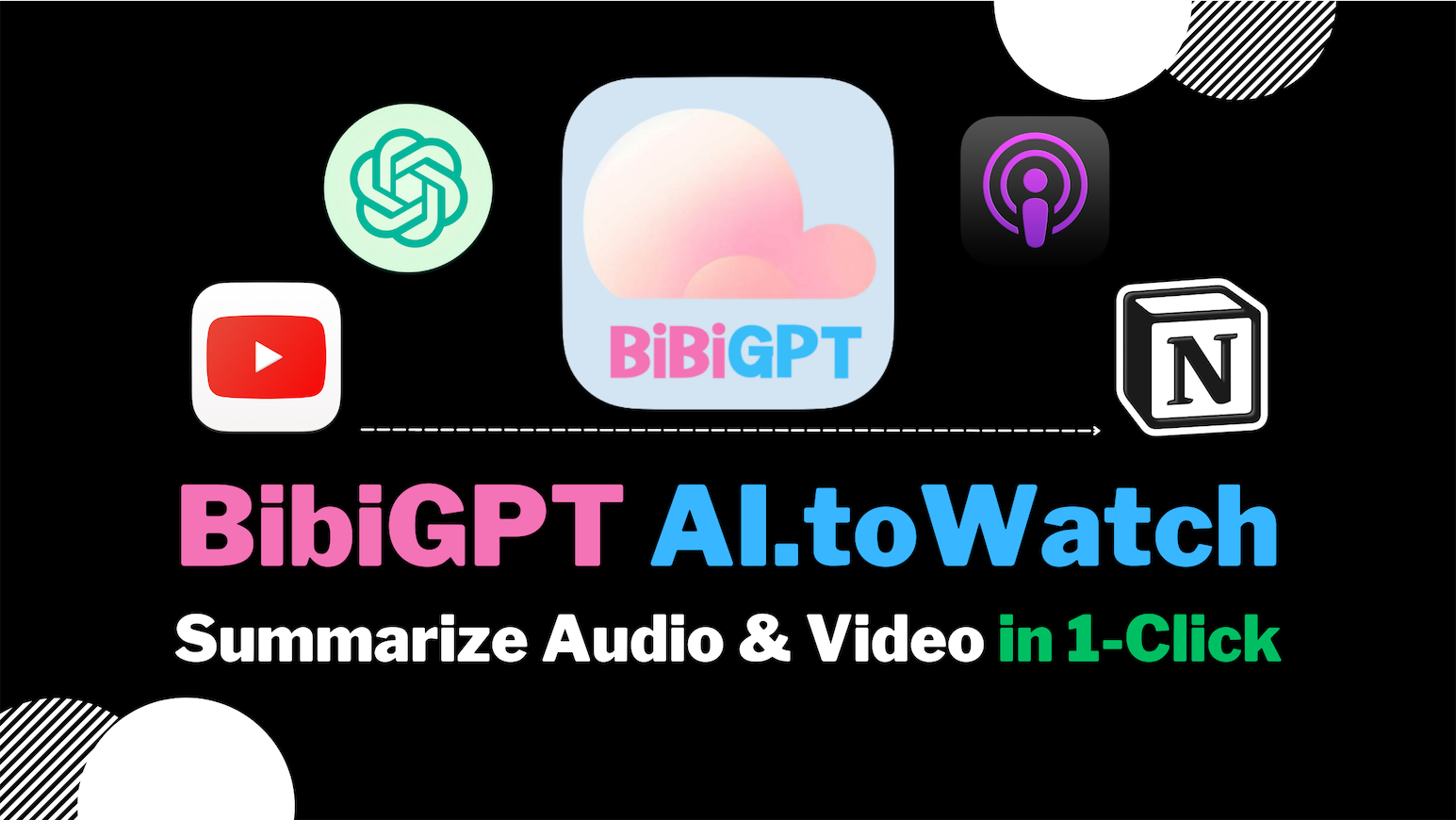
BibiGPT is an AI assistant for audio and voice professionals that transforms any audio or video file into a structured summary.
Best for
Quickly summarizing and transcribing long-form audio like podcasts, interviews, and client feedback sessions.
Not ideal for
Advanced features like batch processing and API access require the top-tier Pro plan.
Price
Free plan · paid from $19.8/mo
Zekai Score
8.9/10
Hand-scored by Zekai

Top AI for Music, Audio & Voice Production picks

See all 90 AI tools for Music Producers →
⚡ Quick answer

For music, audio, and voice production, BibiGPT is one of the best AI tools for summarizing spoken-word content. It excels at processing podcasts, interviews, and audio files by generating time-stamped summaries, full transcripts, and mind maps in minutes. This dramatically speeds up workflows for creating show notes, pulling quotes, and reviewing client feedback.

CategoryAudio Summarization & Transcription
Best ForPodcast producers and content creators
Price From$19.80/mo
FreeYes, free tier with daily limits
DifferentiatorGenerates summary, transcript, and mind map in one click
ProofOver 1 million users served
Rating4.5/5
📖 About BibiGPT
How It Works

Your workflow, automated

1
Paste Audio Link or Upload File
Provide a link to a podcast, YouTube video, or upload a local audio file (mp3, wav, m4a).
2
Generate Summary & Transcript
BibiGPT automatically transcribes the audio and creates a time-stamped summary with key chapters.
3
Export & Repurpose
Use the AI chat to ask questions or export the summary, transcript, and mind map to Notion or Obsidian for show notes.
Ready to automate your workflow with BibiGPT?
Try BibiGPT →
Real Impact

Before & After

❌ Before

Manually transcribing hours of podcast audio.

3-4 hours per episode
✅ After

Generating a full transcript and summary in minutes.

Under 15 minutes per episode
Prompt Templates

Try it with these prompts

Copy any prompt and paste it directly into the tool.

Summarize YouTube Video to Key Points

Paste the YouTube URL for BibiGPT to generate a structured, time-stamped summary and full transcript. Extract the key information to quickly grasp the core content of the video.

Create Mind Map from Podcast

Upload a podcast file or paste a link to have BibiGPT generate a mind map and a structured summary. Use this to visualize the key topics and their relationships.

Chat with Video Content

After BibiGPT processes a video, use the AI chat surface to ask specific questions about the content. Get detailed answers and insights based on the video's transcript and summary.

AI Prompts

Prompts for Music Producers

Prompt 01 Suno Prompt for a Cinematic Track
cinematic orchestral score, epic and emotional, building tension. Starts with a solo cello, gradually adds a string section, crescendo with brass and timpani drums at 120 BPM, in the style of Hans Zimmer.
Prompt 02 Moody Downtempo Electronica
Downtempo electronica, 90 BPM, melancholic and introspective. Core instruments: warm analog synth pads, a simple TR-808 drum pattern, and a deep sub bass. Ethereal female vocal chop used as an instrument, no lyrics. Production: sidechain co…
Prompt 03 70s Soul-Funk Groove
Uptempo soul-funk, 115 BPM, energetic and joyful. Instrumentation: clean electric guitar playing staccato chords (Chic-style), tight pocket drums, slap bassline, and a brass section with horn stabs. Lead vocal: powerful female soul singer w…
See all 26 AI prompts for Music Producers →
Social Proof

Trusted by 1M+

1M+ professionals using this tool
Ease of Use
9.1
Accuracy
8.4
Value
8.8
Time Saving
9.5

"Game-changer for our podcast workflow. We get show notes and transcripts done in a fraction of the time."

Alex R., Podcast Producer · June 2026

"The timestamped summary is brilliant. I can jump directly to the important parts of client feedback calls."

Samira K., Audio Engineer · May 2026

"It's incredibly fast and useful, but the transcription isn't always perfect with strong accents or technical jargon. Still, a huge time-saver."

Chris P., Content Creator · June 2026

"I use it to turn long-form interviews into blog posts. The summary and rewrite features are fantastic for content repurposing."

Jordan T., Voiceover Artist · May 2026
1M+ professionals are already using this tool.
Start Free Today →
Connects With

BibiGPT integrations

Notion Obsidian flomo Feishu Chrome Firefox Edge macOS Windows iOS Android Anthropic Claude
Setup complexity: Beginner-friendly
BibiGPT is an AI assistant for audio and voice professionals that transforms any audio or video file into a structured summary. It generates time-stamped notes, full transcripts, and mind maps from podcasts, interviews, or uploaded files. This allows producers and engineers to quickly review content, extract key moments, and repurpose audio into written formats.
Comparison

Best BibiGPT alternatives

BibiGPT vs. Otter.ai: Choose BibiGPT if your primary need is a multi-format summary (text, mind map, chapters) from a wide variety of sources, including video platforms and podcasts, with a generous free tier for short content. Opt for Otter.ai when your focus is on highly accurate, speaker-differentiated transcription for formal meetings or multi-speaker interviews, with features like real-time transcription and deeper calendar integrations for business workflows. BibiGPT is more of a versatile content processor, while Otter is a specialized transcription and meeting assistant.

The decision

Is BibiGPT worth it?

Return on investment
By automating transcription and summarization, a podcast producer using the Pro plan ($34.80/mo) can save over 10 hours of manual work per month.
Built for
Podcast producers, audio engineers, voiceover artists, and content creators working with spoken word.
Effort to adopt
Beginner-friendly
Compliance
GDPR and CCPA compliant. Data is not used for training without opt-in, and users have full export and deletion controls.
Who It's For

Why Music, Audio & Voice Production choose this tool

🎯
Built for
Quickly summarizing and transcribing long-form audio like podcasts, interviews, and client feedback sessions.
In-Depth Overview
For audio professionals, managing long-form content like podcasts, client feedback sessions, or raw interviews is a major time sink. BibiGPT directly addresses this by automating the summarization and transcription process. You can simply paste a link from platforms like YouTube, Apple Podcasts, and Spotify, or upload a local audio file (MP3, WAV, M4A), and the tool delivers a comprehensive analysis. The output isn't just a wall of text; it's a structured, time-stamped summary that lets you jump to key moments, a full transcript for detailed review, and even a visual mind map for a high-level overview. This is invaluable for creating show notes, pulling quotes for social media, or briefing team members. Furthermore, its 'AI Chat' feature allows you to query the audio content directly, asking questions like "What was the main point discussed at the 15-minute mark?" One-click export to Notion and Obsidian integrates seamlessly into existing production workflows, turning hours of manual work into a task of minutes.

Key Use Cases

🎙️
Create Show Notes and Social Media Snippets in Minutes
Podcast Producer
Paste a link to your latest podcast episode. BibiGPT generates a time-stamped summary for your show notes and a full transcript to pull quotes from for social media promotion.
Reduces show note creation time by over 80%.
✓ Pros
Supports a wide range of platforms, including major podcast hosts and local audio files.
Generates multiple useful outputs: summary, transcript, and mind map.
Time-stamped summaries allow quick navigation to key audio moments.
Free tier available for testing with daily quotas.
Direct integration with popular note-taking apps like Notion and Obsidian.
· Cons
Advanced features like batch processing and API access require the top-tier Pro plan.
Free tier is limited to 30-minute audio files per day.
Lifetime deal is expensive ($888).
Primary interface and some supported platforms are Chinese-centric.
⚡ Editorial Verdict

BibiGPT is a powerful time-saver for any audio professional who needs to process spoken-word content. Its ability to generate summaries, transcripts, and mind maps from a simple link or file upload is highly efficient. The primary trade-off is that while it supports a huge range of platforms, advanced features like batch processing and API access are locked behind the more expensive Pro tier.

Questions & Answers

Frequently asked questions

What's the best AI for transcribing and summarizing podcasts?

+
BibiGPT is a leading choice for podcast transcription and summarization. It processes audio from links or uploaded files to create time-stamped summaries, full transcripts, and mind maps, making it ideal for creating show notes and repurposing content.

How can I automatically create show notes from an mp3 file?

+
With BibiGPT, you can upload your MP3 file directly. The tool will automatically generate a structured, time-stamped summary and a full transcript, which you can then use as a basis for your show notes and export to apps like Notion.

Is there an AI tool to turn a long interview into a summary with timestamps?

+
Yes, BibiGPT is designed for this. It takes your interview audio (via link or file upload) and produces a concise summary with timestamps, allowing you to quickly navigate to the most important moments of the conversation.

Is there an AI that can make a mind map from a podcast episode?

+
BibiGPT offers mind map generation as one of its core features. After processing a podcast episode, it creates a visual mind map of the key topics and structure, providing a high-level overview of the content.

Which AI supports audio file uploads for transcription?

+
BibiGPT supports direct uploads of local audio files, including MP3, M4A, and WAV formats. This allows you to get transcripts and summaries for audio that isn't hosted online.

Can I ask questions about my audio content?

+
Yes, the platform includes an "AI Chat" feature that allows you to have a conversation with the AI about the content of your audio or video file, helping you find specific information quickly.

Last reviewed:

Plans & Pricing

BibiGPT pricing and plans

Prices and features are updated regularly but can change at any time — always confirm on the official website. Some links on this page are affiliate links.

See all 90 AI tools for Music Producers →
Free guide

Take it with you

Getting Started with BibiGPT for Audio Production
  • **Process Any Audio Source:** Go beyond local files. Use links from YouTube, Spotify, and Apple Podcasts.
  • **Generate Multiple Formats:** Instantly get a summary, a full transcript, and a visual mind map.
  • **Find Key Moments Fast:** Use the time-stamped summary to jump to important sections of your audio.
  • **Query Your Content:** Use the AI Chat to ask specific questions about your interview or podcast.
  • **Integrate Your Workflow:** Send your notes directly to Notion or Obsidian with one click.
+3 more steps inside the guide
Send me the full guide

Get BibiGPT deal alerts

Be the first to know when BibiGPT drops a new discount, adds features, or changes pricing.

Exclusive BibiGPT discount codes
New feature announcements
Best alternative picks when pricing changes
Zero spam — unsubscribe anytime
🎉
You're subscribed!
We'll notify you when BibiGPT has a new deal.
AI Directory

About BibiGPT

Full Description

BibiGPT is an AI assistant for audio and voice professionals that transforms any audio or video file into a structured summary. It generates time-stamped notes, full transcripts, and mind maps from podcasts, interviews, or uploaded files. This allows producers and engineers to quickly review content, extract key moments, and repurpose audio into written formats.

Editorial Verdict

BibiGPT is a powerful time-saver for any audio professional who needs to process spoken-word content. Its ability to generate summaries, transcripts, and mind maps from a simple link or file upload is highly efficient. The primary trade-off is that while it supports a huge range of platforms, advanced features like batch processing and API access are locked behind the more expensive Pro tier.

Last reviewed:
Disclaimer
Zekai is an independent AI tools directory. We are not affiliated with, endorsed by, or officially connected to BibiGPT unless clearly stated. All product names, logos, and brands are the property of their respective owners and are used for identification purposes only. The information on this page — including pricing, features, and availability — is general information, may have changed since our last review, and is not professional advice. Zekai Scores and verdicts are our editorial opinion. Some outbound links are affiliate links that may earn us a commission at no extra cost to you. Spotted outdated or incorrect information? Request a correction →
Previous Tool Beatoven Next Tool Boomy
All AI Tools A–Z →
Visit website ↗
BibiGPT8.9Try BibiGPT ↗Next tool →
Today's top 3 AI for Music, Audio & Voice Production tools →

See Zekai first in Google