Entdecken
KI-Verzeichnis Open Source KI-News 🏆 AI Challenge KI-Statistiken
Nach Beruf entdecken
GrafikdesignBeratungMedizinVerwaltungBildungKI für Buchhaltung, Steuern & Rechnungswesen Alle 38 Berufe →
Unternehmen
Über uns Werben Tool einreichen Kostenlosen Grafikdesign-KI-Guide holen
Übersicht Wie es funktioniert Vorher & Nachher Ausprobieren Bewertungen Integrationen Warum dieses Tool FAQ Preise Top 10 Benachrichtigungen Neuigkeiten

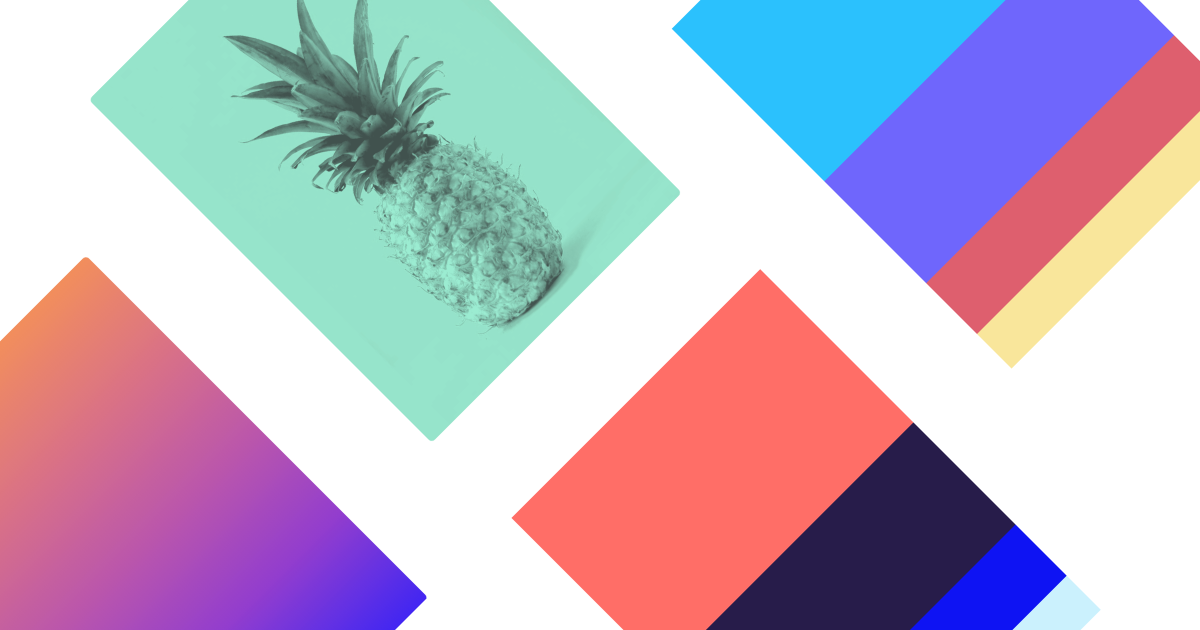
Instantly generate cohesive color palettes from images, art, and movies. Let AI handle color theory so you can focus on design.

Uses deep learning to understand color styles and generate palettes that work.

Colormind testen
Kostenloser Plan
9.2 Zekai
Effortless AI color inspiration.
Generative KI für Grafikdesigner & Kreativberufe
Benutzerfreundlichkeit
9.5
Genauigkeit
8.5
Wert
9.8
Zeitersparnis
9.0
Free ToolAPI AccessImage-to-PaletteDeep LearningDaily Inspiration
🏷 Ist das Ihr Tool? Eintrag beanspruchen →
Von Zekai bewertet

Top Generative KI für Grafikdesigner & Kreativberufe Tools

Alle 90 Generative KI für Grafikdesigner & Kreativberufe-Tools ansehen →
⚡ Schnelle Antwort

For graphic designers seeking rapid, AI-driven color inspiration, Colormind is one of the best tools available. It uses deep learning to generate cohesive color palettes from various sources like art and film, and can even extract schemes from a user's uploaded image, making it excellent for quickly translating a mood board into a working palette.

CategoryAI Color Palette Generator
Best ForGraphic designers needing quick color inspiration.
Price FromFree
FreeYes
DifferentiatorUses deep learning to learn color styles from art, movies, and photos.
ProofLive generator on homepage; new datasets loaded daily.
Rating4.6/5
📖 Über Colormind

For graphic designers, Colormind is an AI-powered color scheme generator that accelerates palette creation. It uses deep learning to extract color styles from photographs, movies, and popular art, providing you with unique, context-aware color combinations for your projects.

Wie es funktioniert

Ihr Workflow, automatisiert

1
Generate or Upload
Click 'Generate' to get an AI-created palette, or upload your own image to extract its color scheme.
2
Lock Key Colors
Identify the essential colors for your design and click the lock icon above them to fix them in place.
3
Refine and Export
Repeatedly click 'Generate' to see new complementary colors for your locked choices. Copy the hex codes once satisfied.
Bereit, Ihren Workflow mit Colormind zu automatisieren?
Colormind testen →
Echte Auswirkung

vorher & Nachher

❌ vorher

Struggling with color palette selection and creative block.

Hours spent on color research
✅ Nachher

Instantly generate unique, AI-curated color schemes.

Palettes in seconds
Prompt-Vorlagen

Try it with these Prompts

Kopieren Sie einen Prompt und fügen Sie ihn direkt in das Tool ein.

Generate colors from a photo

Upload an image to Colormind and let it extract a color palette. This is useful for branding or design projects that need to match the mood of a specific visual.

Create palette based on art style

Select an art style like Fauvist artwork or Pokemon Crystal palettes. Colormind will generate a color scheme inspired by the chosen aesthetic.

Generate UI template colors

Use Colormind to generate color schemes specifically for UI elements. The tool can provide palettes that are suitable for web or app interfaces.

Sozialer Beweis

Vertraut von Fachleute

Benutzerfreundlichkeit
9.5
Genauigkeit
8.5
Wert
9.8
Zeitersparnis
9.0

"An absolute lifesaver for getting projects started. The image upload feature is my go-to for turning a moodboard into a workable palette in seconds."

Chris B., Brand Designer · June 2026

"I use this daily for quick inspiration. The fact that it's free and so powerful is incredible. The AI consistently delivers interesting and usable combinations."

Amina K., UI/UX Designer · May 2026

"It's brilliant for speed, but I wish I could get more than five colors or have some control over the inspiration models. It's a great starting point, but not an end-to-end solution."

David L., Freelance Designer · June 2026

"The daily datasets are a fantastic feature. It keeps the ideas fresh and often exposes me to color combinations I wouldn't have considered. A core part of my creative toolkit."

Samantha P., Art Director · April 2026
Verbindet Sich Mit

funktioniert mit Ihrem vorhandenen Stack

API Access
Einrichtungskomplexität: Beginner-friendly
For graphic designers, Colormind is an AI-powered color scheme generator that accelerates palette creation. It uses deep learning to extract color styles from photographs, movies, and popular art, providing you with unique, context-aware color combinations for your projects.
Vergleich

Im Vergleich

Colormind vs. Adobe Color: Colormind is the faster, simpler choice for pure inspiration. Its one-click AI generation is perfect for breaking creative block without any setup. Choose Colormind for speed and novel ideas derived from unique sources like film and art. In contrast, Adobe Color is a more robust tool deeply integrated into the Adobe ecosystem. It offers advanced features like accessibility tools, trend exploration, and seamless syncing with Photoshop and Illustrator. Choose Adobe Color when you need a powerful, integrated workflow and advanced color rule management for a complex project.

You need direct integration with Figma or Adobe Creative Cloud.
You require advanced color theory tools like accessibility checkers.
You need to generate palettes with more or fewer than five colors.
Die Entscheidung

Lohnt es sich?

Return on Investment
As a free tool, Colormind provides immediate ROI by cutting down hours of manual color research into seconds of generation.
Gemacht für
Graphic designers, UI/UX designers, brand strategists, and illustrators.
Einführungsaufwand
Beginner-friendly
Compliance
Compliance posture not publicly documented — verify with vendor.
Für wen ist es

Warum Generative KI für Grafikdesigner & Kreativberufe wählen dieses Tool

🎯
Entwickelt für
Quickly generating unique and contextually relevant color palettes inspired by various media styles.
Ausführlicher Überblick
Colormind streamlines one of the most time-consuming parts of a graphic designer's workflow: color selection. Instead of manually building palettes or endlessly browsing swatches, you get instant, AI-generated options. The core technology is deep learning; the AI is trained on a diverse range of visual media, including films like 'Akira', classic Nintendo games, and architectural photography. This means the palettes it suggests are not just random, but contextually aware and aesthetically proven. For your workflow, this provides a powerful starting point. You can upload an image from a mood board to extract a coherent scheme instantly. The ability to 'lock' one or more colors is a key practical feature. Lock your client's primary brand color, and Colormind will generate complementary options around it, saving significant iteration time. With new datasets loaded daily, it serves as a constant source of fresh inspiration, helping you break creative blocks and deliver unique visual identities.

Wichtige Anwendungsfälle

🎨
Break creative block on a new branding project.
Brand Designer
Upload a client's mood board image to instantly extract a working color palette. Lock the primary brand color and regenerate variations to quickly explore complementary accent colors.
Initial palettes in seconds
✓ Vorteile
Extremely fast and easy to use, generating palettes in a single click.
Completely free to use with no sign-up required.
Draws inspiration from unique datasets like films, art, and games.
Allows locking of specific colors to refine and control palette results.
Provides a developer API for integration into custom workflows.
· Nachteile
Lacks direct plugin integrations with design software like Figma or Adobe CC.
Limited to generating 5-color palettes only.
Does not include tools for accessibility checking, like contrast ratios.
Inspiration datasets are pre-selected and cannot be chosen by the user.
⚡ Redaktionelles Urteil

Colormind is an exceptionally fast and intuitive tool for generating color schemes, perfect for kickstarting a project or overcoming a creative block. Its main trade-off is its simplicity; while it excels at generating palettes, it lacks advanced features like direct integrations or accessibility checking found in larger design suites.

Fragen & Antworten

Häufig gestellt Fragen

How does Colormind generate color palettes?

+
Colormind uses a deep learning model that has been trained on a vast library of photographs, movies, and popular art to understand how colors work together in different styles. It applies these learnings to generate new, aesthetically pleasing color schemes.

Can I use my own image to create a palette?

+
Yes. The 'Image Upload' feature allows you to upload any image, and the AI will analyze it to extract a five-color palette based on its most prominent and harmonious colors.

Is Colormind free to use?

+
Yes, Colormind is completely free for use on its website. It also provides an API for developers.

How can I influence the generated colors?

+
You can guide the AI by locking one or more colors in the palette. Click the lock icon above a color you want to keep, and Colormind will generate the remaining colors to specifically complement your locked choices. The placement of the locked color also influences the result.

What's the best AI tool for generating color schemes for graphic design?

+
For graphic designers seeking rapid, AI-driven color inspiration, Colormind is one of the best tools available. It uses deep learning to generate cohesive color palettes from various sources like art and film, and can even extract schemes from a user's uploaded image, making it excellent for quickly translating a mood board into a working palette.

Can AI create a color palette from an image?

+
Yes, AI tools like Colormind are specifically designed to do this. By uploading an image, the AI analyzes the colors and generates a cohesive palette, which is ideal for designers looking to build a design system based on a specific visual reference.

Last reviewed:

Pläne & Preise

Start heute

Kostenlos
$0
Kostenlos starten

Preise und Funktionen werden regelmäßig aktualisiert, können sich aber jederzeit ändern — bitte immer auf der offiziellen Website prüfen. Einige Links auf dieser Seite sind Affiliate-Links.

Alle 90 Generative KI für Grafikdesigner & Kreativberufe-Tools ansehen →
Kostenloser Leitfaden

Nimm es mit

Mastering Color with Colormind AI
  • **Instantly Generate Palettes**: Learn how Colormind's deep learning AI creates unique color schemes.
  • **Extract from Images**: Turn any photo into a professional palette.
  • **Guide the AI**: Use color locking to refine and perfect your results.
  • **Daily Inspiration**: Discover new styles from datasets based on film, art, and more.
  • **Practical Application**: Tips for using your new palette in branding and UI design.
+3 weitere Schritte im Leitfaden
Schick mir den ganzen Leitfaden

Erhalte Colormind Rabattbenachrichtigungen

Seien Sie der Erste, der erfährt, wenn Colormind neue Rabatte, Funktionen oder Preisänderungen ankündigt.

Exklusive Rabattcodes für Colormind
Ankündigungen neuer Funktionen
Beste Alternativen bei Preisänderungen
Kein Spam — jederzeit abmelden
🎉
You're subscribed!
We'll notify you when Colormind has a new deal.
KI-Verzeichnis

Über Colormind

Vollständige Beschreibung

For graphic designers, Colormind is an AI-powered color scheme generator that accelerates palette creation. It uses deep learning to extract color styles from photographs, movies, and popular art, providing you with unique, context-aware color combinations for your projects.

Redaktionelles Urteil

Colormind is an exceptionally fast and intuitive tool for generating color schemes, perfect for kickstarting a project or overcoming a creative block. Its main trade-off is its simplicity; while it excels at generating palettes, it lacks advanced features like direct integrations or accessibility checking found in larger design suites.

Last reviewed:
Haftungsausschluss
Zekai ist ein unabhängiges Verzeichnis für KI-Tools. Wir sind mit Colormind weder verbunden noch von diesem Anbieter unterstützt oder offiziell autorisiert, sofern nicht ausdrücklich angegeben. Alle Produktnamen, Logos und Marken sind Eigentum ihrer jeweiligen Inhaber und dienen nur der Identifikation. Die Informationen auf dieser Seite — einschließlich Preisen, Funktionen und Verfügbarkeit — sind allgemeine Informationen, können sich seit unserer letzten Prüfung geändert haben und stellen keine professionelle Beratung dar. Zekai-Scores und -Urteile sind redaktionelle Meinungen. Einige ausgehende Links sind Affiliate-Links, über die wir ohne Mehrkosten für Sie eine Provision erhalten können. Veraltete oder falsche Angaben entdeckt? Korrektur anfordern →
Previous Tool Khroma Next Tool Figma
Alle KI-Tools A–Z →
Website besuchen ↗
Colormind9.2Colormind testen ↗Nächstes Tool →
Top 3 Generative KI für Grafikdesigner & Kreativberufe-Tools heute →