
Your private AI assistant that runs on your Mac, securing your confidential documents and client data.
Index and query sensitive files locally, with automatic data redaction before any cloud use.
What is Elephas?
Elephas: Your private AI assistant that runs on your Mac, securing your confidential documents and client data. Paid, from $19/mo. Zekai scores it 8.2 out of 10 after independent testing. Best for mac-based professionals handling confidential data.
Zekai Verdict
- What is it?
- Elephas is a personal AI assistant for Mac that prioritizes data privacy for professionals.
- Best for
- Best for Mac-based Executive Assistants who need to securely summarize, search, and draft content from confidential…
- Not ideal for
- Mac-only; no support for Windows or web-based access.
- Price
- $19/mo
- Zekai Score
- 8.2/10
 NotebookLM
 Scribe
 Descript
Top AI for Personal Productivity & Executive Assistants picks
See all 132 AI tools for Productivity →For Personal Productivity & Executive Assistants on Mac, Elephas is the best choice for securely working with confidential information. It solves the 'Shadow AI' problem by indexing documents like contracts and meeting notes locally on your device. Its automatic redaction of sensitive data before any cloud processing ensures client and company data remains private.
Your workflow, automated
Before & After
Constantly switching between documents and risking data leaks by pasting confidential text into public AI tools for summaries.
Hours spent manually compiling briefsInstantly summarize, rewrite, or query sensitive information from any app on your Mac, with full privacy and control.
Briefs generated in minutesTry it with these prompts
Copy any prompt and paste it directly into the tool.
Summarize the key obligations and liabilities for both parties in this contract document. Highlight any clauses related to termination or dispute resolution. [Contract Document Name]
Extract all financial figures, account numbers, and dates mentioned in these financial reports. Present them in a table format for easy review. [Financial Report Files]
Draft a professional response to the client's inquiry regarding the project timeline, based on the meeting notes and previous communications. Ensure all details are accurate and align with our internal decisions.
Prompts for Productivity
Trusted by 3,000+
Elephas integrations
Best Elephas alternatives
Elephas vs. Google's NotebookLM: Both tools let you ground AI answers in your own documents. Choose NotebookLM if you work primarily within the Google ecosystem and need a free, web-based tool for personal notes. Pick Elephas for professional use on a Mac, especially when dealing with sensitive client or company data. Elephas's key advantages are its Mac-native integration (working in any app), automatic PII redaction before cloud processing, and a true offline mode. This makes Elephas the superior choice for assistants and consultants bound by confidentiality agreements, despite its Mac-only limitation and paid subscription.
Is Elephas worth it?
Why Personal Productivity & Executive Assistants choose this tool
Key Use Cases
Elephas is a powerful solution for the modern EA, solving the 'Shadow AI' problem by bringing AI analysis to your local files. Its on-device indexing and automatic PII redaction are standout features for anyone handling sensitive executive or client data. The main trade-off is its Mac-only ecosystem; Windows users are left out entirely.
Frequently asked questions
How does Elephas protect my sensitive data?
Can I use Elephas without downloading a local AI model?
What is Super Command and how does it help my productivity?
Does Elephas work in languages other than English, like German or Spanish?
Do I need my own OpenAI or Claude account to use Elephas?
Can I use Elephas across my Mac, iPhone, and iPad?
Last reviewed:
Elephas pricing and plans
Prices and features are updated regularly but can change at any time — always confirm on the official website. Some links on this page are affiliate links.
Top 10 AI tools in this category

Take it with you
- Local-First Privacy: Understand how Elephas keeps your data on your Mac.
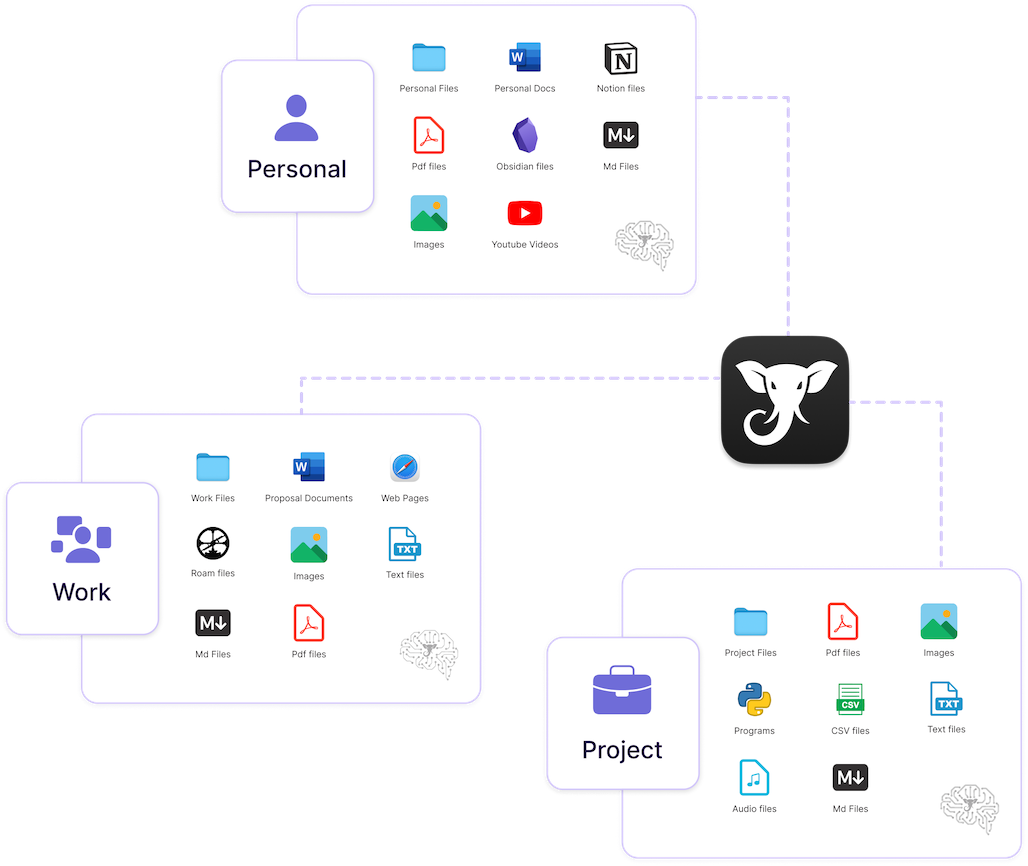
- The Power of 'Super Brains': Learn to create focused knowledge bases for each project or executive.
- Automatic Redaction: See how Elephas protects sensitive information (names, emails, etc.) automatically.
- Offline Mode: Use AI even without an internet connection for maximum security.
- Super Command: Master the keyboard shortcut to bring AI into any app.
Get Elephas deal alerts
Be the first to know when Elephas drops a new discount, adds features, or changes pricing.
More on AI for Personal Productivity & Executive Assistants



About Elephas
Full Description
Elephas is a personal AI assistant for Mac that prioritizes data privacy for professionals. It allows Executive Assistants to work with confidential client files, contracts, and meeting notes directly on their device, ensuring sensitive information never leaves their Mac unless they choose. With automatic redaction of personal data and an offline mode, it enables EAs to leverage AI for summaries, drafts, and research without risking data leaks.
Editorial Verdict
Elephas is a powerful solution for the modern EA, solving the 'Shadow AI' problem by bringing AI analysis to your local files. Its on-device indexing and automatic PII redaction are standout features for anyone handling sensitive executive or client data. The main trade-off is its Mac-only ecosystem; Windows users are left out entirely.


