AI tools, scored for your job
Get paid to train AI
Overview How It Works Before & After Try It Reviews Integrations Why This Tool FAQ Pricing Top 10 Get Alerts News

Klap — AI for Video Editing & Production

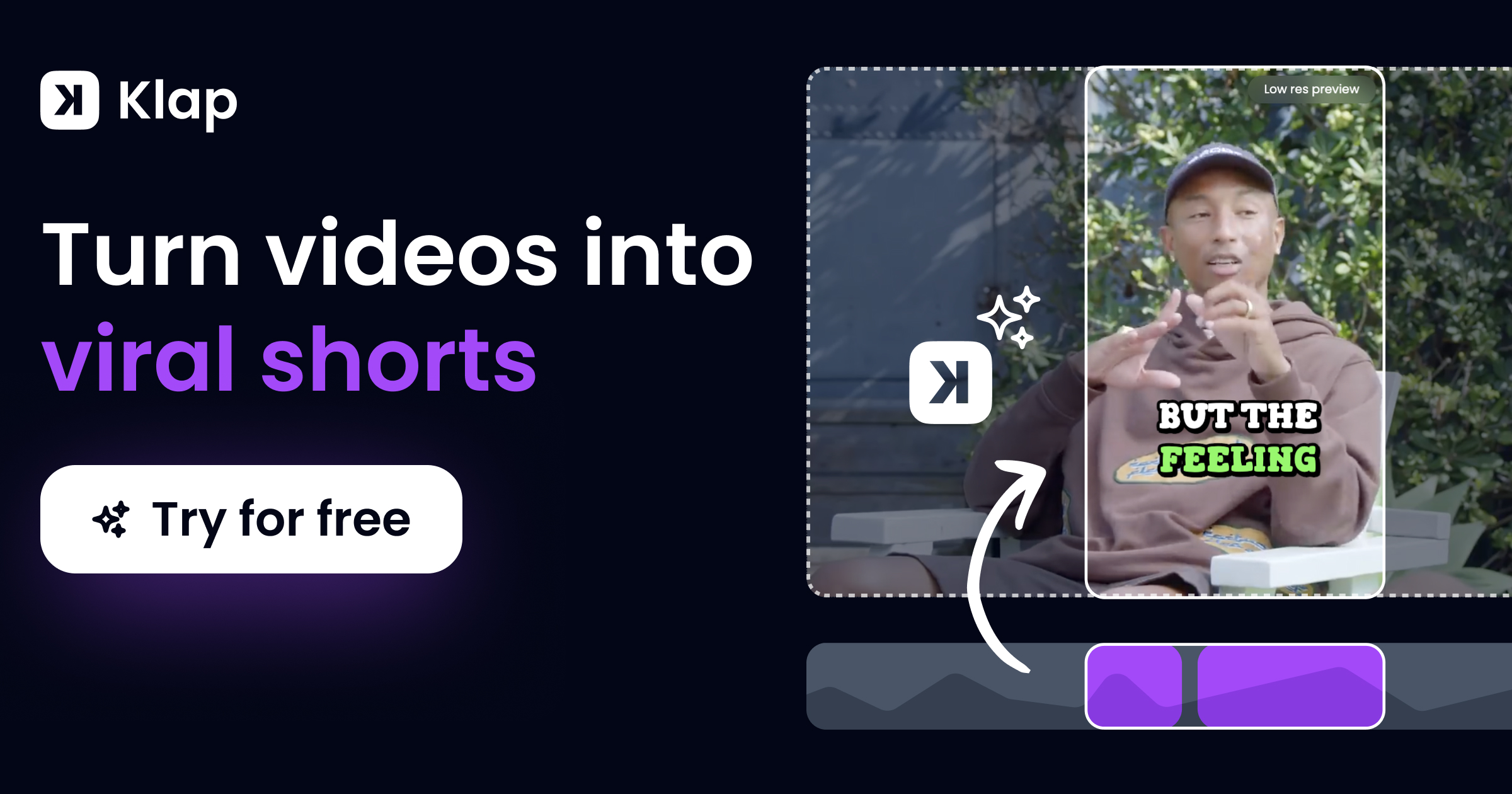
Automatically convert long-form video content into multiple viral-ready vertical clips for TikTok, Reels, and Shorts.

Leverages AI to identify engaging topics, reframe shots, and add dynamic captions in a single click.

What is Klap?

Klap: Automatically convert long-form video content into multiple viral-ready vertical clips for TikTok, Reels, and Shorts. It has a free plan; paid plans start at $29/mo. Zekai's independent review scores it 8.1 out of 10. Best for creating social clips from speech-based long-form video.

Facts checked 28 Oct 2026. Free plan added on 5 Oct 2026. Compare Klap with alternatives →

DifferentiatorAI smart reframing (Split Screen, Screencasts) and virality score.
ProofTrusted by 3.5 million creators.
Try Klap
Free Plan Pro from$29/mo
Free plan verified · free AI tools for Video Editors
8.1 Zekai
Fast Social Video Repurposing
AI for Video Editing & Production
Ease of Use
8.6
Accuracy
8.0
Value
7.4
Time Saving
8.2
3.5M+Users
8.1/10Zekai Score
AI ClippingAuto ReframeDynamic CaptionsVirality ScoreSocial Publishing
🏷 Is this your tool? Claim this listing →

Zekai Verdict

What is it?
Klap is an AI-powered tool for video editors and producers to rapidly repurpose long-form content.
Best for
Best for rapidly generating a high volume of vertical social media clips from existing long-form content like podcasts…
Not ideal for
Best suited for speech-based content (podcasts, interviews).
Price
Free plan · paid from $29/mo
Zekai Score
8.1/10
Hand-scored by Zekai

Top AI for Video Editing & Production picks

See all 130 AI tools for Video Editors →
⚡ Quick answer

For Video Editing & Production professionals, Klap is a leading AI tool for rapidly repurposing long-form content. Its strength lies in automatically identifying engaging topics from speech-based videos, intelligently reframing shots for vertical formats, and adding dynamic captions—turning hours of manual work into minutes. With over 3.5 million users, it's a proven solution for scaling social media video production.

CategoryAI Video Repurposing
Best forCreating social clips from speech-based long-form video.
Price from$29/mo
Free planLimited (1 video)
DifferentiatorAI smart reframing (Split Screen, Screencasts) and virality score.
ProofTrusted by 3.5 million creators.
Rating8.1/10
📖 About Klap
How It Works

Your workflow, automated

1
Upload or Link Video
Paste a YouTube link or upload a video file directly into Klap. The AI works best with speech-heavy content.
2
AI Generates Clips
Klap's AI analyzes the video, identifies key topics, intelligently reframes shots for vertical, and adds dynamic captions.
3
Review, Customize & Publish
Make final touches to captions or branding, then export in high resolution or publish directly to your social channels.
Ready to automate your workflow with Klap?
Try Klap →
Real Impact

Before & After

❌ Before

Manually scrubbing through long videos to find short, engaging moments.

Hours per video
✅ After

Automatically receiving a dozen ready-to-post vertical clips from one long video.

Minutes per video
Prompt Templates

Try it with these prompts

Copy any prompt and paste it directly into the tool.

Create viral shorts from long videos

Transform my long YouTube video into multiple viral-ready TikToks and Reels. Extract the most engaging segments and automatically add captions and reframing for maximum impact. [Paste YouTube Video Link Here]

Repurpose podcast for social media

Generate short, engaging clips from my podcast episodes for Instagram and YouTube Shorts. Focus on key discussion points and ensure they are formatted for vertical viewing with clear subtitles.

Automate video content creation

Use AI to automatically identify and edit viral-worthy clips from my existing long-form content. Include AI-generated captions and allow for customization of logos and branding before publishing.

AI Prompts

Prompts for Video Editors

Prompt 01 Universal Dialogue Cleanup
Isolate all human speech from the background. Remove wind noise, microphone hum, and room echo. Normalize all speakers to a target loudness of -14 LUFS and a true peak of -1.5 dB.
Prompt 02 Filler Word and Silence Removal
Transcribe the audio track. Identify and create an edit list of all instances of the words 'um,' 'uh,' 'like,' 'you know,' and 'so.' Also identify all silent segments longer than 0.7 seconds. Do not delete them; present the list for review.
Prompt 03 De-Mix Production Audio
Separate the source audio into three distinct stems: one for dialogue, one for background music, and one for ambient sound effects. Export each as a 24-bit WAV file.
See all 36 AI prompts for Video Editors →
Social Proof

Trusted by 3.5M+

3.5M+ professionals using this tool
Ease of Use
8.6
Accuracy
8.0
Value
7.4
Time Saving
8.2
3.5M+ professionals are already using this tool.
Start Free Today →
Connects With

Klap integrations

TikTok YouTube Instagram LinkedIn
Setup complexity: Beginner
Klap is an AI-powered tool for video editors and producers to rapidly repurpose long-form content. It analyzes videos from YouTube links or direct uploads, automatically identifies the most engaging segments, and generates multiple vertical clips optimized for social media platforms like TikTok, Reels, and Shorts.
Comparison

Best Klap alternatives

Klap vs. Opus Clip: Both tools excel at turning long videos into shorts. Klap's key differentiator is its 'AI Reframe 2.0', offering more sophisticated layouts like split-screen for interviews, making it ideal for professional-looking content. Opus Clip is a strong competitor, often praised for its virality scoring. Choose Klap if you value advanced, intelligent framing and layout options for talking-head or interview content. Opt for Opus Clip if your primary focus is leveraging a proven virality prediction algorithm and you prefer its editing interface.

You need more advanced, timeline-based editing control for your clips.
Your source content is primarily music- or action-based, not speech-driven.
You require a completely free tool and are willing to sacrifice AI quality.
The decision

Is Klap worth it?

Return on investment
By automating clip creation, a team can save dozens of hours per month, easily justifying the $29/mo Pro plan on a single long-form video project.
Built for
Video editors, social media managers, content producers, and marketing teams responsible for repurposing long-form video into short-form social content.
Effort to adopt
Beginner
Compliance
Compliance posture not publicly documented — verify with vendor.
Who It's For

Why Video Editing & Production choose this tool

🎯
Built for
Best for rapidly generating a high volume of vertical social media clips from existing long-form content like podcasts, interviews, and educational videos.
In-Depth Overview
For video production professionals, Klap dramatically cuts down the time spent on creating social media cutdowns. Instead of manually scrubbing through hours of footage to find compelling moments, you simply provide a YouTube link or video file. Klap's AI takes over, identifying the most engaging topics and speakers. Its 'AI Reframe' feature intelligently adapts scenes for vertical viewing—using split-screen for interviews or focusing on the speaker—which is a significant step up from basic center-cropping. The tool automatically generates dynamic, styled captions, a crucial element for viewer retention on social platforms. It even provides a 'virality score' for each clip, helping you prioritize which assets to publish. With direct publishing and scheduling to TikTok, Instagram, and YouTube, Klap streamlines the entire content repurposing workflow from a multi-hour editing task into a few clicks. This frees up editors to focus on high-value production rather than repetitive social clipping. The platform claims over 3.5 million users have created 8.5 million clips, proving its effectiveness at scale.

Key Use Cases

🎙️
Turn a 1-hour podcast into 10+ social clips in minutes
Podcast Video Editor
Upload your final podcast video file and let Klap identify the most compelling questions, answers, and stories to create a week's worth of Reels and Shorts.
From hours of manual clipping to minutes of AI generation and review.
✓ Pros
Drastically reduces time spent creating social media clips.
AI reframing intelligently handles different scene types like interviews and screencasts.
Generates multiple clip options from a single video.
Built-in virality score helps prioritize content.
Direct integration for publishing and scheduling simplifies distribution.
· Cons
Best suited for speech-based content (podcasts, interviews).
Limited creative control compared to a manual NLE workflow.
The free offering is limited to creating clips from one video.
AI topic selection may occasionally miss nuances an editor would catch.
⚡ Editorial Verdict

Klap is an exceptional time-saver for any production workflow that involves creating social media clips from longer videos. Its AI-driven topic selection and smart reframing are impressively effective for talk-heavy content. The main trade-off is a lack of deep editing control; it's a content repurposing engine, not a replacement for a full NLE for creative edits.

Questions & Answers

Frequently asked questions

How does Klap's AI decide which clips to create?

+
Klap's AI analyzes the video to identify the most interesting topics, relying heavily on speech detection. It then uses intelligent framing and facial recognition to create shorter, engaging clips from these identified segments.

What kind of video content works best with Klap?

+
The tool performs best with speaking-heavy content such as podcasts, interviews, educational videos, product reviews, and keynote presentations, as its algorithm is optimized for speech detection.

Can I customize the look of the clips?

+
Yes, Klap allows full customization of brand elements. You can adjust fonts, colors, add your logo, and modify the framing to ensure the final clips match your brand identity.

Does Klap support languages other than English?

+
Yes, Klap supports editing and transcription in 52 languages, including French, Spanish, German, Japanese, and many others, making it suitable for global content creators.

Is Klap a good choice for editors working with international clients or content?

+
Absolutely. With support for over 50 languages for both transcription and editing, Klap is an excellent tool for repurposing content for diverse, international audiences without needing separate translation workflows.

How does Klap save time compared to traditional video editing software?

+
Klap automates the most time-consuming parts of social clip creation: finding the best moments, reframing for vertical, and adding captions. This turns a multi-hour manual process in Premiere Pro or Final Cut into a task that takes just a few minutes of AI processing and final review.

Last reviewed:

Plans & Pricing

Klap pricing and plans

Free
$0
You can try out Klap and create 1 video for free.
Get Started Free
Enterprise
Pricing on request
Tailored for teams and large organisations.
Contact Sales

Prices and features are updated regularly but can change at any time — always confirm on the official website. Some links on this page are affiliate links.

See all 130 AI tools for Video Editors →
Free guide

Take it with you

Getting Started with Klap for Social Video Production
  • Automate Your Workflow: Stop wasting hours on manual clipping.
  • Master Vertical Video: Use AI to intelligently reframe any shot.
  • Boost Engagement: Add auto-generated, dynamic captions.
  • Prioritize Winners: Leverage the AI virality score.
  • One-Click Publishing: Schedule content directly to social platforms.
+4 more steps inside the guide
Send me the full guide

Get Klap deal alerts

Be the first to know when Klap drops a new discount, adds features, or changes pricing.

Exclusive Klap discount codes
New feature announcements
Best alternative picks when pricing changes
Zero spam — unsubscribe anytime
🎉
You're subscribed!
We'll notify you when Klap has a new deal.
AI Directory

About Klap

Full Description

Klap is an AI-powered tool for video editors and producers to rapidly repurpose long-form content. It analyzes videos from YouTube links or direct uploads, automatically identifies the most engaging segments, and generates multiple vertical clips optimized for social media platforms like TikTok, Reels, and Shorts.

Editorial Verdict

Klap is an exceptional time-saver for any production workflow that involves creating social media clips from longer videos. Its AI-driven topic selection and smart reframing are impressively effective for talk-heavy content. The main trade-off is a lack of deep editing control; it's a content repurposing engine, not a replacement for a full NLE for creative edits.

Last reviewed:
Disclaimer
Zekai is an independent AI tools directory. We are not affiliated with, endorsed by, or officially connected to Klap unless clearly stated. All product names, logos, and brands are the property of their respective owners and are used for identification purposes only. The information on this page — including pricing, features, and availability — is general information, may have changed since our last review, and is not professional advice. Zekai Scores and verdicts are our editorial opinion. Some outbound links are affiliate links that may earn us a commission at no extra cost to you. Spotted outdated or incorrect information? Request a correction →
Get paid to train AI →
‹ Previous Tool Munch › Next Tool WayinVideo ‹ ›
All AI Tools A–Z →
Visit website ↗
Klap8.1Try Klap ↗Next tool →
● 1,539 paid AI jobs open now →

See Zekai first in Google