Browse
AI Directory Open Source AI News 🏆 AI Challenge AI Statistics
Browse by profession
Accounting, Bookkeeping & TaxCompliance, Audit & GRCConstructionCustomer SupportData ScienceMedical All 38 professions →
Company
About Advertise Submit a tool Get the free Video AI guide
Overview Before & After Try It Reviews Integrations Why This Tool FAQ Pricing Top 10 Get Alerts News

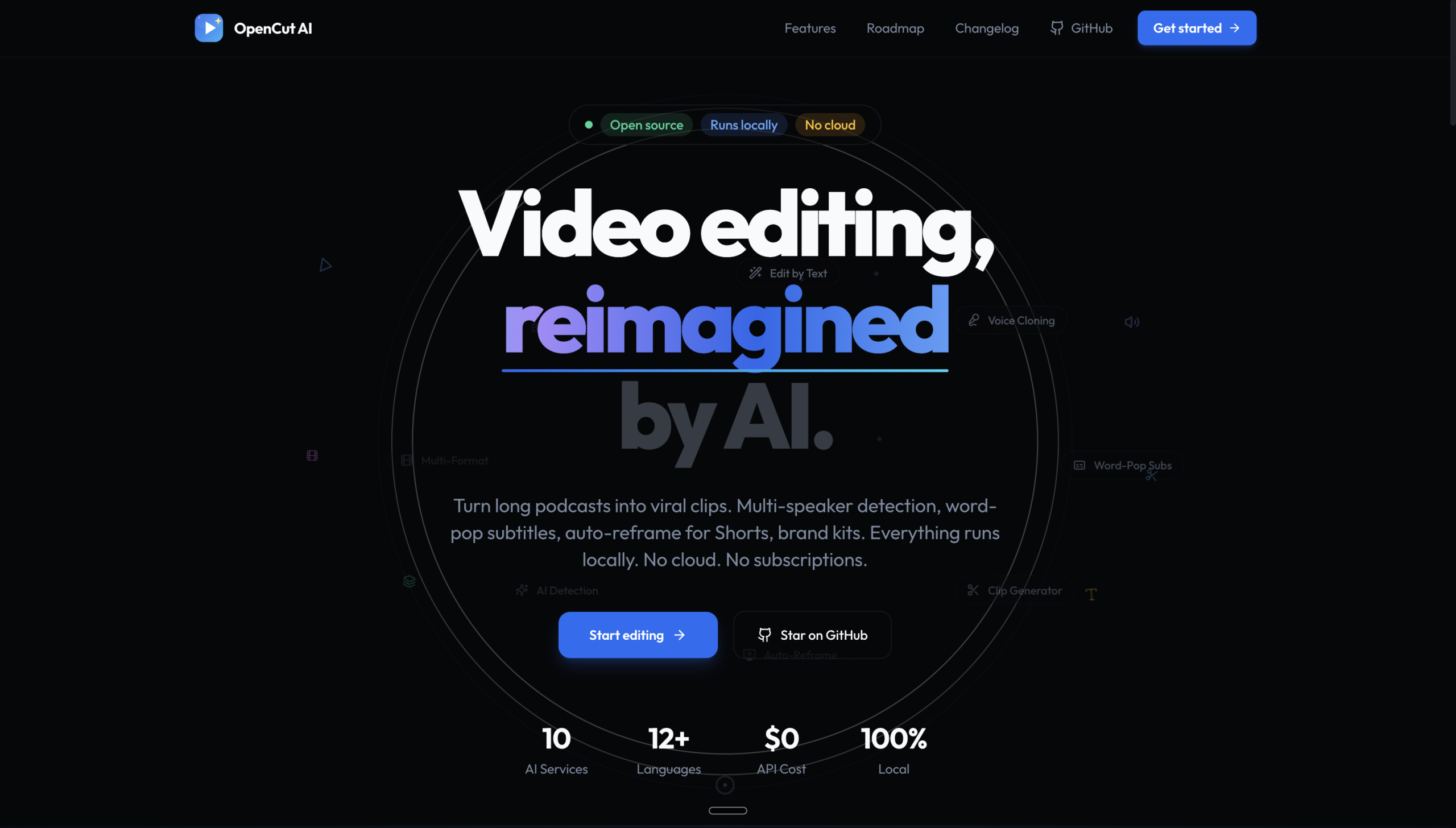
A free AI video editor that runs on your local machine to create cuts for TikTok, Reels, and YouTube Shorts without cloud uploads.

Leverage your computer's CPU for fast, private video editing tailored to short-form social content.

Best forQuickly editing short-form social videos locally
DifferentiatorRuns locally on your CPU, not in the cloud.
ProofThe website promotes a 'Free AI Video Editor' with 'CPU Video Editing' for social media shorts.
Try OpenCutAI
Free Plan
8 Zekai
Free Local Shorts Editor
AI for Video Editing & Production
Ease of Use
8.0
Accuracy
7.0
Value
9.5
Time Saving
7.5
AI Video EditingShort-Form VideoLocal ProcessingFree ToolPrivacy-Focused
🏷 Is this your tool? Claim this listing →
Hand-scored by Zekai

Top AI for Video Editing & Production picks

See all 99 AI for Video Editing & Production tools →
⚡ Quick answer

For video editors seeking a free AI tool, OpenCutAI is a top choice, especially for creating social media shorts. Its key advantage is that it runs locally on your computer's CPU, meaning you get fast edits without waiting for uploads and your footage remains completely private. It's specifically built for TikTok, Reels, and YouTube Shorts, making it a highly efficient utility for this purpose.

CategoryAI Video Editing
Best ForQuickly editing short-form social videos locally
Price FromFree
FreeYes
DifferentiatorRuns locally on your CPU, not in the cloud.
ProofThe website promotes a 'Free AI Video Editor' with 'CPU Video Editing' for social media shorts.
Rating4.0/5
📖 About OpenCutAI
Real Impact

Before & After

❌ Before

Waiting for large video files to upload to cloud-based AI editors.

Hours in upload/render queues
✅ After

Getting AI-generated cuts for social media instantly on your local machine.

Minutes to a finished cut
Prompt Templates

Try it with these prompts

Copy any prompt and paste it directly into the tool.

Generate Viral Podcast Clips

Find the most engaging 30-60 second moments from a long podcast. AI will score clips based on engagement potential, emotional peaks, and shareability. Export these clips for platforms like TikTok or Reels.

Create Hormozi-Style Subtitles

Add dynamic 'word-pop' subtitles to your video. Each word appears as it's spoken, with options for keyword highlighting and accent colors. Choose from 4 preset styles for a dynamic look.

Brand Videos with Kit and Auto-Reframe

Apply your brand kit, including colors, fonts, logo, and CTA, with one click. Automatically reframe 16:9 footage to 9:16 for social media using face tracking.

Social Proof

Trusted by professionals

Ease of Use
8.0
Accuracy
7.0
Value
9.5
Time Saving
7.5

"A total game-changer for my workflow. I can batch-process a dozen clips for Reels in the time it used to take me to upload one video to a cloud service. It's fast, free, and private."

Chris T., Social Media Manager · June 2026

"As someone just starting out, finding a free tool that actually works well is rare. OpenCutAI lets me create clips for my channel quickly without paying for a subscription. Perfect for what I need."

Sammy P., Content Creator · May 2026

"It's great for a quick, automated rough cut, and the local processing is a nice touch for privacy. However, it's extremely basic. Don't expect any advanced controls, color grading, or detailed timeline editing."

Alex R., Video Editor · June 2026

"We use this to pull quick audiogram-style clips from our video podcast episodes. It does that one job very well and saves us from having to scrub through hours of footage manually. A great utility."

Jamie L., Podcast Producer · May 2026
Connects With

Works with your existing stack

Setup complexity: Simple
OpenCutAI is a free AI-powered video editor designed specifically for creating short-form content for platforms like Instagram Reels, TikTok, and YouTube Shorts. It operates directly on your computer's CPU, eliminating the need for cloud processing. This local-first approach ensures privacy and avoids lengthy upload and download times.
Comparison

How it compares

Compared to a cloud-based tool like Opus Clip, OpenCutAI offers a different value proposition. Choose OpenCutAI when privacy and speed are paramount, as it processes everything locally on your CPU with no uploads. It's ideal for quick, simple cuts without an internet connection. Pick Opus Clip when you need more advanced, AI-driven features like virality scores, auto-reframing, and brand kits, and are comfortable with a cloud-based, subscription workflow. OpenCutAI is a free utility for speed; Opus Clip is a paid service for features.

The decision

Is it worth it?

Return on investment
As a free tool, OpenCutAI delivers immediate ROI by eliminating subscription costs and saving time otherwise spent uploading footage to cloud-based editors.
Built for
Video editors, content creators, and social media managers focused on producing short-form video for platforms like TikTok, Instagram Reels, and YouTube Shorts.
Effort to adopt
Simple
Compliance
Compliance posture not publicly documented — verify with vendor.
Who It's For

Why Video Editing & Production choose this tool

🎯
Built for
It's best for quickly generating AI-powered edits for social media shorts locally on your computer, bypassing cloud services.
In-Depth Overview
For video editors and social media managers, speed and efficiency are critical. OpenCutAI addresses a major bottleneck in the short-form video workflow: cloud processing. By running directly on your local CPU, it eliminates the time spent uploading raw footage and downloading finished edits. This makes it ideal for quick-turnaround projects where you need to get content out fast. The tool is completely free, making it a zero-risk addition to your toolkit. Its focus on privacy is another key benefit; since your footage never leaves your machine, you maintain full control over sensitive or pre-release content. While it may not replace a full-featured NLE, OpenCutAI serves as a powerful utility for the initial, time-consuming task of creating rough cuts or social-ready clips from longer footage. For professionals who batch-produce social content, the ability to process videos offline without subscription fees or data caps presents a significant advantage in both cost and workflow flexibility.

Key Use Cases

📱
Generate social clips without cloud delays
Social Media Manager
Quickly process long-form video podcasts or interviews into multiple short-form clips for TikTok and Reels directly on your laptop, avoiding upload queues.
Clips ready in minutes, not hours
✂️
Create fast, private rough cuts
Video Editor
Use OpenCutAI as a first-pass tool to find the most engaging moments in your footage before moving to a professional NLE for fine-tuning and color grading.
Reduces initial editing time
✍️
Edit videos for free with no watermarks
Content Creator
Start creating content for YouTube Shorts and Instagram without needing to pay for a subscription, using a simple tool that gets the job done quickly.
Zero software subscription cost
✓ Pros
100% free to download and use.
Runs locally, ensuring footage remains private.
Eliminates time spent uploading and downloading from the cloud.
Specifically designed for popular short-form video formats.
Simple, focused tool for a specific, time-consuming task.
· Cons
Feature set is likely very limited compared to paid suites.
Lacks advanced creative controls, transitions, and effects.
Performance is entirely dependent on your local machine's hardware.
No information on supported video formats or export quality.
⚡ Editorial Verdict

OpenCutAI is a compelling utility for any editor working with short-form social video. Its local, CPU-based processing is a standout feature, offering speed and privacy benefits that cloud editors can't match. The main trade-off is its presumed simplicity; it's a specialized tool for quick cuts, not a comprehensive video editing suite.

Questions & Answers

Frequently asked questions

How does OpenCutAI work?

+
OpenCutAI uses AI to edit videos, but it runs entirely on your local computer's CPU. You use the application on your machine, and your video files are never uploaded to a server, ensuring privacy and speed.

Is OpenCutAI really free?

+
Yes, the website explicitly states it is a 'Free AI Video Editor'. There is no mention of pricing, trials, or paid tiers.

What kind of videos is OpenCutAI best for?

+
It is specifically designed for short-form vertical videos for social media platforms like Instagram Reels, TikTok, and YouTube Shorts.

What is the benefit of a CPU-based video editor?

+
A CPU-based editor like OpenCutAI processes everything on your own machine. This means you don't need an internet connection to work, you don't have to wait for files to upload or download, and your content remains completely private.

Is there an AI video editor that works offline?

+
Yes, OpenCutAI is designed to work offline. It performs all its AI video editing tasks locally on your computer's CPU, so you don't need an active internet connection to edit your videos.

What is the best free AI video editor for TikTok?

+
OpenCutAI is a strong candidate for the best free AI editor for TikTok because it's built specifically for that format, runs locally for speed, and is completely free to use.

Last reviewed:

Plans & Pricing

Start today

Prices and features are updated regularly but can change at any time — always confirm on the official website. Some links on this page are affiliate links.

See all 99 AI for Video Editing & Production tools →
Free guide

Take it with you

  • Getting Started with OpenCutAI: The Offline AI Editor
  • **Introduction:** Why local AI editing saves you time and protects your data.
  • **Who It's For:** Ideal for social media managers, content creators, and editors needing fast cuts.
  • **Core Feature:** Leveraging your CPU for instant AI-powered video editing for Reels, Shorts, and TikTok.
  • **Key Benefit:** Create more content faster, with zero subscription costs and no upload queues.
+5 more steps inside the guide
Send me the full guide

Get OpenCutAI deal alerts

Be the first to know when OpenCutAI drops a new discount, adds features, or changes pricing.

Exclusive OpenCutAI discount codes
New feature announcements
Best alternative picks when pricing changes
Zero spam — unsubscribe anytime
🎉
You're subscribed!
We'll notify you when OpenCutAI has a new deal.
AI Directory

About OpenCutAI

Full Description

OpenCutAI is a free AI-powered video editor designed specifically for creating short-form content for platforms like Instagram Reels, TikTok, and YouTube Shorts. It operates directly on your computer's CPU, eliminating the need for cloud processing. This local-first approach ensures privacy and avoids lengthy upload and download times.

Editorial Verdict

OpenCutAI is a compelling utility for any editor working with short-form social video. Its local, CPU-based processing is a standout feature, offering speed and privacy benefits that cloud editors can't match. The main trade-off is its presumed simplicity; it's a specialized tool for quick cuts, not a comprehensive video editing suite.

Last reviewed:
Disclaimer
Zekai is an independent AI tools directory. We are not affiliated with, endorsed by, or officially connected to OpenCutAI unless clearly stated. All product names, logos, and brands are the property of their respective owners and are used for identification purposes only. The information on this page — including pricing, features, and availability — is general information, may have changed since our last review, and is not professional advice. Zekai Scores and verdicts are our editorial opinion. Some outbound links are affiliate links that may earn us a commission at no extra cost to you. Spotted outdated or incorrect information? Request a correction →
Previous Tool Eddie AI Next Tool Jupitrr AI
All AI Tools A–Z →
Visit website ↗
OpenCutAI8.0Try OpenCutAI ↗Next tool →
Today's top 3 AI for Video Editing & Production tools →





