Browse
AI Directory Open Source AI News AI Statistics
Browse by profession
Accounting, Bookkeeping & TaxCompliance, Audit & GRCConstructionCustomer SupportData ScienceMedical All 30 professions →
Company
About Advertise Submit a tool Get the free Productivity AI guide
Overview How It Works Before & After Reviews Integrations Why This Tool FAQ Pricing Top 10 Get Alerts News
PDF.ai

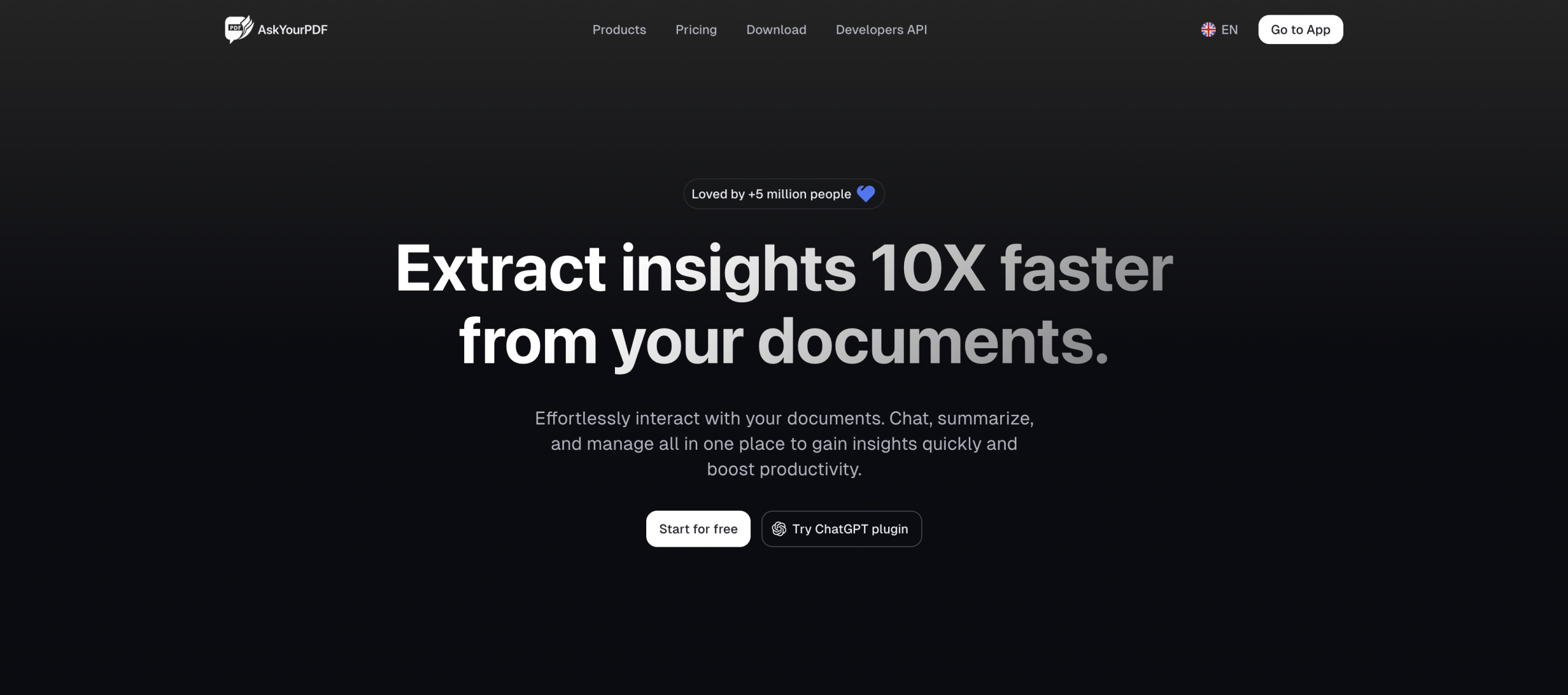
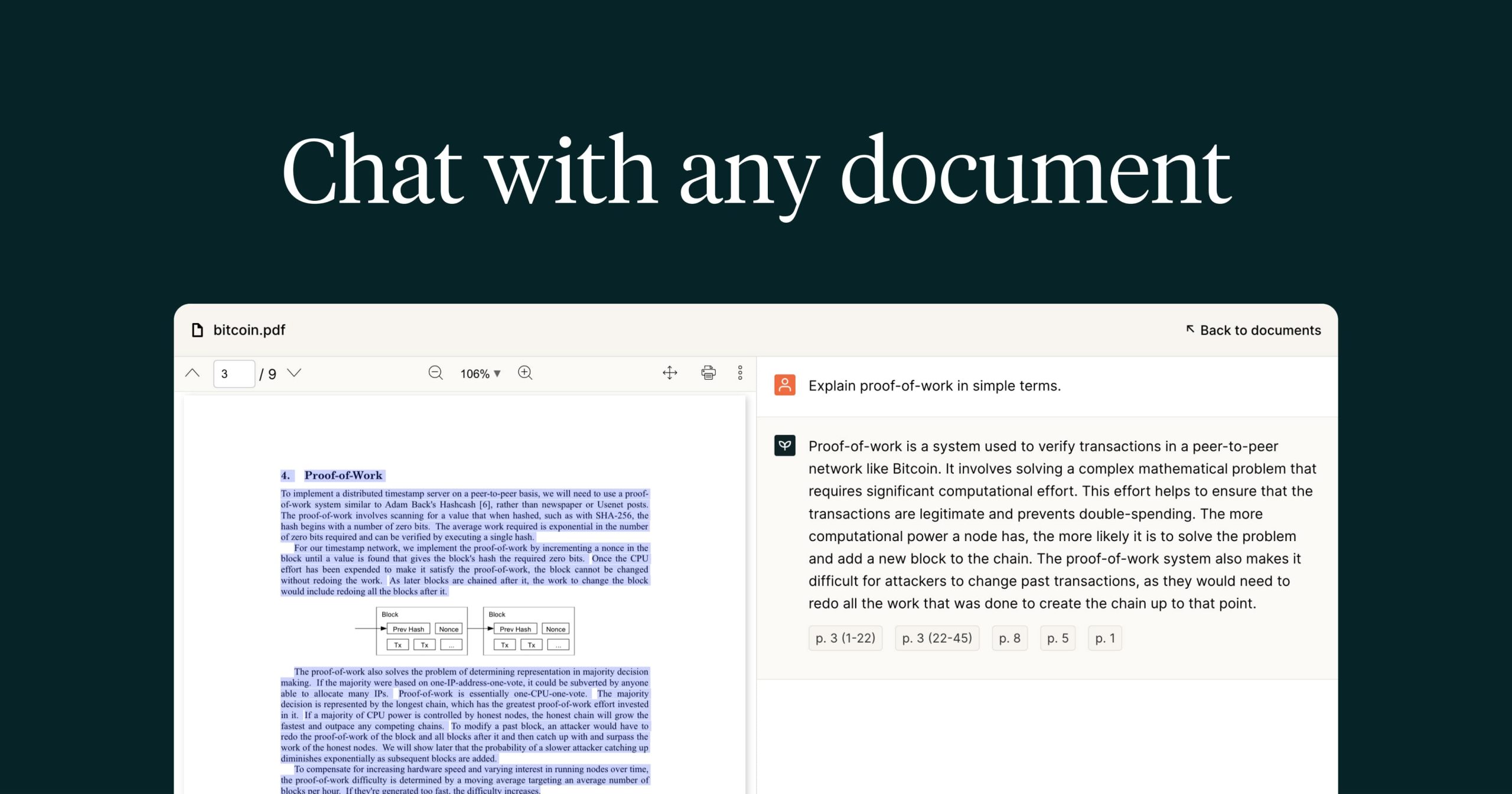
PDF.ai allows you to 'chat' with your documents, making it an indispensable tool for executive assistants. Instantly find key information, summarize lengthy...

Instantly query, summarize, and extract data from any PDF document, turning static reports into interactive conversations.

Stop manually scanning long documents and get straight to the answers you need to support your executive.

Try PDF.ai Free
Free Plan Pro from$15/mo
PDF ChatData ExtractionSummarizationAPI AccessSecure
8.9 Zekai
Instant PDF Answers
AI for Personal Productivity & Executive Assistants
Ease of Use
9.3
Accuracy
8.2
Value
8.8
Time Saving
9.5
🏷 Is this your tool? Claim this listing →
⚡ Quick answer

For Personal Productivity & Executive Assistants, PDF.ai is a top choice for interacting with documents. It allows you to 'chat' with any PDF, asking direct questions to instantly find information, summarize reports, or extract data from contracts. This transforms the tedious task of manual document review into a fast, efficient Q&A session, saving significant time.

CategoryDocument Analysis
Best ForInstantly finding answers and summaries in PDF documents.
Price From$15/mo
FreeFree plan available
DifferentiatorTurns any PDF into a conversational, queryable knowledge base.
ProofChat-based interface for direct questioning of documents.
Rating4.5/5
📖 About PDF.ai

PDF.ai allows you to 'chat' with your documents, making it an indispensable tool for executive assistants. Instantly find key information, summarize lengthy reports, and extract specific data points from contracts or proposals without tedious manual reading.

How It Works

Your workflow, automated

1
Upload Your PDF
Drag and drop any PDF document, such as a report, contract, or presentation, into the secure uploader.
2
Ask Your Question
Use the chat interface to ask questions in plain English, just as you would ask a colleague.
3
Get Instant Answers
Receive immediate, source-cited answers and summaries extracted directly from your document.
Ready to automate your workflow with PDF.ai?
Try PDF.ai Free →
Real Impact

Before & After

❌ Before

Manually searching dense PDFs for key facts.

Hours spent reading
✅ After

Getting instant answers by asking questions.

Answers in seconds
Social Proof

Trusted by professionals

Ease of Use
9.3
Accuracy
8.2
Value
8.8
Time Saving
9.5

"This tool is a lifesaver. I can prep for meetings by 'interviewing' our reports instead of speed-reading them. Absolutely essential."

Alex D., Executive Assistant · June 2026

"Used this to find specific clauses in 10 different vendor contracts. What would have taken a full day took me less than an hour."

Samantha P., Personal Assistant · May 2026

"It's great for text-based PDFs, but it gets confused with complex tables and financial statements. Still useful, but you have to double-check the numbers."

Chris T., Admin Manager · June 2026

"The speed is incredible. I uploaded a 200-page proposal and got the key deliverables summarized in under a minute. My boss was impressed."

Maria V., Executive Assistant · April 2026
PDF.ai+ professionals are already using this tool.
Start Free Today →
Connects With

Works with your existing stack

Custom integrations via API
Setup complexity: Beginner-friendly
PDF.ai allows you to 'chat' with your documents, making it an indispensable tool for executive assistants. Instantly find key information, summarize lengthy reports, and extract specific data points from contracts or proposals without tedious manual reading.
Who It's For

Why Personal Productivity & Executive Assistants choose this tool

🎯
Built for
Best for quickly extracting specific answers and summaries from long PDF documents to support executive decision-making.
In-Depth Overview
For any Executive or Personal Assistant, managing a high volume of documents—reports, contracts, meeting minutes, proposals—is a daily reality. The traditional method of manually scanning for a specific name, date, or clause is time-consuming and prone to error. PDF.ai directly solves this by transforming static documents into interactive, conversational databases. Instead of reading a 50-page report, you can simply ask, "What are the top three recommendations?" or query a contract with, "What is the termination notice period?" The tool provides instant, source-cited answers. This ability to get straight to the point allows you to be more responsive and accurate in supporting your executive. It turns hours of document review into minutes of pointed questions, freeing you up for higher-value strategic tasks. The available API also opens the door for automating document analysis within your existing workflows, further boosting efficiency.

Key Use Cases

💼
Prepare Executive Briefings in Minutes
Executive Assistant
Upload a 100-page market research report and ask for the top 3 competitor threats and key market trends. Generate a concise summary for your executive's morning briefing instead of spending hours reading.
Briefing prep time reduced by 90%
✓ Pros
Dramatically reduces time spent reading long documents.
Finds specific information quickly with natural language questions.
Simple drag-and-drop interface is easy to learn.
Free tier available for light or occasional use.
API allows for integration into existing workflows.
· Cons
Accuracy can be limited by poorly scanned or formatted PDFs.
Free plan is very restrictive (1 PDF, 10 questions).
May struggle with complex charts, graphs, and tables.
⚡ Editorial Verdict

PDF.ai is a game-changer for any assistant drowning in documents. Its ability to turn any PDF into a queryable source of information is a massive time-saver for preparing briefings and verifying details. However, its accuracy depends on the quality and structure of the source PDF, and complex tables can sometimes trip it up.

Questions & Answers

Frequently asked questions

Which AI tool is best for summarizing PDF reports for an executive assistant? +
PDF.ai is excellent for summarizing PDF reports. Simply upload the document and ask 'Summarize the key findings of this report' to get a concise overview, saving you hours of reading and allowing you to brief your executive efficiently.
How can I use AI to quickly find information in long contracts? +
With PDF.ai, you can upload a contract and ask direct questions in plain English, such as 'What is the termination clause?' or 'When is the renewal date?'. The AI finds the relevant section for you instantly.
What's the fastest way to extract data from multiple PDFs? +
PDF.ai allows you to chat with your documents one by one. For processing multiple PDFs programmatically, you can leverage the PDF.ai API to build a custom solution that extracts the data you need across many files.
Is PDF.ai available worldwide? +
Yes, PDF.ai is a web-based tool accessible globally with an internet connection.
Can I use PDF.ai in Europe and is it GDPR compliant? +
Yes, you can use PDF.ai in Europe. While they are a global service, the website does not publicly detail its specific GDPR compliance posture. It is recommended to verify directly with the vendor for sensitive data.
Is there a PDF.ai API for my business in Canada? +
Yes, the PDF.ai API is available for businesses in Canada and worldwide. You can use it to integrate PDF parsing and chat capabilities into your own applications and workflows.

Last reviewed: Reviewed June 2026 — Assessed chat-based PDF analysis and data extraction capabilities for administrative tasks.

Plans & Pricing

Start today

Enterprise
Pricing on request
Tailored for teams and large organisations.
Contact Sales
Personal Productivity & Executive Assistants

Top 10 AI tools in this category

Get PDF.ai deal alerts

Be the first to know when PDF.ai drops a new discount, adds features, or changes pricing.

Exclusive PDF.ai discount codes
New feature announcements
Best alternative picks when pricing changes
Zero spam — unsubscribe anytime
🎉
You're subscribed!
We'll notify you when PDF.ai has a new deal.
Zekai Blog

Latest AI news

AI Directory

About PDF.ai

Full Description

PDF.ai allows you to 'chat' with your documents, making it an indispensable tool for executive assistants. Instantly find key information, summarize lengthy reports, and extract specific data points from contracts or proposals without tedious manual reading.

Editorial Verdict

PDF.ai is a game-changer for any assistant drowning in documents. Its ability to turn any PDF into a queryable source of information is a massive time-saver for preparing briefings and verifying details. However, its accuracy depends on the quality and structure of the source PDF, and complex tables can sometimes trip it up.

Last reviewed: Reviewed June 2026 — Assessed chat-based PDF analysis and data extraction capabilities for administrative tasks.
Previous Tool ChatPDF Next Tool PDF.ai
All AI Tools A–Z →
This site is registered on wpml.org as a development site. Switch to a production site key to remove this banner.