Browse
AI Directory Open Source AI News AI Statistics
Browse by profession
Accounting, Bookkeeping & TaxCompliance, Audit & GRCConstructionCustomer SupportData ScienceMedical All 38 professions →
Company
About Advertise Submit a tool Get the free Productivity AI guide
Overview Before & After Try It Reviews Integrations Why This Tool FAQ Pricing Top 10 Get Alerts News

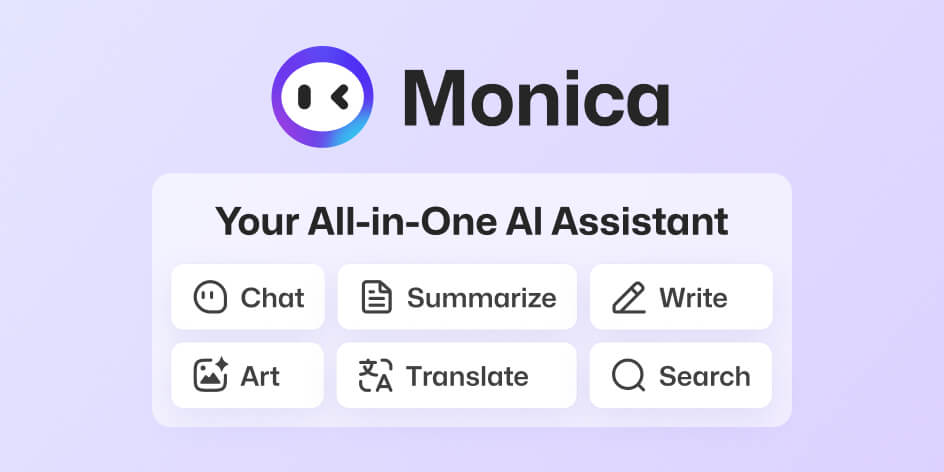
Your all-in-one AI assistant to chat, write, summarize, and generate images directly in your browser and apps.

Leverages top models like GPT-4o, Claude 3, and Gemini to save time on research, content creation, and communication.

Best forEAs needing an all-in-one browser and desktop tool.
DifferentiatorAccess to multiple top AI models in one integrated workflow.
Proof10 million users; 4.9 rating on Chrome Store.
Try Monica
Free Plan Free
9.1 Zekai
Versatile AI Productivity Hub
AI for Personal Productivity & Executive Assistants
Ease of Use
9.2
Accuracy
8.8
Value
9.0
Time Saving
9.4
10,000,000+Users
9.1/10Zekai Score
Chat with DocsSummarizerAI WriterBrowser ExtensionMulti-Model
🏷 Is this your tool? Claim this listing →
Hand-scored by Zekai

Top AI for Personal Productivity & Executive Assistants picks

See all 119 AI for Personal Productivity & Executive Assistants tools →
⚡ Quick answer

For Personal Productivity & Executive Assistants, Monica is a top-tier AI assistant because it integrates directly into their workflow. It acts as an all-in-one tool available as a browser extension and desktop app, saving significant time by summarizing articles, drafting emails, and providing quick answers from leading AI models like GPT-4o and Claude 3 without switching contexts.

CategoryAI Personal Assistant
Best ForEAs needing an all-in-one browser and desktop tool.
Price FromUS$ 8.3 /month
FreeYes
DifferentiatorAccess to multiple top AI models in one integrated workflow.
Proof10 million users; 4.9 rating on Chrome Store.
Rating4.6/5
📖 About Monica
Real Impact

Before & After

❌ Before

Manually summarizing articles and videos for briefings.

Hours spent on research
✅ After

Instantly generate summaries and draft communications in seconds.

Minutes per briefing
Prompt Templates

Try it with these prompts

Copy any prompt and paste it directly into the tool.

Summarize YouTube Video with Timestamps

Please summarize the YouTube video at the following URL: [YouTube Video URL]. Provide key highlights with timestamps so I can quickly review the content.

Draft Email Response

I need to draft a response to the following email: [Email Content]. Please help me write a professional and contextual reply, considering the sender's message.

Analyze Contract for Critical Details

I have a contract document: [Document Upload/Link]. Please extract the key points and highlight any critical details or potential risks within the contract.

Social Proof

Trusted by 10,000,000+

10,000,000+ professionals using this tool
Ease of Use
9.2
Accuracy
8.8
Value
9.0
Time Saving
9.4

"Having Monica in my sidebar is a game-changer. I can summarize a competitor's announcement, draft a response, and check facts without ever leaving the page. It's the definition of efficiency."

Sarah K., Executive Assistant · June 2026

"The YouTube summary feature alone is worth its weight in gold. I can get the key points of an hour-long presentation in two minutes and have a brief ready for my boss instantly. Incredible time saver."

David L., Personal Assistant · May 2026

"It's an amazing all-in-one tool and I use it daily. My only critique is that the free version's daily limits are hit pretty quickly; you really need to upgrade for consistent professional use."

Maria G., Office Manager · June 2026

"I love being able to choose between GPT, Claude, and Gemini for different tasks. The email reply suggestions are surprisingly accurate and have cut my inbox time in half."

Chen W., Executive Aide · April 2026
10,000,000+ professionals are already using this tool.
Start Free Today →
Connects With

Works with your existing stack

Chrome Edge Windows Mac Android iOS VSCode JetBrains IDEs
Setup complexity: Easy
Monica is an all-in-one AI assistant designed to boost productivity for Executive Assistants and busy professionals. It integrates into your workflow via browser extension, desktop, and mobile apps, offering chat, search, writing, and image generation powered by leading AI models.
Comparison

How it compares

Monica vs. ChatGPT Plus: Choose Monica if your priority is seamless integration into your existing workflow; its browser extension and contextual tools (summarize, translate on-page) are designed for in-the-moment productivity without tab-switching. It also offers access to multiple models like Claude and Gemini. Choose ChatGPT Plus if you need the absolute latest, most powerful version of OpenAI's flagship model for complex, in-depth tasks and prefer a dedicated, focused chat interface over a multi-tool browser assistant.

The decision

Is it worth it?

Return on investment
By automating tasks like summarizing articles and drafting emails, a paid Monica plan can save an EA several hours per week, easily justifying its monthly cost.
Built for
Executive Assistants, Personal Assistants, and professionals seeking to automate daily tasks like research, writing, and communication.
Effort to adopt
Easy
Compliance
Compliance posture not publicly documented — verify with vendor.
Who It's For

Why Personal Productivity & Executive Assistants choose this tool

🎯
Built for
Best for EAs and PAs who need a versatile, always-on AI assistant integrated directly into their browser and apps for rapid task completion.
In-Depth Overview
For an Executive or Personal Assistant, Monica acts as a force multiplier by embedding a powerful AI toolkit directly into the browser and desktop. Instead of juggling multiple tabs for different AI tools, you get one assistant that works everywhere. Use it to instantly summarize a long report or a YouTube video to prepare a briefing for your executive, saving what used to be an hour of work. The 'Smart toolbar' is a key feature, allowing you to highlight any text on any website and immediately translate, rephrase, or explain it. This is invaluable for clarifying jargon or handling international correspondence. Furthermore, Monica streamlines communication by analyzing emails and suggesting contextual replies, tackling a core part of any assistant's day. It enhances web searches by displaying AI-powered answers alongside standard results, speeding up research. With access to multiple leading models like GPT-4o and Claude 3, you can choose the best AI for any given task. The proof is in its adoption: Monica is trusted by over 10 million users and holds a 4.9-star rating on the Chrome store, validating its utility and ease of use.

Key Use Cases

👩‍💼
Prepare Executive Briefings in Minutes
Executive Assistant
Instantly summarize long articles, reports, and YouTube videos to create concise, actionable briefings for your executive. Use the AI writer to draft the summary email.
Reduces prep time by up to 90%
✓ Pros
Access multiple top-tier AI models (GPT, Claude, Gemini) in one interface.
Seamlessly integrates into existing workflows with browser extensions and apps.
Powerful summarization tools for web pages, PDFs, and videos save research time.
Free tier available for light, daily use.
Extensive toolkit including AI art, mind mapping, and translation.
· Cons
Free plan has daily usage limits, requiring an upgrade for heavy use.
The sheer number of features can be overwhelming for new users.
Relies on third-party model APIs, so performance and uptime can vary.
Compliance posture (e.g., HIPAA, SOC 2) is not publicly documented.
⚡ Editorial Verdict

Monica is a powerful productivity multiplier, embedding a wide array of AI tools directly into an EA's existing workflow. Its strength is its ubiquity and breadth of features, from summarizing YouTube videos to drafting emails. The main trade-off is that while it does many things well, it may not have the specialized depth of single-purpose tools for tasks like advanced data analysis.

Questions & Answers

Frequently asked questions

What is the best AI browser extension for executive assistants?

+
Monica is a strong contender, acting as an all-in-one AI assistant directly in your browser. It helps with summarizing pages, drafting text, and quick lookups, streamlining many EA tasks.

Can an AI summarize YouTube videos and web pages for me?

+
Yes, Monica can instantly summarize web pages, PDFs, and even YouTube videos, providing highlights and timestamps to save you significant research time.

Which AI tool helps draft and reply to emails faster?

+
Monica includes features to smartly analyze emails and generate appropriate, contextual replies, helping you manage your inbox more efficiently.

Is there an all-in-one AI app for Mac and Windows?

+
Yes, Monica is available as a desktop app for both Windows and Mac, as well as a mobile app for iOS and Android, ensuring you can access it on all your devices.

How can I use GPT-4o and Claude 3 in one place?

+
Monica provides access to a variety of leading AI models, including GPT-4o, Claude 3, and Gemini, all within a single chat interface.

What's a good free AI assistant for personal productivity?

+
Monica offers a free plan with a daily usage limit. It's a great way to start using an AI assistant for tasks like chatting, search, and basic writing without any initial cost.

Last reviewed:

Plans & Pricing

Start today

🔥
Limited Deal: Flash Sale 33%
Free
$0
Free users have daily usage limits for basic models and limited trials for advanced features like image/video generation and ChatPDF. | 14-day free trial
Get Started Free

Prices and features are updated regularly but can change at any time — always confirm on the official website. Some links on this page are affiliate links.

See all 119 AI for Personal Productivity & Executive Assistants tools →
Free guide

Take it with you

  • Getting Started with Monica: An EA's Productivity Guide *
  • Master Your Inbox: Use Monica to analyze and draft email replies in seconds.
  • Effortless Briefings: Learn to summarize web pages, PDFs, and YouTube videos instantly.
  • On-the-Fly Assistance: Activate the sidebar to explain, translate, or rephrase text anywhere.
  • Content Creation Power-Up: Use 80+ templates to draft reports, social posts, and more.
+4 more steps inside the guide
Send me the full guide

Get Monica deal alerts

Be the first to know when Monica drops a new discount, adds features, or changes pricing.

Exclusive Monica discount codes
New feature announcements
Best alternative picks when pricing changes
Zero spam — unsubscribe anytime
🎉
You're subscribed!
We'll notify you when Monica has a new deal.
AI Directory

About Monica

Full Description

Monica is an all-in-one AI assistant designed to boost productivity for Executive Assistants and busy professionals. It integrates into your workflow via browser extension, desktop, and mobile apps, offering chat, search, writing, and image generation powered by leading AI models.

Editorial Verdict

Monica is a powerful productivity multiplier, embedding a wide array of AI tools directly into an EA's existing workflow. Its strength is its ubiquity and breadth of features, from summarizing YouTube videos to drafting emails. The main trade-off is that while it does many things well, it may not have the specialized depth of single-purpose tools for tasks like advanced data analysis.

Last reviewed:
Disclaimer
Zekai is an independent AI tools directory. We are not affiliated with, endorsed by, or officially connected to Monica unless clearly stated. All product names, logos, and brands are the property of their respective owners and are used for identification purposes only. The information on this page — including pricing, features, and availability — is general information, may have changed since our last review, and is not professional advice. Zekai Scores and verdicts are our editorial opinion. Some outbound links are affiliate links that may earn us a commission at no extra cost to you. Spotted outdated or incorrect information? Request a correction →
Previous Tool Sider AI Next Tool MaxAI
All AI Tools A–Z →
Monica9.1Try Monica ↗Next tool →
Today's top 3 AI for Personal Productivity & Executive Assistants tools →