Browse
AI Directory Open Source AI News 🏆 AI Challenge AI Statistics
Browse by profession
Accounting, Bookkeeping & TaxCompliance, Audit & GRCConstructionCustomer SupportData ScienceMedical All 38 professions →
Company
About Advertise Submit a tool Get the free Education AI guide
Overview How It Works Before & After Try It Reviews Integrations Why This Tool FAQ Pricing Top 10 Get Alerts News

Generate complete, editable lesson plans, quizzes, and presentations in minutes with a suite of AI tools designed for educators.

Leverages a massive library of 9,800+ education-specific templates for Google Slides and PowerPoint.
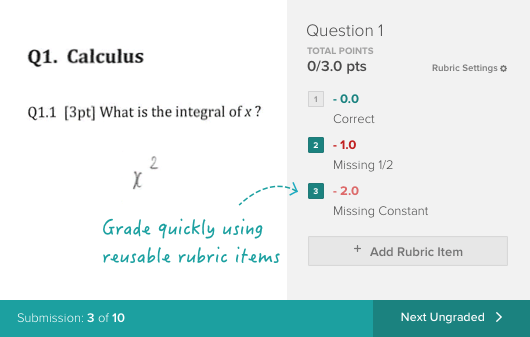
Best forEducators needing to create classroom materials quickly.
DifferentiatorSuite of 6 AI tools specifically for education tasks, not just presentations.
ProofFeatures include AI Lesson Plan Generator, AI Quiz Maker, and 9,800+ education templates.
Try Slidesgo
Free Plan Free
8.9 Zekai
Effortless Classroom Material Creation
AI for Education & E-learning
Ease of Use
9.2
Accuracy
7.8
Value
9.0
Time Saving
9.5
AI Lesson PlannerAI Quiz MakerPowerPoint ExportGoogle Slides SyncEducation Templates
🏷 Is this your tool? Claim this listing →
Hand-scored by Zekai

Top AI for Education & E-learning picks

See all 68 AI for Education & E-learning tools →
⚡ Quick answer

For educators and e-learning professionals, Slidesgo is an excellent AI tool because it combines an AI Presentation Maker with specific teacher-focused utilities like an AI Lesson Plan Generator and AI Quiz Maker. It streamlines the creation of engaging materials by leveraging a massive library of over 9,800 education-specific templates, saving significant prep time.

CategoryAI Presentation & Lesson Planner
Best ForEducators needing to create classroom materials quickly.
Price FromFree plan available
FreeYes
DifferentiatorSuite of 6 AI tools specifically for education tasks, not just presentations.
ProofFeatures include AI Lesson Plan Generator, AI Quiz Maker, and 9,800+ education templates.
Rating8.9
📖 About Slidesgo
How It Works

Your workflow, automated

1
Describe Your Topic
Enter a prompt for the presentation, lesson plan, or quiz you need to create.
2
Pick a Theme & Style
Choose from thousands of professional templates and select a visual style and tone for the AI.
3
Generate & Edit
The AI generates your materials. Download the file for Google Slides or PowerPoint and make final edits.
Ready to automate your workflow with Slidesgo?
Try Slidesgo →
Real Impact

Before & After

❌ Before

Spending hours each week creating lesson plans and designing presentations from scratch.

4-6 hours weekly prep
✅ After

Generating complete lesson materials, from plans to slide decks and quizzes, in minutes.

<1 hour weekly prep
Prompt Templates

Try it with these prompts

Copy any prompt and paste it directly into the tool.

Generate a lesson plan for a specific topic

Create a detailed lesson plan for [Subject] on the topic of [Topic]. The target grade level is [Grade Level]. Include learning objectives, activities, and assessment methods.

Design a lesson plan for remote learning

Develop a lesson plan for [Subject] focusing on [Topic] for [Grade Level] students in a [Classroom Setting] environment. Outline engaging remote activities and digital resources.

Outline a lesson plan with specific learning outcomes

Generate a lesson plan for [Subject] covering [Topic] for [Grade Level]. Ensure the plan includes clear learning outcomes related to [Specific Outcome] and suggests appropriate teaching strategies.

Social Proof

Trusted by professionals

Ease of Use
9.2
Accuracy
7.8
Value
9.0
Time Saving
9.5

"The AI presentation maker is a lifesaver. I can generate a draft for a 90-minute lecture in about five minutes, which gives me so much more time to focus on the content and delivery."

Sarah K., University Lecturer · June 2026

"Slidesgo's education template library is unmatched. The AI tools are the cherry on top, making it my go-to for developing new course materials."

David L., K-12 Curriculum Designer · May 2026

"It's incredibly fast for creating first drafts. However, the AI quiz generator content can be a bit basic and always needs to be reviewed and enhanced to meet my learning objectives."

Maria P., Middle School Teacher · June 2026

"I use this daily. The ability to export directly to PowerPoint or Google Slides saves me so many steps. The consistency in design quality is fantastic."

Chen W., E-learning Developer · April 2026
Connects With

Works with your existing stack

Google Slides PowerPoint Canva
Setup complexity: Beginner-friendly
Slidesgo is a presentation design platform that now includes a powerful suite of AI tools specifically for educators. It helps teachers create engaging lesson materials, from full presentations and lesson plans to quizzes and icebreakers, by combining AI content generation with a vast library of professionally designed templates.
Comparison

How it compares

Slidesgo vs. Canva: While Canva has a broader design scope, Slidesgo is superior for educators focused purely on presentation and lesson material creation. Slidesgo's dedicated AI tools, like the Lesson Plan and Quiz Generators, are tailored specifically for teaching workflows, which Canva's more general 'Magic Write' lacks. Its library is also curated for educational subjects and levels. Choose Slidesgo for purpose-built teaching tools and deep educational template variety; choose Canva if you need a wider range of design formats beyond presentations, like worksheets, videos, and social media posts.

The decision

Is it worth it?

Return on investment
By automating the initial design and content drafting, a teacher on the Premium plan can save 3-4 hours of prep time weekly, easily justifying the subscription cost.
Built for
K-12 teachers, university lecturers, instructional designers, and e-learning content creators who need to produce high-quality, visually engaging presentations and course materials quickly.
Effort to adopt
Beginner-friendly
Compliance
Compliance posture not publicly documented — verify with vendor.
Who It's For

Why Education & E-learning choose this tool

🎯
Built for
Best for educators who need to rapidly generate a wide range of classroom materials, from full slide decks to formative assessments, without sacrificing design quality.
In-Depth Overview
For educators, Slidesgo dramatically cuts down lesson preparation time. Instead of building slides from scratch, you can use the AI Presentation Maker to generate a complete, editable deck from a single topic prompt. The platform goes beyond presentations with a dedicated suite of tools for teachers, including an AI Lesson Plan Generator, an AI Quiz Maker that works from any text, and generators for icebreakers and exit tickets. This consolidates multiple prep tasks into one platform. The key advantage is the integration of this AI with a massive, high-quality template library. With over 9,800 templates specifically for education—categorized by subject, style, and school level from Pre-K to university—the output is both content-rich and visually polished. Ready-to-use 'Slidesclass' materials further simplify lesson planning. Because all assets are fully compatible with Google Slides and PowerPoint, they fit directly into existing classroom workflows without any friction.

Key Use Cases

👩‍🏫
Create an entire week's lesson plan and slides in under an hour.
High School Teacher
Use the AI Lesson Plan Generator to outline a unit on the American Revolution, then use the AI Presentation Maker to create a 20-slide deck for the first lesson, complete with visuals and talking points.
Reduces weekly prep time by 3-4 hours.
✓ Pros
Suite of six distinct AI tools tailored for educational tasks.
Saves significant time on lesson planning and material creation.
Massive, well-organized library of education-specific templates.
Generous free plan with 3 template downloads per month.
Generates content directly into editable Google Slides or PowerPoint files.
· Cons
AI-generated content requires fact-checking and pedagogical refinement.
Free plan is limited to 3 downloads per month.
Premium pricing is not publicly listed on the provided pages.
The sheer volume of templates can be overwhelming to browse.
⚡ Editorial Verdict

Slidesgo's AI suite is a significant time-saver for busy educators, turning lesson planning from a multi-hour task into a few clicks. The main trade-off is that while the AI generates solid content frameworks, educators will still need to review and customize the output to fit their specific curriculum and student needs.

Questions & Answers

Frequently asked questions

How does the AI Presentation Maker work?

+
You provide a topic, choose a visual theme and style from Slidesgo's library, and the AI generates a complete, ready-to-edit presentation in minutes.

Are the templates compatible with my school's software?

+
Yes, all templates can be downloaded as PowerPoint (.pptx) files or opened directly in Google Slides. Some are also compatible with Canva.

What is included in the free plan?

+
The free plan allows you to register and download up to 3 templates every month from their extensive library.

What tools are available specifically for teachers?

+
Slidesgo offers an AI Lesson Plan Generator, AI Quiz Maker, AI Icebreaker Generator, and an AI Exit Ticket Generator to help educators plan lessons and create classroom activities faster.

Can I use Slidesgo for different age groups?

+
Yes, the platform provides templates and resources categorized by school level, including Pre-K, Elementary, Middle School, High School, and University.

Is Slidesgo available worldwide?

+
Yes, Slidesgo is a web-based platform accessible globally with an internet connection. Some templates are specifically marked as 'Multilingual'.

Last reviewed:

Plans & Pricing

Start today

Prices and features are updated regularly but can change at any time — always confirm on the official website. Some links on this page are affiliate links.

See all 68 AI for Education & E-learning tools →
Free guide

Take it with you

5-Minute Lesson Prep with Slidesgo AI
  • Instantly generate structured lesson plans
  • Create complete, editable slide decks from a single prompt
  • Build formative assessments like quizzes and exit tickets
  • Access over 9,800 education-specific templates
  • Export directly to Google Slides or PowerPoint
+4 more steps inside the guide
Send me the full guide

Get Slidesgo deal alerts

Be the first to know when Slidesgo drops a new discount, adds features, or changes pricing.

Exclusive Slidesgo discount codes
New feature announcements
Best alternative picks when pricing changes
Zero spam — unsubscribe anytime
🎉
You're subscribed!
We'll notify you when Slidesgo has a new deal.
AI Directory

About Slidesgo

Full Description

Slidesgo is a presentation design platform that now includes a powerful suite of AI tools specifically for educators. It helps teachers create engaging lesson materials, from full presentations and lesson plans to quizzes and icebreakers, by combining AI content generation with a vast library of professionally designed templates.

Editorial Verdict

Slidesgo's AI suite is a significant time-saver for busy educators, turning lesson planning from a multi-hour task into a few clicks. The main trade-off is that while the AI generates solid content frameworks, educators will still need to review and customize the output to fit their specific curriculum and student needs.

Last reviewed:
Disclaimer
Zekai is an independent AI tools directory. We are not affiliated with, endorsed by, or officially connected to Slidesgo unless clearly stated. All product names, logos, and brands are the property of their respective owners and are used for identification purposes only. The information on this page — including pricing, features, and availability — is general information, may have changed since our last review, and is not professional advice. Zekai Scores and verdicts are our editorial opinion. Some outbound links are affiliate links that may earn us a commission at no extra cost to you. Spotted outdated or incorrect information? Request a correction →
Previous Tool ClassPoint Next Tool Writefull
All AI Tools A–Z →
Visit website ↗
Slidesgo8.9Try Slidesgo ↗Next tool →
Today's top 3 AI for Education & E-learning tools →