Browse
AI Directory Open Source AI News AI Statistics
Browse by profession
ConstructionCustomer SupportData ScienceMedicalE-commerceEducation All 30 professions →
Company
About Advertise Submit a tool Get the free Productivity AI guide
Overview How It Works Before & After Reviews Integrations Why This Tool FAQ Pricing Top 10 Get Alerts News
Morgen

For Executive Assistants juggling multiple executives, calendars, and project lists, Morgen centralizes everything into a single, unified view. Its AI Planner helps...

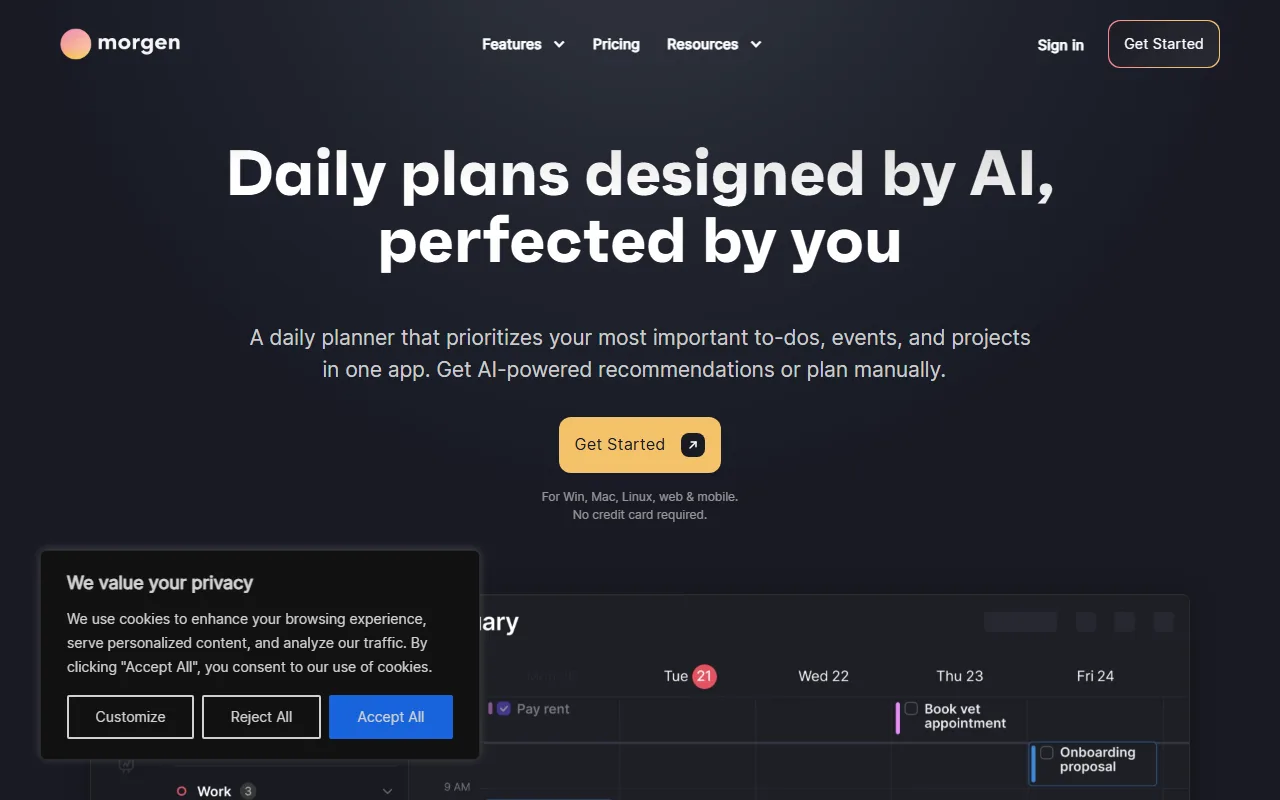
Consolidate all your calendars and tasks into one AI-powered daily plan to regain control of your schedule.

Morgen's AI Planner suggests an optimal schedule, which you can adjust, to protect focus time and hit every deadline.

Try Morgen Free
Pro from$15/mo
AI PlannerCalendar ConsolidationTask IntegrationScheduling LinksCross-Platform
8.8 Zekai
Unified Calendar Command Center
AI for Personal Productivity & Executive Assistants
Ease of Use
8.5
Accuracy
9.3
Value
8.9
Time Saving
8.6
248,000+Users
8.8/10Zekai Score
🏷 Is this your tool? Claim this listing →
⚡ Quick answer

For Personal Productivity & Executive Assistants, Morgen is a top choice for unifying complex schedules. It consolidates multiple calendars from Google, Outlook, and Apple, and integrates tasks from tools like Notion and ClickUp into one AI-assisted plan. This allows assistants to move from reactive scheduling to proactive time management for themselves and their executives.

CategoryAI Daily Planner
Best ForConsolidating multiple calendars and task lists into one view.
Price From$15/mo (billed annually)
Free14-day trial
DifferentiatorAI assists with scheduling, but you retain final control.
ProofTrusted by 248,000+ professionals; integrates with Google, Outlook, Notion, ClickUp.
Rating4.4/5
📖 About Morgen
How It Works

Your workflow, automated

1
Preview AI Recommendations
Let the AI Planner suggest a daily schedule in your calendar, using your templated 'Frames' for guidance.
2
Adjust and Perfect Your Plan
Drag and drop tasks, adjust durations, and move items around. The AI adapts in real-time to your manual changes.
3
Confirm and Schedule
Once you're satisfied, confirm the plan to formally schedule the tasks in your calendar, protecting your focus time.
Ready to automate your workflow with Morgen?
Try Morgen Free →
Real Impact

Before & After

❌ Before

Juggling 5+ tabs for calendars, to-do lists, and project boards.

1 hour/day in coordination overhead
✅ After

One unified command center for all schedules and tasks.

Schedule planned in 15 minutes
Social Proof

Trusted by 248,000+

248,000+ professionals using this tool
Ease of Use
8.5
Accuracy
9.3
Value
8.9
Time Saving
8.6

"Morgen makes calendar planning incredibly easy and intuitive. It integrates seamlessly with Notion, allowing me to time block all of my tasks simply by dragging and dropping them into my calendar."

Kalyn B., Power User · May 2026

"I manage 3 businesses cals and family cal as well... Ive tried tools like calendly and did not work well. Morgen solved all my Calendar Issues and even solutions for problems I didn't know I had."

Jorge Q., Entrepreneur · April 2026

"Absolutely loving @morgencalendar. I can access my tasks right there and can get them in calender view. How cool is that. But had to change tick tick to todoist but I can work with that."

Shivansh G., Developer · March 2026

"Morgan was ultimately chosen because it combines a modern and elegant interface with excellent integration of tasks and reminders. Additionally, the ability to have multiple calendars from different accounts is top-notch."

Daniel L., Medical Student · February 2026
248,000++ professionals are already using this tool.
Start Free Today →
Connects With

Works with your existing stack

Google Calendar Outlook iCloud Calendar Notion Todoist Linear ClickUp Obsidian Google Tasks Microsoft To-Do Fastmail Zoho Zoom
Setup complexity: Intermediate
For Executive Assistants juggling multiple executives, calendars, and project lists, Morgen centralizes everything into a single, unified view. Its AI Planner helps you intelligently schedule tasks from Notion, ClickUp, and more directly onto your calendar, ensuring no commitment is missed and focus time is protected.
Who It's For

Why Personal Productivity & Executive Assistants choose this tool

🎯
Built for
Best for assistants who need to consolidate multiple personal and professional calendars with tasks from various platforms into a single, intelligently planned schedule.
In-Depth Overview
Executive Assistants constantly switch between multiple calendars, to-do lists, and project management tools, leading to coordination overhead and potential for error. Morgen solves this by consolidating all calendars (Google, Outlook, iCloud) and task sources (Notion, Todoist, ClickUp) into a single command center. Its key advantage is the AI Planner, which acts as a strategic co-pilot. It doesn't just automate; it suggests an optimized daily plan based on your priorities and capacity, which you can then manually perfect. This shifts an assistant's role from reactive scheduler to proactive time strategist. Proof of its power is in the deep integrations, the ability to create scheduling links to replace tools like Calendly, and smart automations like buffer and travel time blocking. With full support across Windows, macOS, Linux, web, and mobile, it ensures your scheduling command center is always accessible.

Key Use Cases

🗓️
Unify Multiple Executive Calendars
Executive Assistant
Combine your own calendar with those of the executives you support, using Calendar Sets to toggle views. Avoid double-bookings and find meeting slots across all schedules instantly.
Reduces time spent cross-referencing schedules
📋
Integrate Tasks into Your Calendar
Personal Assistant
Pull tasks from your executive's preferred tool, like Notion or ClickUp, and drag them directly onto the calendar to block out dedicated work time, ensuring priorities are met.
Ensures critical tasks are never missed
✓ Pros
Unifies multiple calendars and task lists in one view.
AI Planner assists with scheduling without forcing a rigid plan.
Broad platform support including a native Linux client.
Strong integration with popular task management tools.
Built-in scheduling links can replace standalone scheduling tools.
· Cons
AI offers suggestions, requiring manual confirmation rather than full automation.
No permanent free tier available, only a 14-day trial.
Initial setup can be complex when connecting numerous integrations.
Team features are present but may be less mature than dedicated enterprise solutions.
⚡ Editorial Verdict

Morgen is a powerful command center for any EA. Its strength lies in unifying disparate calendars and task lists into one actionable plan, with a helpful AI co-pilot for scheduling. The main trade-off is that its AI is an assistant, not a fully autonomous agent; you still need to review and confirm its suggestions, which maintains control but requires a final manual step.

Questions & Answers

Frequently asked questions

How does Morgen handle multiple calendars for an Executive Assistant? +
Morgen allows you to connect and manage unlimited calendars from Google, Outlook, iCloud, and more in one app. You can use 'Calendar Sets' to create custom views, showing only relevant calendars at a time (e.g., "Executive A's Calendars") to avoid clutter and prevent double-bookings.
Can Morgen schedule tasks from my team's project tool? +
Yes, Morgen integrates with tools like Notion, ClickUp, Linear, and Todoist. You can drag and drop tasks from these platforms directly onto your calendar to time-block and ensure they get done.
Is the AI Planner flexible or does it take over my schedule? +
The AI Planner is highly flexible. It provides recommendations for your daily schedule, but you retain full control. You can adjust, move, or ignore suggestions, and the planner adapts in real-time to your changes before you confirm the schedule.
Can I replace Calendly with Morgen? +
Yes, Morgen includes a built-in scheduling links feature. You can create and share personalized booking pages that check your real-time availability across your chosen calendars, allowing others to schedule time with you seamlessly.
Is Morgen available in my country? +
Morgen is a software application available for download and use globally on Windows, macOS, Linux, web, and mobile (iOS/Android).
Is Morgen suitable for teams based in Europe? +
Yes, Morgen is built and hosted in Switzerland and is explicitly GDPR compliant, making it a secure choice for individuals and teams operating under European data privacy regulations.

Last reviewed: Reviewed June 2026 — Assessed AI Planner, calendar consolidation, and task integrations.

Plans & Pricing

Start today

Personal Productivity & Executive Assistants

Top 10 AI tools in this category

Get Morgen deal alerts

Be the first to know when Morgen drops a new discount, adds features, or changes pricing.

Exclusive Morgen discount codes
New feature announcements
Best alternative picks when pricing changes
Zero spam — unsubscribe anytime
🎉
You're subscribed!
We'll notify you when Morgen has a new deal.
Zekai Blog

Latest AI news

AI Directory

About Morgen

Full Description

For Executive Assistants juggling multiple executives, calendars, and project lists, Morgen centralizes everything into a single, unified view. Its AI Planner helps you intelligently schedule tasks from Notion, ClickUp, and more directly onto your calendar, ensuring no commitment is missed and focus time is protected.

Editorial Verdict

Morgen is a powerful command center for any EA. Its strength lies in unifying disparate calendars and task lists into one actionable plan, with a helpful AI co-pilot for scheduling. The main trade-off is that its AI is an assistant, not a fully autonomous agent; you still need to review and confirm its suggestions, which maintains control but requires a final manual step.

Last reviewed: Reviewed June 2026 — Assessed AI Planner, calendar consolidation, and task integrations.
Previous Tool Lifestack Next Tool Morgen
All AI Tools A–Z →
This site is registered on wpml.org as a development site. Switch to a production site key to remove this banner.