Browse
AI Directory Open Source AI News 🏆 AI Challenge AI Statistics
Browse by profession
Accounting, Bookkeeping & TaxCompliance, Audit & GRCConstructionCustomer SupportData ScienceMedical All 38 professions →
Company
About Advertise Submit a tool Get the free Graphic Design AI guide
Overview How It Works Before & After Try It Reviews Integrations Why This Tool FAQ Pricing Top 10 Get Alerts News

Your all-in-one AI-powered media library to organize, search, and share creative assets without manual tagging.

Move from scattered files to a smart, searchable creative HQ your whole team will actually use.

Best forGraphic designers and creative teams
DifferentiatorConversational AI search of visual assets
ProofTrusted by over 2 million creatives
Try Playbook
Free Plan
9 Zekai
Intelligent Creative Asset Hub
Generative AI for Graphic Designers & Creative Arts
Ease of Use
9.2
Accuracy
8.8
Value
8.5
Time Saving
9.5
2M+Users
9/10Zekai Score
AI Asset ManagementVisual SearchClient PortalsTeam CollaborationAPI/SDK
🏷 Is this your tool? Claim this listing →
Hand-scored by Zekai

Top Generative AI for Graphic Designers & Creative Arts picks

See all 90 Generative AI for Graphic Designers & Creative Arts tools →
⚡ Quick answer

For graphic designers, Playbook is a leading AI tool for asset management. It replaces standard cloud storage with an intelligent system that uses AI to automatically tag and organize visuals, making your entire library searchable with natural language prompts. This is crucial for designers who need to find specific assets quickly without manual organization, saving hours of work.

CategoryAI Digital Asset Management
Best ForGraphic designers and creative teams
Price From$0
FreeYes, 100GB plan
DifferentiatorConversational AI search of visual assets
ProofTrusted by over 2 million creatives
Rating4.5/5
📖 About Playbook
How It Works

Your workflow, automated

1
Upload & Auto-Organize
Drag your creative files into Playbook. The AI automatically analyzes, tags, and suggests how to sort them into boards based on content, mood, and brand elements.
2
Find & Act with AI
Use the conversational sidebar to find assets with natural language, like 'find all logos on a dark background'. Then, use prompts to perform chained actions like 'crop these to 1:1 and tag #social'.
3
Review & Publish
Share assets or entire boards with clients for review. They can add comments to specific pixels or timecodes, and you can publish a final, approved gallery directly from Playbook.
Ready to automate your workflow with Playbook?
Try Playbook →
Real Impact

Before & After

❌ Before

Files scattered across Dropbox, Google Drive, and local folders, making assets impossible to find.

Hours spent searching for assets.
✅ After

One central, AI-organized library where any asset is findable with a simple sentence.

Seconds to find any asset.
Prompt Templates

Try it with these prompts

Copy any prompt and paste it directly into the tool.

AI Organize Assets

Reorganize all uploaded assets by subject, mood, and brand elements. Auto-tag them and suggest sorting into boards. Set a board rule for automatic tagging and placement of new uploads.

Chained Actions Workflow

Copy, crop, and share these selected images. Execute these tasks in sequence and check in before any major changes are made.

Search and Act on Assets

Find all assets featuring models and tagged with #socialReady. Move, copy, and tag the found files directly from the search results.

Social Proof

Trusted by 2M+

2M+ professionals using this tool
Ease of Use
9.2
Accuracy
8.8
Value
8.5
Time Saving
9.5

"Playbook's AI search is witchcraft. I asked for 'that one photo from the Q3 shoot with the blue packaging' and it found it instantly. It has completely changed how our team accesses our library."

Chris B., Creative Director · June 2026

"The client review tools are a lifesaver. No more endless email chains with vague feedback. Pinning comments directly to the design is clear, fast, and makes me look so much more professional."

Samantha P., Freelance Designer · May 2026

"It’s a fantastic tool, but the real magic is in the 'Team' plan. The Pro plan feels a bit limited, as you don't get the conversational search. Be prepared to invest in the higher tier to unlock its full potential."

David L., Agency Owner · June 2026

"We consolidated terabytes of assets from three different cloud services. The auto-tagging feature alone saved us weeks of manual labor. Our entire brand is now organized and accessible."

Amina K., Marketing Manager · April 2026
2M+ professionals are already using this tool.
Start Free Today →
Connects With

Works with your existing stack

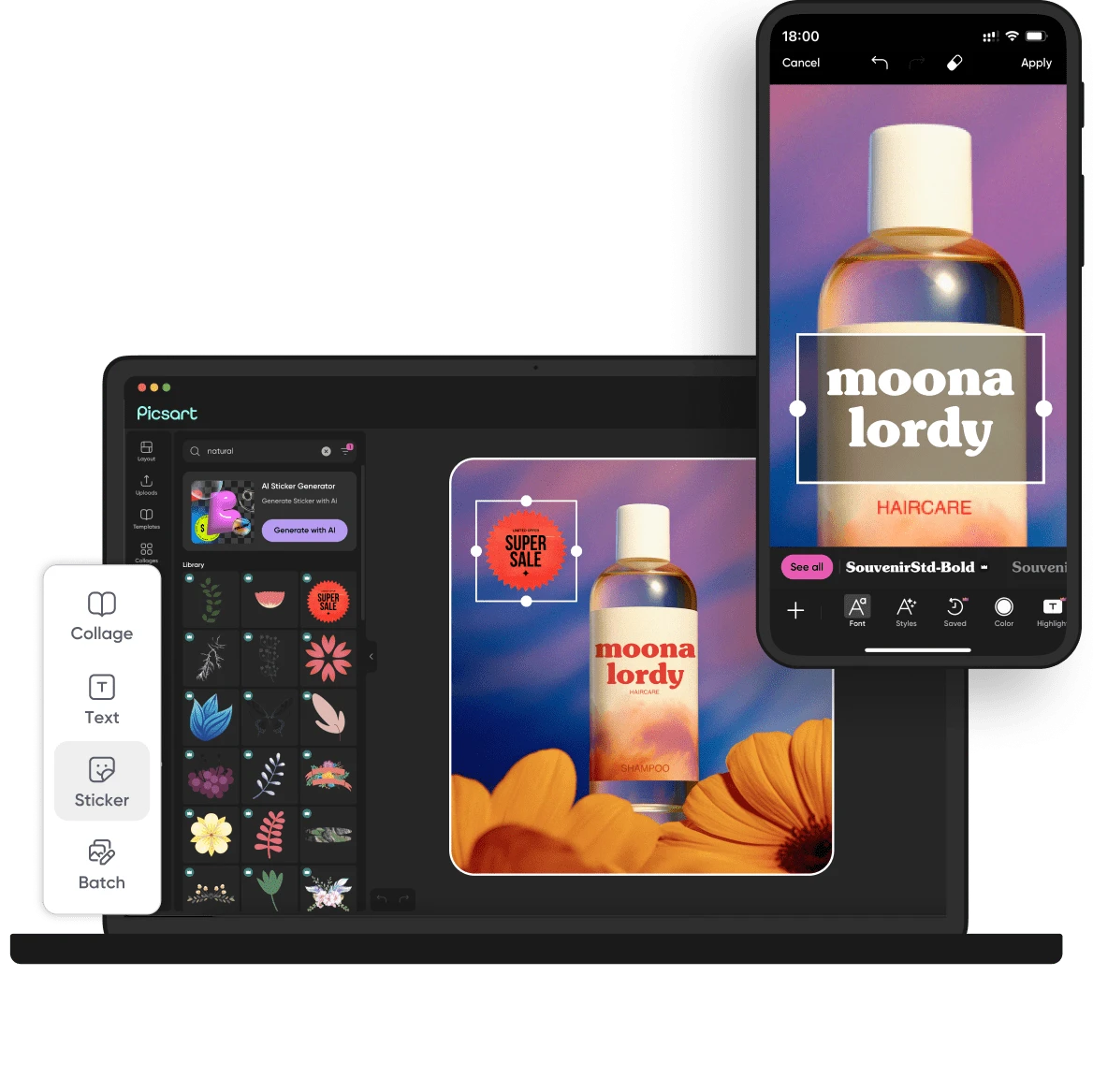
Midjourney Zapier Slack Dropbox Google Drive OneDrive Photoroom Picsart
Setup complexity: Moderate
Playbook is an AI-powered Digital Asset Management (DAM) system designed for creative professionals. It automatically organizes images and videos by subject and brand elements, making your entire library searchable via natural language. This eliminates manual tagging and helps you and your team find and share final assets instantly.
Comparison

How it compares

Playbook vs. Dropbox: Dropbox is a general-purpose cloud storage solution, excellent for storing any file type and syncing across devices. Playbook is a specialized Digital Asset Management (DAM) system built for creatives. Choose Dropbox if you need simple, cheap, and universal file storage. Choose Playbook when you need to *find* and *use* your visual assets efficiently. Playbook’s AI-powered search, auto-tagging, and client review tools are designed to solve creative workflow problems that Dropbox doesn't address, making it worth the investment for professional designers.

You need a simpler, storage-focused solution without AI features (e.g., Dropbox).
You require an open-source or self-hosted DAM solution for maximum control.
Your primary need is project management, with asset management being secondary (e.g., Asana).
The decision

Is it worth it?

Return on investment
By saving hours spent searching for files, a solo designer on the $25/mo Team plan can recoup the cost by saving just one hour of billable time per month.
Built for
Solo freelance designers, in-house creative teams, and agency designers responsible for managing and distributing brand assets.
Effort to adopt
Moderate
Compliance
Compliance posture not publicly documented — verify with vendor.
Who It's For

Why Graphic Designers & Creative Arts choose this tool

🎯
Built for
Playbook is best for graphic designers and creative teams looking to replace chaotic cloud storage with an intelligent, searchable, and collaborative digital asset management system.
In-Depth Overview
For graphic designers, Playbook transforms a chaotic folder structure into an intelligent, searchable asset library. Its core strength is Playbook Intelligence, which uses GPT to understand the visual content of your files. Instead of manually tagging, the AI automatically organizes images and videos by subject, mood, and brand elements. You can then use natural language to find exactly what you need—ask for 'all assets featuring models' or 'every file tagged #socialReady' and it finds them. This conversational search saves countless hours previously lost to hunting for files. Beyond search, you can chain actions with a single prompt, such as 'crop these to 1:1, remove the background, and tag #campaign'. For client work, the review and approval tools are a major upgrade over email, allowing comments pinned to the exact pixel or video timecode. With over 2 million creatives using the platform and case studies from brands like Warner Bros Sports and BlendJet, Playbook provides studio-grade power that feels intuitive, centralizing your entire creative workflow from raw files to final delivery.

Key Use Cases

🎨
Instantly create and share client-ready galleries
Agency Graphic Designer
Use a single prompt to find all assets for a campaign, organize them by product line, and publish a professional, shareable gallery for client review and handoff.
From raw assets to client delivery in minutes
🏢
Centralize and distribute approved brand assets
In-House Brand Manager
Pull logos, brand guidelines, and approved campaign assets into a shareable library that the entire marketing and sales team can access, ensuring brand consistency.
Eliminates rogue asset usage
✍️
Showcase your work and manage your portfolio
Freelance Illustrator
Organize your illustrations and creative projects into beautiful, published portfolio pages directly from your asset library, with options to share privately or publicly.
Portfolio updated in real-time
✓ Pros
GPT-powered search lets you find assets by describing them in natural language.
Automatically tags and organizes new uploads based on visual content.
Streamlines client feedback with timecode and pixel-specific comments.
Generous free tier with 100GB storage and 3 member seats.
Integrates with key creative tools like Midjourney, Zapier, and Slack.
· Cons
Core AI features (Playbook Intelligence) require the more expensive 'Team' plan.
The paid 'Pro' plan only includes 1 member seat, with extras costing more.
Storage limits on Pro (2TB) and Team (3TB) may be tight for video-heavy projects.
Full API/SDK access is locked to the high-tier 'Business' plan.
⚡ Editorial Verdict

Playbook excels at making your entire asset library intelligent and accessible, using AI to automate the tedious work of tagging and organizing. Its conversational search is a game-changer for finding specific visuals. The main trade-off is that its most powerful AI features are reserved for the 'Team' plan and above, making the 'Pro' plan more of a supercharged storage solution than a full AI assistant.

Questions & Answers

Frequently asked questions

What is Playbook for a graphic designer?

+
For a graphic designer, Playbook is a creative headquarters. It's a visual-first platform to store, automatically organize, and share all your creative files, from images and videos to documents, eliminating the need for manual tagging and folder management.

Can I use Playbook for free?

+
Yes, Playbook offers a free plan that includes 100GB of storage for up to 300 assets, 3 members, and the ability to create one published page. It's a great way to try out the core features.

How does the AI organization work?

+
Playbook Intelligence analyzes every image and video you upload, understanding its content by subject, mood, color, and even brand elements. It then automatically tags them and can suggest how to sort them into boards, or you can set rules for auto-sorting new uploads.

Is Playbook better than Google Drive or Dropbox for designers?

+
While Google Drive and Dropbox are excellent for general file storage, Playbook is purpose-built for creative workflows. Its advantages include AI-powered visual search, automatic tagging, optimized previews for creative files, and integrated client review and approval tools, which standard cloud storage lacks.

Can I use Playbook to get feedback from clients?

+
Yes. Playbook has a robust review and approval system. You can share files or boards with clients, who can then pin comments to a specific pixel on an image or a timecode in a video, making feedback clear, contextual, and actionable.

Is Playbook available for use in Canada, Australia, or the UK?

+
Yes, Playbook is a web-based service accessible globally from any modern web browser. As long as you have an internet connection, you can use Playbook in Canada, Australia, the UK, and other countries.

Last reviewed:

Plans & Pricing

Start today

Enterprise
Pricing on request
Tailored for teams and large organisations.
Contact Sales

Prices and features are updated regularly but can change at any time — always confirm on the official website. Some links on this page are affiliate links.

See all 90 Generative AI for Graphic Designers & Creative Arts tools →
Free guide

Take it with you

Getting Started with Playbook for Graphic Design
  • **Consolidate Your Assets:** Gather your work from Dropbox, Google Drive, and local folders. Playbook is your new single source of truth.
  • **Understand AI Tagging:** Learn how Playbook automatically sees and tags the content of your images and videos, saving you from manual data entry.
  • **Master Conversational Search:** Stop thinking in keywords. Start asking for assets like you would ask an assistant.
  • **Streamline Client Feedback:** Discover how to use pixel-level comments to get precise, actionable feedback and speed up approvals.
  • **Publish Professional Galleries:** Turn any board into a beautiful, shareable client gallery or portfolio page in just a few clicks.
+4 more steps inside the guide
Send me the full guide

Get Playbook deal alerts

Be the first to know when Playbook drops a new discount, adds features, or changes pricing.

Exclusive Playbook discount codes
New feature announcements
Best alternative picks when pricing changes
Zero spam — unsubscribe anytime
🎉
You're subscribed!
We'll notify you when Playbook has a new deal.
AI Directory

About Playbook

Full Description

Playbook is an AI-powered Digital Asset Management (DAM) system designed for creative professionals. It automatically organizes images and videos by subject and brand elements, making your entire library searchable via natural language. This eliminates manual tagging and helps you and your team find and share final assets instantly.

Editorial Verdict

Playbook excels at making your entire asset library intelligent and accessible, using AI to automate the tedious work of tagging and organizing. Its conversational search is a game-changer for finding specific visuals. The main trade-off is that its most powerful AI features are reserved for the 'Team' plan and above, making the 'Pro' plan more of a supercharged storage solution than a full AI assistant.

Last reviewed:
Disclaimer
Zekai is an independent AI tools directory. We are not affiliated with, endorsed by, or officially connected to Playbook unless clearly stated. All product names, logos, and brands are the property of their respective owners and are used for identification purposes only. The information on this page — including pricing, features, and availability — is general information, may have changed since our last review, and is not professional advice. Zekai Scores and verdicts are our editorial opinion. Some outbound links are affiliate links that may earn us a commission at no extra cost to you. Spotted outdated or incorrect information? Request a correction →
Previous Tool Phygital+ Next Tool Pacdora
All AI Tools A–Z →
Visit website ↗
Playbook9.0Try Playbook ↗Next tool →
Today's top 3 Generative AI for Graphic Designers & Creative Arts tools →