Browse
AI Directory Open Source AI News 🏆 AI Challenge AI Statistics
Browse by profession
Accounting, Bookkeeping & TaxCompliance, Audit & GRCConstructionCustomer SupportData ScienceMedical All 38 professions →
Company
About Advertise Submit a tool Get the free Graphic Design AI guide
Overview Before & After Try It Reviews Screenshots Integrations Why This Tool FAQ Pricing Top 10 Get Alerts News

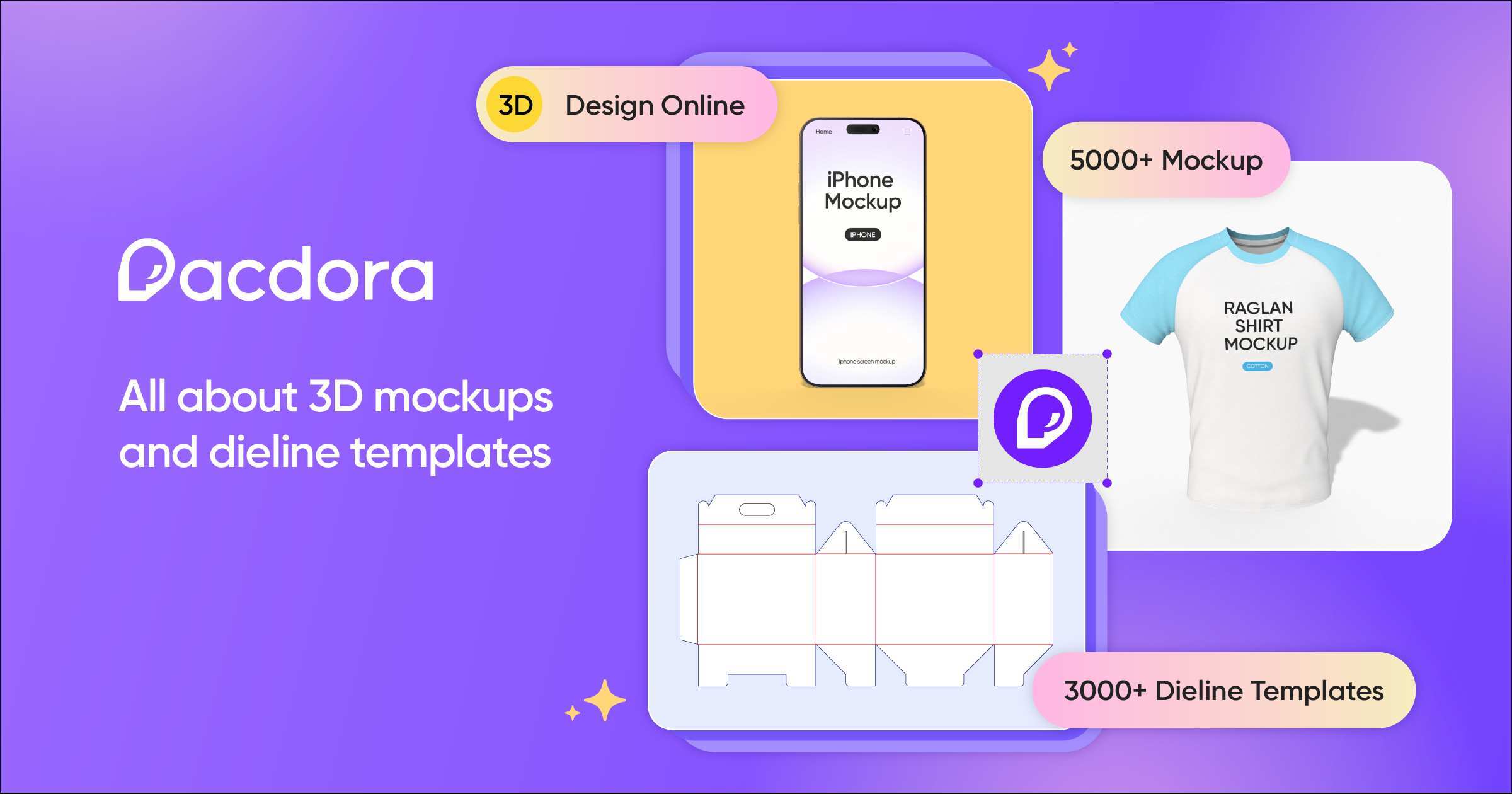
Create photorealistic 3D packaging mockups and print-ready dielines in minutes, without complex 3D software.

Access over 5,000 mockups, 3,000 dieline templates, and an AI background generator to streamline your workflow.

Best forPackaging designers needing fast, high-quality 3D visuals.
DifferentiatorMassive library of 5,000+ mockups and 3,000+ dielines.
ProofUsed by over 4 million designers.
Try Pacdora
Free Plan Pro from$9/month
9.2 Zekai
Packaging Mockup Powerhouse
Generative AI for Graphic Designers & Creative Arts
Ease of Use
9.4
Accuracy
9.0
Value
8.8
Time Saving
9.6
4 million+Users
9.2/10Zekai Score
5000+ Mockups3000+ DielinesAI Backgrounds3D ModelingPrint-Ready Exports
🏷 Is this your tool? Claim this listing →
Hand-scored by Zekai

Top Generative AI for Graphic Designers & Creative Arts picks

See all 90 Generative AI for Graphic Designers & Creative Arts tools →
⚡ Quick answer

For graphic designers needing to create packaging visuals, Pacdora is one of the best AI-powered tools. It streamlines the creation of photorealistic 3D mockups and print-ready dielines from a library of over 8,000 templates, eliminating the need for complex 3D software and expensive photoshoots.

CategoryAI Mockup & Dieline Generator
Best ForPackaging designers needing fast, high-quality 3D visuals.
Price FromFree plan available
FreeYes
DifferentiatorMassive library of 5,000+ mockups and 3,000+ dielines.
ProofUsed by over 4 million designers.
Rating4.6/5
📖 About Pacdora
Real Impact

Before & After

❌ Before

Struggling with complex 3D software or manually creating dielines.

Hours per mockup
✅ After

Generating photorealistic mockups and print-ready files in minutes.

Minutes per mockup
Prompt Templates

Try it with these prompts

Copy any prompt and paste it directly into the tool.

Generate 3D Mockup from Design

Upload your product design file (e.g., a JPEG or PNG) to create a realistic 3D preview. Specify the product type (e.g., box, bottle, T-shirt) and select a mockup template to see your design come to life instantly in a 3D…

Create Professional Dieline Template

Generate a print-ready dieline template for your packaging. Customize dimensions, material type, and paper thickness to ensure a perfect fit for your product. The tool provides professional-quality templates for easy cus…

Design Product Packaging with AI Backgrounds

Upload an image of your product and let the AI background generator create personalized, realistic backgrounds. This tool helps to make your product look vibrant and seamlessly integrated into a professional setting, avo…

Social Proof

Trusted by 4 million+

4 million+ professionals using this tool
Ease of Use
9.4
Accuracy
9.0
Value
8.8
Time Saving
9.6

"My god this software is a game changer. As a graphic designer with some 3D knowledge this is absolutely a time saver and super easy to use and get great results fast."

Brandon O., Graphic Designer · May 2026

"I love using Pacdora! They make bringing any packaging design to life so easy. I love how easy it is to use and how much variety there is in the mockups and dielines."

Samantha G., Designer · March 2026

"Excellent platform for creators. It is user friendly, but I request you add more box concepts and male/female locking patterns for dielines to help save paper during assembly."

Nautam L., Packaging Developer · May 2026

"We are using it to generate dielines and packaging mockups. I love the minimalist & intuitive user interface. It is clean and well thought out. Great software for product development."

Marian P., Product Developer · April 2026
Proof of Use

Inside Pacdora

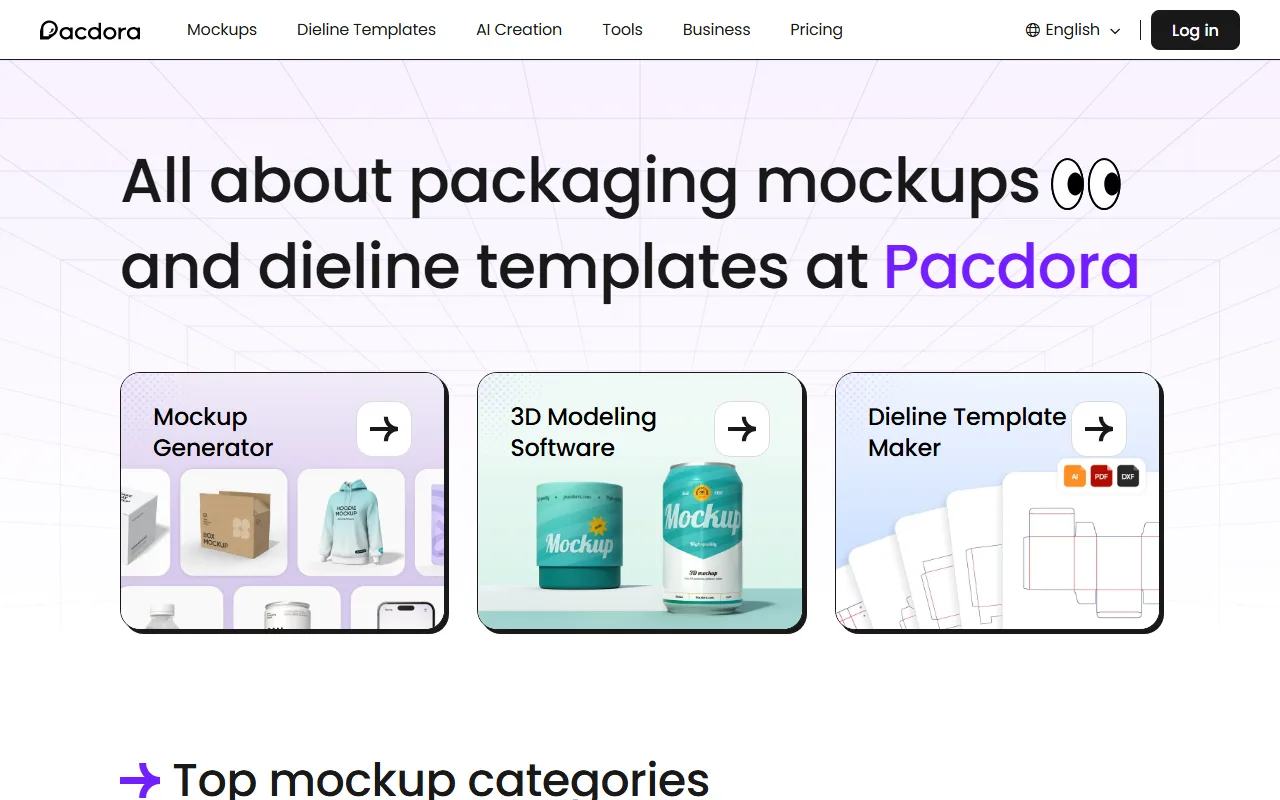
Pacdora screenshot — interface view 1

Captured by Zekai from the live Pacdora interface during review.

4 million+ professionals are already using this tool.
Start Free Today →
Connects With

Works with your existing stack

Adobe Illustrator (.ai) PDF DXF
Setup complexity: Beginner-friendly
Pacdora is an online platform for graphic designers specializing in packaging. It provides a massive library of 5,000+ mockups and 3,000+ dieline templates, plus a 3D modeling tool and AI background generator to produce professional, client-ready visuals without requiring advanced 3D skills.
Comparison

How it compares

Pacdora vs. Adobe Dimension: Choose Pacdora for speed and simplicity, especially if you primarily work with standard packaging. Its vast template library lets you generate professional mockups and dielines in minutes. Opt for Adobe Dimension if you need more creative control, work with custom 3D models, or require deep integration with the Adobe Creative Cloud ecosystem. Dimension offers a more powerful, free-form 3D environment but comes with a steeper learning curve compared to Pacdora's streamlined, template-driven workflow.

The decision

Is it worth it?

Built for
Graphic designers, packaging designers, brand agencies, and freelance creatives who need to visualize and produce packaging concepts quickly.
Effort to adopt
Beginner-friendly
Compliance
Compliance posture not publicly documented — verify with vendor.
Who It's For

Why Graphic Designers & Creative Arts choose this tool

🎯
Built for
Best for rapidly generating high-quality 3D mockups and technical dielines for a wide range of packaging products.
In-Depth Overview
For graphic designers, Pacdora eliminates the two biggest bottlenecks in packaging design: creating 3D visuals and generating technical dielines. Instead of wrestling with complex software like Blender or paying for expensive photoshoots, you get an all-in-one browser tool. The platform's core strength is its vast library—over 5,000 mockups and 3,000 dieline templates—letting you find a starting point for almost any project, from bottles and cans to complex folding cartons. You can upload your 2D artwork and see it instantly on a 3D model, adjusting lighting and angles for client presentations. The AI background generator creates realistic scenes for your product, saving significant photography costs. For production, the dieline maker is a critical time-saver. You customize dimensions and material thickness, and Pacdora generates a print-ready file in AI, PDF, or DXF format. This bridges the gap between creative design and manufacturing-ready specs, speeding up your entire project lifecycle.

Key Use Cases

✍️
Create a client-ready bottle mockup in under 10 minutes.
Packaging Designer
Select a bottle from the 1700+ options, upload your label design, and adjust lighting and angles in the 3D viewer. Use the AI generator to place it in a realistic scene for the final presentation.
From concept to render in minutes, not hours.
✓ Pros
Massive library of over 5,000 mockups and 3,000 dielines.
No advanced 3D software skills required; intuitive interface.
Generates print-ready dielines with custom dimensions.
AI background generator saves on product photography costs.
Generous free plan for basic use and evaluation.
· Cons
Free plan includes watermarks on exports.
Advanced features like 4K/8K rendering and commercial use require a paid plan.
Template library, while vast, may not cover highly unique or complex structural needs.
Highest render speeds and team features are locked to the most expensive tier.
⚡ Editorial Verdict

Pacdora is a game-changer for packaging designers, replacing slow, expensive 3D rendering and dieline creation with a fast, browser-based workflow. The sheer volume of templates is its greatest strength. The main trade-off is that while highly customizable, you are working within a template-based system which may not suit completely bespoke or unconventional structural designs.

Questions & Answers

Frequently asked questions

What is Pacdora best for?

+
Pacdora excels at creating 3D packaging mockups and generating print-ready dieline templates. It's ideal for graphic designers who need to visualize products like boxes, bottles, and pouches without using complex 3D software.

Can I use Pacdora for commercial projects?

+
Yes, commercial use is permitted on the 'Business' plan. The 'Free' and 'Lite' plans are for personal use only, according to the pricing comparison.

What file formats can I export from Pacdora?

+
You can export high-resolution images (up to 8K), videos (up to 2K), and dielines in professional formats including AI (Adobe Illustrator), PDF, and DXF.

Is Pacdora available worldwide for graphic designers?

+
Yes, Pacdora is a web-based platform accessible to graphic designers globally with an internet connection. All you need is a browser to start creating mockups and dielines.

Does Pacdora have a free version?

+
Yes, Pacdora offers a Free plan which includes access to the full mockup and dieline libraries, with limitations on export quality, watermarks, and commercial use. It also provides 50 AI credits to test the AI features.

How does Pacdora compare to Adobe Dimension for packaging?

+
Pacdora is significantly faster and easier for its specific purpose. While tools like Adobe Dimension offer more creative freedom, they have a steeper learning curve. Pacdora uses a template-based approach, allowing designers to get professional results for standard packaging in minutes, not hours.

Last reviewed:

Plans & Pricing

Start today

Enterprise
Pricing on request
Tailored for teams and large organisations.
Contact Sales

Prices and features are updated regularly but can change at any time — always confirm on the official website. Some links on this page are affiliate links.

See all 90 Generative AI for Graphic Designers & Creative Arts tools →
Free guide

Take it with you

Getting Started with Pacdora: Your First Packaging Mockup
  • What is Pacdora and Who is it For?
  • Understanding the 5,000+ Mockup Library
  • Finding and Customizing Dielines for Print
  • Using the AI Background Generator to Eliminate Photoshoots
  • Exporting for Client Presentations vs. Print Production
+4 more steps inside the guide
Send me the full guide

Get Pacdora deal alerts

Be the first to know when Pacdora drops a new discount, adds features, or changes pricing.

Exclusive Pacdora discount codes
New feature announcements
Best alternative picks when pricing changes
Zero spam — unsubscribe anytime
🎉
You're subscribed!
We'll notify you when Pacdora has a new deal.
AI Directory

About Pacdora

Full Description

Pacdora is an online platform for graphic designers specializing in packaging. It provides a massive library of 5,000+ mockups and 3,000+ dieline templates, plus a 3D modeling tool and AI background generator to produce professional, client-ready visuals without requiring advanced 3D skills.

Editorial Verdict

Pacdora is a game-changer for packaging designers, replacing slow, expensive 3D rendering and dieline creation with a fast, browser-based workflow. The sheer volume of templates is its greatest strength. The main trade-off is that while highly customizable, you are working within a template-based system which may not suit completely bespoke or unconventional structural designs.

Last reviewed:
Disclaimer
Zekai is an independent AI tools directory. We are not affiliated with, endorsed by, or officially connected to Pacdora unless clearly stated. All product names, logos, and brands are the property of their respective owners and are used for identification purposes only. The information on this page — including pricing, features, and availability — is general information, may have changed since our last review, and is not professional advice. Zekai Scores and verdicts are our editorial opinion. Some outbound links are affiliate links that may earn us a commission at no extra cost to you. Spotted outdated or incorrect information? Request a correction →
Previous Tool Playbook Next Tool Spline
All AI Tools A–Z →
Visit website ↗
Pacdora9.2Try Pacdora ↗Next tool →
Today's top 3 Generative AI for Graphic Designers & Creative Arts tools →