Browse
AI Directory Open Source AI News AI Statistics
Browse by profession
Accounting, Bookkeeping & TaxCompliance, Audit & GRCConstructionCustomer SupportData ScienceMedical All 30 professions →
Company
About Advertise Submit a tool Get the free Productivity AI guide
Overview How It Works Before & After Reviews Integrations Why This Tool FAQ Pricing Top 10 Get Alerts News
Plus AI

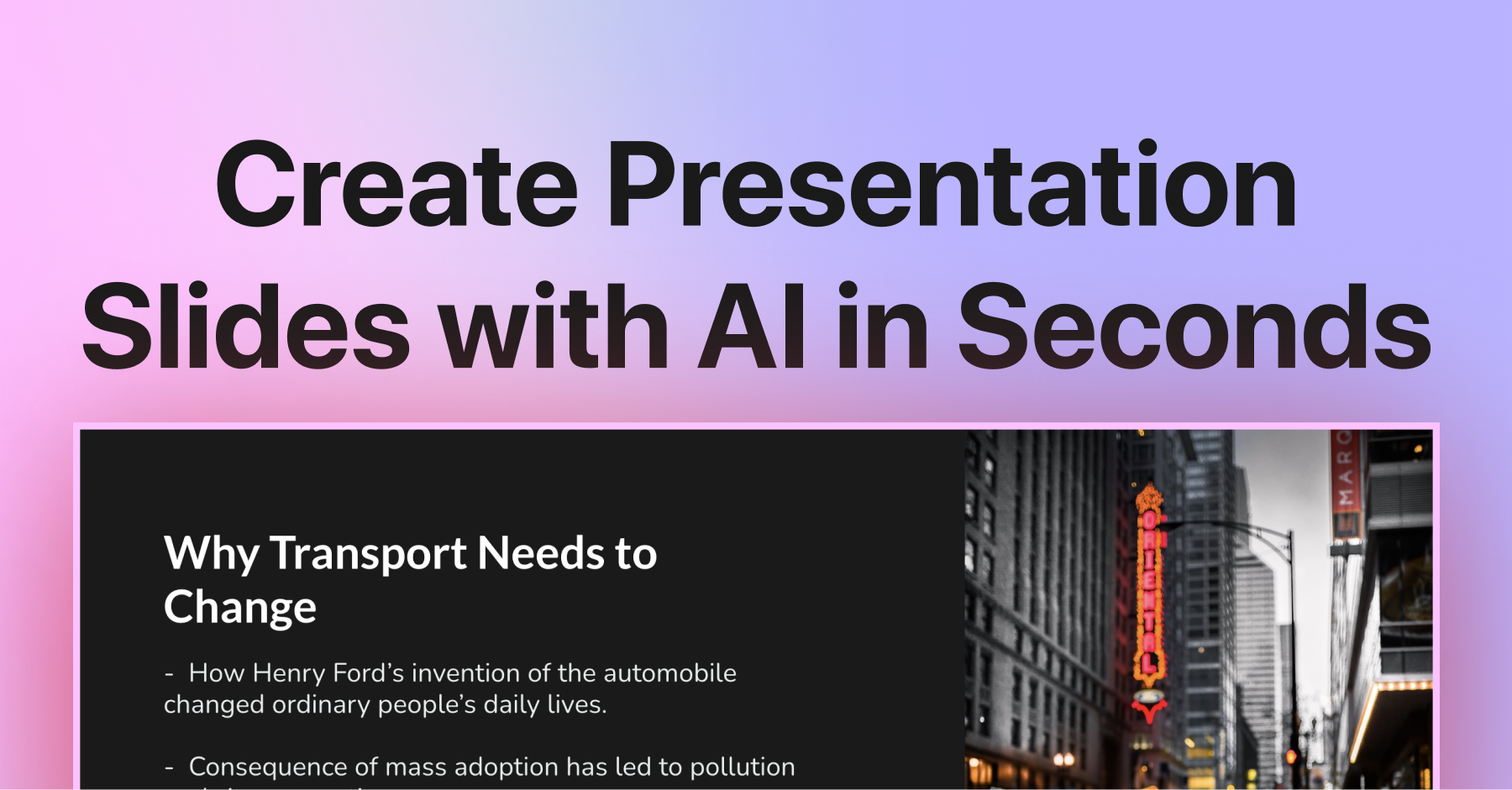
Plus AI is an AI presentation generator that works as an add-on for Google Slides and PowerPoint. It allows Executive Assistants and...

Create polished, on-brand presentations in minutes, directly inside Google Slides and PowerPoint. Stop building slides the old way.

Generate entire decks from documents or simple prompts, and instantly reformat slides to match your executive's style.

Try Plus AI Free
Pro from$20/user/month
Google Slides Add-onPowerPoint Add-inDoc-to-DeckAI Slide EditorCustom Branding
9 Zekai
Fast, Integrated Presentation AI
AI for Personal Productivity & Executive Assistants
Ease of Use
9.2
Accuracy
8.5
Value
8.7
Time Saving
9.5
2M+Users
9/10Zekai Score
🏷 Is this your tool? Claim this listing →
⚡ Quick answer

For Personal Productivity & Executive Assistants, Plus AI is the best AI presentation tool because it integrates directly into Google Slides and PowerPoint, where they already work. It excels at turning existing documents like meeting notes or reports into complete slide decks and can apply custom company branding automatically, saving hours of manual formatting.

CategoryAI Presentation Maker
Best ForCreating and editing presentations inside Google Slides & PowerPoint.
Price From$10/mo
Free7-day Trial
DifferentiatorNative add-on for PowerPoint and Google Slides; no new app to learn.
Proof2M+ installs; SOC 2 Type II compliant.
Rating4.5/5
📖 About Plus AI
How It Works

Your workflow, automated

1
Upload Your Document
Inside Google Slides or PowerPoint, open the Plus AI add-on and choose to create a presentation from a document. Upload your PDF, Word doc, or text file.
2
Generate the Slide Deck
Plus AI analyzes your document and automatically generates a complete slide deck with titles, body text, and suggested layouts.
3
Refine and Customize
Use AI editing tools to rewrite text, 'Remix' slide layouts, add AI-generated images, and apply your company's branding for a polished final result.
Ready to automate your workflow with Plus AI?
Try Plus AI Free →
Real Impact

Before & After

❌ Before

Manually copying text and formatting slides for hours.

3-4 hours per presentation
✅ After

Generating and reformatting entire decks in minutes.

Under 30 minutes per draft
Social Proof

Trusted by 2M+

2M+ professionals using this tool
Ease of Use
9.2
Accuracy
8.5
Value
8.7
Time Saving
9.5

"The integration into Google Slides is seamless. It feels like something that should have been there all along! 5/5 stars overall."

Avik L., Product Manager · June 2026

"Plus AI created a great structure and talking points for my presentation. I really like the tips on each slide to help me choose images or expand on a point. This tool is now in my arsenal!"

Kat M., Consultant · May 2026

"Excellent tool that saves me a significant amount of time. It creates a presentation that needs only minor editing when used with detailed prompts."

Gwenette S., Account Rep · May 2026

"The integration into PowerPoint is what makes this product so helpful. Making plenty of decks on a weekly basis, I turn to Plus AI for powerpoint first."

Tracy S., Sales Director · April 2026
2M++ professionals are already using this tool.
Start Free Today →
Connects With

Works with your existing stack

Google Slides PowerPoint Google Workspace Microsoft 365
Setup complexity: Easy
Plus AI is an AI presentation generator that works as an add-on for Google Slides and PowerPoint. It allows Executive Assistants and productivity-focused professionals to create, edit, and reformat entire presentations from text prompts or existing documents, saving hours of manual slide design.
Who It's For

Why Personal Productivity & Executive Assistants choose this tool

🎯
Built for
Best for quickly converting documents, notes, or ideas into professionally formatted, on-brand presentations without leaving Google Slides or PowerPoint.
In-Depth Overview
For Executive Assistants and productivity-driven professionals, the endless cycle of creating and reformatting presentations is a major time sink. Plus AI directly addresses this by integrating into the tools you already use daily: Google Slides and PowerPoint. There's no new application to learn; it functions as a powerful assistant within your existing workflow. Its standout feature is the ability to generate a full presentation from a document. You can upload a PDF, Word doc, or simple text file—like meeting notes or a project brief—and Plus AI builds a structured deck automatically. This transforms a multi-hour task into a matter of minutes. Furthermore, the 'Remix' feature lets you instantly reformat any slide into a new layout, perfect for adapting content for different audiences or refreshing old decks. For assistants managing executive branding, the ability to import custom templates with set logos, fonts, and colors ensures every slide is perfectly on-brand. With over 2 million installs and SOC 2 Type II compliance, it's a proven, secure tool trusted by professionals to reclaim their time for more strategic work.

Key Use Cases

👩‍💼
Turn meeting notes into a client-ready presentation instantly
Executive Assistant
Your exec just finished a client call and handed you their rough notes. Upload the document to Plus AI to generate a structured, on-brand presentation draft for review in minutes.
Drafts in minutes, not hours
✓ Pros
Native integration with Google Slides and PowerPoint eliminates context switching.
Converts existing documents (PDFs, Word docs) into slide decks, saving hours.
Strong customization with custom branding and templates for team consistency.
SOC 2 Type II compliant, meeting enterprise security standards.
'Remix' feature allows instant reformatting of existing or messy slides.
· Cons
No permanent free tier; access is limited to a 7-day trial.
Best results require detailed, well-structured prompts.
AI credit system on lower-tier plans can be limiting for heavy users.
Advanced branding features are locked behind more expensive Team/Enterprise plans.
⚡ Editorial Verdict

Plus AI is a significant time-saver for anyone building presentations. Its native integration into Google Slides and PowerPoint is its killer feature, eliminating app-switching. The main trade-off is that while it creates a strong first draft, the best results require detailed prompts and some manual refinement.

Questions & Answers

Frequently asked questions

What is the best AI presentation tool for an Executive Assistant? +
Plus AI is a top choice for Executive Assistants because it works directly within Google Slides and PowerPoint. This allows you to leverage AI to create and edit presentations without leaving the software you already use, saving significant time on tasks like converting documents to decks or reformatting slides.
Does Plus AI work inside PowerPoint and Google Slides? +
Yes. Plus AI is designed as a native add-on for both PowerPoint and Google Slides. You install it directly into your preferred application and can use it to create and edit slides without needing to switch to a different app.
Can Plus AI turn a PDF or Word document into a presentation? +
Yes, Plus AI can convert various document formats, including PDFs, Word documents (.docx), and text files, into a fully editable presentation in either PowerPoint or Google Slides.
How does Plus AI handle company branding and security? +
Plus AI offers custom branding on its Team and Enterprise plans, allowing you to set logos, colors, and fonts. For security, the company has achieved SOC 2 Type II compliance, adhering to enterprise-grade security practices.
Which AI can convert a PDF into a Google Slides presentation? +
Plus AI is an excellent tool for converting a PDF into a Google Slides presentation. It functions as a Google Slides add-on, allowing you to upload a PDF and automatically generate a new, editable slide deck from its contents.
How can I automate creating weekly report slides in PowerPoint? +
With Plus AI for PowerPoint, you can streamline this process by creating a detailed prompt for your weekly report structure. You can also upload a document with the latest data and have Plus AI generate the slides, which you can then quickly refine, saving time on repetitive slide creation.

Last reviewed: Reviewed June 2026 — We assessed its presentation generation quality, document-to-deck conversion, and editing features within Google Slides.

Plans & Pricing

Start today

Enterprise
Pricing on request
Tailored for teams and large organisations.
Contact Sales
Personal Productivity & Executive Assistants

Top 10 AI tools in this category

Get Plus AI deal alerts

Be the first to know when Plus AI drops a new discount, adds features, or changes pricing.

Exclusive Plus AI discount codes
New feature announcements
Best alternative picks when pricing changes
Zero spam — unsubscribe anytime
🎉
You're subscribed!
We'll notify you when Plus AI has a new deal.
Zekai Blog

Latest AI news

AI Directory

About Plus AI

Full Description

Plus AI is an AI presentation generator that works as an add-on for Google Slides and PowerPoint. It allows Executive Assistants and productivity-focused professionals to create, edit, and reformat entire presentations from text prompts or existing documents, saving hours of manual slide design.

Editorial Verdict

Plus AI is a significant time-saver for anyone building presentations. Its native integration into Google Slides and PowerPoint is its killer feature, eliminating app-switching. The main trade-off is that while it creates a strong first draft, the best results require detailed prompts and some manual refinement.

Last reviewed: Reviewed June 2026 — We assessed its presentation generation quality, document-to-deck conversion, and editing features within Google Slides.
Previous Tool Beautiful.ai Next Tool Plus AI
All AI Tools A–Z →
This site is registered on wpml.org as a development site. Switch to a production site key to remove this banner.