Browse
AI Directory Open Source AI News AI Statistics
Browse by profession
Accounting, Bookkeeping & TaxCompliance, Audit & GRCConstructionCustomer SupportData ScienceMedical All 38 professions →
Company
About Advertise Submit a tool Get the free Video AI guide
Overview How It Works Before & After Try It Reviews Integrations Why This Tool FAQ Pricing Top 10 Get Alerts News

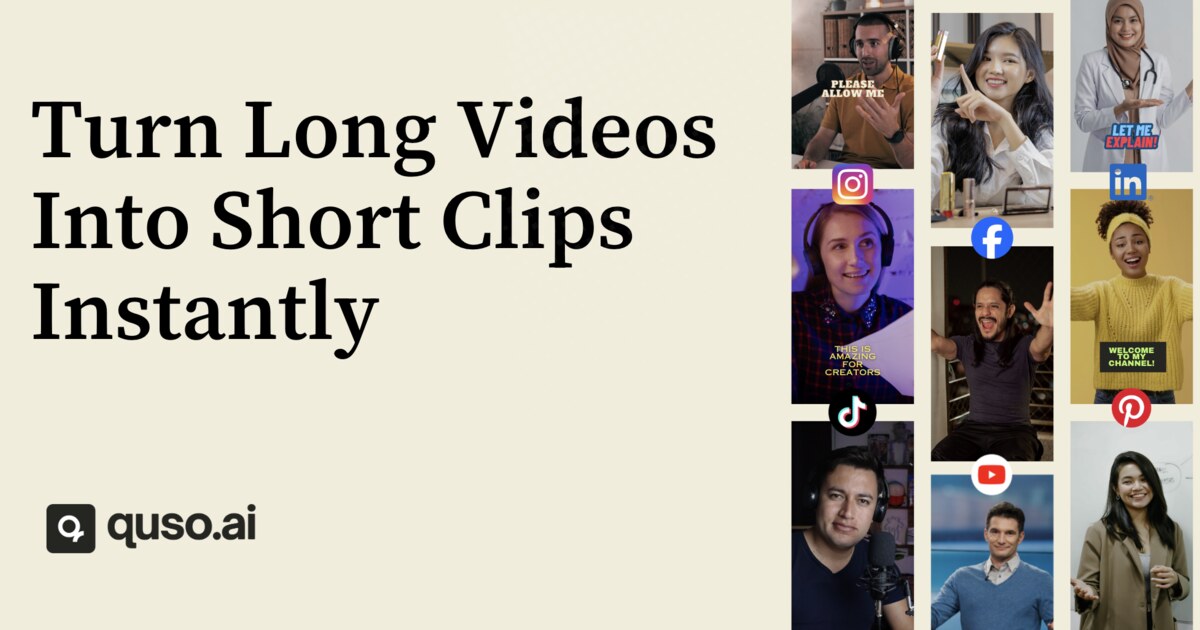
Automatically find viral moments in long-form footage and transform them into dozens of social-ready short clips in one click.

Repurpose podcasts, interviews, and streams into captioned, reframed clips for TikTok, Reels, and Shorts.

Best forAutomating social clip creation from long-form video
DifferentiatorCombines AI clipping, text-based editing, captioning, and social scheduling in one platform.
ProofTrusted by 4M+ creators; user testimonials report saving hours per video.
Try Quso
Free Plan Pro from$29/mo
9.1 Zekai
Automated Social Clip Factory
AI for Video Editing & Production
Ease of Use
9.2
Accuracy
8.5
Value
9.0
Time Saving
9.5
4M+Users
9.1/10Zekai Score
AI ClippingText-based EditingAuto CaptionsSocial SchedulingBrand Kit
🏷 Is this your tool? Claim this listing →
Hand-scored by Zekai

Top AI for Video Editing & Production picks

See all 99 AI for Video Editing & Production tools →
⚡ Quick answer

For video editing and production professionals, Quso is one of the best AI tools for rapidly repurposing long-form content into social media clips. It automates the most tedious parts of the workflow by using AI to find viral moments, reframe video vertically, add animated captions, and schedule posts to platforms like TikTok and Reels, saving hours of manual work on each project.

CategoryAI Video Repurposing
Best ForAutomating social clip creation from long-form video
Price From$29/mo
FreeFree plan available
DifferentiatorCombines AI clipping, text-based editing, captioning, and social scheduling in one platform.
ProofTrusted by 4M+ creators; user testimonials report saving hours per video.
Rating4.6/5
📖 About Quso
How It Works

Your workflow, automated

1
Upload Long-Form Video
Upload any long video file, such as a podcast, webinar, or interview recording, into the Quso platform.
2
Review AI-Generated Clips
Quso's AI analyzes the video, identifies high-potential moments, and presents them as short clips, complete with a 'Virality Score'.
3
Customize & Schedule
Refine clips using the text-based editor, apply your brand kit, and schedule the finished videos to all your social channels from one calendar.
Ready to automate your workflow with Quso?
Try Quso →
Real Impact

Before & After

❌ Before

Manually scrubbing through hours of footage to find good clips, then separately transcribing, captioning, and scheduling them.

Hours per long video
✅ After

Automatically generating a week's worth of social media clips from one long video, complete with captions and ready to publish.

Minutes per long video
Prompt Templates

Try it with these prompts

Copy any prompt and paste it directly into the tool.

Generate viral clips from long video

Analyze this long video and identify the most engaging and shareable moments. Extract these moments into short clips, automatically scoring them for virality potential. Ensure the clips are formatted for immediate publis…

Create social media content calendar

Plan out a month's worth of social media content using this tool. Organize posts in a visual calendar, schedule them across multiple platforms, and ensure consistent posting without manual effort.

Edit video like a document

Edit this video by treating it like a text document. Remove unwanted words or silences to shorten the video, and automatically add relevant B-roll footage to enhance engagement. Ensure filler words are removed.

Social Proof

Trusted by 4M+

4M+ professionals using this tool
Ease of Use
9.2
Accuracy
8.5
Value
9.0
Time Saving
9.5

"What I love most about quso.ai is that I can take my long-winded long-form content and automatically create short clips that actually perform."

Dann W., Podcast Host · June 2026

"I turn every podcast episode into a week of shorts. quso.ai does the heavy lifting for me."

Fei W., Video Marketing Coach · May 2026

"The AI clip suggestions are a great starting point, but I often have to manually adjust the in/out points for perfect timing. The 720p limit on the free plan also means upgrading is necessary for professional quality."

Alex C., Social Media Manager · April 2026

"GAME. CHANGER. I completed a task that usually takes hours in minutes."

Jaz L., Lifestyle Coach · March 2026
4M+ professionals are already using this tool.
Start Free Today →
Connects With

Works with your existing stack

Facebook Instagram LinkedIn Pinterest TikTok X YouTube
Setup complexity: Beginner-friendly
Quso is an AI-powered platform designed for video editors and production teams to automate the creation of short-form content from long videos. It uses a 'Virality Score' to identify the most engaging moments, automatically reframes them for vertical formats, and adds animated captions. This streamlines the content repurposing workflow, replacing multiple single-purpose tools for clipping, captioning, and social media scheduling.
Comparison

How it compares

Quso vs. Opus Clip: While both tools excel at AI-powered video clipping, Quso positions itself as an all-in-one content repurposing suite by integrating a social media scheduler, content planner, and analytics. Choose Opus Clip if your sole focus is generating high-quality clips quickly with its well-regarded virality scoring. Opt for Quso if you want to manage the entire social content workflow—from clipping and editing to scheduling and analysis—within a single subscription, replacing the need for separate tools like Hootsuite or Buffer.

You need advanced video editing and color grading features.
You only need a simple transcription tool without clip generation.
Your workflow is already heavily integrated with a different platform like Descript or Opus Clip.
The decision

Is it worth it?

Return on investment
By consolidating tools for clipping, captioning, and scheduling (a claimed ~$300/mo value) into a single plan starting at $29/mo, a production team can save over $270 per month while cutting clip creation time from hours to minutes.
Built for
Video editors, social media managers, content producers, and post-production teams responsible for creating social media assets from long-form content like podcasts, interviews, and webinars.
Effort to adopt
Beginner-friendly
Compliance
Compliance posture not publicly documented — verify with vendor.
Who It's For

Why Video Editing & Production choose this tool

🎯
Built for
Automating the creation and distribution of social media clips from existing long-form video content.
In-Depth Overview
For video editing professionals, Quso eliminates the tedious, time-consuming task of manually scrubbing through long-form content to find social media highlights. Instead of a multi-tool workflow using separate apps for clipping, transcribing, and scheduling, Quso consolidates everything into one interface. Its core strength is the AI Clips Generator, which analyzes footage and assigns a 'Virality Score' to potential clips, helping you prioritize content that is most likely to perform well. The platform's text-based video editor allows for quick cuts by simply deleting words from the transcript, and its one-click filler word removal cleans up audio instantly. Proof of its efficiency comes from users like Jaz, a lifestyle coach who completed a task that 'usually takes hours in minutes.' Quso directly replaces tools like Opus Clip, Descript, and Hootsuite, offering a significant cost saving—the vendor claims it replaces a ~$300/mo stack for a starting price of $29/mo. It's an end-to-end solution that takes raw footage and delivers scheduled, captioned, on-brand social posts with minimal manual effort.

Key Use Cases

🎬
Slash social clip creation time by over 75%
Post-Production Editor
Take a 60-minute client podcast recording and let Quso's AI identify a dozen viral moments. Auto-generate captioned, vertically-reframed clips ready for client review in minutes, not hours.
From 2 hours to 30 minutes
✓ Pros
Consolidates clipping, captioning, editing, and scheduling into one tool.
AI 'Virality Score' helps prioritize clips with the highest engagement potential.
Text-based editing simplifies removing filler words and silences.
Supports direct publishing to TikTok, Instagram Reels, YouTube Shorts, and more.
Generous free tier with 75 credits per month for testing core functionality.
· Cons
Free plan is limited to 720p render quality.
Video editor lacks the advanced controls of a professional NLE.
Data retention on the free plan is only 7 days.
AI clip suggestions may require manual fine-tuning for brand-specific nuances.
⚡ Editorial Verdict

Quso excels as an end-to-end solution for repurposing long-form video into social clips, consolidating clipping, captioning, and scheduling into one platform. Its AI-driven 'Virality Score' is a strong feature for identifying engaging content. However, professional editors seeking granular control over complex edits and color grading will still need their primary NLE, as Quso's editor is designed for speed and simplicity over deep functionality.

Questions & Answers

Frequently asked questions

What is AI video clipping?

+
AI video clipping uses artificial intelligence to find the most engaging moments in a long video and automatically turns them into short, vertical clips. Quso's technology scores each potential clip by 'virality' and auto-reframes and captions them for social media.

Can Quso add captions and subtitles automatically?

+
Yes, Quso automatically generates word-level animated captions and AI subtitles in over 100 languages. It also includes a feature for one-click filler-word removal, eliminating the need for manual transcription and editing.

Do I need video editing skills to use Quso?

+
No, Quso is designed to be used without prior video editing experience. It automates the process of finding moments, reframing them vertically, adding captions, and applying your brand kit.

Which platforms can I publish and schedule to?

+
You can publish or schedule posts directly to TikTok, Instagram Reels, YouTube Shorts, LinkedIn, Facebook, and X (formerly Twitter), all from a single content calendar within Quso.

How does Quso help video editors create social media content faster?

+
Quso streamlines the workflow by automating repetitive tasks. Instead of manually searching for clips, transcribing audio, creating captions, and using a separate scheduler, editors can upload one file and have Quso generate, edit, and schedule a week's worth of content in minutes.

Is Quso a full replacement for professional video editing software?

+
No, Quso is a specialized tool for content repurposing and social media clipping. While it has a text-based editor for simple cuts and cleanup, it does not replace the advanced features of professional NLEs like Adobe Premiere Pro or DaVinci Resolve for complex editing, color grading, or effects.

Last reviewed:

Plans & Pricing

Start today

Prices and features are updated regularly but can change at any time — always confirm on the official website. Some links on this page are affiliate links.

See all 99 AI for Video Editing & Production tools →
Free guide

Take it with you

  • **What is Quso?**: An overview of the all-in-one AI video repurposing platform.
  • **Core Features**: A breakdown of the AI Clips Generator, Text-Based Editor, Auto-Captioning, and Social Scheduler.
  • **Understanding the 'Virality Score'**: How Quso's AI helps you pick winning clips.
  • **Setting Up Your Brand Kit**: Ensure every clip is on-brand with your logos, fonts, and colors.
  • **Free vs. Paid Plans**: What you get with the free tier and when to upgrade.
+3 more steps inside the guide
Send me the full guide

Get Quso deal alerts

Be the first to know when Quso drops a new discount, adds features, or changes pricing.

Exclusive Quso discount codes
New feature announcements
Best alternative picks when pricing changes
Zero spam — unsubscribe anytime
🎉
You're subscribed!
We'll notify you when Quso has a new deal.
AI Directory

About Quso

Full Description

Quso is an AI-powered platform designed for video editors and production teams to automate the creation of short-form content from long videos. It uses a 'Virality Score' to identify the most engaging moments, automatically reframes them for vertical formats, and adds animated captions. This streamlines the content repurposing workflow, replacing multiple single-purpose tools for clipping, captioning, and social media scheduling.

Editorial Verdict

Quso excels as an end-to-end solution for repurposing long-form video into social clips, consolidating clipping, captioning, and scheduling into one platform. Its AI-driven 'Virality Score' is a strong feature for identifying engaging content. However, professional editors seeking granular control over complex edits and color grading will still need their primary NLE, as Quso's editor is designed for speed and simplicity over deep functionality.

Last reviewed:
Disclaimer
Zekai is an independent AI tools directory. We are not affiliated with, endorsed by, or officially connected to Quso unless clearly stated. All product names, logos, and brands are the property of their respective owners and are used for identification purposes only. The information on this page — including pricing, features, and availability — is general information, may have changed since our last review, and is not professional advice. Zekai Scores and verdicts are our editorial opinion. Some outbound links are affiliate links that may earn us a commission at no extra cost to you. Spotted outdated or incorrect information? Request a correction →
Previous Tool Minvo Next Tool Crayo AI
All AI Tools A–Z →
Quso9.1Try Quso ↗Next tool →
Today's top 3 AI for Video Editing & Production tools →