Browse
AI Directory Open Source AI News 🏆 AI Challenge AI Statistics
Browse by profession
Accounting, Bookkeeping & TaxCompliance, Audit & GRCConstructionCustomer SupportData ScienceMedical All 38 professions →
Company
About Advertise Submit a tool Get the free Video AI guide
Overview How It Works Before & After Try It Reviews Integrations Why This Tool FAQ Pricing Top 10 Get Alerts News

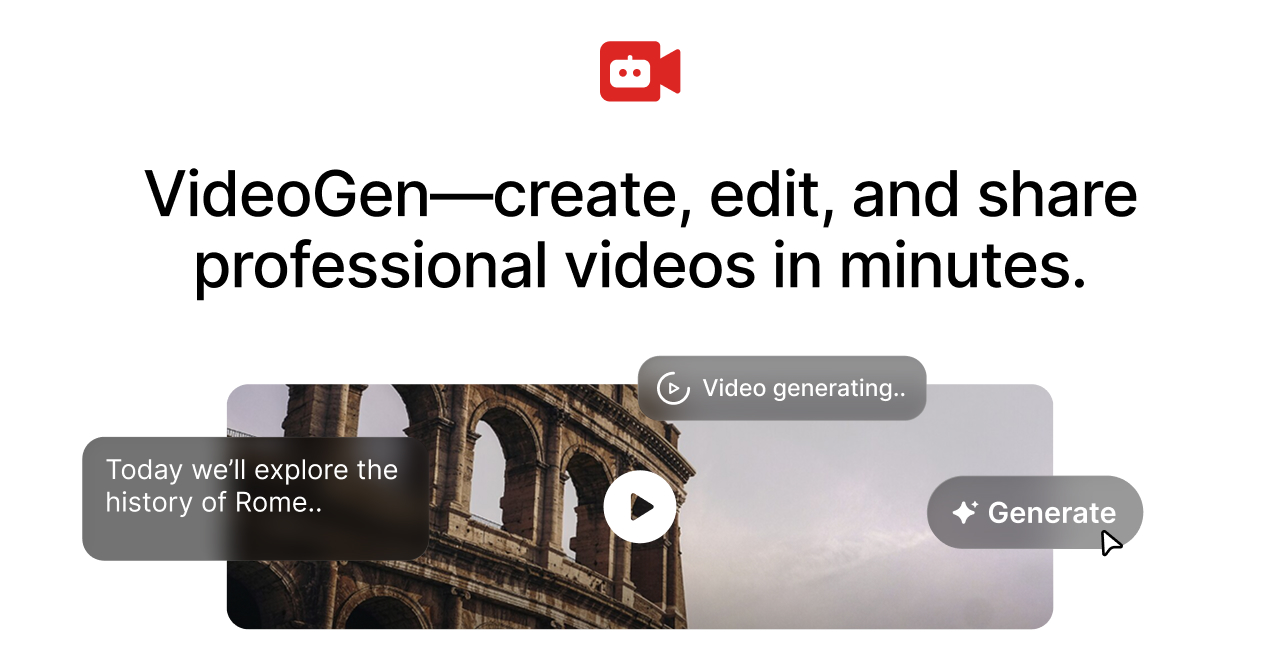
Generate and edit short or long-form videos in minutes with repeatable AI workflows, from scripting to final cut.

Combines a full suite of AI generation tools with a powerful in-browser video editor.

Best forScaling video production with repeatable AI workflows.
DifferentiatorCombines AI generation, a powerful editor, and team collaboration in-browser.
ProofTrusted by 5M+ creators; positive testimonial from Google Learning Manager.
Explore VideoGen
Pro from$16/mo
8.9 Zekai
Scale video production instantly.
AI for Video Editing & Production
Ease of Use
9.0
Accuracy
8.2
Value
8.8
Time Saving
9.5
5 million+Users
8.9/10Zekai Score
AI ScriptingAI VoiceoverIn-Browser EditorTeam CollaborationText-to-Video
🏷 Is this your tool? Claim this listing →
Hand-scored by Zekai

Top AI for Video Editing & Production picks

See all 99 AI for Video Editing & Production tools →
⚡ Quick answer

For professional video editing and production, VideoGen is a leading AI solution because it integrates video generation, a powerful editor, and team collaboration into one browser-based platform. It allows teams to automate repetitive tasks like scripting and media sourcing, drastically reducing production time from days to minutes, as confirmed by users at companies like Google.

CategoryAI Video Generator & Editor
Best ForScaling video production with repeatable AI workflows.
Price From$16/mo (billed annually)
FreeFree trial available
DifferentiatorCombines AI generation, a powerful editor, and team collaboration in-browser.
ProofTrusted by 5M+ creators; positive testimonial from Google Learning Manager.
Rating4.5/5
📖 About VideoGen

VideoGen is an AI-powered video platform that streamlines production for video editors and production teams. It generates video from various inputs (text, images, audio) and automates scripting, media sourcing, and editing, all within a collaborative, browser-based editor.

How It Works

Your workflow, automated

1
Generate with AI
Use a repeatable workflow to generate a video from a script, article, image, or simple prompt. AI handles scripting, media sourcing, and initial assembly.
2
Edit and Refine
Fine-tune the generated video in the powerful in-browser editor. Trim clips, add transitions, and generate realistic AI voiceovers in over 50 languages.
3
Collaborate and Share
Share projects with your team for feedback and review using shareable links. Export the final video for commercial use.
Ready to automate your workflow with VideoGen?
Explore VideoGen →
Real Impact

Before & After

❌ Before

Juggling multiple apps for scripting, assets, voiceover, and editing.

Days per video
✅ After

One unified platform to generate and edit videos at scale.

Minutes per video
Prompt Templates

Try it with these prompts

Copy any prompt and paste it directly into the tool.

Generate explainer video from script

Create an explainer video for a new product launch. Use the provided script to generate engaging visuals and voiceover. Ensure the video is concise and highlights key features.

Create social media ad from text

Generate a short, attention-grabbing video ad for social media platforms. Input the promotional text and desired tone to create a video that drives engagement and clicks.

Produce product demo video from slides

Convert a series of presentation slides into a professional product demo video. The AI should create smooth transitions, add relevant visuals, and include a clear call to action.

Social Proof

Trusted by 5 million+

5 million+ professionals using this tool
Ease of Use
9.0
Accuracy
8.2
Value
8.8
Time Saving
9.5

"VideoGen is awesome for scaling video production and improving turnaround time... The complex process of video editing, which could take days or months, now takes minutes!"

Ary A., Learning Manager · June 2026

"VideoGen solves the biggest pain points of video production—complexity, cost, and time. In just a few clicks, anyone can create professional, copyright-free videos."

Garry T., CEO · May 2026

"It's great for creating content quickly... but you have to watch your credit usage carefully, as more complex edits and generations can burn through them faster than expected."

Beth Z., Speaker & Author · May 2026

"VideoGen is the most underrated tool for content creators who want to put out the highest quality content in the shortest amount of time."

Andrew Y., Content Creator · April 2026
5 million+ professionals are already using this tool.
See Plans & Pricing →
Connects With

Works with your existing stack

API access
Setup complexity: Beginner-friendly
VideoGen is an AI-powered video platform that streamlines production for video editors and production teams. It generates video from various inputs (text, images, audio) and automates scripting, media sourcing, and editing, all within a collaborative, browser-based editor.
Comparison

How it compares

VideoGen vs. RunwayML: Choose VideoGen when your priority is creating a high volume of structured content (like social media clips or training videos) using repeatable, templated workflows. Its strength is industrializing the process from script to final cut within one platform. Pick RunwayML when you need more experimental, cutting-edge generative tools and greater creative control for artistic or visually unique projects. Runway often has more advanced individual AI models, but VideoGen provides a more streamlined, end-to-end production pipeline for business and marketing use cases.

The decision

Is it worth it?

Return on investment
By automating routine editing tasks, a team can save dozens of hours per month, easily justifying the $16/user/mo cost on a single project.
Built for
Video editors, social media managers, content creators, and small production teams looking to scale video output.
Effort to adopt
Beginner-friendly
Compliance
Compliance posture not publicly documented — verify with vendor.
Who It's For

Why Video Editing & Production choose this tool

🎯
Built for
Best for teams needing to rapidly produce a high volume of short-form and long-form videos using structured, repeatable AI workflows.
In-Depth Overview
For video production professionals, VideoGen addresses the core bottlenecks of complexity, cost, and time. Instead of juggling separate tools for scripting, asset creation, voiceover, and editing, it consolidates these tasks into a single, browser-based platform. The key advantage lies in its repeatable AI workflows, which allow teams to 'turn video production into a streamlined industrial process.' This means you can go from an idea to a finished video in just a few clicks, letting the AI handle scripting, media sourcing, and initial edits. The platform isn't just a generator; it includes a powerful video editor where you can fine-tune the AI's output, add studio-quality AI voiceovers from a library of over 200 voices in 50+ languages, or record your own. As Ary Aranguiz, Learning Manager at Google, notes, 'The complex process of video editing, which could take days or months, now takes minutes!' This focus on scaling production makes it ideal for small teams needing to produce high-quality videos consistently without the overhead of a traditional studio.

Key Use Cases

📈
Automate Social Video Creation
Social Media Manager
Use text-to-video and repeatable workflows to generate dozens of TikToks, Reels, and Shorts from a single content pillar, complete with AI voiceovers and captions.
Reduce production time by 90%
🎓
Scale Training Video Production
Corporate Trainer
Convert training scripts and slide decks into engaging video modules with AI avatars and multi-language voiceovers, ensuring consistent branding and messaging.
Days of editing cut to minutes
🎬
Accelerate B-Roll and Rough Cuts
Video Producer
Quickly generate concept videos, animated storyboards, or rough cuts using AI to secure client buy-in before committing to a full production shoot.
Faster client approval cycles
✓ Pros
Combines AI generation and a full editor in one platform
Streamlines production with repeatable workflows
Browser-based collaboration for teams
Includes studio-quality AI voiceovers and avatars
Full commercial use rights included in paid plans
· Cons
Creative control is less granular than dedicated NLEs like Premiere Pro
Pricing is credit-based, which can be complex to manage
Premium stock media and Production API are paid add-ons
Priority support is locked to the Enterprise tier
⚡ Editorial Verdict

VideoGen excels at industrializing video creation, combining powerful AI generation with a solid in-browser editor. It's a significant time-saver for templated or high-volume work, though creative control may feel less granular than traditional NLEs for bespoke projects.

Questions & Answers

Frequently asked questions

Can I use my own media files in VideoGen?

+
Yes, the platform allows you to upload your own files and media to incorporate into your projects alongside AI-generated content.

Are the generated videos safe for commercial use?

+
Yes, the Pro plan includes full commercial use rights for all videos you create, and the platform states its content is copyright-free.

Is VideoGen suitable for team collaboration?

+
Yes, VideoGen is designed for teams. It offers project sharing, shareable view links, and team workspaces with centralized billing, all accessible from any browser.

What AI video generator is best for professional video production teams?

+
VideoGen is a strong choice for professional teams, as it combines repeatable AI workflows with a powerful in-browser editor. This allows teams to scale production efficiently, moving from idea to finished video in minutes while maintaining collaborative oversight.

How can AI speed up my video editing workflow?

+
VideoGen speeds up workflows by automating tedious tasks like scripting, sourcing stock media, generating voiceovers, and creating initial edits. Its integrated editor then allows you to quickly refine the AI-generated draft, drastically reducing the time spent in post-production.

Can I create videos in languages other than English?

+
Yes, VideoGen supports over 50 languages for its AI voiceovers and offers one-click translation and localization features, making it easy to adapt your videos for a global audience.

Last reviewed:

Plans & Pricing

Start today

Enterprise
Pricing on request
Tailored for teams and large organisations.
Contact Sales

Prices and features are updated regularly but can change at any time — always confirm on the official website. Some links on this page are affiliate links.

See all 99 AI for Video Editing & Production tools →
Free guide

Take it with you

  • Why VideoGen is a game-changer for scaling video content.
  • Understanding the core features: AI Workflows, In-Browser Editor, and AI Voiceovers.
  • How to leverage repeatable workflows for brand consistency.
  • Tips for effective prompt writing for text-to-video.
  • Best practices for team collaboration and project sharing.
+3 more steps inside the guide
Send me the full guide

Get VideoGen deal alerts

Be the first to know when VideoGen drops a new discount, adds features, or changes pricing.

Exclusive VideoGen discount codes
New feature announcements
Best alternative picks when pricing changes
Zero spam — unsubscribe anytime
🎉
You're subscribed!
We'll notify you when VideoGen has a new deal.
AI Directory

About VideoGen

Full Description

VideoGen is an AI-powered video platform that streamlines production for video editors and production teams. It generates video from various inputs (text, images, audio) and automates scripting, media sourcing, and editing, all within a collaborative, browser-based editor.

Editorial Verdict

VideoGen excels at industrializing video creation, combining powerful AI generation with a solid in-browser editor. It's a significant time-saver for templated or high-volume work, though creative control may feel less granular than traditional NLEs for bespoke projects.

Last reviewed:
Disclaimer
Zekai is an independent AI tools directory. We are not affiliated with, endorsed by, or officially connected to VideoGen unless clearly stated. All product names, logos, and brands are the property of their respective owners and are used for identification purposes only. The information on this page — including pricing, features, and availability — is general information, may have changed since our last review, and is not professional advice. Zekai Scores and verdicts are our editorial opinion. Some outbound links are affiliate links that may earn us a commission at no extra cost to you. Spotted outdated or incorrect information? Request a correction →
Previous Tool Tellers.ai Next Tool Filmora
All AI Tools A–Z →
Visit website ↗
VideoGen8.9Try VideoGen ↗Next tool →
Today's top 3 AI for Video Editing & Production tools →