Browse
AI Directory Open Source AI News AI Statistics
Browse by profession
Accounting, Bookkeeping & TaxCompliance, Audit & GRCConstructionCustomer SupportData ScienceMedical All 38 professions →
Company
About Advertise Submit a tool Get the free Video AI guide
Overview How It Works Before & After Try It Reviews Integrations Why This Tool FAQ Pricing Top 10 Get Alerts News

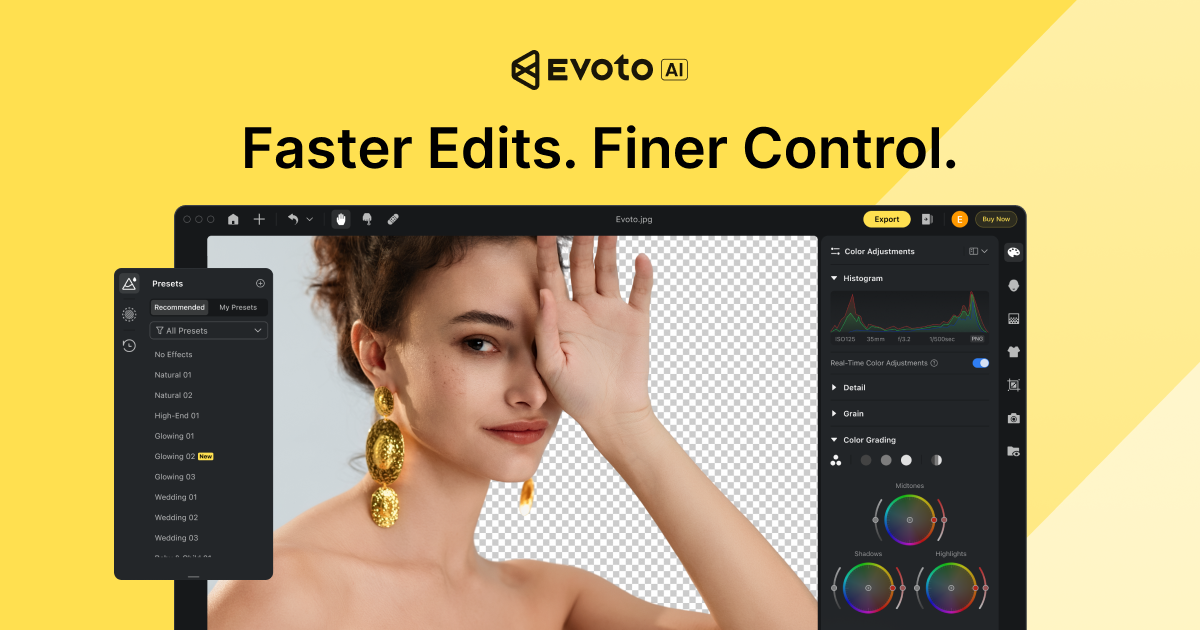
Automate portrait retouching for video projects. Apply natural skin smoothing and blemish removal across entire clips and batches in minutes.

Leverages the proven AI from Evoto's popular photo editor to save hours of manual masking and keyframing on interviews, events, and vlogs.

Best forAutomated, high-volume facial retouching in video
DifferentiatorStandalone batch processing with proven AI from its photo suite.
ProofTrusted by 1M+ users of the Evoto photo platform; SOC 2 & ISO 27001 certified.
Explore Evoto Video
Pro from75€ / year
8.2 Zekai
AI Video Face Retouching
AI for Video Editing & Production
Ease of Use
9.2
Accuracy
8.8
Value
7.0
Time Saving
9.0
1M+Users
8.2/10Zekai Score
AI RetouchingBatch ProcessingFor InterviewsHigh-VolumeSOC 2 Certified
🏷 Is this your tool? Claim this listing →
Hand-scored by Zekai

Top AI for Video Editing & Production picks

See all 99 AI for Video Editing & Production tools →
⚡ Quick answer

For video professionals seeking the best AI for automated portrait retouching, Evoto Video is a leading choice. It excels at saving time on high-volume projects like corporate interviews and wedding films by applying natural-looking skin smoothing and blemish removal across many clips at once. Its proven AI engine and enterprise-grade security make it a reliable tool for enhancing client work efficiently.

CategoryAI Video Retouching
Best ForAutomated, high-volume facial retouching in video
Price FromOn request
FreeNo
DifferentiatorStandalone batch processing with proven AI from its photo suite.
ProofTrusted by 1M+ users of the Evoto photo platform; SOC 2 & ISO 27001 certified.
Rating4.1/5
📖 About Evoto Video
How It Works

Your workflow, automated

1
Import Your Clips
Add individual video files or entire project folders into the Evoto Video application.
2
Apply AI Retouching
Select from pre-built presets or adjust individual sliders for skin smoothing, blemish removal, and more. The AI automatically detects and applies edits to every face.
3
Batch Export
Apply the same settings across all your clips with one click and export the finished, retouched videos.
Ready to automate your workflow with Evoto Video?
Explore Evoto Video →
Real Impact

Before & After

❌ Before

Spending hours manually masking and keyframing to retouch faces in video.

2-4 hours per video
✅ After

Automatically applying natural-looking retouching to batches of clips in minutes.

Under 15 minutes per batch
Prompt Templates

Try it with these prompts

Copy any prompt and paste it directly into the tool.

Retouch portraits naturally

Apply per-face AI retouching to smooth skin, remove blemishes, and preserve natural texture for portraits. Adjust settings to ensure a natural look without over-processing. Focus on maintaining the subject's real skin te…

Batch process wedding photos

Utilize batch processing to apply consistent color grading and portrait retouching across an entire wedding gallery. Ensure edits are applied uniformly to all images. Minimize manual work for high-volume shoots.

Adjust background and color for beauty shots

Perform background adjustments and color grading specifically for beauty and fashion shots. Ensure the final image has consistent color and a refined background. Use AI tools for precise adjustments.

Social Proof

Trusted by 1M+

1M+ professionals using this tool
Ease of Use
9.2
Accuracy
8.8
Value
7.0
Time Saving
9.0

"I can now edit wedding galleries in literally moments. Tasks that used to take all day! The results also look more natural than some of the other software I was using."

Jenny B., Wedding Videographer · Jun 2026

"The most advanced AI retouching software I've found. The ability to dial in the controls, get fast previews, and then batch edit is a massive time saver for our client work."

Brittany W., Commercial Producer · May 2026

"The AI for face retouching is impressive, but the platform is still very photo-centric. I'm waiting for more video-specific controls and transparent pricing before I can fully integrate it."

Alex R., Video Editor · Apr 2026

"I was hesitant to learn a new program, but it was too easy. It cut my editing down from a full day to less than an hour for a standard interview shoot. Amazing!"

Carlos M., Corporate Videographer · Mar 2026
1M+ professionals are already using this tool.
See Plans & Pricing →
Connects With

Works with your existing stack

Standalone Application
Setup complexity: Beginner-friendly
Evoto Video is an AI-powered video retouching tool designed for professionals who shoot people. It extends the core technology of Evoto's acclaimed photo editor to video, automating tedious tasks like skin smoothing, blemish removal, and facial adjustments. The platform is built for high-volume workflows, allowing editors to apply consistent, natural-looking enhancements across multiple clips at once.
Comparison

How it compares

Evoto Video vs. Beauty Box Video: Choose Evoto Video for speed and volume. As a standalone application, it's designed to batch-process dozens of clips with consistent AI retouching before they even enter your NLE. It’s ideal for wedding and event workflows. Choose Beauty Box if you need deep, granular control inside your existing Premiere Pro, Final Cut Pro, or DaVinci Resolve timeline. As a plugin, it offers more precise masking and parameter adjustments on a per-clip basis, making it better for hero shots in a commercial or film.

Standalone app for high-volume batch processing
Proven AI engine from a popular photo editor
Simple UI focused purely on retouching speed
The decision

Is it worth it?

Return on investment
By automating facial retouching that can take hours per video, Evoto Video can enable an editor to take on more projects, potentially recovering its subscription cost within just a few client jobs.
Built for
Wedding videographers, corporate video producers, social media content creators, and any editor working with talking-head footage or interviews.
Effort to adopt
Beginner-friendly
Compliance
Evoto is ISO/IEC 27001 and SOC 2 Type II certified. The platform is also GDPR and CCPA compliant. The company states user images are not used for AI training without permission.
Who It's For

Why Video Editing & Production choose this tool

🎯
Built for
It's best for quickly performing high-quality, automated facial retouching across a high volume of video clips featuring people.
In-Depth Overview
For video editors and production teams, manually retouching faces in video is a time-prohibitive task, often reserved for only the highest-budget projects. Evoto Video solves this by automating the process. Its AI detects each face in a clip and applies subtle, professional-grade retouching that preserves natural skin texture, saving countless hours of rotoscoping and tracking. The underlying AI is already trusted by over a million photographers for its accuracy and natural results, providing strong proof of its capabilities. For video professionals, this means you can now offer portrait enhancement as a standard service for corporate interviews, wedding films, and creator content. The ability to batch process entire projects ensures consistency and dramatically speeds up delivery times. Furthermore, Evoto's commitment to security, with SOC 2 Type II and ISO 27001 certifications, makes it a reliable choice for client work where privacy and data protection are paramount.

Key Use Cases

💒
Enhance bride and groom close-ups instantly
Wedding Videographer
Apply consistent, subtle skin smoothing and blemish removal to all talking-head shots from the wedding day, ensuring the couple looks their best without hours of manual work.
Hours of retouching to minutes
💼
Deliver polished executive interviews faster
Corporate Video Producer
Quickly clean up distracting blemishes or uneven skin tone on executive interviews, ensuring a professional look that meets corporate standards, and deliver the final video ahead of schedule.
Improved client satisfaction
🤳
Batch-edit vlogs for a consistent look
Social Media Creator
Use Evoto Video to apply your signature retouching style across a week's worth of video content at once, maintaining a polished brand image with minimal effort.
Faster content turnaround
✓ Pros
Drastically reduces time spent on manual retouching
AI produces natural results, avoiding a 'plastic' look
Batch processing is ideal for high-volume work like events
Simple, intuitive interface designed for speed
High security standards (SOC 2, ISO 27001, GDPR)
· Cons
Platform is still primarily focused on photo editing
Limited public information on video-specific features
Video pricing is not transparent and requires contacting sales
Functions as a standalone tool, not a plugin for NLEs like Premiere Pro or DaVinci Resolve
⚡ Editorial Verdict

Evoto Video brings a much-needed automated solution to the tedious task of video portrait retouching. Its AI, proven in the photography space, delivers impressively natural results that can elevate corporate and event videos. The main trade-off is that it's an extension of a photo-first platform; detailed information on video-specific features, controls, and pricing is not as transparent as its photo counterpart.

Questions & Answers

Frequently asked questions

What is Evoto Video?

+
Evoto Video is a specialized AI software that automates facial retouching for video. It's designed to save editors time by applying natural-looking skin smoothing, blemish removal, and other portrait enhancements to video clips in batches.

Who is Evoto Video for?

+
It's built for video professionals who work with people, including wedding videographers, corporate video producers, and social media content creators who want to elevate the quality of their interviews and talking-head footage.

How is this different from a plugin like Beauty Box?

+
Evoto Video is a standalone application focused on high-volume batch processing, ideal for applying consistent edits across many clips at once. Plugins like Beauty Box operate within your NLE (e.g., Premiere Pro, DaVinci Resolve) and offer deep, per-clip control within your existing timeline.

Is my client's footage secure with Evoto?

+
Yes, Evoto has strong security credentials, including SOC 2 Type II and ISO/IEC 27001 certifications. They are also GDPR and CCPA compliant and state that user images are not used for AI training without permission.

What is the best AI for video portrait retouching?

+
For video professionals needing to save time on high-volume projects, Evoto Video is a top contender for AI portrait retouching. It leverages a proven AI engine to automate skin smoothing and blemish removal across multiple clips, making it ideal for event and corporate work where speed and consistency are key.

Can AI automatically retouch faces in video interviews?

+
Yes, tools like Evoto Video are designed specifically for this. The AI automatically detects faces in video clips and applies professional-grade retouching, such as skin smoothing and blemish removal, without requiring manual masking or keyframing.

Last reviewed:

Plans & Pricing

Start today

Prices and features are updated regularly but can change at any time — always confirm on the official website. Some links on this page are affiliate links.

See all 99 AI for Video Editing & Production tools →
Free guide

Take it with you

  • **Introduction:** What is AI Video Retouching?
  • **Why It Matters:** Saving Time & Elevating Production Value
  • **Core Features of Evoto Video:** Face Detection, Skin Smoothing, Batch Processing
  • **Who Is It For?:** Wedding, Corporate, and Social Media Pros
  • **Security First:** Understanding Evoto's SOC 2 and ISO 27001 Compliance
+3 more steps inside the guide
Send me the full guide

Get Evoto Video deal alerts

Be the first to know when Evoto Video drops a new discount, adds features, or changes pricing.

Exclusive Evoto Video discount codes
New feature announcements
Best alternative picks when pricing changes
Zero spam — unsubscribe anytime
🎉
You're subscribed!
We'll notify you when Evoto Video has a new deal.
AI Directory

About Evoto Video

Full Description

Evoto Video is an AI-powered video retouching tool designed for professionals who shoot people. It extends the core technology of Evoto's acclaimed photo editor to video, automating tedious tasks like skin smoothing, blemish removal, and facial adjustments. The platform is built for high-volume workflows, allowing editors to apply consistent, natural-looking enhancements across multiple clips at once.

Editorial Verdict

Evoto Video brings a much-needed automated solution to the tedious task of video portrait retouching. Its AI, proven in the photography space, delivers impressively natural results that can elevate corporate and event videos. The main trade-off is that it's an extension of a photo-first platform; detailed information on video-specific features, controls, and pricing is not as transparent as its photo counterpart.

Last reviewed:
Disclaimer
Zekai is an independent AI tools directory. We are not affiliated with, endorsed by, or officially connected to Evoto Video unless clearly stated. All product names, logos, and brands are the property of their respective owners and are used for identification purposes only. The information on this page — including pricing, features, and availability — is general information, may have changed since our last review, and is not professional advice. Zekai Scores and verdicts are our editorial opinion. Some outbound links are affiliate links that may earn us a commission at no extra cost to you. Spotted outdated or incorrect information? Request a correction →
Previous Tool Colourlab AI Next Tool ImagineArt AI Video Color Correction
All AI Tools A–Z →
Evoto Video8.2Try Evoto Video ↗Next tool →
Today's top 3 AI for Video Editing & Production tools →