Browse
AI Directory Open Source AI News 🏆 AI Challenge AI Statistics
Browse by profession
Accounting, Bookkeeping & TaxCompliance, Audit & GRCConstructionCustomer SupportData ScienceMedical All 38 professions →
Company
About Advertise Submit a tool Get the free Customer Support AI guide
Overview How It Works Before & After Try It Reviews Screenshots Integrations Why This Tool FAQ Pricing Top 10 Get Alerts News

Turn your knowledge base into an AI agent that delivers instant, 24/7 customer support and reduces resolution times.

Automate routine questions so your support team can focus on high-value issues.

Best forAutomating tier-1 support with a knowledge-base chatbot.
DifferentiatorNo-code setup with 37+ data source types, including helpdesk tickets.
ProofHandled 30,000+ inquiries with an 80% resolution rate in one month for Sony.
Try DocsBot AI
Free Plan
8.8 Zekai
Instant Support Automation
AI for Customer Support & Experience
Ease of Use
9.2
Accuracy
8.5
Value
8.2
Time Saving
9.4
75,000+Users
8.8/10Zekai Score
AI Agent Builder24/7 SupportNo-Code SetupSOC 2 CertifiedAPI & Integrations
🏷 Is this your tool? Claim this listing →
Hand-scored by Zekai

Top AI for Customer Support & Experience picks

See all 133 AI for Customer Support & Experience tools →
⚡ Quick answer

For Customer Support & CX, DocsBot AI is a top choice for creating custom AI agents. It excels by training on your specific knowledge base, help center articles, and even past support tickets to provide instant, accurate answers 24/7. Its proven ability to handle over 30,000 inquiries with an 80% resolution rate in one case study demonstrates its power to reduce agent workload and improve customer satisfaction.

CategoryAI Customer Support
Best ForAutomating tier-1 support with a knowledge-base chatbot.
Price From$29/mo
FreeFree plan available
DifferentiatorNo-code setup with 37+ data source types, including helpdesk tickets.
ProofHandled 30,000+ inquiries with an 80% resolution rate in one month for Sony.
Rating4.4/5
📖 About DocsBot AI
How It Works

Your workflow, automated

1
Train Your Bot
Upload content from over 37 sources like your website, knowledge base, documents, or helpdesk articles to build your bot's brain.
2
Test & Refine
Interact with your bot to check its accuracy. Use logs and analytics to fine-tune responses and add custom instructions.
3
Deploy & Automate
Embed the chat widget on your site or help center, or connect it to tools like Slack, Zendesk, and Zapier to automate support.
Ready to automate your workflow with DocsBot AI?
Try DocsBot AI →
Real Impact

Before & After

❌ Before

Support team overwhelmed with repetitive tickets, leading to slow response times and agent burnout.

High ticket volume
✅ After

Instant 24/7 answers for customers, freeing up agents to solve complex problems and improve satisfaction.

80% resolution rate
Prompt Templates

Try it with these prompts

Copy any prompt and paste it directly into the tool.

Summarize customer support tickets

Analyze the following customer support tickets and provide a summary of the main issues, common themes, and resolution times. Focus on identifying areas for improvement in our product documentation or support processes. …

Extract sales leads from website chat

Review the conversation logs from our website chatbot. Identify and extract potential sales leads, including contact information (name, email, phone) and their expressed interest in our products. Prioritize leads based o…

Research market trends from internal docs

Using our internal documentation and the provided web search results, identify key market trends relevant to [specific industry]. Synthesize the information to provide a concise report with cited sources. [Paste relevant…

Social Proof

Trusted by 75,000+

75,000+ professionals using this tool
Ease of Use
9.2
Accuracy
8.5
Value
8.2
Time Saving
9.4

"The real power isn’t fewer tickets; it’s better answers for more people. AI doesn’t replace human support; it scales access to better answers."

Matt C., Director of CX · June 2026

"DocsBot has perfectly understood our needs and is adding new features at an incredible speed. We are truly grateful for this wonderful partnership!"

Yukitoshi A., GM, Customer Success · May 2026

"The chat responses are already saving us time, but some of the more advanced integrations like Help Scout are still developing. Very promising, worth a watch!"

Jack A., Founder · April 2026

"DocsBot has become an essential part of my courses... I've been able to offer a richer, more engaging learning experience that empowers students."

Brian A., Professor · March 2026
Proof of Use

Inside DocsBot AI

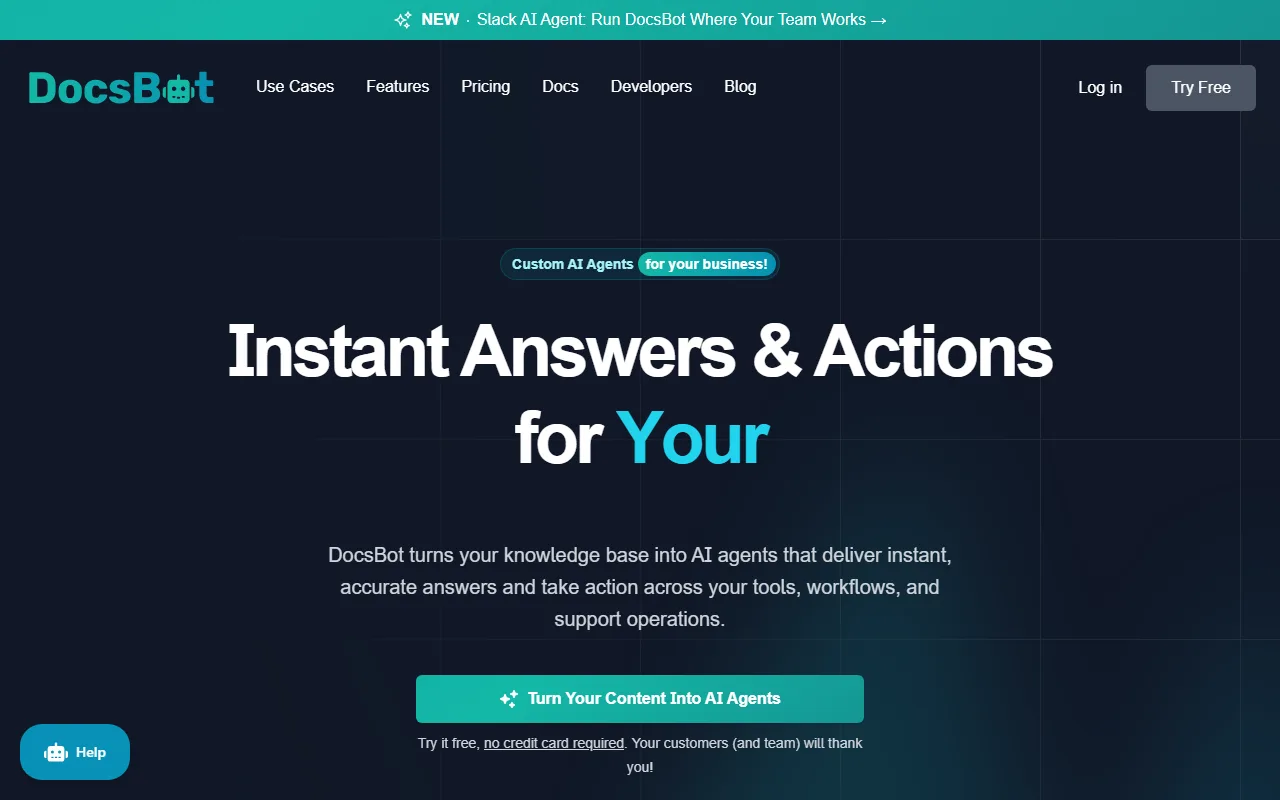
DocsBot AI screenshot — interface view 1

Captured by Zekai from the live DocsBot AI interface during review.

75,000+ professionals are already using this tool.
Start Free Today →
Connects With

Works with your existing stack

Zapier Make Slack Microsoft Teams Zendesk Notion Confluence Salesforce Intercom Help Scout Freshdesk Zoho Desk
Setup complexity: Easy
DocsBot AI transforms your business's knowledge base into custom AI agents for customer support. It provides instant, 24/7 answers to customer inquiries, reducing support costs and resolution times. This allows your human agents to focus on complex, high-value problems instead of repetitive questions.
Comparison

How it compares

DocsBot AI vs. Intercom Fin: Choose DocsBot AI when your priority is to quickly build a powerful chatbot from a wide variety of existing, disparate data sources (like documents, websites, and multiple helpdesks) with a simple, no-code interface. Its strength is flexibility and ease of training. Opt for Intercom Fin when your entire customer communication stack is already within the Intercom ecosystem. Fin benefits from deep, native integration with Intercom's ticketing, CRM, and proactive messaging, offering a more unified but less flexible solution if your knowledge is spread across many external platforms.

You need deeper, native integrations with a specific CRM not listed.
Your primary need is for a proactive outbound sales bot, not inbound support.
You require a fully on-premise solution for data security reasons.
The decision

Is it worth it?

Return on investment
By automating up to 80% of common inquiries, a team on the $99/mo Standard plan can save dozens of agent hours weekly, paying for the tool many times over.
Built for
Customer Support Managers, CX Leaders, and support agents looking to automate tier-1 support and improve team efficiency.
Effort to adopt
Easy
Compliance
DocsBot AI is SOC 2 Type II certified and provides GDPR-ready governance features, including data retention, erasure, and residency workflows.
Who It's For

Why Customer Support & Experience choose this tool

🎯
Built for
Best for support teams aiming to build a 24/7 AI-powered first line of defense by training a chatbot on existing documentation and helpdesk data.
In-Depth Overview
For customer support teams, DocsBot AI offers a direct path to reduce ticket volume and improve efficiency. The platform's primary strength is its ability to train AI agents on an extensive range of over 37 content sources, including websites, documents, and, crucially, existing helpdesk tickets from platforms like Zendesk and Help Scout. This allows the bot to learn from past human resolutions, ensuring high accuracy. The goal is to shift support from reactive to proactive, handling routine inquiries instantly, 24/7. This frees human agents to focus on complex issues requiring their expertise, which boosts job satisfaction and improves the quality of support for high-value interactions. Proof of its effectiveness comes from a Sony case study where DocsBot handled over 30,000 inquiries in one month with an impressive 80% resolution rate. Furthermore, its SOC 2 Type II certification and GDPR-readiness provide the security assurance necessary for enterprise adoption.

Key Use Cases

🎧
Automate Tier-1 Support Resolution
Customer Support Manager
Deploy an AI chatbot trained on your knowledge base and past tickets to provide instant, 24/7 answers to common customer questions. This frees up human agents for more complex tasks.
Up to 80% first-contact resolution
✓ Pros
Handles high volumes of inquiries, with a documented 80% resolution rate in a case study.
Extensive data source support, including helpdesk tickets, websites, and documents.
No-code setup allows for rapid deployment in minutes.
Enterprise-grade security with SOC 2 certification.
Supports seamless handoffs to human agents for complex issues.
· Cons
Advanced automation ('Skills') may require technical expertise to configure.
Some key integrations (e.g., Google Drive, Slack) are still listed as 'Coming Soon' or in 'BETA'.
Bot accuracy is highly dependent on the quality and structure of the source documentation.
Pricing can escalate for teams needing more advanced features or higher usage limits.
⚡ Editorial Verdict

DocsBot AI is a powerful, user-friendly tool for creating support chatbots from existing content, with a proven ability to deflect a high volume of tickets. Its strength is its wide range of data sources and fast, no-code setup. The main trade-off is that while basic setup is simple, configuring more complex process automation via its 'Skills' feature requires more technical know-how.

Questions & Answers

Frequently asked questions

How can I use AI to reduce my customer support team's workload?

+
DocsBot AI lets you build a chatbot from your existing knowledge base, help center articles, and even past support tickets. This AI agent handles repetitive customer questions 24/7, reducing ticket volume and allowing your team to focus on high-priority issues.

What's the best way to provide 24/7 customer support without hiring more staff?

+
The best way is to deploy an AI support agent. DocsBot AI can be trained on your company's information to answer customer queries instantly at any time of day, ensuring consistent quality and reducing resolution times without increasing headcount.

Can an AI chatbot integrate with my existing helpdesk software?

+
Yes, DocsBot AI is designed for integration. It can connect with platforms like Zendesk, Help Scout, and Freshdesk to be trained on past tickets, and it supports seamless handoffs to human agents when an issue requires escalation. It also integrates with Zapier for wider connectivity.

Is it difficult to train an AI chatbot for customer service?

+
No, DocsBot AI offers a no-code, four-step process: create the bot, upload your source data (from over 37 sources), test and refine its responses, and deploy it. You can launch a functional bot in minutes without technical skills.

How do I ensure my company's data is secure when using an AI chatbot?

+
DocsBot AI is built with enterprise-grade security. It is SOC 2 Type II certified, GDPR-ready, and uses end-to-end encryption (TLS and AES-256) to protect your data both at rest and in transit.

Can a chatbot do more than just answer questions?

+
Yes. DocsBot AI features 'Skills' and an API that allow your agent to take action. It can automate processes and connect to your business systems to do more than just explain the next step, moving from simple answers to automated resolutions.

Last reviewed:

Plans & Pricing

Start today

Enterprise
Pricing on request
Tailored for teams and large organisations.
Contact Sales

Prices and features are updated regularly but can change at any time — always confirm on the official website. Some links on this page are affiliate links.

See all 133 AI for Customer Support & Experience tools →
Free guide

Take it with you

  • **Why AI for Support?**: Free up your agents for high-value work.
  • **The Power of Your Own Data**: Train a bot that knows your business.
  • **Key Features**: Wide data source support, no-code setup, and seamless human handoff.
  • **Security First**: Leverage SOC 2 certified AI for peace of mind.
  • **Measuring Success**: Track resolution rates and customer satisfaction.
+3 more steps inside the guide
Send me the full guide

Get DocsBot AI deal alerts

Be the first to know when DocsBot AI drops a new discount, adds features, or changes pricing.

Exclusive DocsBot AI discount codes
New feature announcements
Best alternative picks when pricing changes
Zero spam — unsubscribe anytime
🎉
You're subscribed!
We'll notify you when DocsBot AI has a new deal.
AI Directory

About DocsBot AI

Full Description

DocsBot AI transforms your business's knowledge base into custom AI agents for customer support. It provides instant, 24/7 answers to customer inquiries, reducing support costs and resolution times. This allows your human agents to focus on complex, high-value problems instead of repetitive questions.

Editorial Verdict

DocsBot AI is a powerful, user-friendly tool for creating support chatbots from existing content, with a proven ability to deflect a high volume of tickets. Its strength is its wide range of data sources and fast, no-code setup. The main trade-off is that while basic setup is simple, configuring more complex process automation via its 'Skills' feature requires more technical know-how.

Last reviewed:
Disclaimer
Zekai is an independent AI tools directory. We are not affiliated with, endorsed by, or officially connected to DocsBot AI unless clearly stated. All product names, logos, and brands are the property of their respective owners and are used for identification purposes only. The information on this page — including pricing, features, and availability — is general information, may have changed since our last review, and is not professional advice. Zekai Scores and verdicts are our editorial opinion. Some outbound links are affiliate links that may earn us a commission at no extra cost to you. Spotted outdated or incorrect information? Request a correction →
Previous Tool Chatbase Next Tool CustomGPT
All AI Tools A–Z →
Visit website ↗
DocsBot AI8.8Try DocsBot AI ↗Next tool →
Today's top 3 AI for Customer Support & Experience tools →