Transform sketches into photorealistic renders in real-time with direct integration for SketchUp and Rhino.
Generate images, videos, and train custom style models with an AI purpose-built for architectural design.
What is LookX AI?
LookX AI: Transform sketches into photorealistic renders in real-time with direct integration for SketchUp and Rhino. No free plan. Zekai scores it 7.8 out of 10 after independent testing. Best for architects using SketchUp & Rhino.
Zekai Verdict
- What is it?
- LookX AI is a specialized generative AI platform for architects and designers.
- Best for
- Best for architects and designers seeking to integrate AI-powered, real-time rendering and visualization directly into…
- Not ideal for
- No transparent pricing available on the website
- Price
- Pricing on request
- Zekai Score
- 7.8/10
 Vivid Render
 Veras
Veras TestFit – Site Solver
 Autodesk Forma
 MyArchitectAI
For architects and designers, the best AI tool is one that integrates into their workflow. LookX AI is a top contender, offering direct plugins for SketchUp and Rhino. This allows professionals to transform sketches into photorealistic renders in real-time without leaving their primary design software, a significant advantage over generic, standalone image generators.
Your workflow, automated
Before & After
Jumping between CAD software and separate generic AI tools, wasting time on import/export and prompt engineering.
Hours per concept renderGenerating photorealistic concepts directly inside SketchUp or Rhino, using a tool that understands architectural language.
Minutes per concept renderTry it with these prompts
Copy any prompt and paste it directly into the tool.
Transform a basic sketch into a photorealistic architectural render. Input your sketch and specify the desired architectural style and materials for a high-quality output.
Generate multiple interior design options based on a reference image or a textual description. Experiment with different color palettes, furniture styles, and layouts to find the perfect design.
Bring a static architectural image to life with animation. Describe the desired motion or scene elements to create a dynamic video presentation of the design.
Prompts for Architects
Trusted by professionals
Inside LookX AI
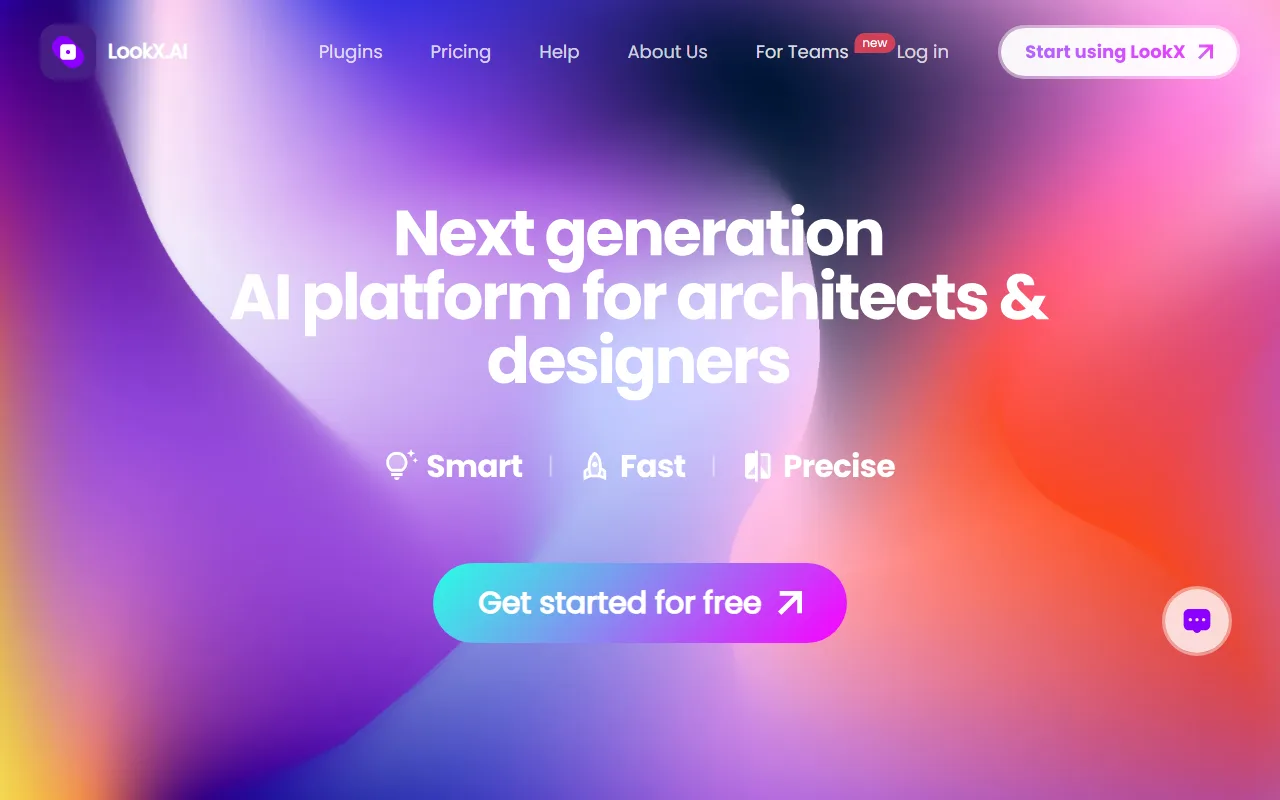
Captured by Zekai from the live LookX AI interface during review.
LookX AI integrations
Best LookX AI alternatives
Compared to a general-purpose AI image generator like Midjourney, LookX AI is a specialized professional tool. Choose LookX AI if your priority is workflow efficiency; its direct SketchUp and Rhino plugins, real-time sketch-to-render, and architect-specific features are designed to accelerate professional design cycles. Choose Midjourney if your goal is maximum artistic exploration and stylistic variety for standalone concept images, where you're willing to trade workflow integration for a broader, more abstract creative engine.
Is LookX AI worth it?
Why Engineering & Architecture choose this tool
Key Use Cases
LookX AI is a powerful, purpose-built tool that bridges the gap between creative design and AI visualization. Its direct CAD software integrations are a significant workflow advantage, but the lack of public pricing requires a direct inquiry before you can assess its value for your practice.
Frequently asked questions
How does LookX AI integrate with my existing design software?
Can I train LookX AI to match my firm's specific design style?
What is the 'RealTime' generation feature?
Is LookX AI suitable for creating final, high-resolution renders?
Can LookX AI generate videos of my architectural designs?
Does LookX AI work on Mac and Windows?
Last reviewed:
Top 10 AI tools in this category
Take it with you
- Concept Ideation: Use `RealTime` generation to turn simple prompts or sketches into dozens of design directions in minutes.
- Workflow Integration: Leverage the SketchUp or Rhino plugin to generate visuals without leaving your CAD environment.
- Style Consistency: Train a `Custom Model` on your firm's past projects to ensure brand and style alignment.
- Client Communication: Generate `Video` animations to create compelling, easy-to-understand presentations of your design.
- Final Touches: Use the `Upscale Image` tool to prepare your best concepts for high-resolution export.
Get LookX AI deal alerts
Be the first to know when LookX AI drops a new discount, adds features, or changes pricing.
More on AI for Engineering & Architecture
- The Best AI Interior Design Tools in 2026: Ranked & Reviewed
- The Best AI Floor Plan Generators in 2026: Ranked & Reviewed
- AI Prompts for Architects: 25 to Save (Design, Code, Renders)
- AI for Architects: DeepSeek-V4-Flash Gains Agentic Prowess
- AI for Architects: AI Agents Rewrite Code, Human Oversight Key
Latest AI news
About LookX AI
Full Description
LookX AI is a specialized generative AI platform for architects and designers. It transforms text and sketches into high-quality renderings in real-time, generates video animations, and integrates directly into SketchUp and Rhino workflows via dedicated plugins.
Editorial Verdict
LookX AI is a powerful, purpose-built tool that bridges the gap between creative design and AI visualization. Its direct CAD software integrations are a significant workflow advantage, but the lack of public pricing requires a direct inquiry before you can assess its value for your practice.