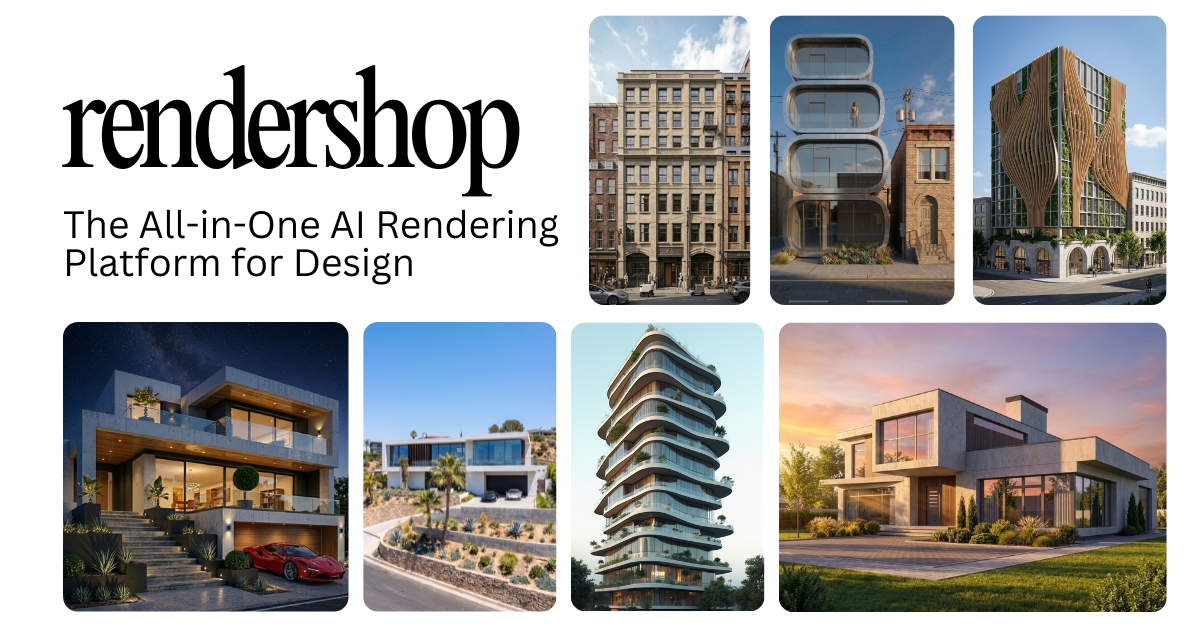
Generate and edit photorealistic architectural renders in seconds, directly from sketches, CAD files, or 3D models.
An all-in-one AI platform for rendering, enhancing, virtual staging, and creating walkthrough videos.
What is Rendershop?
Rendershop: Generate and edit photorealistic architectural renders in seconds, directly from sketches, CAD files, or 3D models. It has a free plan. Zekai scores it 7.4 out of 10 after independent testing. Best for rapid visualization and material iteration.
Zekai Verdict
- What is it?
- Rendershop is an all-in-one AI platform for architects and designers to create stunning architectural imagery.
- Best for
- Best for architects and designers needing to quickly iterate on photorealistic visualizations and make precise material…
- Not ideal for
- Credit-based system can be limiting for high-volume studios
- Price
- Free plan
- Zekai Score
- 7.4/10
 Vivid Render
 Veras
Veras TestFit – Site Solver
 Autodesk Forma
For architects and designers, Rendershop is a leading AI choice because it is purpose-built for their workflow. It uniquely combines rapid, high-quality rendering from sketches or CAD files with precise, markup-based editing for materials and objects. This allows for incredibly fast design iteration and client feedback cycles, a critical advantage over generic AI image tools or slower, traditional rendering software.
Your workflow, automated
Before & After
Hours or days spent on traditional rendering, with slow feedback loops for material changes.
Days per renderGenerate and edit multiple design variations in minutes, enabling rapid client feedback and iteration.
Seconds per renderTry it with these prompts
Copy any prompt and paste it directly into the tool.
Generate a modern exterior architectural render. Use warm stone cladding and set the scene for a daytime view. Ensure the image has a high scale factor for detailed results.
Take an existing 3D model render and recolor a specific material. For example, change the wall tile from green to navy. This should be done with a single prompt without re-modeling.
Furnish an empty room photo instantly for real estate marketing. Upload a construction photo or empty space and apply realistic furniture and decor to showcase potential.
Prompts for Architects
Trusted by professionals
Inside Rendershop
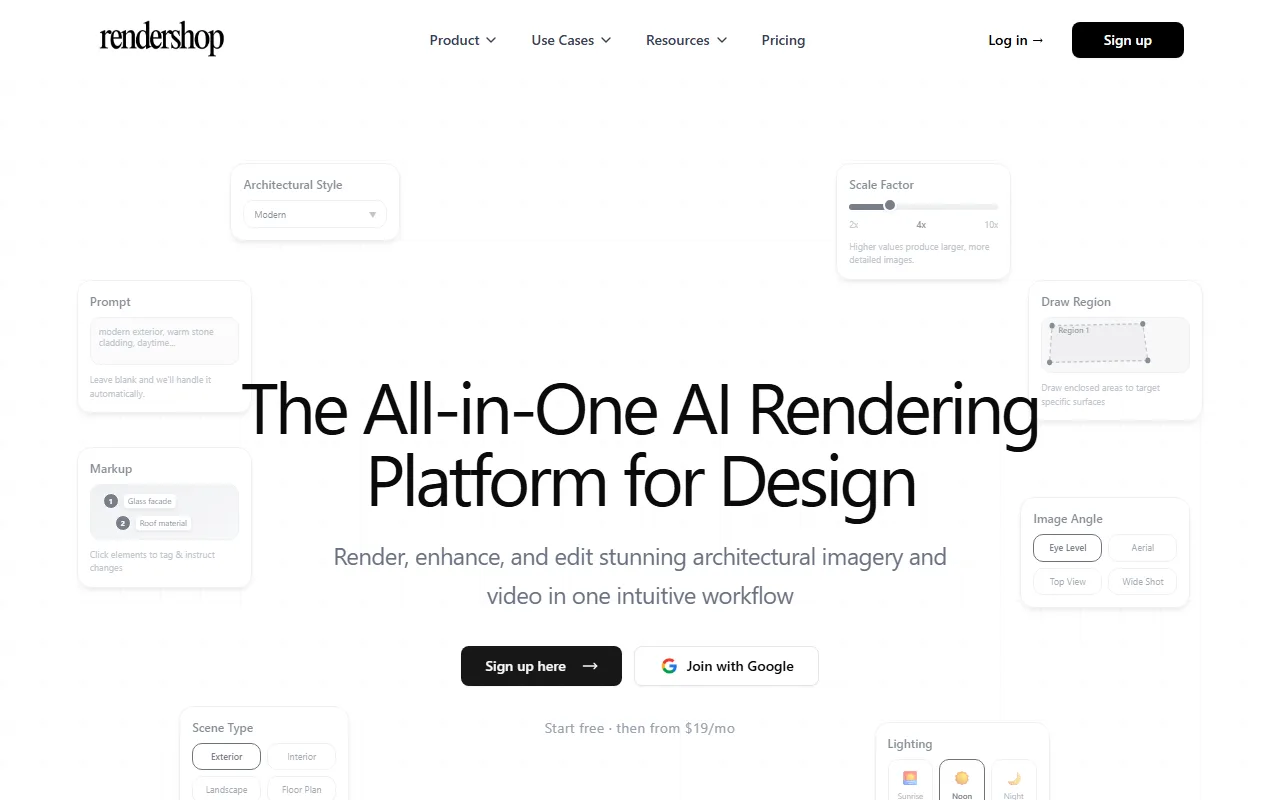
Captured by Zekai from the live Rendershop interface during review.
Best Rendershop alternatives
Compared to a generalist AI image generator like Midjourney, Rendershop is purpose-built for architecture. It understands architectural concepts like 'eye level' vs 'aerial' views and allows for precise, targeted edits (e.g., 'change this window frame to black metal') which is impossible in Midjourney. While Midjourney offers more creative randomness, Rendershop provides the control and consistency required for professional design work. Pick Rendershop for iterative, controllable architectural visualization; use Midjourney for broader, more abstract concept exploration.
Is Rendershop worth it?
Why Engineering & Architecture choose this tool
Key Use Cases
Rendershop is a powerful and practical tool for any architect or designer looking to accelerate their visualization process. Its ability to work from sketches and make surgical edits is a genuine workflow innovation. The main trade-off is that while fast, the AI's output may require some prompt refinement to perfectly match a firm's unique aesthetic, and the credit-based system requires monitoring for heavy use.
Frequently asked questions
What is Rendershop and who is it for?
How does the AI rendering process work?
Can I edit specific parts of my render, like changing one material?
What is the best AI tool for architectural visualization?
Can AI generate photorealistic renders from a hand sketch?
Can I use the renders I create for commercial client projects?
Last reviewed:
Rendershop pricing and plans
Prices and features are updated regularly but can change at any time — always confirm on the official website. Some links on this page are affiliate links.
Top 10 AI tools in this category

Take it with you
- Concept to Render in Minutes: Learn to turn your initial sketches into photorealistic visuals.
- Precision Editing: Master the markup tool to change materials and objects without re-rendering.
- Virtual Staging: Instantly furnish empty rooms to show clients the full potential of a space.
- Enhancing Your Renders: Use AI post-processing to upscale resolution and improve realism.
- Managing Your Credits: Tips for maximizing your renders within your plan's limits.
Get Rendershop deal alerts
Be the first to know when Rendershop drops a new discount, adds features, or changes pricing.
More on AI for Engineering & Architecture
- Architects Transform 2D to BIM in Hours with AI
- Integrated Material Design: How Engineers Benefit from KitKat’s Smart Packaging
- Boost Engineering Efficiency: What AI Means for Your Designs
- Self-Repair Design: A New Mandate for Engineers and AI Tools
- Best Free AI Tools for Architects: What Actually Works (2026)
Latest AI news
About Rendershop
Full Description
Rendershop is an all-in-one AI platform for architects and designers to create stunning architectural imagery. It allows you to generate photorealistic renders from sketches, 3D models, or CAD files in seconds, edit materials with precision, and enhance existing visuals.
Editorial Verdict
Rendershop is a powerful and practical tool for any architect or designer looking to accelerate their visualization process. Its ability to work from sketches and make surgical edits is a genuine workflow innovation. The main trade-off is that while fast, the AI's output may require some prompt refinement to perfectly match a firm's unique aesthetic, and the credit-based system requires monitoring for heavy use.