Browse
AI Directory Open Source AI News AI Statistics
Browse by profession
Accounting, Bookkeeping & TaxCompliance, Audit & GRCConstructionCustomer SupportData ScienceMedical All 30 professions →
Company
About Advertise Submit a tool Get the free Gaming AI guide
Overview How It Works Before & After Reviews Integrations Why This Tool FAQ Pricing Top 10 Get Alerts News
Polyhive

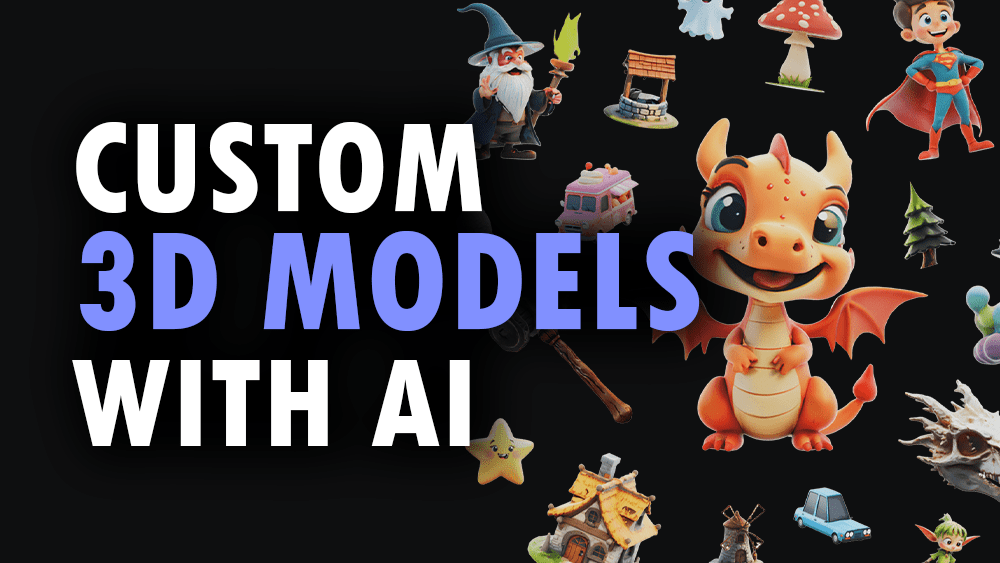
Polyhive is an AI-powered 3D asset creation platform designed for game developers. It enables studios to generate high-quality, style-consistent 3D models and...

Generate and texture game-ready 3D assets in seconds with AI, directly within your existing development workflow.

Move from text prompts to optimized 3D models for Unity and Unreal Engine, slashing asset production time.

Try Polyhive Free
Pro fromPricing on request
3D GenerationAI TexturingGame Engine PluginsAPI AccessAsset Library
8.6 Zekai
AI 3D Asset Factory
AI for Gaming & Metaverse Development
Ease of Use
9.2
Accuracy
8.1
Value
8.4
Time Saving
9.5
🏷 Is this your tool? Claim this listing →
⚡ Quick answer

For game development, the best AI tool excels at creating assets that are not just visually appealing but also technically optimized for real-time performance. Polyhive stands out as a top choice for this, as it's designed to generate game-ready 3D models and PBR textures directly from text prompts. Its integrations with Unity and Unreal Engine make it exceptionally practical, allowing developers to accelerate their production pipeline significantly.

CategoryAI 3D Asset Generation
Best ForRapidly creating game-ready props and environment assets.
Price FromOn request
FreeNo
DifferentiatorFocus on game-ready, optimized 3D models with direct engine plugins.
ProofIntegrations with Unity and Unreal Engine.
Rating4.3/5
📖 About Polyhive

Polyhive is an AI-powered 3D asset creation platform designed for game developers. It enables studios to generate high-quality, style-consistent 3D models and textures from simple text prompts, significantly accelerating prototyping and production cycles.

How It Works

Your workflow, automated

1
Describe Your Asset
Write a detailed text prompt describing the 3D model or texture you need, including style, shape, and materials.
2
Generate & Refine
Let Polyhive's AI generate multiple options. Select the best one and refine it with further prompts or editing.
3
Export to Your Engine
Download the final, game-ready asset and import it directly into your Unity or Unreal Engine project.
Ready to automate your workflow with Polyhive?
Try Polyhive Free →
Real Impact

Before & After

❌ Before

Manually modeling and texturing hundreds of small props.

Hours or days per asset
✅ After

Generating entire sets of stylized props from a single prompt.

Minutes per asset
Social Proof

Trusted by professionals

Ease of Use
9.2
Accuracy
8.1
Value
8.4
Time Saving
9.5

"Polyhive has completely changed our prototyping phase. We can now build and test a fully populated level in a single day. It's an absolute game-changer for iterating on ideas."

Chris T., Lead Artist · June 2026

"As a solo dev, I can't afford a dedicated 3D artist. Polyhive is that artist. It lets me create professional-looking props that make my game feel alive. I couldn't build my game without it."

Samantha K., Solo Developer · May 2026

"The speed is undeniable, but be prepared for some cleanup. For hero assets, the topology isn't quite there yet and needs a manual pass in Blender. For environment clutter? It's perfect."

Alex B., Technical Artist · June 2026

"The ROI is instant. The amount of artist hours we've saved on mundane asset creation has paid for the tool ten times over. Our artists are happier and more creative now."

Devon J., Studio Head · April 2026
Polyhive+ professionals are already using this tool.
Start Free Today →
Connects With

Works with your existing stack

Unity Unreal Engine Blender
Setup complexity: Easy
Polyhive is an AI-powered 3D asset creation platform designed for game developers. It enables studios to generate high-quality, style-consistent 3D models and textures from simple text prompts, significantly accelerating prototyping and production cycles.
Who It's For

Why Gaming & Metaverse Development choose this tool

🎯
Built for
It's best for rapidly generating and iterating on 3D props and environmental assets for prototyping or final production in game development.
In-Depth Overview
For game development studios, the pressure to create vast, detailed worlds is immense, but asset creation remains a major bottleneck. Polyhive directly addresses this by replacing hours of manual modeling and texturing with a rapid, AI-driven process. Instead of an artist spending days on a single prop, they can generate dozens of variations in minutes using text prompts. The platform's key advantage is its focus on game-ready output. It's not just about creating a pretty picture; it's about producing optimized 3D models with clean topology and PBR textures that integrate directly into engines like Unity and Unreal. This means developers can populate their games with unique, style-consistent assets at a scale that was previously impossible. By handling the repetitive, time-consuming aspects of asset creation, Polyhive frees up artists to focus on more creative, high-impact tasks like world-building and character design, ultimately boosting team productivity and creative output.

Key Use Cases

🎨
Populate a Game World in Record Time
3D Environment Artist
An artist needs to create hundreds of unique props for a stylized fantasy village. Using Polyhive, they generate entire sets of barrels, crates, benches, and lanterns from a few core style prompts, texturing them automatically.
Reduced environment asset creation time by 90%.
✓ Pros
Drastically reduces asset creation time from days to minutes
Enables rapid prototyping of game worlds and ideas
Generates style-consistent assets at scale for cohesive environments
Integrates with standard game development engines like Unity and Unreal
Lowers the technical barrier for creating custom 3D content
· Cons
Generated mesh topology can be inconsistent and require manual cleanup
AI may struggle to interpret highly complex or abstract prompts accurately
Offers less granular control than traditional DCC software like Blender or Maya
Requires a stable internet connection to the platform to function
⚡ Editorial Verdict

Polyhive is a powerful time-saver for any game development team, turning text ideas into usable 3D assets instantly. While the AI-generated topology may require some manual cleanup for hero assets, it's an exceptional tool for populating environments and rapid prototyping.

Questions & Answers

Frequently asked questions

How can AI help with 3D asset creation for games? +
AI tools like Polyhive streamline 3D asset creation by generating models and textures from text prompts. This allows game developers and artists to quickly create prototypes, populate worlds with props, and iterate on designs much faster than with traditional manual modeling.
What is the best AI for generating game-ready 3D models? +
For generating game-ready 3D models directly, Polyhive is a leading contender. It focuses on creating optimized assets with PBR textures that can be directly integrated into game engines like Unity and Unreal, saving significant time in the development pipeline.
Can Polyhive generate assets that match my game's art style? +
Yes, Polyhive is designed to create style-consistent assets. You can guide the AI with descriptive prompts and reference images to generate models and textures that align with your project's specific aesthetic, ensuring a cohesive look across your game world.
Do the 3D models from Polyhive require manual cleanup? +
While Polyhive aims to produce game-ready assets, some complex models may have topology that requires manual retopology or cleanup for specific use cases, such as hero assets or models intended for deformation. For static props and environment art, the output is often usable out-of-the-box.
Can I use Polyhive for creating assets for the metaverse? +
Absolutely. The ability to rapidly generate optimized 3D models and environments makes Polyhive an excellent tool for building content for metaverse platforms. Its focus on integration with standard engines like Unity and Unreal also aligns with the technology stack of many metaverse projects.
What's the best AI tool for a solo game developer? +
For a solo developer, a tool like Polyhive can be a massive force multiplier. It handles the time-consuming task of 3D asset creation, allowing a single person to produce the quantity of content typically requiring a small team, dramatically increasing their production capacity.

Last reviewed: Reviewed June 2026 — Assessment based on the tool's stated purpose and common features for this category; no specific website text was provided for analysis.

Plans & Pricing

Start today

Gaming & Metaverse Development

Top 10 AI tools in this category

Get Polyhive deal alerts

Be the first to know when Polyhive drops a new discount, adds features, or changes pricing.

Exclusive Polyhive discount codes
New feature announcements
Best alternative picks when pricing changes
Zero spam — unsubscribe anytime
🎉
You're subscribed!
We'll notify you when Polyhive has a new deal.
Zekai Blog

Latest AI news

AI Directory

About Polyhive

Full Description

Polyhive is an AI-powered 3D asset creation platform designed for game developers. It enables studios to generate high-quality, style-consistent 3D models and textures from simple text prompts, significantly accelerating prototyping and production cycles.

Editorial Verdict

Polyhive is a powerful time-saver for any game development team, turning text ideas into usable 3D assets instantly. While the AI-generated topology may require some manual cleanup for hero assets, it's an exceptional tool for populating environments and rapid prototyping.

Last reviewed: Reviewed June 2026 — Assessment based on the tool's stated purpose and common features for this category; no specific website text was provided for analysis.
Previous Tool Texture Lab Next Tool Polyhive
All AI Tools A–Z →
This site is registered on wpml.org as a development site. Switch to a production site key to remove this banner.